
User dashboard design overview
The user dashboard design options are managed from:
Theme Options → User Dashboard
From this section, you can control if the header is shown inside the user dashboard and customize the dashboard colors.
The available sections are:
- User Dashboard Header – controls the header display inside dashboard pages.
- User Dashboard Colors – controls menu colors, content colors, package colors, and button colors.
User dashboard header
Go to:
Theme Options → User Dashboard → User Dashboard Header
This section includes the option:
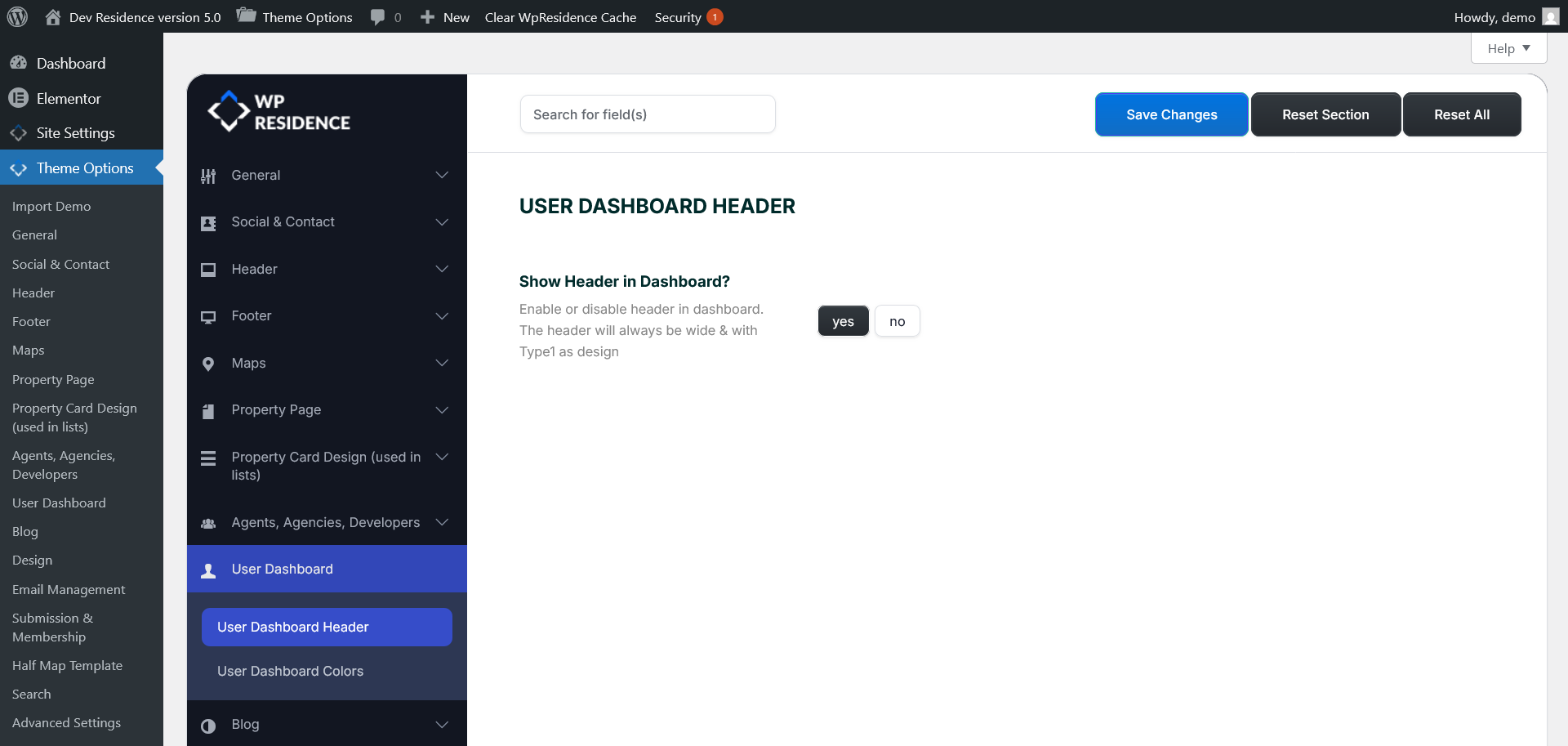
Show header in dashboard?
- Yes – the site header will show on user dashboard pages.
- No – the site header will be hidden on user dashboard pages.
Note: The dashboard header will always use a wide layout and Header Type 1 design.
User dashboard colors
Go to:
Theme Options → User Dashboard → User Dashboard Colors
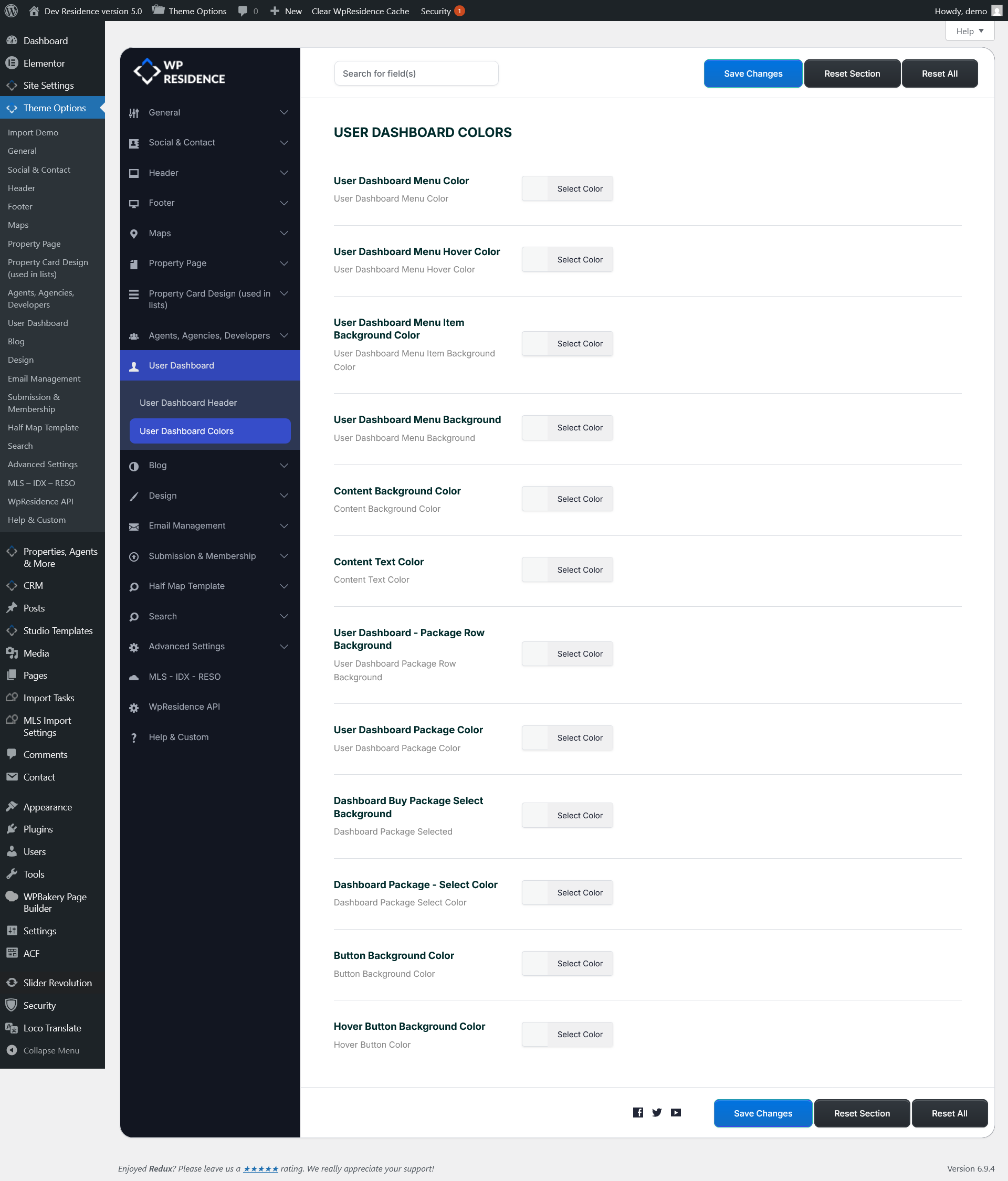
This section controls the colors used inside the user dashboard area.
Dashboard menu colors
These options control the left dashboard menu.
- User Dashboard Menu Color – controls the dashboard menu text color.
- User Dashboard Menu Hover Color – controls the menu text color on hover.
- User Dashboard Menu Item Background Color – controls the background color of individual menu items.
- User Dashboard Menu Background Color – controls the background color of the full dashboard menu area.
Dashboard content colors
These options control the main dashboard content area.
- Content Background Color – controls the background color behind the dashboard content.
- Content Text Color – controls the main text color inside dashboard pages.
Membership package colors
These options apply to the package display used in membership submission mode.
- User Dashboard – Package Row Background – controls the background color of package rows.
- User Dashboard Package Color – controls the package text or package highlight color.
- Dashboard Buy Package Select Background – controls the background color for the selected package area.
- Dashboard Package – Select Color – controls the selected package text or accent color.
Dashboard button colors
These options control the dashboard button colors.
- Button Background Color – controls the default button background color.
- Hover Button Background Color – controls the button background color on hover.
Tip: After changing dashboard colors, clear the theme cache and browser cache if the new colors do not show immediately.