
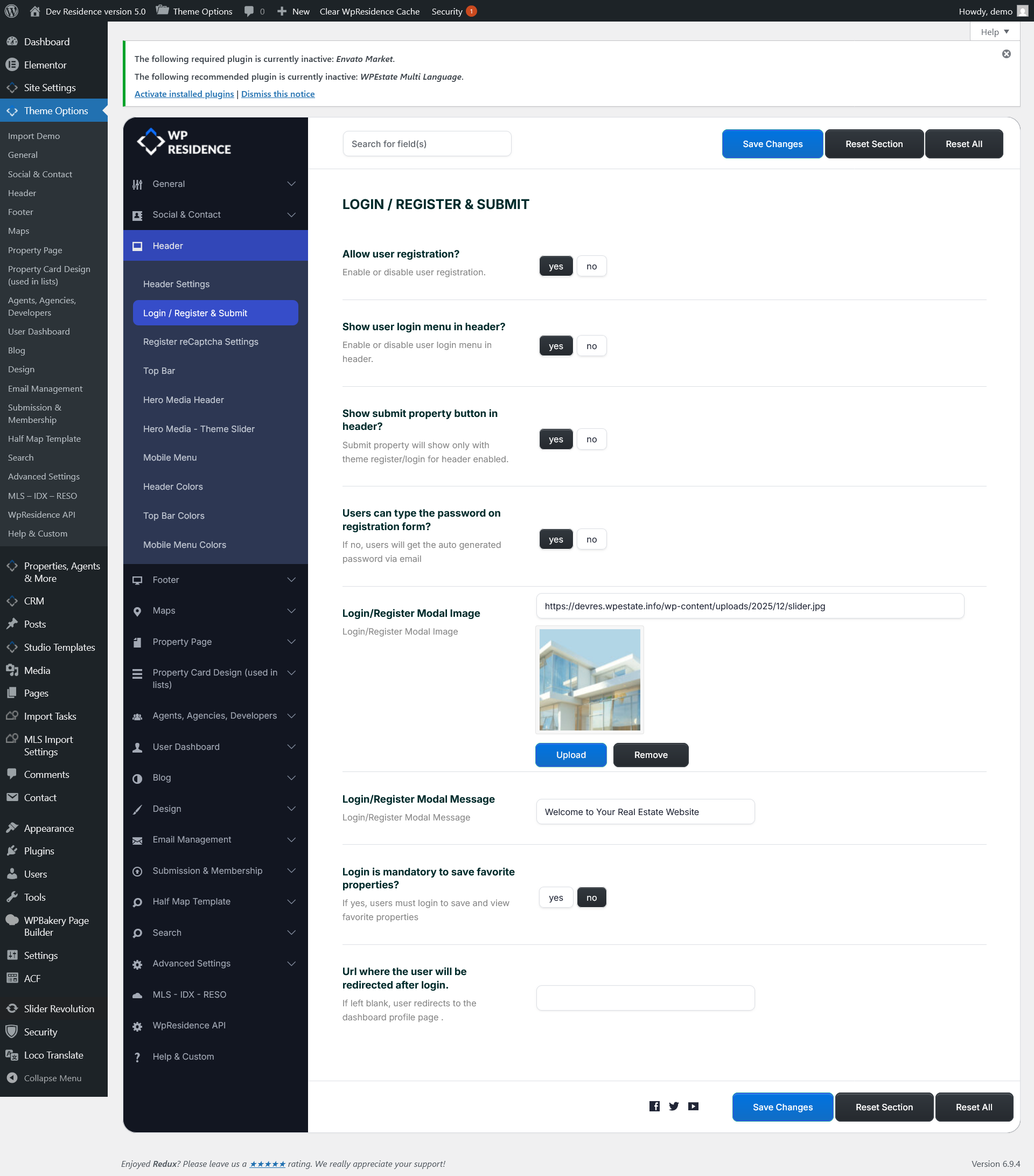
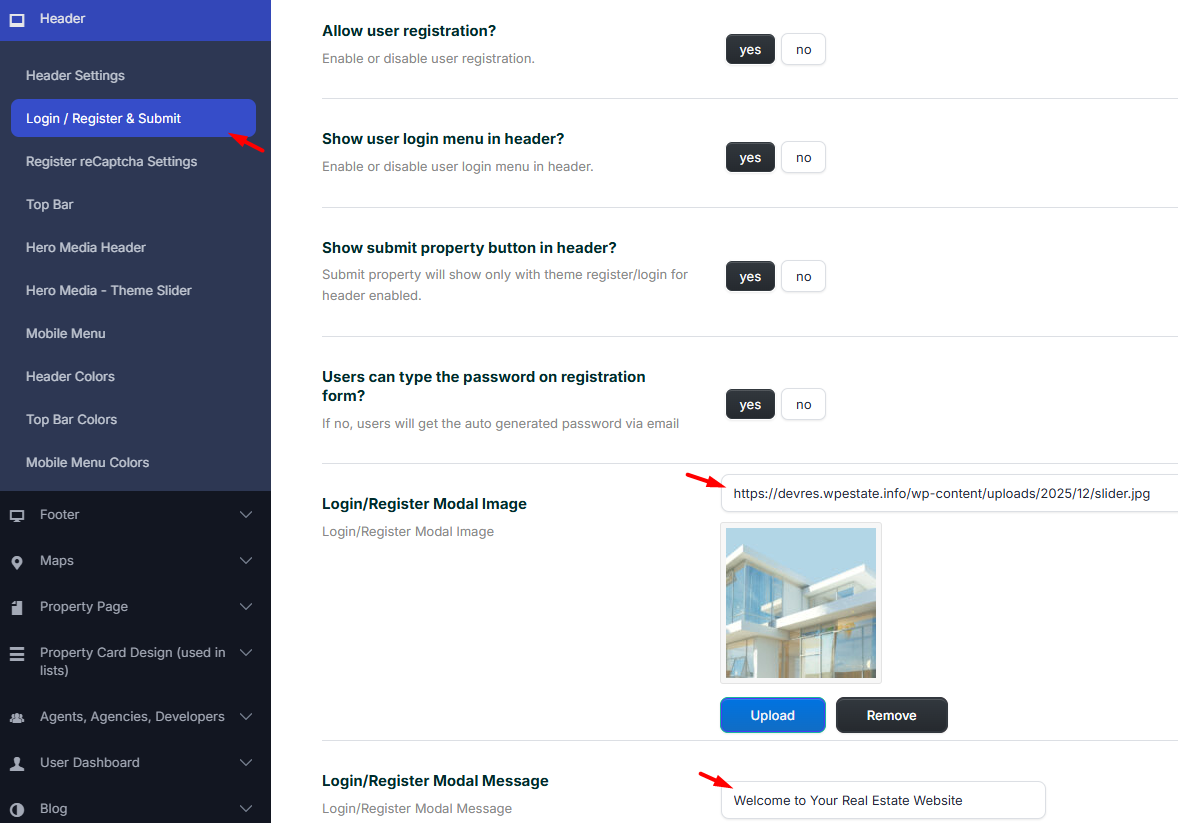
To manage the Login/Register modal and the header submit options, go to Theme Options → Header → Login / Register & Submit.
Login / Register & Submit overview
The Login / Register & Submit section controls the theme login/register modal, the header login menu, and the header submit property button.
These options apply to the WPResidence built-in login/register system. They are separate from the default WordPress login page.
Allow user registration
Use Allow user registration? to enable or disable front-end user registration from the theme login/register modal.
- Yes – Visitors can create an account from the front-end register form.
- No – Visitors cannot register from the theme modal.
If you want users to submit properties from the front end, this option should usually be set to Yes.
Show user login menu in header
Use Show user login menu in header? to show or hide the login/register menu in the header.
- Yes – The login/register option is displayed in the header.
- No – The login/register option is hidden from the header.
Show submit property button in header
Use Show submit property button in header? to display the submit property button in the site header.
- Yes – The submit property button is displayed in the header.
- No – The submit property button is hidden.
Important: The submit property button works with the theme register/login system. If the login/register header option is disabled, the submit property button may not show as expected.
Users can type the password on registration form
Use Users can type the password on registration form? to control how the account password is created during registration.
- Yes – Users can type their own password in the registration form.
- No – Users receive an auto-generated password by email.
Change the Login/Register modal image and message
The Login/Register Modal Image option lets you upload the image displayed inside the login/register modal.
The Login/Register Modal Message option lets you add the text displayed in the login/register modal, for example a welcome message.
Login mandatory to save favorite properties
Use Login is mandatory to save favorite properties? to decide if visitors must be logged in before they can save and view favorite properties.
- Yes – Users must log in before saving favorite properties.
- No – The favorite action is not restricted in the same way.
Redirect users after login
Use Url where the user will be redirected after login if you want users to be sent to a specific page after they log in.
If this field is left blank, users are redirected to the dashboard profile page.
After making changes, click Save Changes.