
You can remove the Advanced Search from property pages globally from Theme Options.
For blog posts, there is no separate Theme Options setting, so the Advanced Search can be hidden with custom CSS.
Remove Advanced Search from property pages
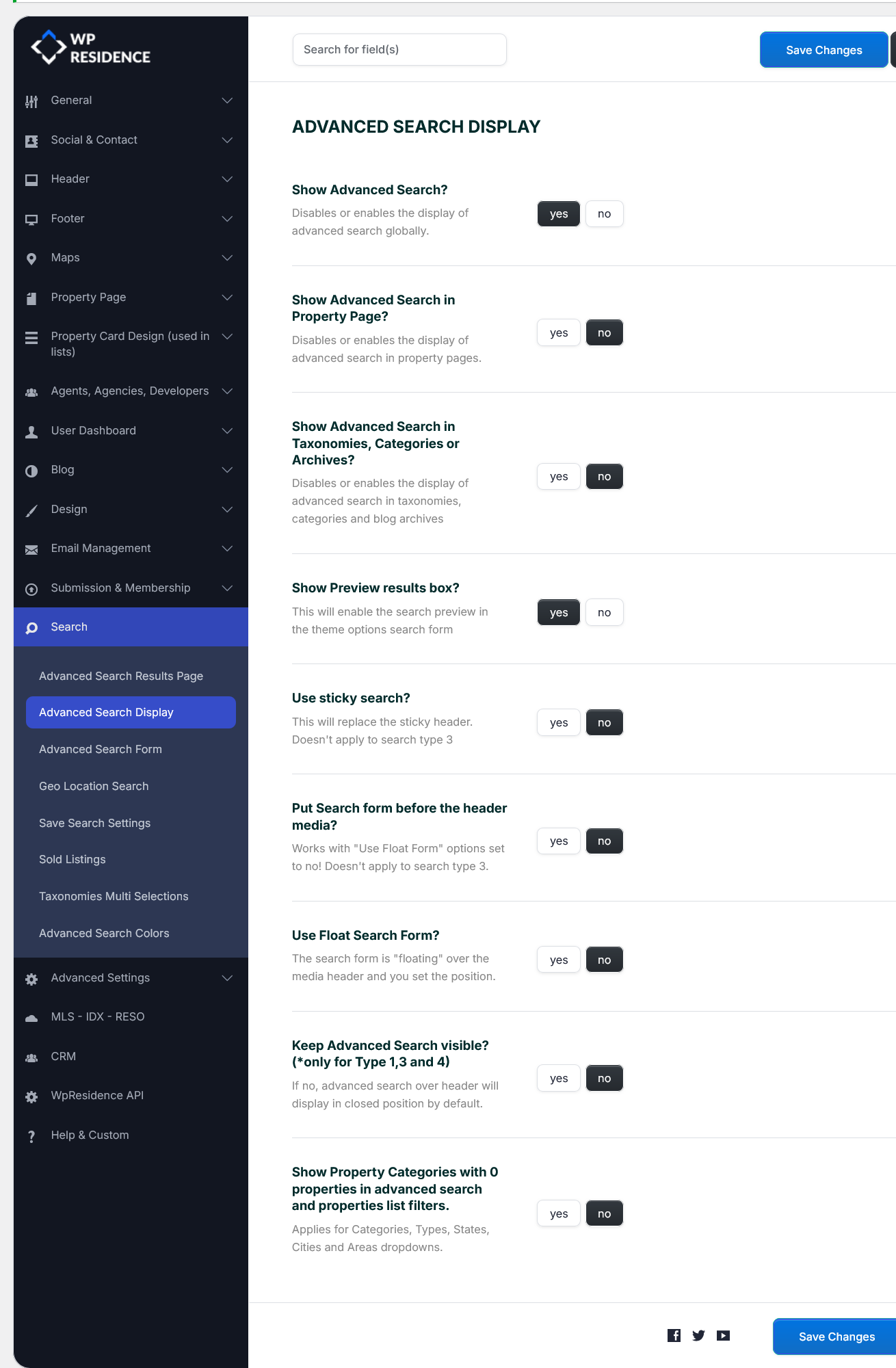
To remove the Advanced Search globally from property pages, go to:
Theme Options > Search > Advanced Search Display
Find the option:
Show Advanced Search in Property Page
Set it to:
No
Then save changes.
Remove Advanced Search from blog posts
To remove the Advanced Search from single blog posts, add this custom CSS:
.single-post #search_wrapper,
.single-post #adv-search-header-mobile {
    display: none !important;
}
Add the CSS in:
Theme Options > Design > Custom CSS
Note: This CSS applies only to single blog posts. It hides both the desktop Advanced Search wrapper and the mobile Advanced Search header on blog post pages.