WP Residence Help WP Residence Help

  • WPRESIDENCE
  • Video Tutorials
  • Client Support
  • API
Home / Header / Disable Login & Register / Don’t allow users to register on the site

Disable Login & Register / Don’t allow users to register on the site

8708 views 1

In order to not allow to users to register on the site follow the below steps:

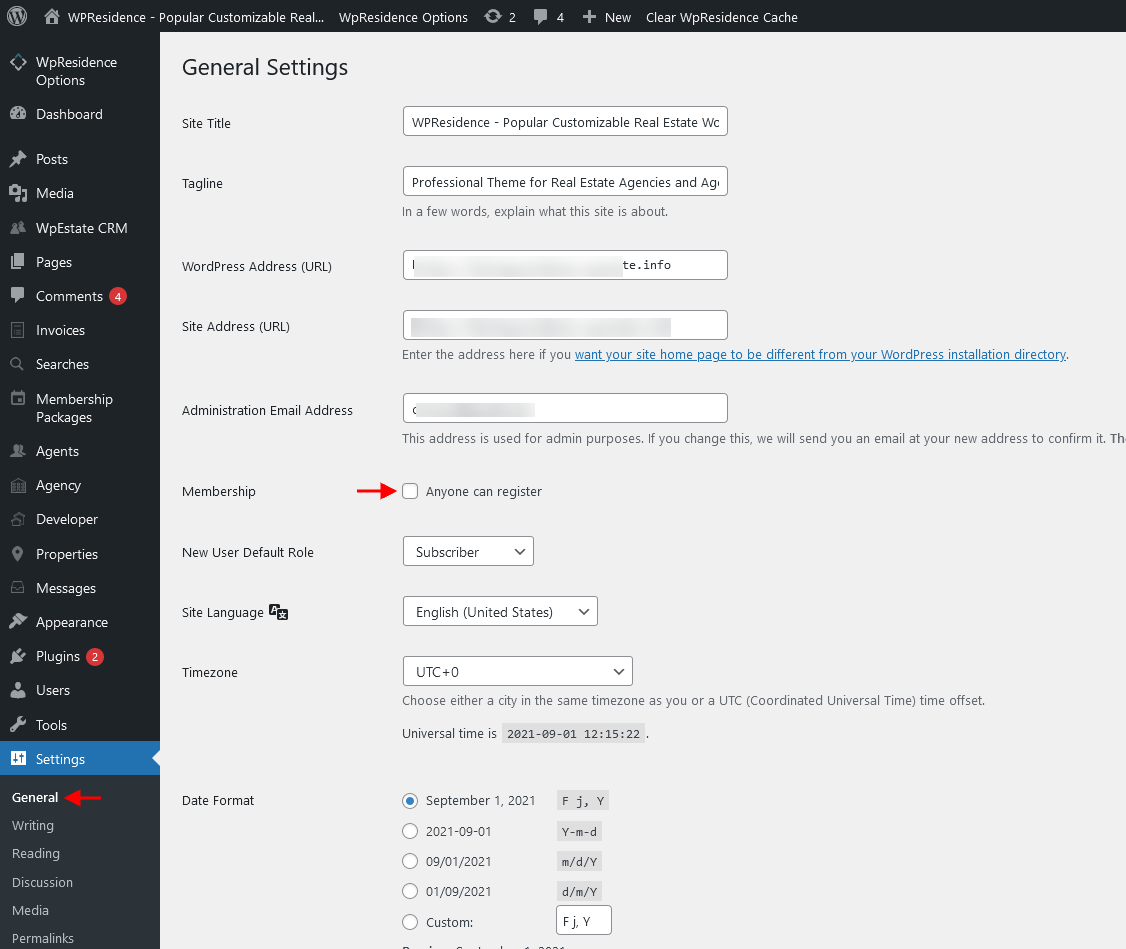
Step1: Navigate to Admin Dashboard > Settings > General and un-check Anyone can register option.
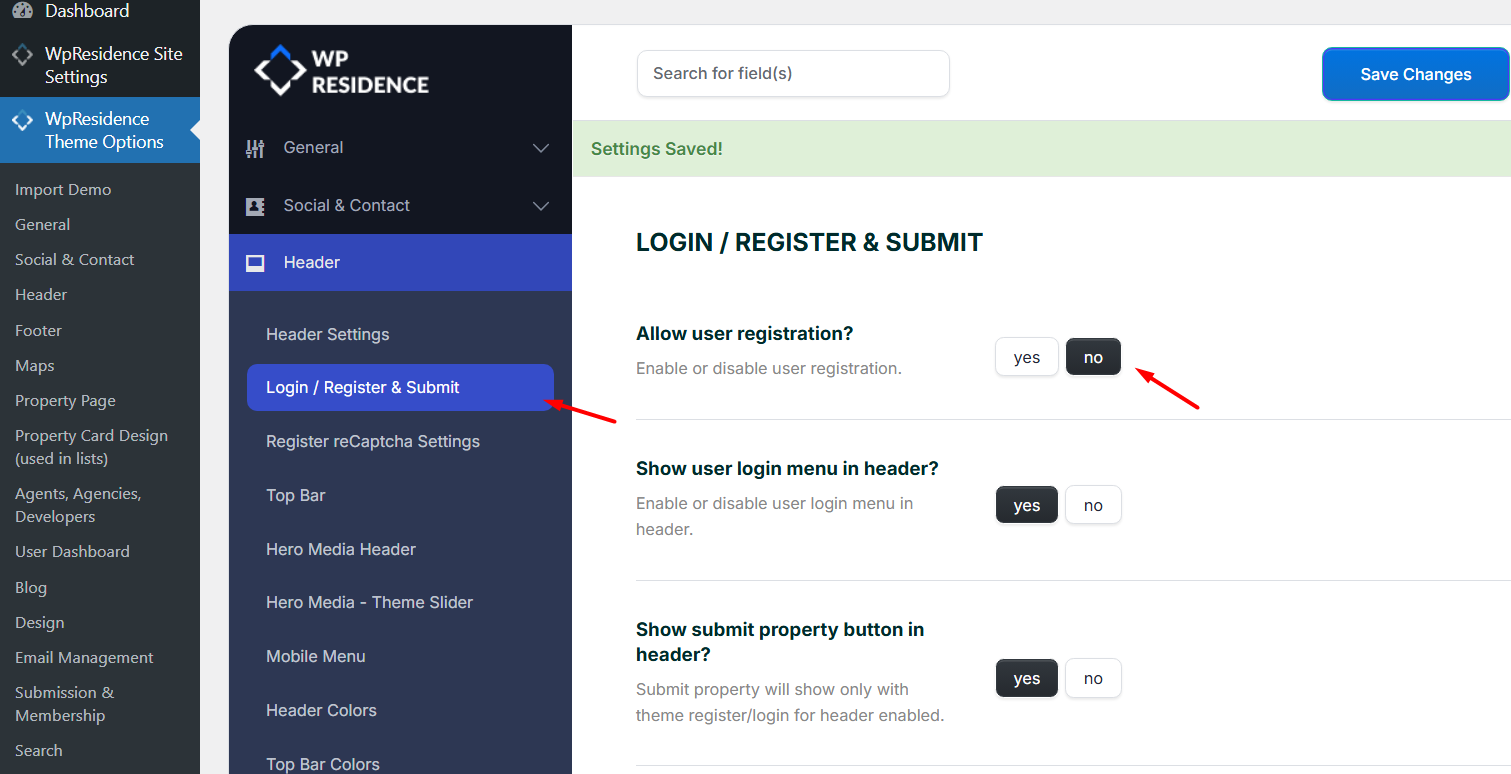
Step2: Navigate to Theme Options > Header and set the option “Allow user registration?” to NO.

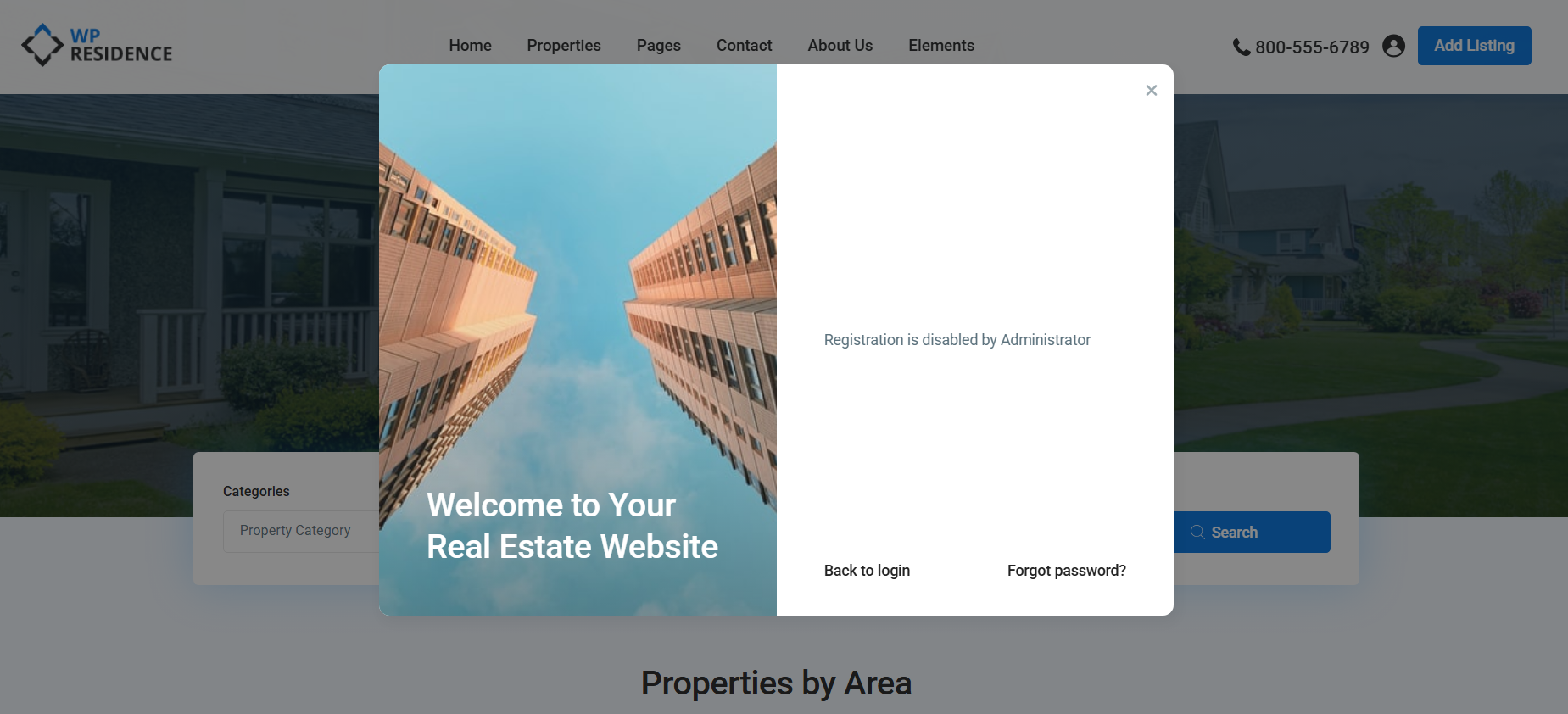
The login modal will show, but register is disabled
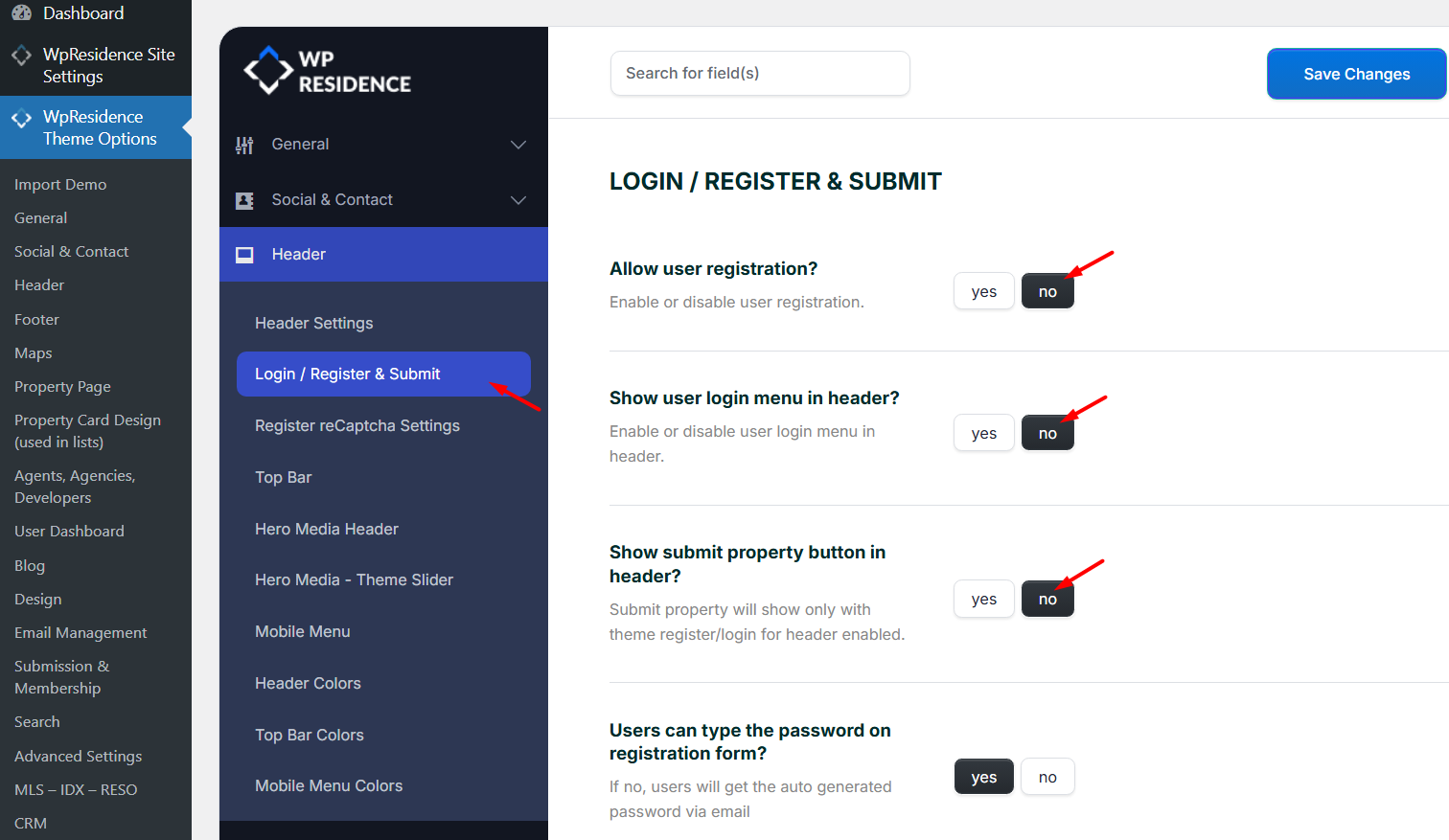
Optionally, you can also disable the user login icon and the “Submit Property” button.
 

Header

Related Articles

  • Mega Menu with WPResidence Studio
  • Header & Footer with WPResidence Studio + Elementor Free
  • How to set Theme header and Media header (video tutorials and articles)
  • How to set the Header Type 5 in WPResidence theme

Help Categories

  • 18Agent, Agency & Developers
  • 5Blog Posts & Blog Lists
  • 38Elementor Shortcodes Built-In
  • 45FAQ
  • 15Footer
  • 5Getting Started
  • 37Header
  • 2IDX & MLSImport
  • 6Installation & Setup
  • 23Installation FAQ
  • 23Maps & Location Settings
  • 21Multi-Language Third Party Plugins
  • 6Other Third party Plugins
  • 19Pages
  • 4Payments & Monetization
  • 20Property Lists, Categories & Archive
  • 36Property Pages & Layouts
  • 31Search & Filtering
  • 162Technical how to | Custom Code Required
  • 8Technical: Actions and filters
  • 6Technical: Child Theme
  • 86Theme Options & Global Settings
  • 6Translations & Languages
  • 16WPBakery Shortcodes
  • 51WPResidence / WPEstate CRM
  • 50WPResidence 5.0 Documentation
  • 8WPResidence Elementor Studio
  • 50WPResidence Translate Plugin

Join Us On

Powered by WP Estate - All Rights Reserved
  • WPRESIDENCE
  • Video Tutorials
  • Client Support
  • API