
The Agents List page displays the agents added to your WPResidence website. The page uses the Agents List Template and includes pagination, so visitors can browse agents page by page.
By default, the theme shows 10 agents per page.
Example from our live demo:
http://wpresidence.net/our-agents/
Create the Agents List page
To create an Agents List page:
- Go to WP Admin > Pages > Add New.
- Add a page title, for example Our Agents.
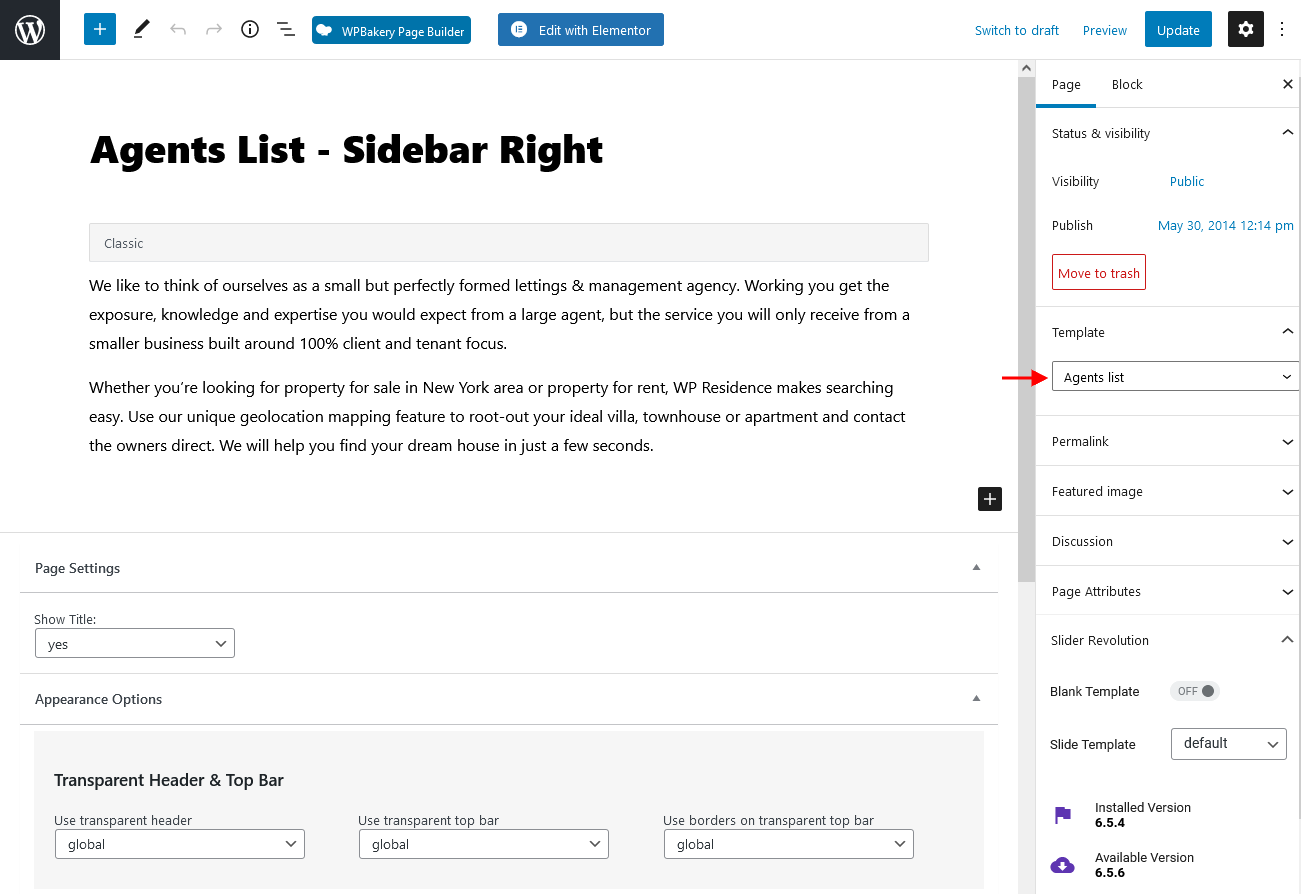
- From the page template options, select Agents List Template.
- Publish the page.
The Agents List Template automatically displays the agent list and handles pagination.
Order agents
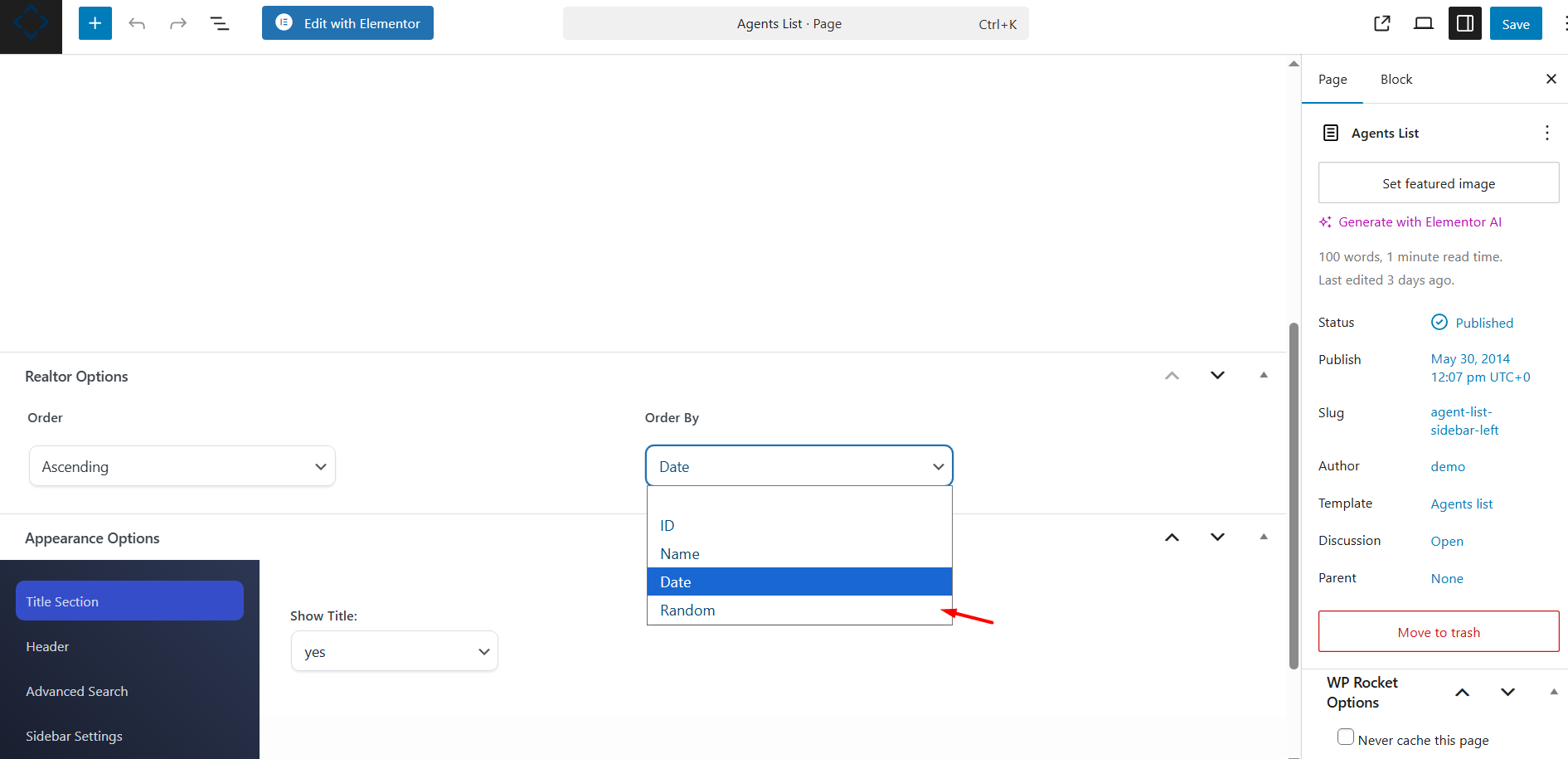
You can control the order in which agents appear on the Agents List page.
The agents can be ordered by:
- ID
- Date
- Name
- Random
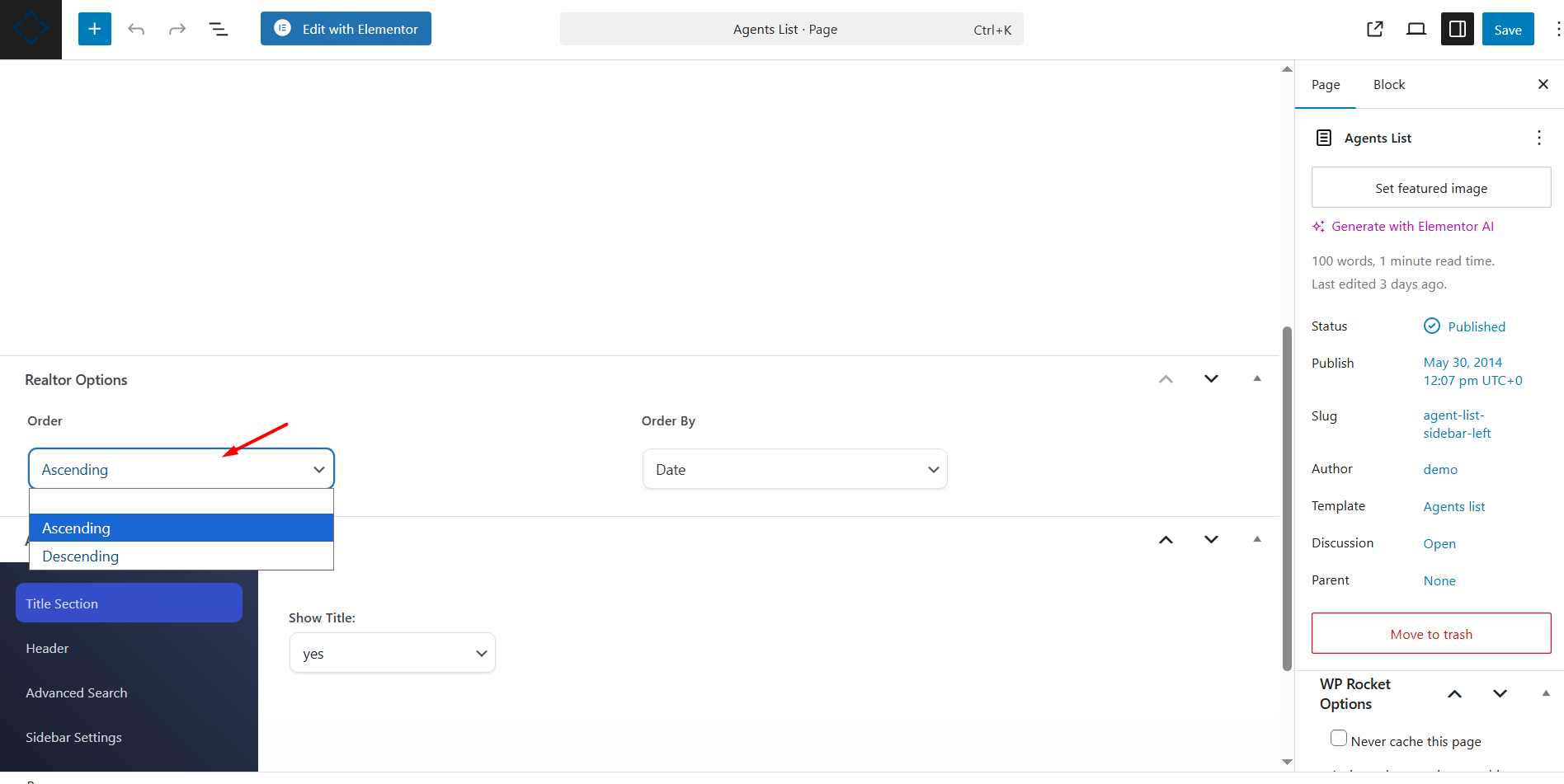
You can also choose the order direction:
- Ascending (ASC)
- Descending (DESC)
Design the agent card units
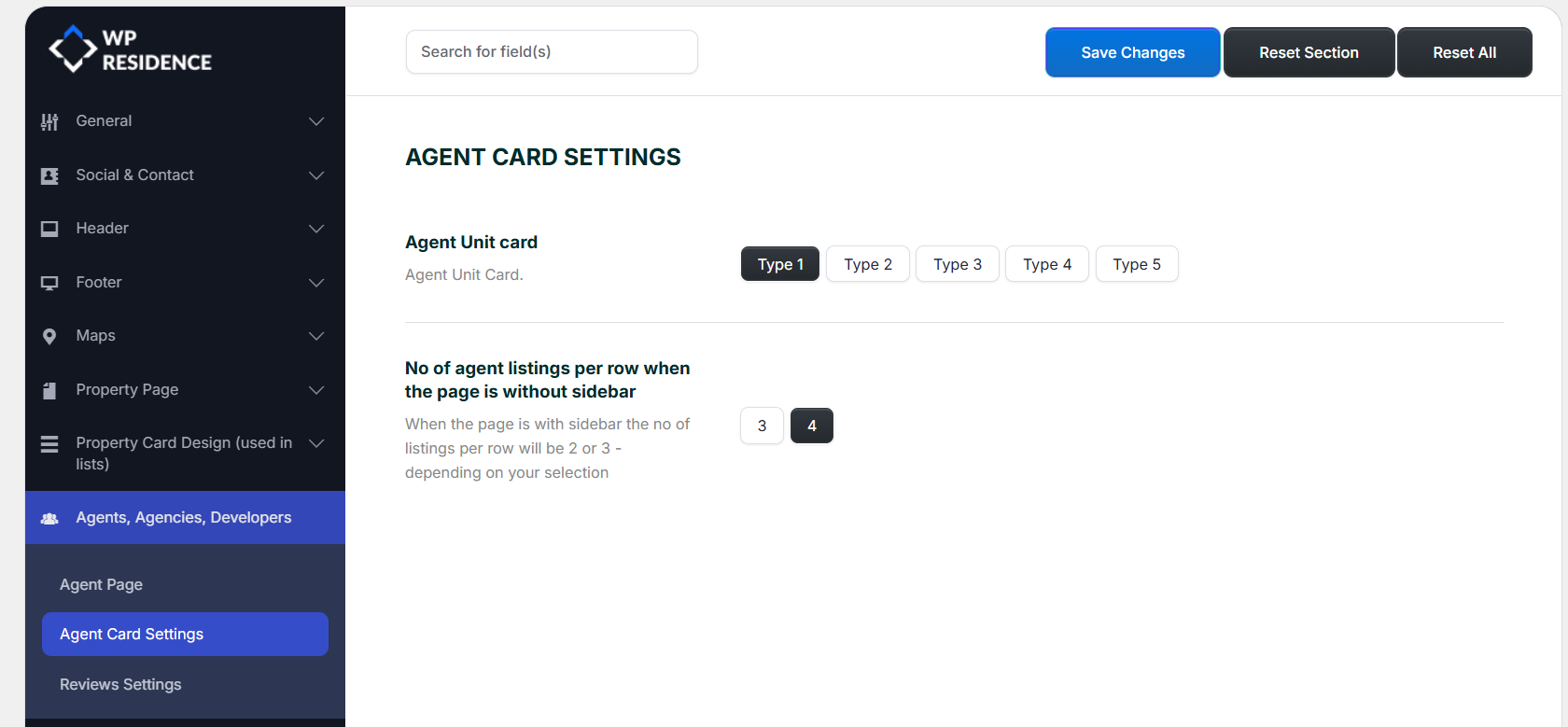
You can customize how each agent is displayed in lists by using the Agent Card settings.
Go to:
Theme Options > Agents, Agencies, Developers > Agent Card Settings
From this section, you can choose the agent card design type used for agent lists.
Manage users, agents, agencies, and developers
Before agents can appear on the Agents List page, you must add agent profiles to the website.
Agents can be created in different ways:
- From the front-end registration form, when the user selects Agent.
- From the WordPress admin area, by creating an Agent profile manually.
If the agent must manage properties from the front-end dashboard, the agent profile must be correctly connected to the WordPress user account.
Related help:
How to Manage Users, Agents, Agencies, and Developers
Important notes
- The Agents List page must use the Agents List Template.
- The page automatically handles pagination.
- By default, the theme shows 10 agents per page.
- Agent card design is managed separately from the Agents List page template.
- If an agent does not appear, check that the agent profile is published.
- If the agent needs dashboard access, make sure the agent profile is connected to the correct WordPress user account.