
Advanced Search Type 11 provides a compact search form that includes a dedicated Property Title field and two dropdown fields for Property Categories and Property Types.

When the search bar is clicked, the extended advanced search opens and displays fields that are synced with the Advanced Search custom fields configured in the admin area.
These extended search fields are shared with:
- Advanced Search Results pages
- Half Map Ajax filters
- Mobile search
- Advanced Search widget
- Advanced Search shortcode
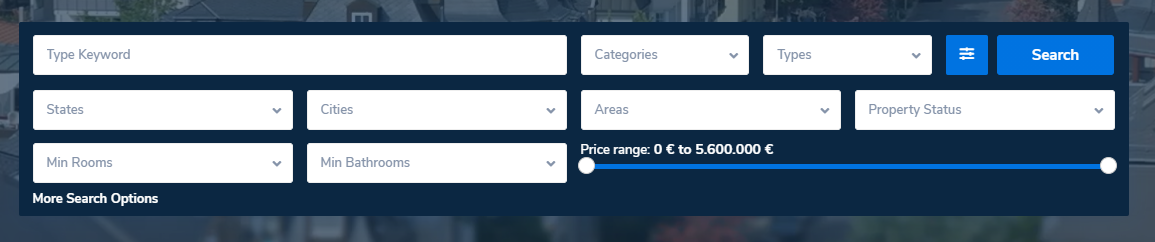
Select search type – Type 11
Go to Theme Options → Search → Advanced Search Form and set Advanced Search Type to Type 11.
Configure extended search fields
The fields displayed when the search expands are configured from Theme Options → Search → Advanced Search Form and use the same logic and comparison rules as the global Advanced Search.
Help article for Advanced Search Form Setup
Configure search form display
Layout, spacing, and visibility options are managed from Theme Options → Search → Advanced Search Display.
Help article for Advanced Search Form Display
Configure search form colors
Colors for fields, background, and buttons are managed from Theme Options → Search → Advanced Search Colors.
Help article for Advanced Search Colors Setup
Elementor Search Form Builder – Important Note
If you use the Elementor Search Form Builder widget on specific pages, keep in mind:
- The global Advanced Search Type selected in Theme Options still applies.
- Search fields configured inside the Elementor widget do not sync with Theme Options.
- Changes made in Theme Options → Search → Advanced Search Form do not affect Elementor-based search forms.
- Button styling is controlled entirely from the widget’s Style tab.
- This allows page-level customization without changing global search behavior.
Elementor widget guide:Property Search Form Builder for Elementor
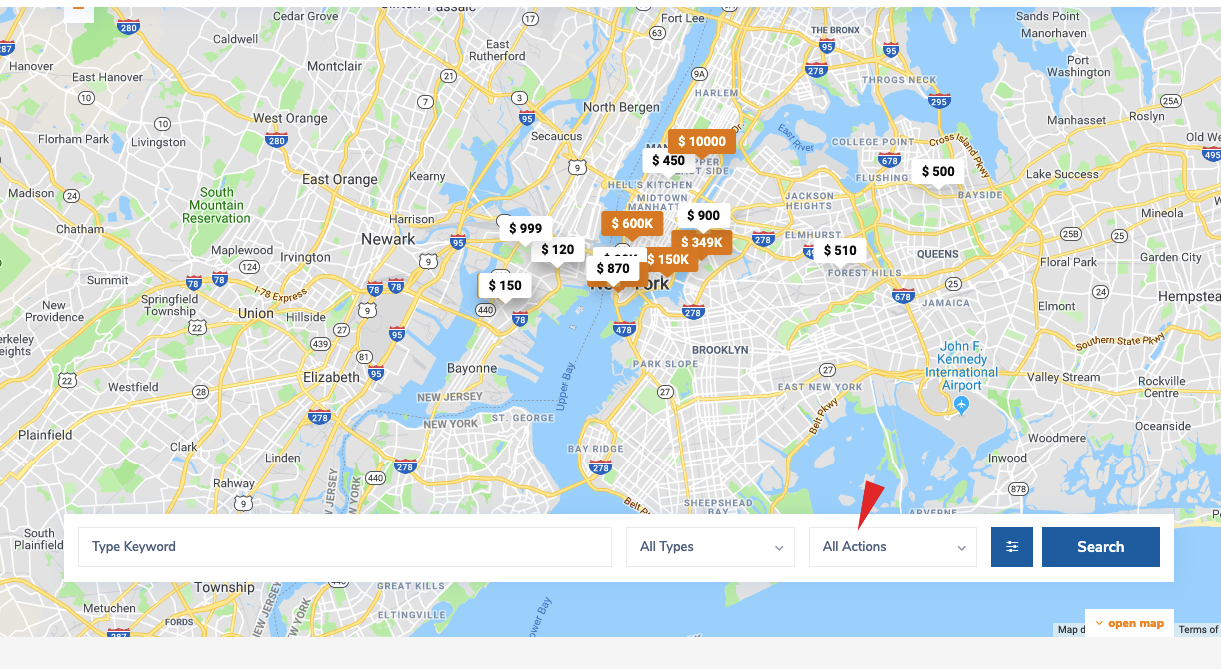
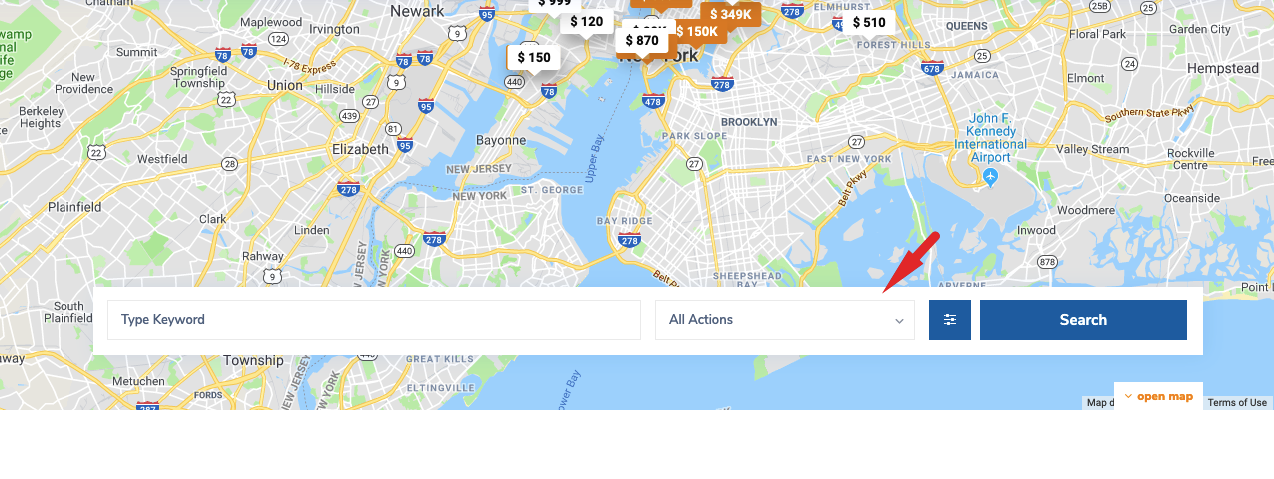
Additional CSS – Hide “All Actions” field
If you want to remove the All Actions field from Search Type 11, you can use the following CSS.
Before CSS
After CSS
.search_wrapper.search_wr_11 .col-md-2:nth-of-type(2) {

display: none;

}

#search_wrapper,

#search_wrapper_color {

left: 0px;

right: 0px;

margin: 0 auto;

}

.search_wr_11 #advanced_submit_11 {

width: calc(100% - 53px);

}

.search_wrapper.search_wr_11 .col-md-2:nth-of-type(4),

.search_wrapper.search_wr_11 .col-md-2:nth-of-type(3) {

width: 25%;

}
Helpful links for Advanced Search setup
How to show categories with zero properties
Advanced Search Results – Half Map Style