
WP Residence Help WP Residence Help

  • WPRESIDENCE
  • Video Tutorials
  • Client Support
  • API
Home / Technical how to | Custom Code Required / How to Remove the Number of Images and Address over the default property card

How to Remove the Number of Images and Address over the default property card

2356 views 0

If you wish to not show the address and number of images over the image in property card – use this css

To remove the number of photos:

.property_media {
    display: none;
}

To remove the address over the image:

.property_location_image {
    display: none;
}
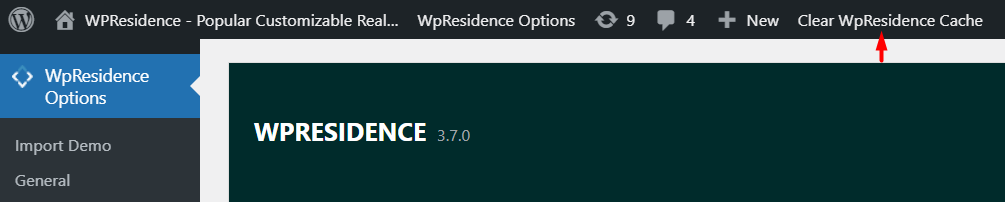
Help article about how to add custom CSS

Tip: If you have theme cache enabled, make sure you clear cache to see instant results.
Technical how to | Custom Code Required

Related Articles

  • Technical: Change the Schedule Tour Email Text and the Form Default Message
  • Property list filter customization
  • Technical – How to Change the Minimum Image Dimensions for Property Uploads in WPResidence
  • Introduction to WPResidence Header Customization

Help Categories

  • 18Agent, Agency & Developers
  • 5Blog Posts & Blog Lists
  • 38Elementor Shortcodes Built-In
  • 45FAQ
  • 15Footer
  • 5Getting Started
  • 37Header
  • 2IDX & MLSImport
  • 6Installation & Setup
  • 23Installation FAQ
  • 23Maps & Location Settings
  • 21Multi-Language - Third Party Plugins
  • 6Other Third party Plugins
  • 20Pages
  • 4Payments & Monetization
  • 20Property Lists, Categories & Archive
  • 37Property Pages & Layouts
  • 31Search & Filtering
  • 162Technical how to | Custom Code Required
  • 8Technical: Actions and filters
  • 6Technical: Child Theme
  • 86Theme Options & Global Settings
  • 7Translations & Languages
  • 16WPBakery Shortcodes
  • 50WPEstate / WPResidence Translate Plugin
  • 51WPResidence / WPEstate CRM
  • 50WPResidence 5.0 Documentation
  • 8WPResidence Elementor Studio

Join Us On

Powered by WP Estate - All Rights Reserved
  • WPRESIDENCE
  • Video Tutorials
  • Client Support
  • API