WP Residence Help WP Residence Help

  • WPRESIDENCE
  • Video Tutorials
  • Client Support
  • API
Home / Search & Filtering, Technical how to | Custom Code Required / Technical: How to make mobile advanced search open by default

Technical: How to make mobile advanced search open by default

4409 views 1

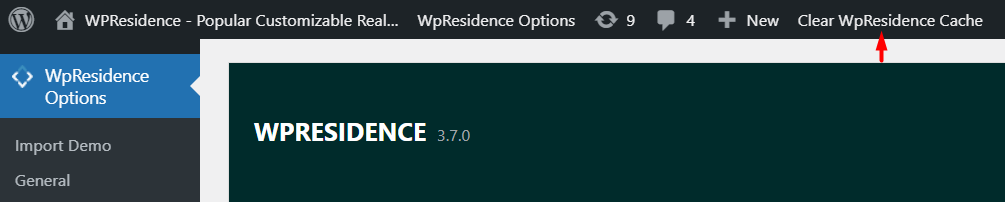
To make mobile search open by default add this CSS in Theme options > Design > Custom Css

@media only screen and (max-width: 768px){
#adv-search-mobile {
display: block!important;
}
}
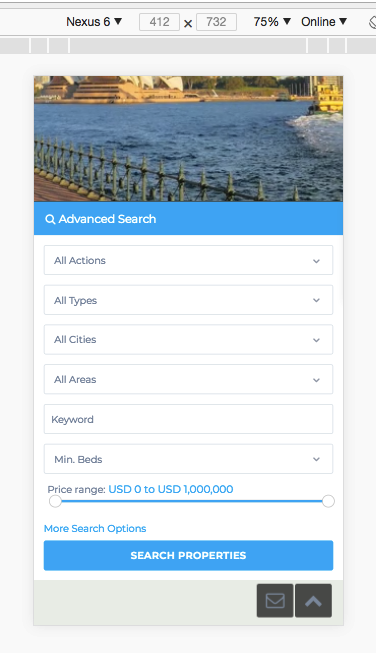
Help article about how to add custom CSS
Result:

Tip: If you have theme cache enabled, make sure you clear cache to see instant results.
Search & FilteringTechnical how to | Custom Code Required

Related Articles

  • Mobile Search in WPResidence
  • How to control the Advanced Search float position
  • Technical: Change the Schedule Tour Email Text and the Form Default Message
  • Property list filter customization

Help Categories

  • 18Agent, Agency & Developers
  • 5Blog Posts & Blog Lists
  • 38Elementor Shortcodes Built-In
  • 45FAQ
  • 15Footer
  • 5Getting Started
  • 37Header
  • 2IDX & MLSImport
  • 6Installation & Setup
  • 23Installation FAQ
  • 23Maps & Location Settings
  • 21Multi-Language Third Party Plugins
  • 6Other Third party Plugins
  • 19Pages
  • 4Payments & Monetization
  • 20Property Lists, Categories & Archive
  • 36Property Pages & Layouts
  • 31Search & Filtering
  • 162Technical how to | Custom Code Required
  • 8Technical: Actions and filters
  • 6Technical: Child Theme
  • 86Theme Options & Global Settings
  • 6Translations & Languages
  • 16WPBakery Shortcodes
  • 51WPResidence / WPEstate CRM
  • 50WPResidence 5.0 Documentation
  • 8WPResidence Elementor Studio
  • 50WPResidence Translate Plugin

Join Us On

Powered by WP Estate - All Rights Reserved
  • WPRESIDENCE
  • Video Tutorials
  • Client Support
  • API