
In this video you’ll learn how White Label WPResidence works and how to see the changes you make in wp-admin.
Watch Video on Youtube
The White Label feature in WPResidence allows agencies, developers, and website owners to fully rebrand their licensed theme. With White Label, you can replace WPResidence branding with your own, creating a professional, client-ready website experience.
This feature is ideal for:
- Agencies delivering websites to clients
- Developers offering branded solutions
- Businesses wanting a polished, in-house look
What You Can Customize
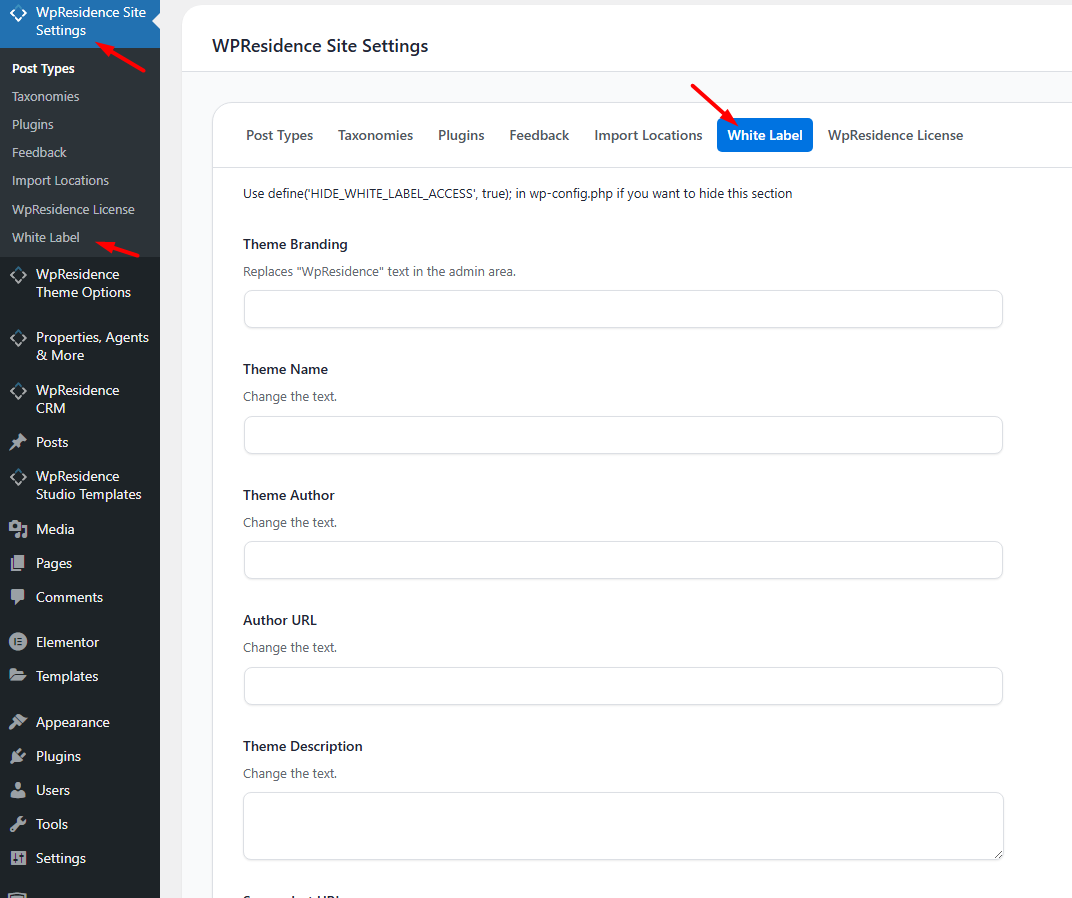
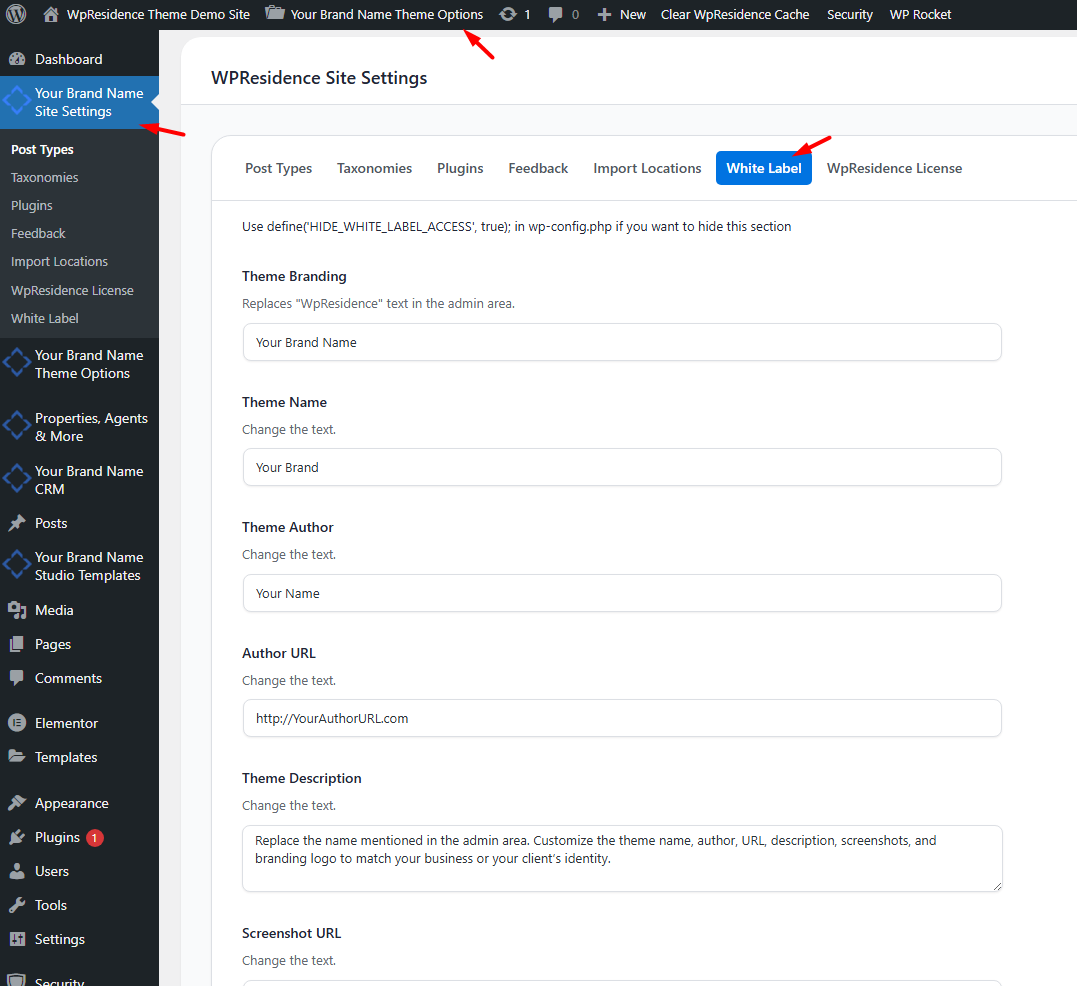
In the White Label settings, you can replace the following:
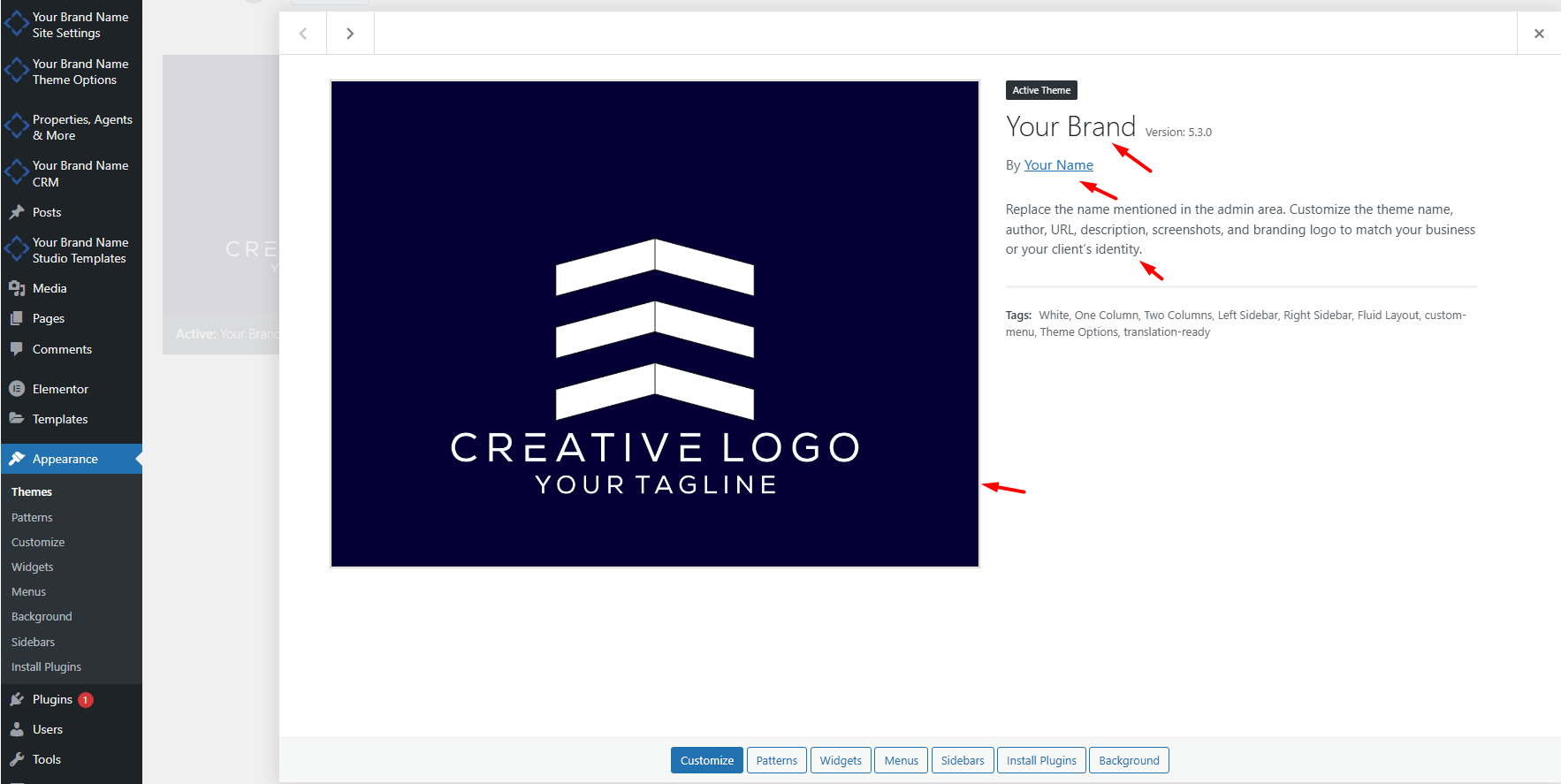
- Theme Name – Change the displayed theme name in the WordPress admin.
- Theme Author – Replace the author’s name with your brand or company name.
- Author URL – Link to your website instead of WPResidence.
- Theme Description – Add a custom description that reflects your brand or service.
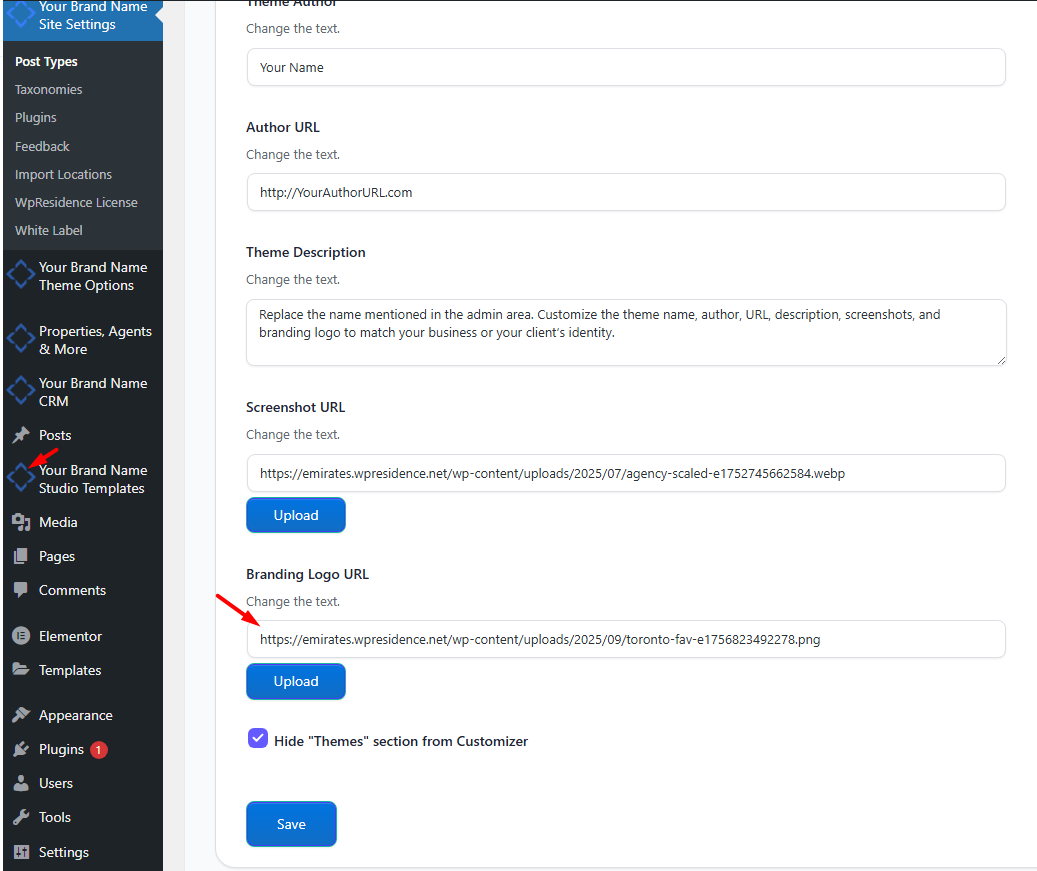
- Screenshot URL – Upload a screenshot showing your branded theme.
- Branding Logo URL – Upload your own logo to replace the WPResidence logo in the admin area.
Additional Features
-
Hide Themes Section: You can remove the “Themes” section from the WordPress Customizer to simplify the admin interface for clients.
-
Lock White Label Settings: Add the following line to your wp-config.php file to hide the White Label settings completely:
This ensures your branding changes remain secure and prevents accidental edits.