Note:
- The plugins bundled with WPResidence are included for all WPResidence customers, so you do not need to purchase separate plugin licenses to use them.
- Some bundled premium plugins (for example WPBakery, Revolution Slider, or Ultimate Addons) may display “license / activation” notices inside WordPress. These messages apply only if you purchased those plugins directly from their authors. You can ignore those notices when using the bundled versions.
- Plugin updates for bundled plugins are provided through WPResidence theme updates. After updating the theme, update the required plugins from Appearance → Install Plugins (or the admin update notice).
- If you have issues installing or updating a bundled plugin, open a ticket in our private support system and we will guide you:
http://support.wpestate.org/
What plugins are included with WPResidence
- WPResidence Core Functionality is MANDATORY.
This plugin enables the theme’s core features and Theme Options.
Install and activate this plugin before activating your license.
Optional plugins included with the theme (install only what you need):
- One Click Demo Import is used only for demo import.
You can remove it after the import is completed.
Demo import requires license activation. - WPResidence Studio (optional) helps you build and assign custom templates using Elementor Free.
Use it to create templates for properties and other post types, create custom headers/footers, and import pre-built Elementor sections from demos without importing a full demo. - WPEstate CRM (optional) adds the CRM feature for managing leads and contacts from your website (commonly used with agent and agency workflows).
- WPResidence Elementor Widgets (optional) is required if you want to use WPResidence widgets inside Elementor.
Elementor itself is installed separately from the WordPress repository:
https://wordpress.org/plugins/elementor/ - WPResidence Gutenberg Blocks Functionality (optional) is recommended if you want to build pages using Gutenberg blocks and WPResidence blocks, without a page builder.
- WPBakery Page Builder (optional) is a bundled premium plugin.
It is used by many older demo layouts and WPBakery-based pages. - Ultimate Addons for WPBakery Page Builder (optional) is a bundled premium addon that adds extra WPBakery elements.
Install it only if you use WPBakery and need those elements. - Revolution Slider (optional) is a bundled premium plugin used to create sliders for header media.
Install it only if you need Revolution Slider.
How to install plugins
The standard method is via the notice shown in the WordPress admin after you install and activate WPResidence.
Follow the on-screen prompts to install, activate, or update the required plugins.
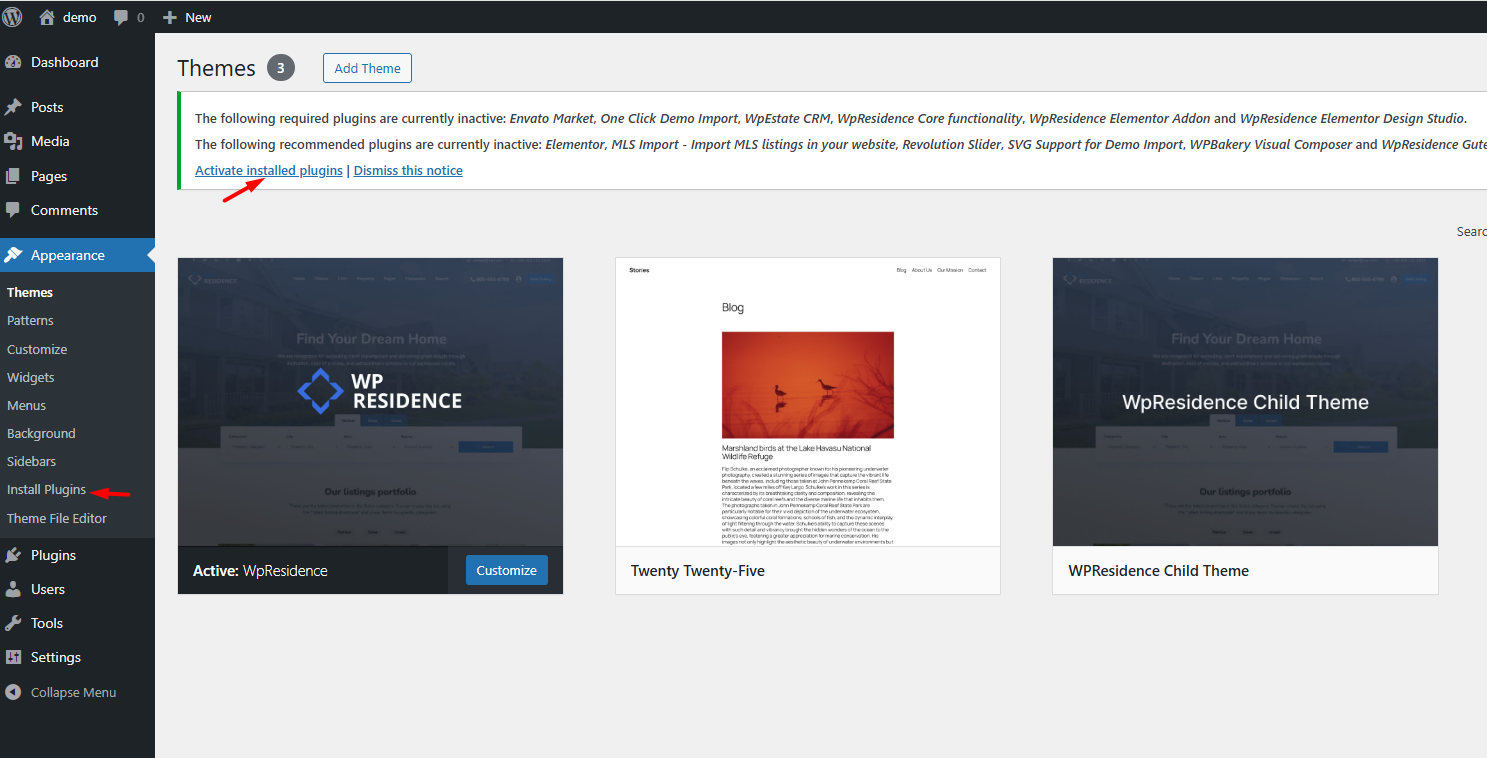
Install from Plugins > Add New (manual method)
Sometimes the bundled plugin auto-installer may fail (usually due to hosting limits or blocked requests).
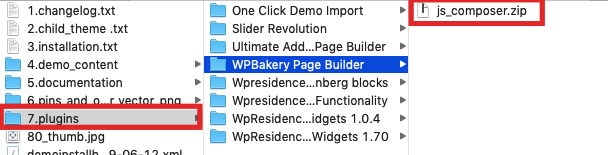
If that happens, you can install plugins manually using the plugin .zip files included in the theme package.
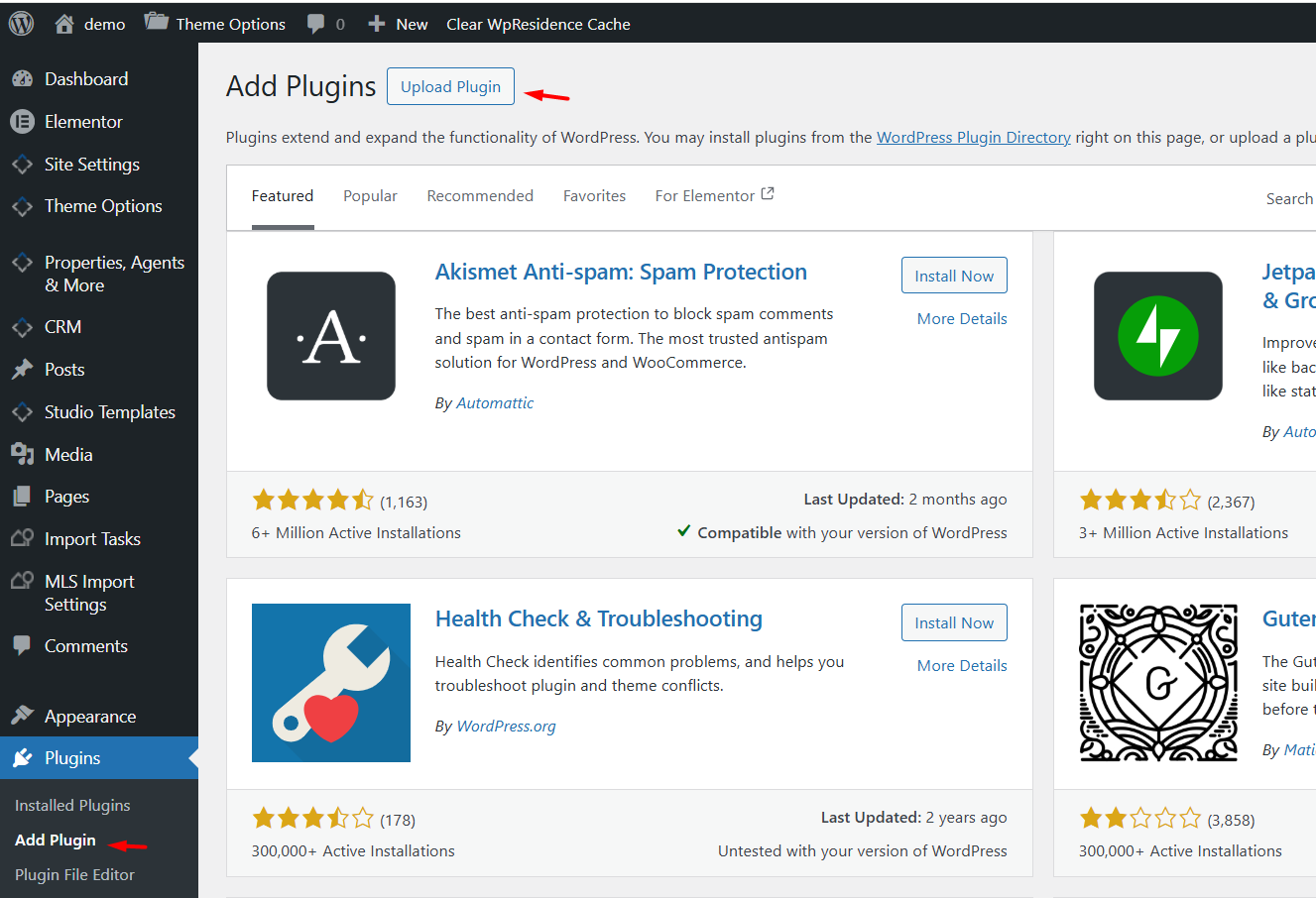
If the auto-installer fails, go to Plugins → Add New → Upload Plugin and upload the plugin zip from the theme package
(plugins folder).
Settings to check after plugins are installed/activated
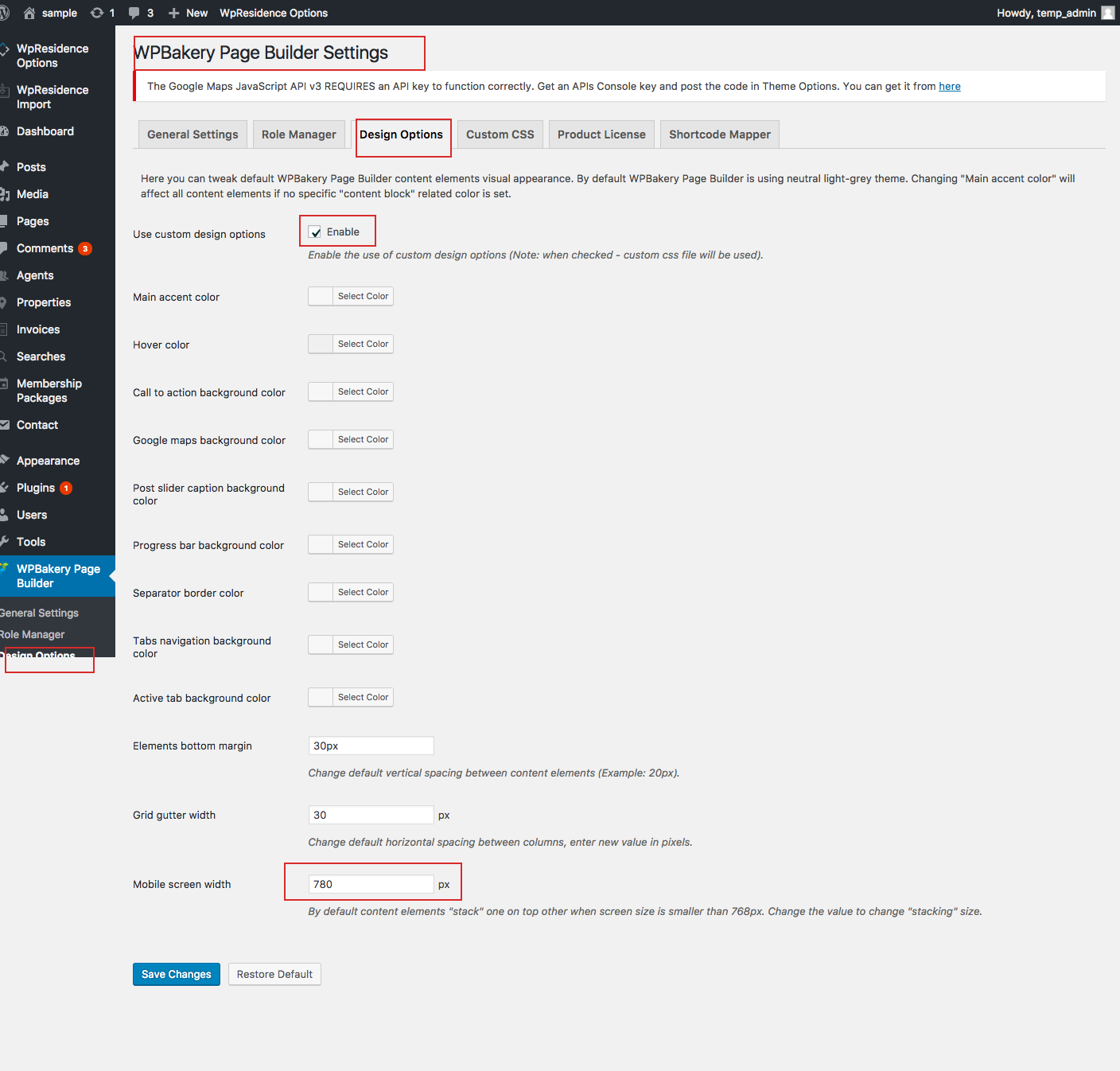
WPBakery Page Builder Design Options:
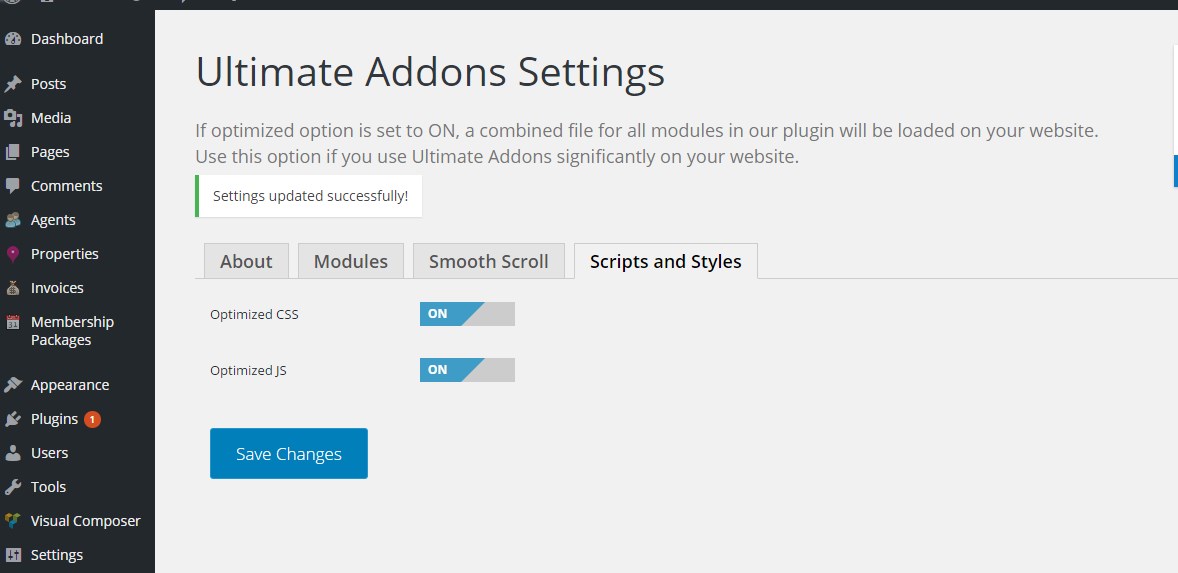
Ultimate Addons Settings: Make sure Scripts and Styles are set as in the image below: