
This article is the developer companion to the user-facing string scanner documentation. It traces the scanner in WPEstate Translate 1.0.9 end to end, names the functions involved, and lists the option keys and signatures you need when debugging. Product context lives on the multi-language real estate website page.
Files Involved
| File | Role |
|---|---|
| includes/string-catalog.php | Catalog entry points: wpr_translate_string_catalog_refresh(), _discover_scopes(), _persist_scope(), _query(). |
| includes/string-catalog-filesystem.php | wpr_translate_string_catalog_scope_fingerprint() – incremental-scan signature. |
| includes/string-catalog-normalization.php | wpr_translate_string_catalog_file_priority() – which file wins when several translate the same string. |
| includes/string-catalog-commands.php | Ingest, save one translation, delete (used by Reset). |
| includes/admin/string-scanner.php | wpr_translate_admin_handle_strings_actions(), wpr_translate_admin_scan_strings(), wpr_translate_admin_get_languages_directory_mtime(), wpr_translate_admin_reset_strings(). |
| includes/admin/string-targets.php | wpr_translate_admin_get_scan_targets(), wpr_translate_admin_get_theme_domain(), wpr_translate_admin_get_plugin_domain(), wpr_translate_admin_locate_languages_directory(). |
| includes/admin/string-parser.php | wpr_translate_admin_collect_strings_from_path(), wpr_translate_admin_locate_translation_files(), wpr_translate_admin_gather_language_files(), wpr_translate_admin_extract_strings_from_translation_file(), wpr_translate_admin_determine_language_code_from_file(). |
| includes/admin/string-storage.php | wpr_translate_admin_build_language_maps(), wpr_translate_admin_persist_detected_strings(), wpr_translate_admin_get_existing_strings_map(), wpr_translate_admin_insert_string_rows_batch(). |
| includes/admin/string-database.php | Table check and lazy column upgrades: processed, msgctxt, plural. |
Entry Point
The scan is triggered from WPEstate Translate > Theme & Plugins Strings by a POST form with nonce action wpr_translate_scan_strings / field wpr_translate_scan_nonce. wpr_translate_admin_handle_strings_actions() checks manage_options and the nonce, then calls:
$report = wpr_translate_string_catalog_refresh();
// = wpr_translate_admin_scan_strings( wpr_translate_string_catalog_discover_scopes() )
// returns array( 'new', 'conflicts', 'scopes_completed', 'scopes_incomplete',
//                'scopes_skipped', 'files_parsed', 'files_failed', 'storage_failures' )
// or WP_Error
The UI reports new as “Scan completed. N new strings were registered.”
Target Construction
wpr_translate_admin_get_scan_targets() returns an ordered list of targets (context, path, languages_path, domain):
- Child theme –
context = 'theme:' . sanitize_title( $child_slug ). - Parent theme – included when
$theme->parent()is aWP_Themeand its realpath differs from the child path. - Active plugins – merged with
active_sitewide_pluginson multisite; single-file plugins are skipped.context = 'plugin:' . sanitize_title( $slug ).
A target without a readable languages/ directory is dropped. The domain helpers prefer the Text Domain header and fall back to the stylesheet/template name or plugin folder slug.
Incremental Scan State
For each target the scanner computes a fingerprint with wpr_translate_string_catalog_scope_fingerprint(): a sha256 of the language signature plus the relative path, size and mtime of every eligible file. State is stored in wpr_translate_scan_state, keyed by context:
array(
  'theme:wpresidence' => array(
    'mtime'       => 1713300000,
    'languages'   => md5( wp_json_encode( $languages ) ),
    'fingerprint' => '<sha256>',
  ),
  'plugin:woocommerce' => ...
)
A target is skipped when both the fingerprint and the language signature match the last run. A target whose files failed to parse, or whose storage failed, gets no state entry, so it is scanned again next time. Reset deletes the option.
Parsing
wpr_translate_admin_collect_strings_from_path( $path, $context, $locale_map, $code_map, &$report ):
- List files –
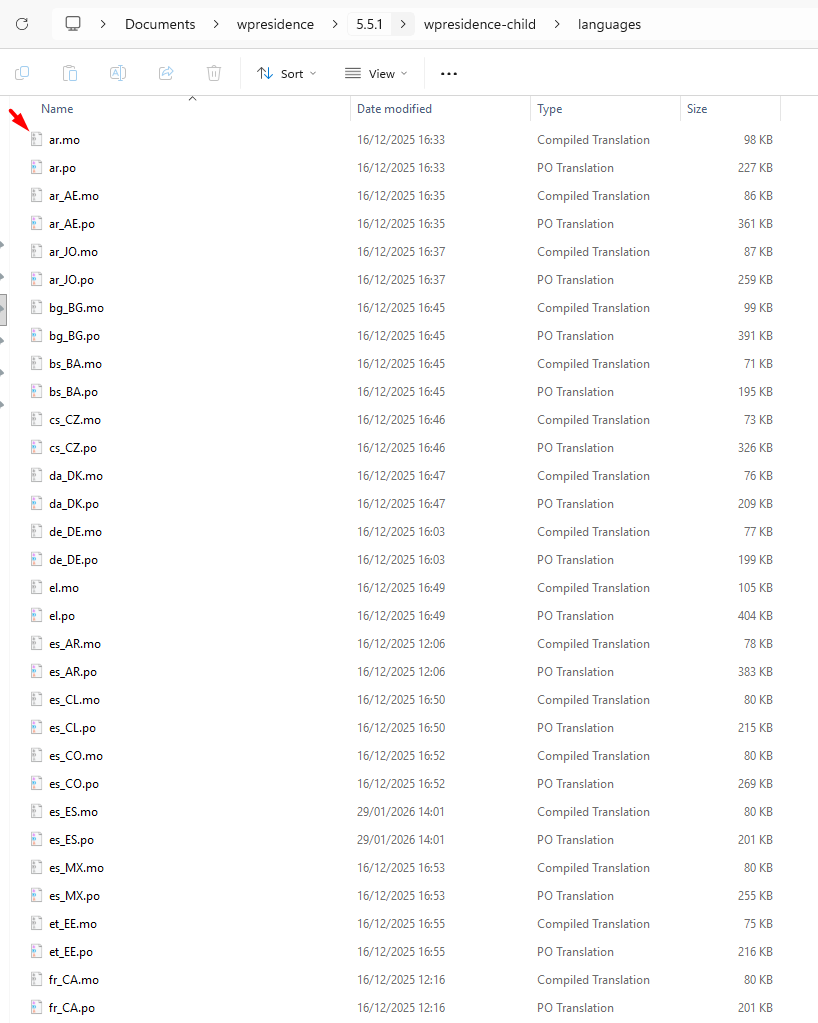
.po,.potand.mounderlanguages/that match a configured language (all.pot). The plugin’s generated-files folder is skipped: it holds the plugin’s own generated files and would read cleared translations back in. - Parse each file –
wpr_translate_admin_extract_strings_from_translation_file(); files with anerror_codecount asfiles_failed. - Pick the language –
wpr_translate_admin_determine_language_code_from_file()with the locale/code maps fromwpr_translate_admin_build_language_maps(). - Key the entry by gettext key –
$key = $msgctxt ? $msgctxt . "\4" . $msgid : $msgid; bucketmd5( $context . '|' . $key ),name = 'str_' . md5( $key ). The same msgid under two contexts gives two rows, so_x()strings translate. - Keep plurals – the singular entry stores its
msgid_pluralinplural. - Resolve duplicates by priority –
wpr_translate_string_catalog_file_priority(): exact locale match 300, code match 200, base-language match 100, plus.po20 /.mo10. The highest wins; two different translations at the same priority count as a conflict and neither is stored.
Persistence
wpr_translate_admin_persist_detected_strings( $strings, $languages, $default_code ) runs once per scope, so a failure in one scope does not discard the others:
- Schema check –
wpr_translate_admin_strings_table_exists(), then lazyprocessed,msgctxtandpluralcolumns. - Load existing rows –
wpr_translate_admin_get_existing_strings_map()in chunks of 25 contexts, keyedcontext|name|language_code. - Open a transaction –
START TRANSACTION…COMMIT. - Build one row per language – the default language row stores
translation = value,status = 1; other rows getstatus = 1only when the file translation is non-empty afterwp_strip_all_tags().processedis 0 when the row needs export. - Update existing rows safely –
value,md5,pluralare refreshed; a second-languagetranslationis written only if the stored one is empty. A rescan never overwrites a translation saved in the Strings editor. - Insert new rows – in batches of 50 with one multi-row INSERT (
wpr_translate_admin_insert_string_rows_batch()). - Invalidate runtime caches –
wpr_translate_runtime_strings_changed().
The return value is the number of new default-language rows.
Options Touched
| Option | Purpose |
|---|---|
| wpr_translate_languages | Active language codes/locales and the is_default flag. Required for scanning. |
| wpr_translate_scan_state | Per-context mtime, language signature and fingerprint. |
| wpr_translate_theme_admin_strings_domain | Domain used for theme admin strings declared in wpr/theme_admin_strings.json. |
| wpr_translate_theme_admin_strings_hash | Hash of that JSON file to skip reimport when unchanged. |
Reset
wpr_translate_admin_reset_strings() calls wpr_translate_string_catalog_delete( array( 'all' => true ) ): it deletes every row of wpestate_translation_strings, deletes wpr_translate_scan_state and removes the generated .mo files from the generated-files directory.
Failure Modes
- No languages configured →
WP_Error( 'wpr_translate_missing_languages' ). - No default language →
WP_Error( 'wpr_translate_no_default_language' ). - Missing helper
wpr_translate_admin_get_default_language_code()→WP_Error( 'wpr_translate_missing_helper' ). - Unparseable file → counted in
files_failed; the scope is marked incomplete and rescanned next time. - Storage error in one scope → counted in
storage_failures; other scopes are still saved.
Non-Latin Safety
Language codes are lowercased and locales normalized; value and translation are stored verbatim. Do not pass them through sanitize_title() in extensions – Cyrillic, Arabic and CJK text must survive end to end.
Extension Ideas
- Scan a custom set of targets by passing your own array to
wpr_translate_admin_scan_strings( $targets )(same keys aswpr_translate_admin_get_scan_targets()). - Force a full rescan with
delete_option( 'wpr_translate_scan_state' )followed bywpr_translate_string_catalog_refresh(). - After an update that adds context or plural columns, rescan so existing
_x()and_n()strings get their new rows.
Further Reading
- Translating Theme & Plugin Strings – the admin UI that uses the scanner’s output.
- Gettext Pipeline & MO Files – how exported files reach
gettext().
See also the multi-language real estate website guide.