WP Residence Help WP Residence Help

Home / 5. Agent, Agency & Developers, Theme Options / How to add a membership package manually to a registered subscriber from admin

How to add a membership package manually to a registered subscriber from admin

4506 views 0

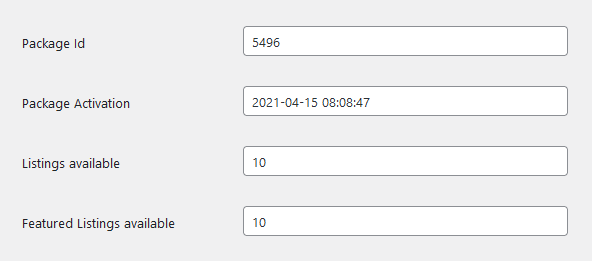
NOTE: The expiration will apply and properties will expired on due date IF you set the action date in the correct format: EX: 2014-12-31 10:05:44

An email will be received by the user with 3 days before the package will expire.

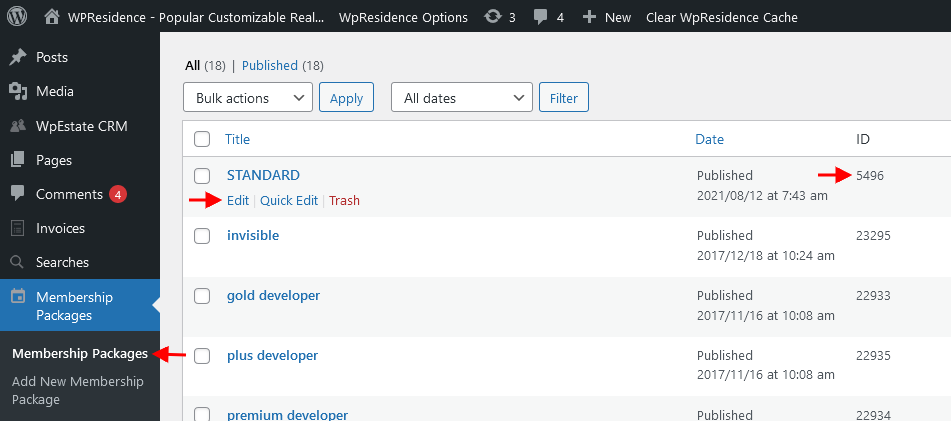
You can assign a package from Users – Edit User (see the attachments).

Related help

Help article for membership submission
Help article for Membership Packages Shortcode

5. Agent, Agency & DevelopersTheme Options

Related Articles

  • Reviews for Agent, Agency and Developer
  • WPResidence White Label
  • Theme Options – Maps – Google Maps Extra Settings
  • How to Create a Custom Agent, Agency or Developer Template with WpResidence Studio + Elementor Free

WP Residence Documentation

Join Us On

Powered by WP Estate - All Rights Reserved