WP Residence Help WP Residence Help

  • WPRESIDENCE
  • Video Tutorials
  • Client Support
  • API
Home / Agent, Agency & Developers / Reviews for Agent, Agency and Developer

Reviews for Agent, Agency and Developer

359 views 0

In WpResidence you can allow users to leave a review for agent, agency or developer.

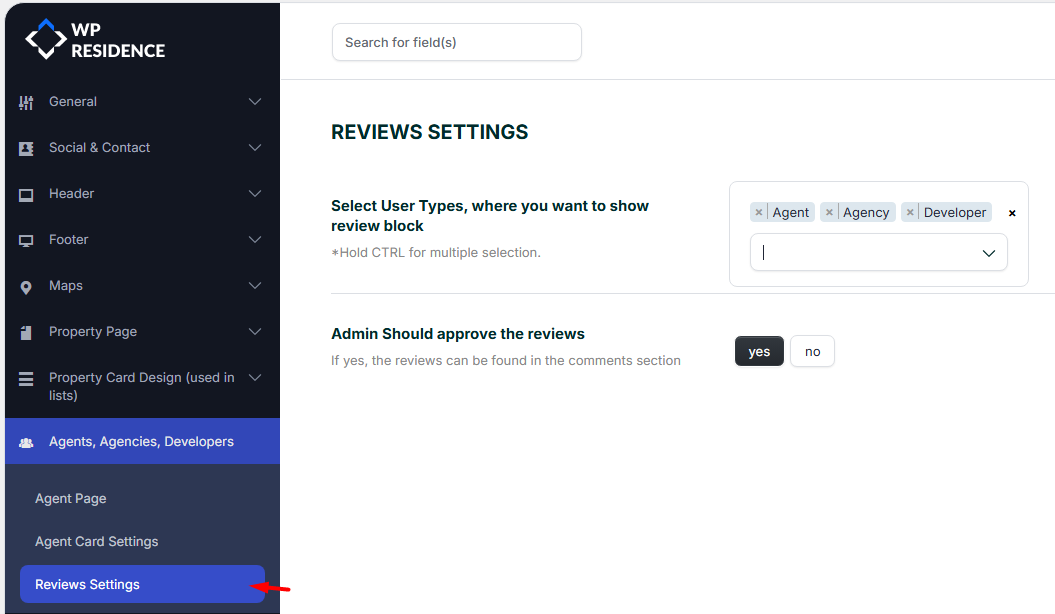
Select for which user types you want to show review block

Go to  Theme Options -> Agents, Agencies, Developers -> Reviews Settings

Select if reviews will show for all or specific user roles. Your options are:

  • Agent profile,
  • Agency profile,
  • Developer profile

Admin Should approve the reviews

If YES is saved for this option, new reviews will be published after admin approves them.

Admin approves the reviews from Wp-admin ->  Dashboard -> Properties, Agents & More -> Reviews
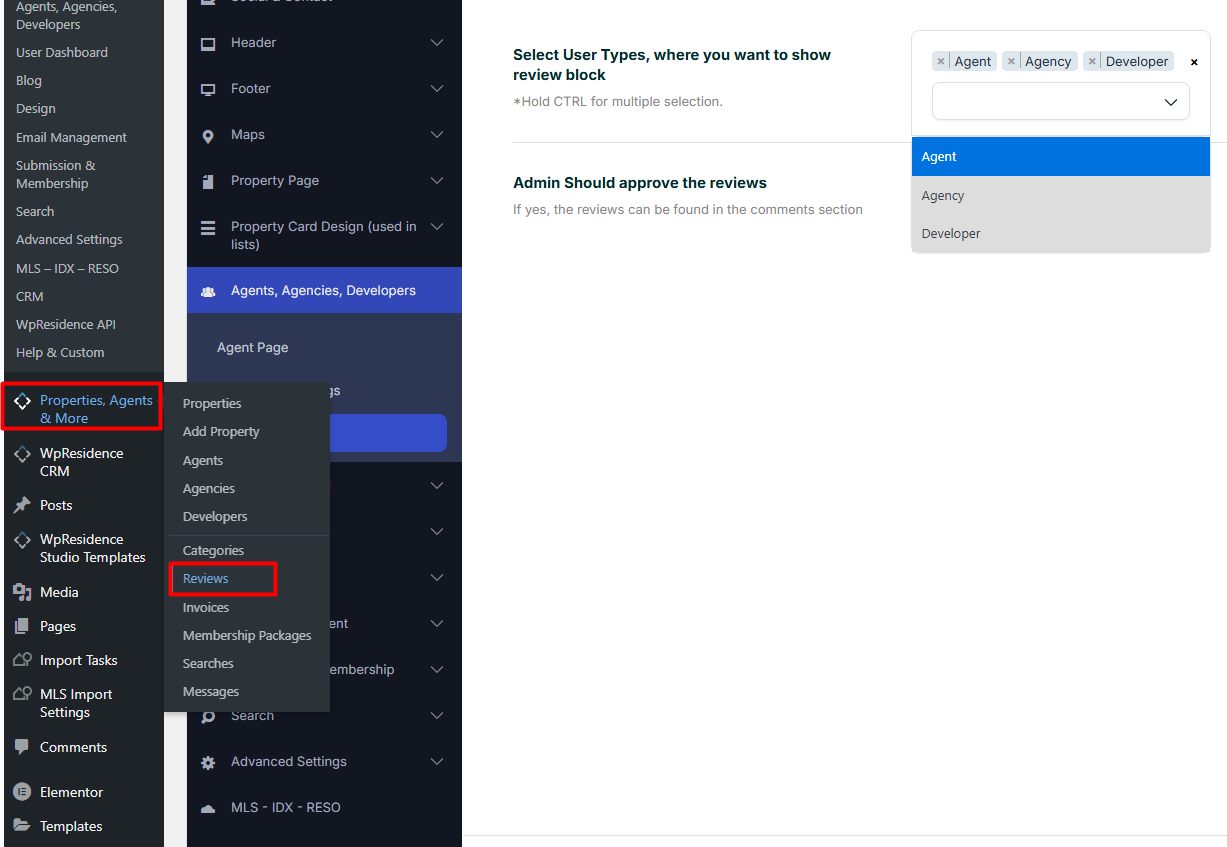
Starting with WpResidence version 5.3.0, reviews are displayed with pagination.

Agent, Agency & Developers

Related Articles

  • Theme Options -> Agent Card Settings
  • Custom Agent, Agency or Developer Template with WPResidence Studio + Elementor Free
  • Agencies and Developers List
  • Theme options – General – Permalinks for properties, agents, agencies and developers

Help Categories

  • 18Agent, Agency & Developers
  • 5Blog Posts & Blog Lists
  • 38Elementor Shortcodes Built-In
  • 56FAQ
  • 15Footer
  • 5Getting Started
  • 37Header
  • 2IDX & MLSImport
  • 6Installation & Setup
  • 22Installation FAQ
  • 23Maps & Location Settings
  • 21Multi-Language Third Party Plugins
  • 6Other Third party Plugins
  • 19Pages
  • 4Payments & Monetization
  • 20Property Lists, Categories & Archive
  • 36Property Pages & Layouts
  • 31Search & Filtering
  • 163Technical how to | Custom Code Required
  • 8Technical: Actions and filters
  • 6Technical: Child Theme
  • 86Theme Options & Global Settings
  • 6Translations & Languages
  • 16WPBakery Shortcodes
  • 51WPResidence / WPEstate CRM
  • 50WPResidence 5.0 Documentation
  • 8WPResidence Elementor Studio
  • 50WPResidence Translate Plugin

Join Us On

Powered by WP Estate - All Rights Reserved
  • WPRESIDENCE
  • Video Tutorials
  • Client Support
  • API