
Every time a known contact opens a property page on your site, the WPResidence real estate CRM records it. The result: a precise list, per contact, of which properties they have looked at and when. This is one of the most powerful signals for timely, relevant follow-up.
How the CRM Knows Who Is Viewing
The CRM identifies the viewer using two mechanisms:
- Cookie-based (for anonymous visitors). After a prospect submits any contact form, the CRM sets a cookie on their browser. Every subsequent property page they open is tied to the contact that form created.
- Logged-in user. If the visitor is logged into WordPress, the CRM looks up the matching contact record and attributes views to that contact directly.
Either way, no action is needed from the prospect.
Where to See Viewed Listings
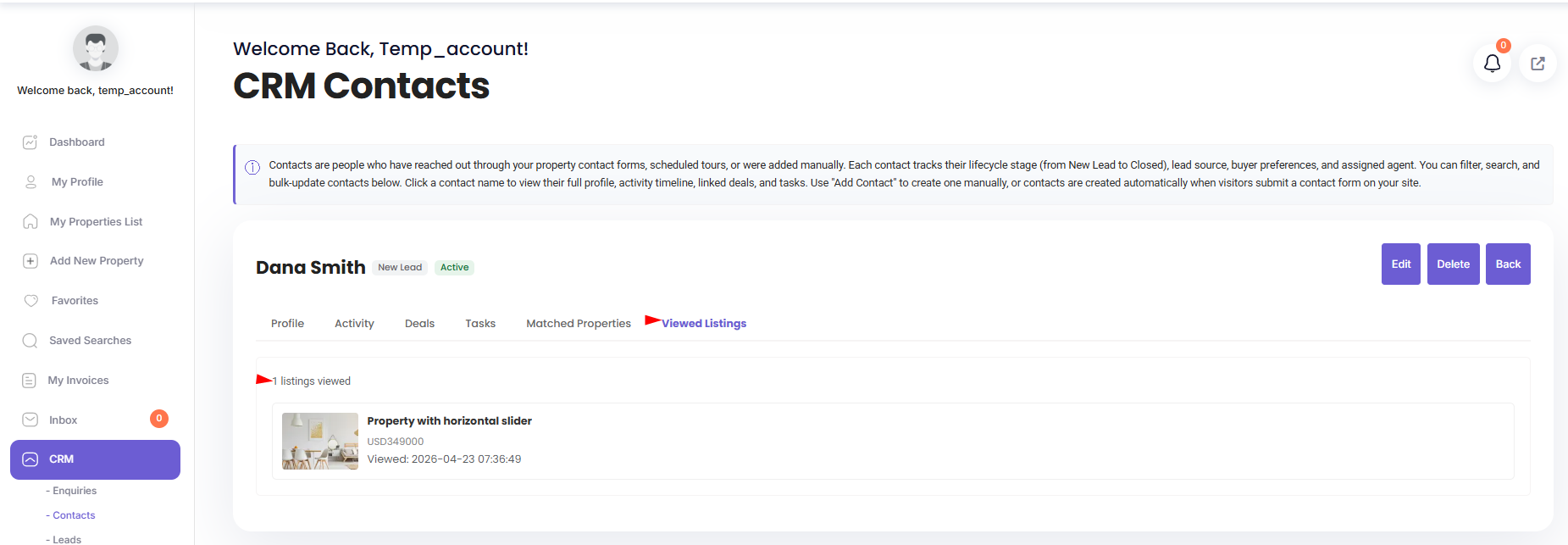
Open any contact detail page. Find the Viewed Listings panel — it shows every property that contact has opened, most recent first. Each row includes the thumbnail, title, price, and view timestamp.
Activity Timeline Integration
Every view also appears in the contact’s activity timeline as a viewed_listing entry. Scrolling the timeline gives you the full behavioral pattern — not just what they viewed, but how those views interleave with their form submissions, calls, and emails.
Using This Data for Follow-Up
- Hot leads: if a contact has viewed 3+ listings in 24 hours, they are actively shopping. Reach out today. (The default automations module has a rule for this — see the Automations article.)
- Price ceiling: look at the price range of the listings they viewed, not just what they said they wanted. Behavior is honest; preferences can be aspirational.
- Location clustering: if all their views are in one neighborhood, that is where they want to live. Send them everything you have there.
- Re-engagement: if a contact hasn’t viewed anything in 30 days, your matching emails might be missing the mark.
Privacy
Viewed tracking uses a tracking cookie with a long lifetime. Your site’s privacy policy should disclose this. Most of your prospects will expect it — it is standard practice in real estate marketing — but transparency is still required. For EU users, the cookie should only be set after the prospect has given consent through the theme’s consent banner.
What’s Tracked vs What’s Not
| Tracked | Not tracked |
|---|---|
| Property page visits. | Search pages (unless configured). |
| Known contacts (post-form or logged-in). | Anonymous visitors who never filled a form. |
| Timestamp per view. | Time spent on page. |
| Multiple views of the same listing (all recorded). | Scroll depth. |
Deleting View History
If a contact requests their data be removed (or opts out), an administrator can delete their viewed-listing history from the database. The record is per-row in the viewed listings table.
Best Practices
- Check the viewed listings panel before every client call — it takes five seconds and changes the conversation.
- When sending matching listings by email, prioritize properties similar to what they have already viewed.
- Don’t reference their viewing history explicitly in emails (“I noticed you viewed 42 Oak Street…”) — it feels surveilled.