
This help explains how to add a new property in WPResidence from the front end or from the WordPress admin, and how to manage the fields shown in the front-end submission form.
Manage Fields for the Property Submission Form
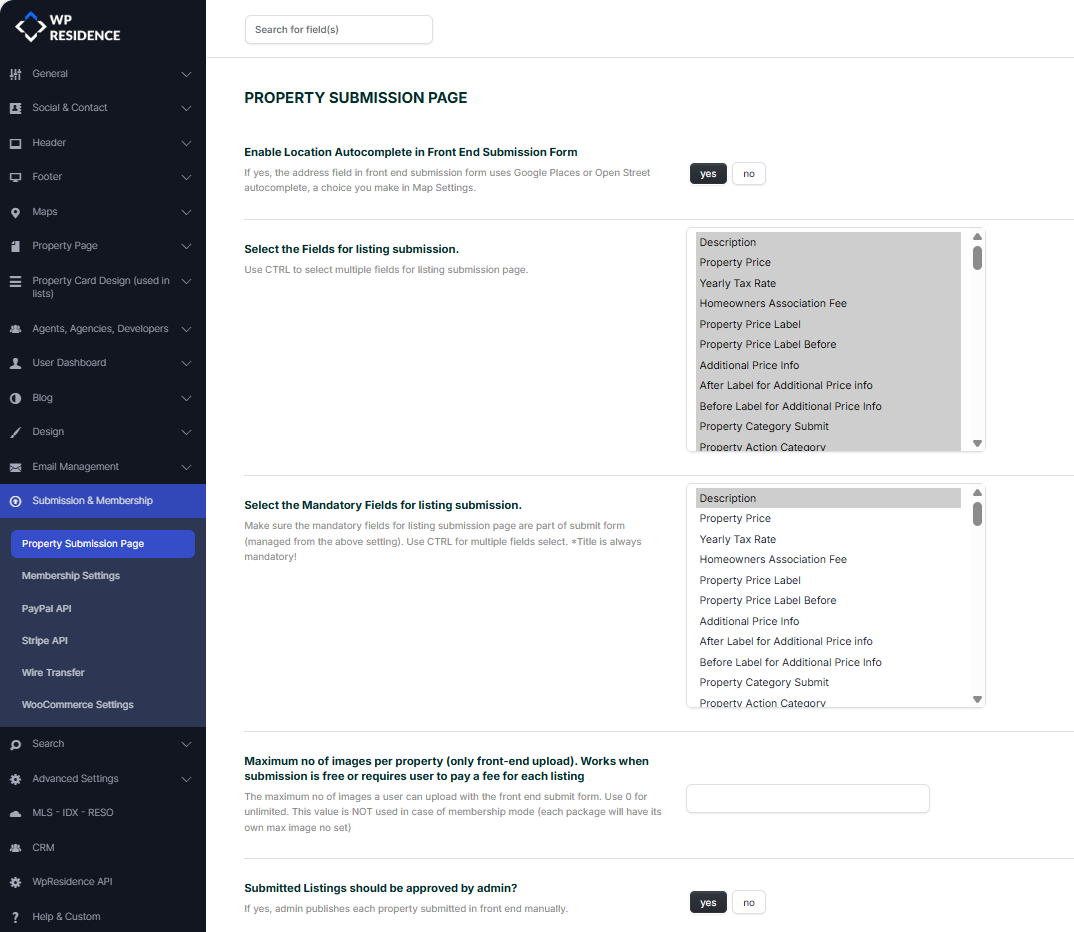
The fields shown in the front-end property submission form are managed from:
Theme Options → Submission & Membership → Property Submission Page
From this section, you can:
- Enable or disable fields in the submission form
- Set which fields are mandatory
- Control what users must complete before submitting a property
If you need extra property fields, create them first from:
Theme Options → General → Property Custom Fields
Then edit the submission form settings and enable the fields you want users to complete.
Manage submission form fields and mandatory fields
Add a New Property From the Front End
WPResidence supports front-end property submission. This allows users, agents, agencies, or developers to submit properties without using the WordPress admin area.
The theme includes two front-end submission forms:
- Logged-in user submission form – available from the user dashboard.
- Guest submission form – available for users who are not logged in.
Submit Property as a Logged-In User
Logged-in users submit properties from the user dashboard.
The Add Property page for logged-in users is created with the User Dashboard Submit page template.
To submit a property, the user must:
- Log in to the website.
- Open the user dashboard.
- Go to the Add Property page.
- Complete the property form.
- Upload images and add the required property details.
- Submit or save the property.

Submit Property as a Non-Logged-In User
The non-logged-in submission form is used when visitors submit a property without logging in first.
This form displays the submission process in steps, but it uses the same enabled and mandatory fields configured in Theme Options.

Add a New Property From the Admin
The administrator can add properties from the WordPress admin area.
Go to:
Properties → Add New Property
From the admin property edit page, you can add:
- Property title and description
- Price
- Property details, such as size, rooms, bedrooms, and bathrooms
- Address and map location
- Images and media
- Property categories, action/type, city, area, status, and features
- Custom field values
- Video, virtual tour, floor plans, PDF files, and other property sections, if enabled
The admin can add the property on their own behalf or assign it to an agent, agency, developer, or user from the property edit settings.
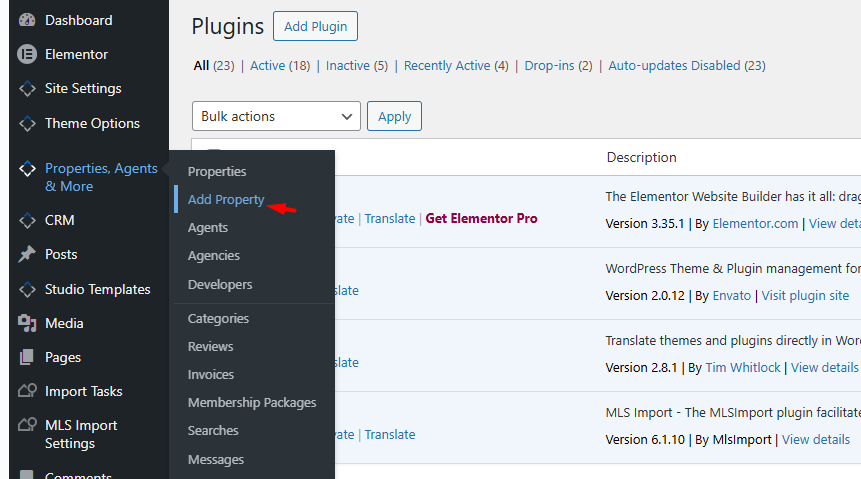
How to assign properties to users, agents, agencies, or developers from admin
Related Help
Submission Form and User Dashboard
- Manage submission form fields and mandatory fields
- User Dashboard Pages
- Login & Register
- WPResidence Login Modal
- How to use Membership for Submissions
Property Fields, Categories, and Location
- Theme default fields for a property
- Property Custom Fields
- Property taxonomies: categories, action/type, city, area, status, and features
- How to manage Features & Amenities
- How to set the location of a property on the map
Property Media and Extra Sections
- How to add a video to a property
- How to add Virtual Tour or Meta Reels in Property Page
- How to manage Floor Plans
- How to add PDF files in front-end submission and in admin