
Default Property Fields in WPResidence
WPResidence includes several default property fields used when creating or editing a property from the front-end submission form or from the WordPress admin area.
These fields are part of the default property structure used by the theme.
1. Location Fields
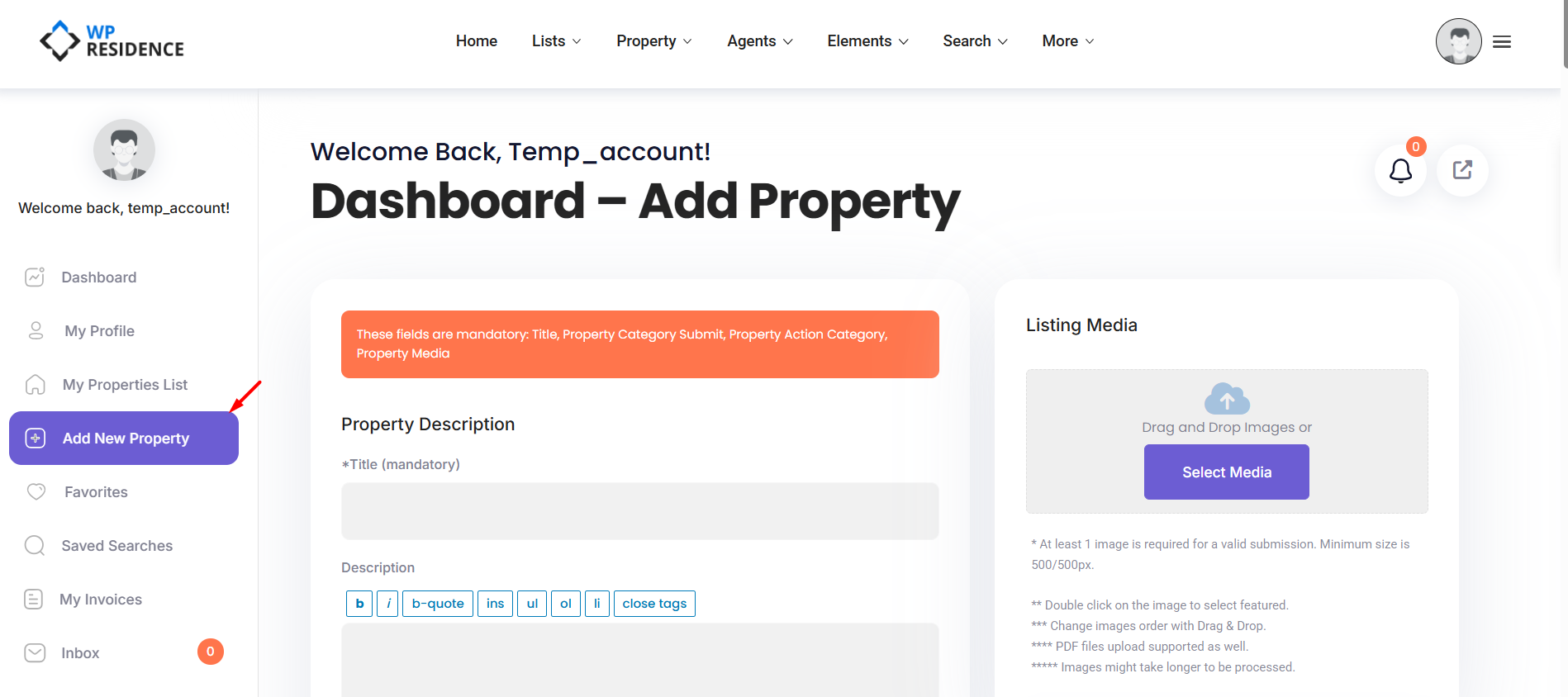
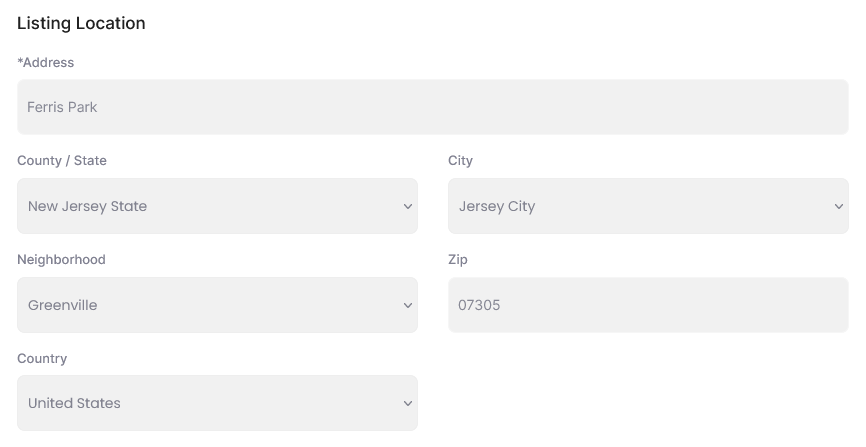
The property location fields are displayed in the Listing Location section when a property is created or edited.
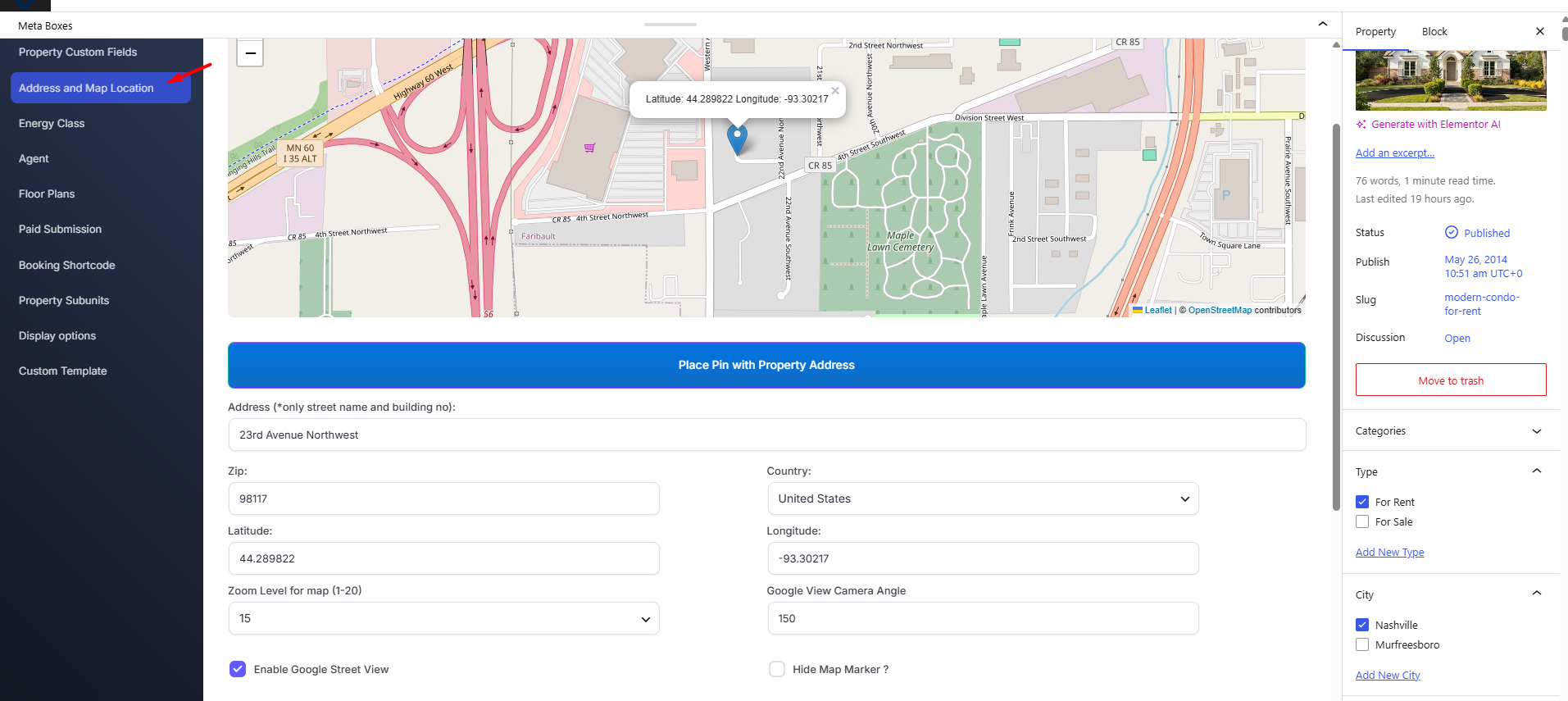
These fields can appear both in the front-end property submission form and in the admin property edit screen.
Front-end submission form section for Location Details
Admin property edit screen for Address & Map Location
2. Default Property Details Fields
The default Property Details section includes the main fields used for price, property size, rooms, bedrooms, bathrooms, and listing identification.
These fields are available when editing a property from the WordPress admin area.
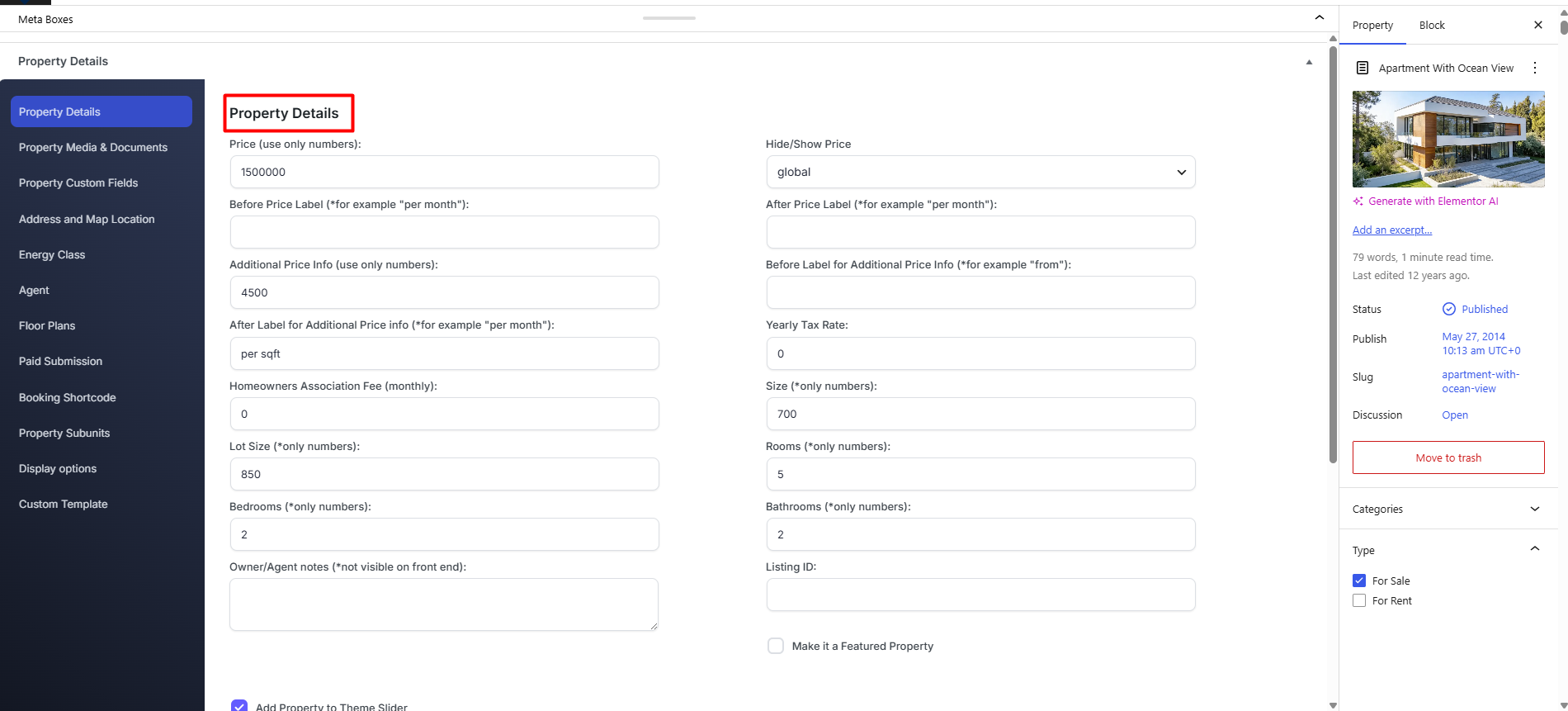
The default property detail fields include:
- Price
- Hide/Show Price
- Before Price Label
- After Price Label
- Additional Price Info
- Before Label for Additional Price Info
- After Label for Additional Price Info
- Yearly Tax Rate -Used in Mortgage Calculator.
- Homeowners Association Fee – Used in Mortgage Calculator.
- Size
- Lot Size
- Rooms
- Bedrooms
- Bathrooms
- Listing ID
- Owner/Agent Notes, visible only in the admin area
- Make it a Featured Property – Admin checkbox to manage featured properties. Read more here https://help.wpresidence.net/article/featured-properties-paid-submission-set-to-no/
- Add Property to Theme Slider – Admin checkbox to manage Hero Media with Theme Slider as option. Read more here https://help.wpresidence.net/article/wpresidence-theme-slider/
These fields are used to store and display the main property information on the property page, property cards, featured property sections, search results, and other theme areas where property details are shown.
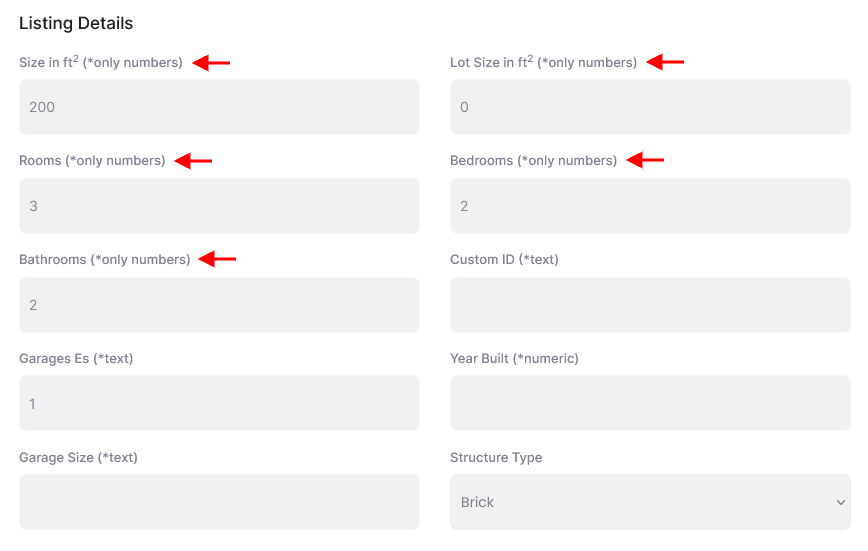
3. Listing Detail Fields in the Front-end Submission Form
The default listing detail fields can also appear in the front-end property submission form, depending on your theme settings.
Front-end submission form
How to Manage Front-end Submission Fields
You can manage which fields appear in the front-end property submission form from:
Theme Options > Membership > Property Submission Page
From this section, you can control the submission form fields and choose which fields are mandatory for users when they submit a property.
Help article about how to manage submit form fields and mandatory fields
Important Notes
The admin property edit screen and the front-end submission form are not always controlled in the same way.
The settings from Theme Options > Membership > Property Submission Page are used for the front-end submission form.
The admin property edit screen is part of the default WordPress admin property management area and can include fields that are available for administrators when editing properties directly from wp-admin.
If you need fields that are not included by default, you can use the theme custom fields options or custom development, depending on the type of field and how you need to display or search it.