
WPEstate Translate puts a short language prefix at the start of every address, for example example.com/es/. The default language has no prefix. Visitors and search engines see which language a page is in, and each language gets its own address for every page, property and agent.

How Language Addresses Look
| Language | Address |
|---|---|
| English (default) | example.com/properties/modern-loft/ |
| Spanish | example.com/es/propiedades/loft-moderno/ |
| French | example.com/fr/biens/loft-moderne/ |
The default language never gets a prefix, so your main addresses stay the same when you add languages. The language of a page comes only from this prefix. See Language Detection and Redirects.
Where the Prefix Comes From
The prefix is the Slug of the language in WPEstate Translate > Languages. It is filled in when you add the language from the catalog, for example es for Español, and cannot be edited on that screen. The default language is chosen with the Default radio button on the same screen.
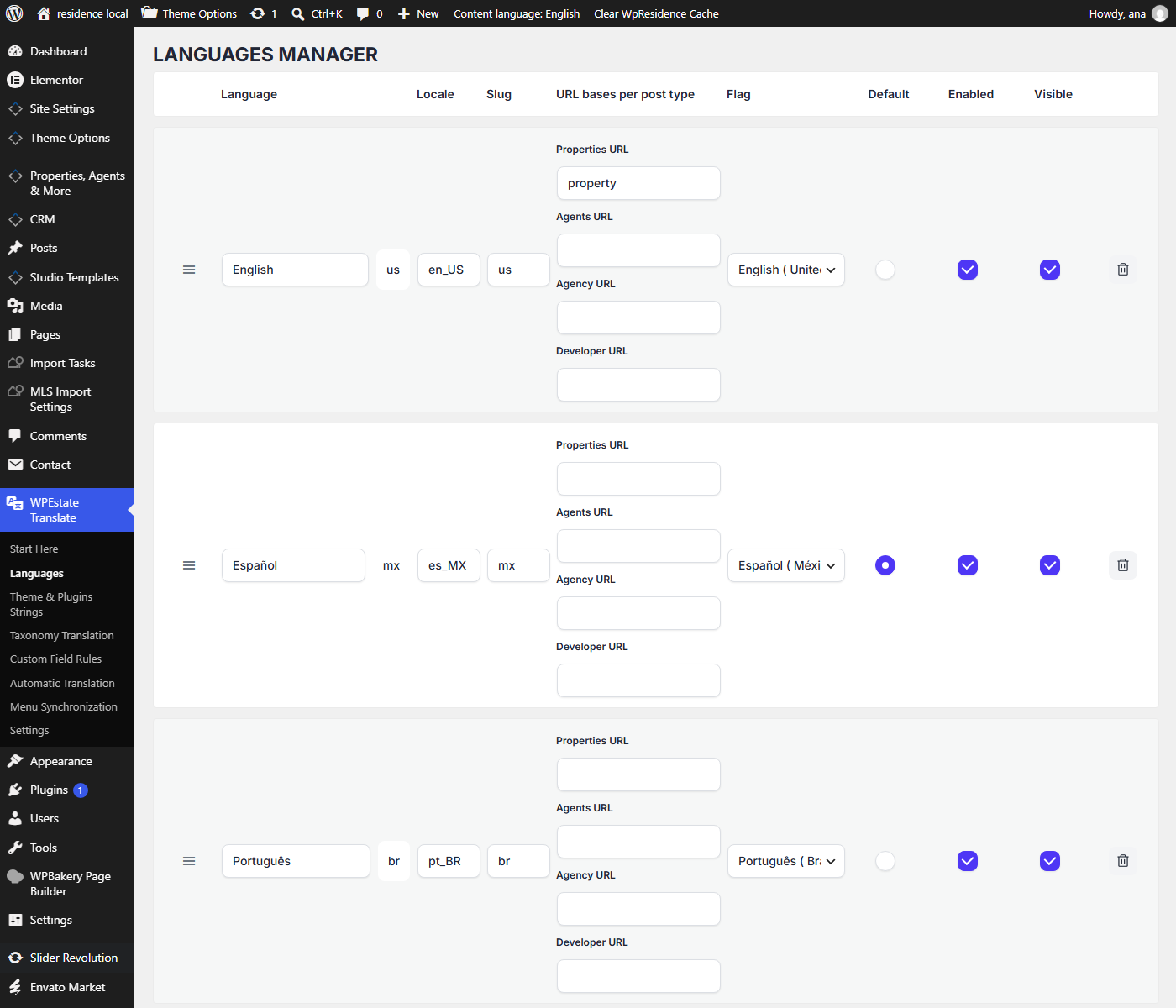
More about this screen: Managing Languages.
Translate the Property, Agent, Agency and Developer Names
The first word after the prefix, such as properties or agents, can change per language.
- Set the default names in Theme Options > General > Property, Agent, Agency, Developer Links Names.
- Set the names for each other language in the URL bases per post type column of WPEstate Translate > Languages, then click Save languages. An empty field keeps the default name.
- Save Settings > Permalinks after changing a name in Theme Options.
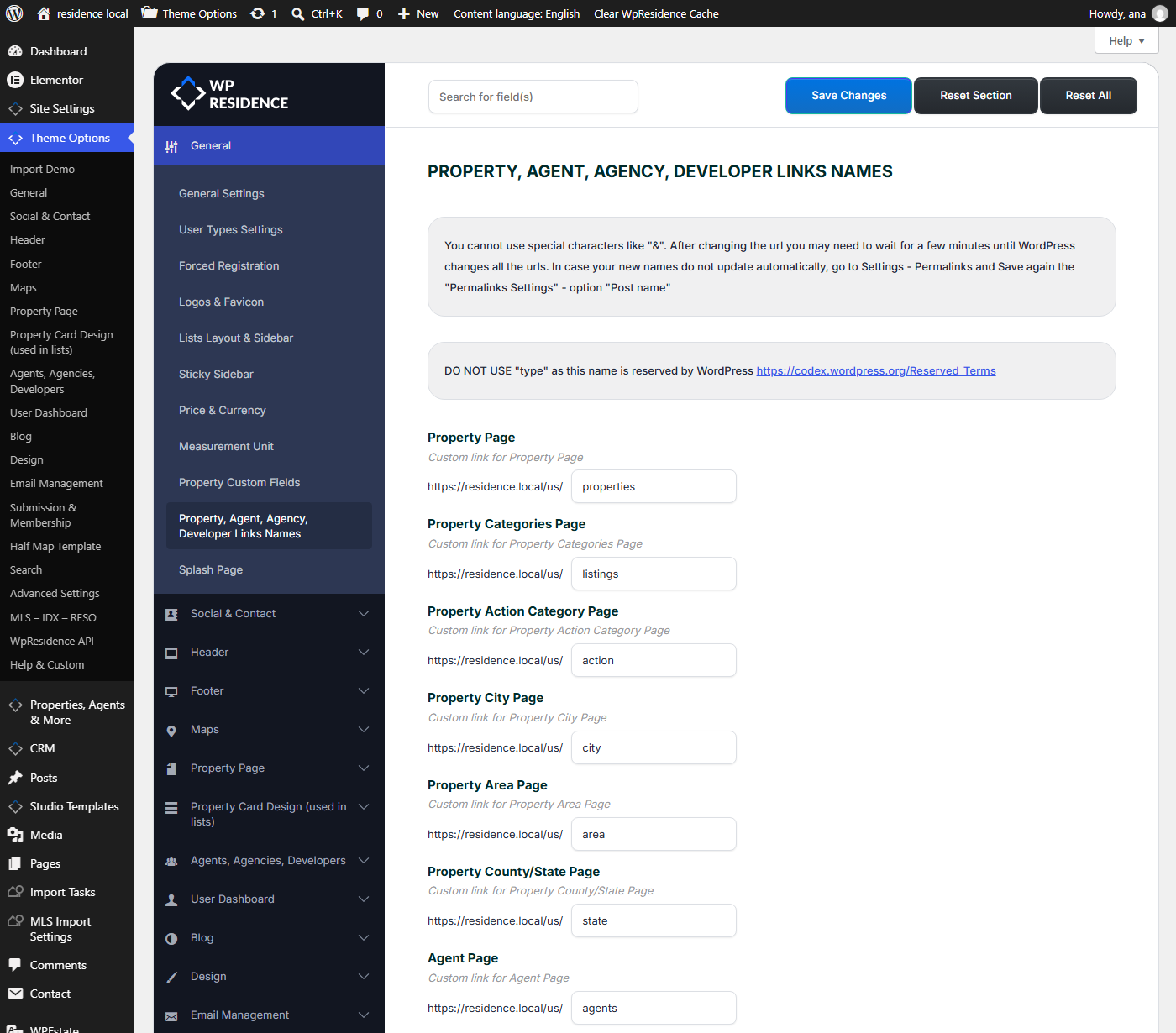
The step by step guide is in Multi Languages with WPEstate Translate. Category, city, area and state names in the address stay the same in every language.
Translate the Address of Each Page
Each translation is its own post, so it has its own slug. Open the translated property or page, change the slug in the editor, for example from modern-loft to loft-moderno, and update. If you change a slug after publishing, WordPress sends visitors of the old address to the new one.
Addresses for Each Type of Page
| Page | Example in French |
|---|---|
| Home page | /fr/ |
| Page | /fr/a-propos/ |
| Property | /fr/biens/loft-moderne/ |
| City page | /fr/property-city/paris/ |
| Blog post | /fr/news-post/ (with the Post name permalink) |
Menu links, the language switcher, the search form and theme links get the prefix on their own. You do not edit links per language.
When a Page Has No Translation
- Home page: /es/ stays on /es/ and is not sent back to the default home page, so the language switcher keeps working.
- Other pages: the language switcher links to the original. See The Language Switcher.
WPEstate Translate also stops WordPress from adding or removing a language prefix with a redirect, which prevents redirect loops.
Tips for Clean Addresses
- Choose the default language first. Changing it later changes which addresses have no prefix.
- Translate the slug of each translated property and page. Do not leave the English slug under /fr/.
- Keep Post name in Settings > Permalinks. Language prefixes do not work with Plain.
- Getting a 404? See Rewrite Rules and Flushing Permalinks.