
Compare Page and Compare Function
The Compare feature in WPResidence lets visitors select properties from listing pages and review them side by side in a comparison table.
Visitors can compare up to 4 properties at the same time.
How the Compare feature works
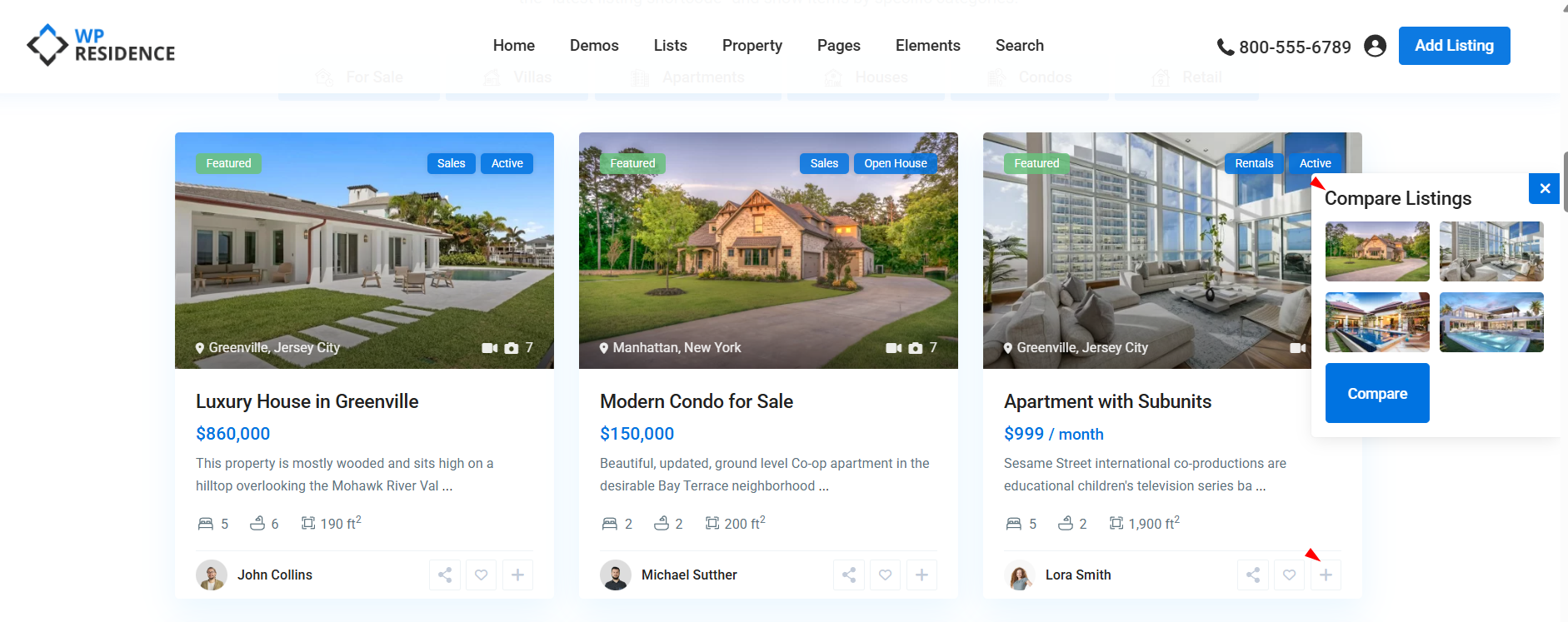
The Compare button is shown on property cards in list-style pages, such as:
- Property list pages
- Property category and taxonomy pages
- Advanced Search results pages
When visitors click Compare on a property card, that property is added to the Compare page, where the selected listings are displayed side by side.
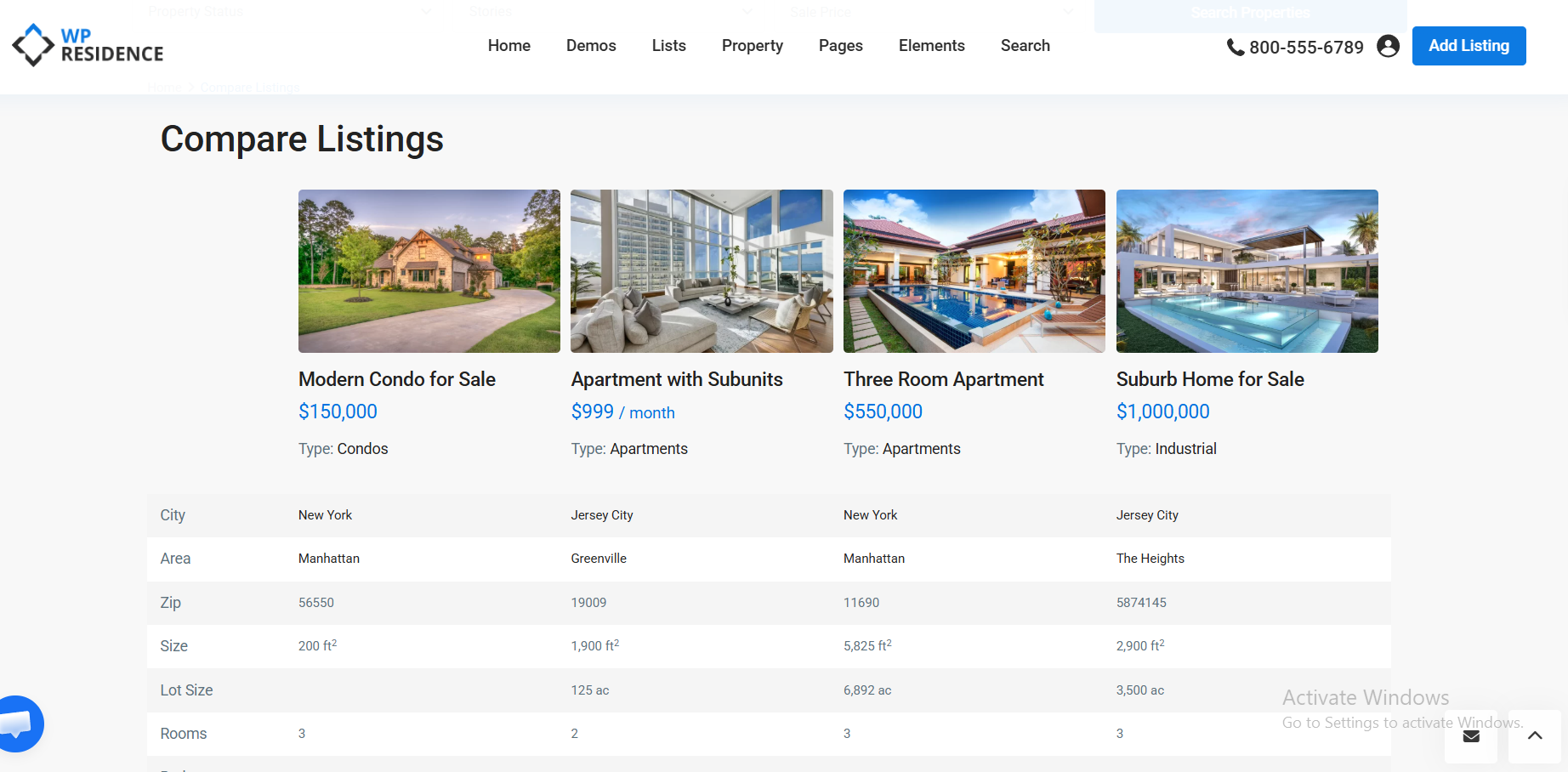
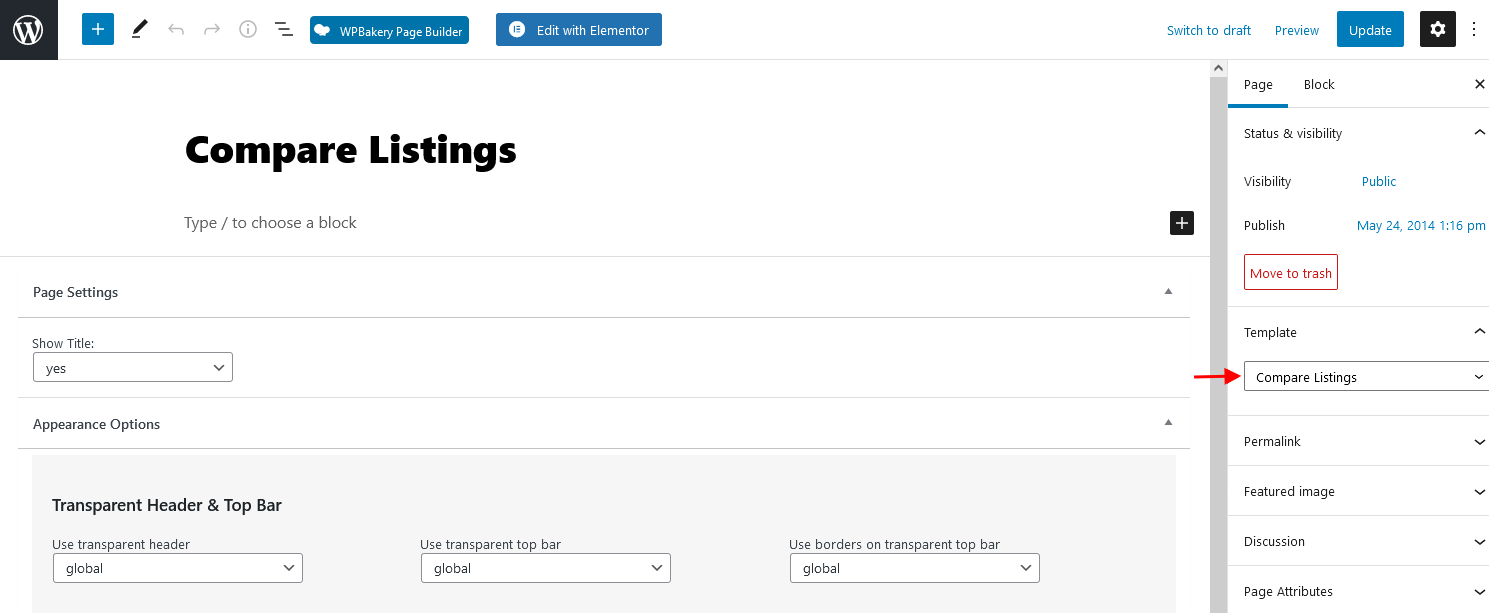
Step 1. Make sure the Compare page exists
Go to Pages in wp-admin and check if a Compare page already exists.
If it does not exist, create a new page and assign the Compare Listings page template.
After publishing the page, the theme will use it for the compare function.
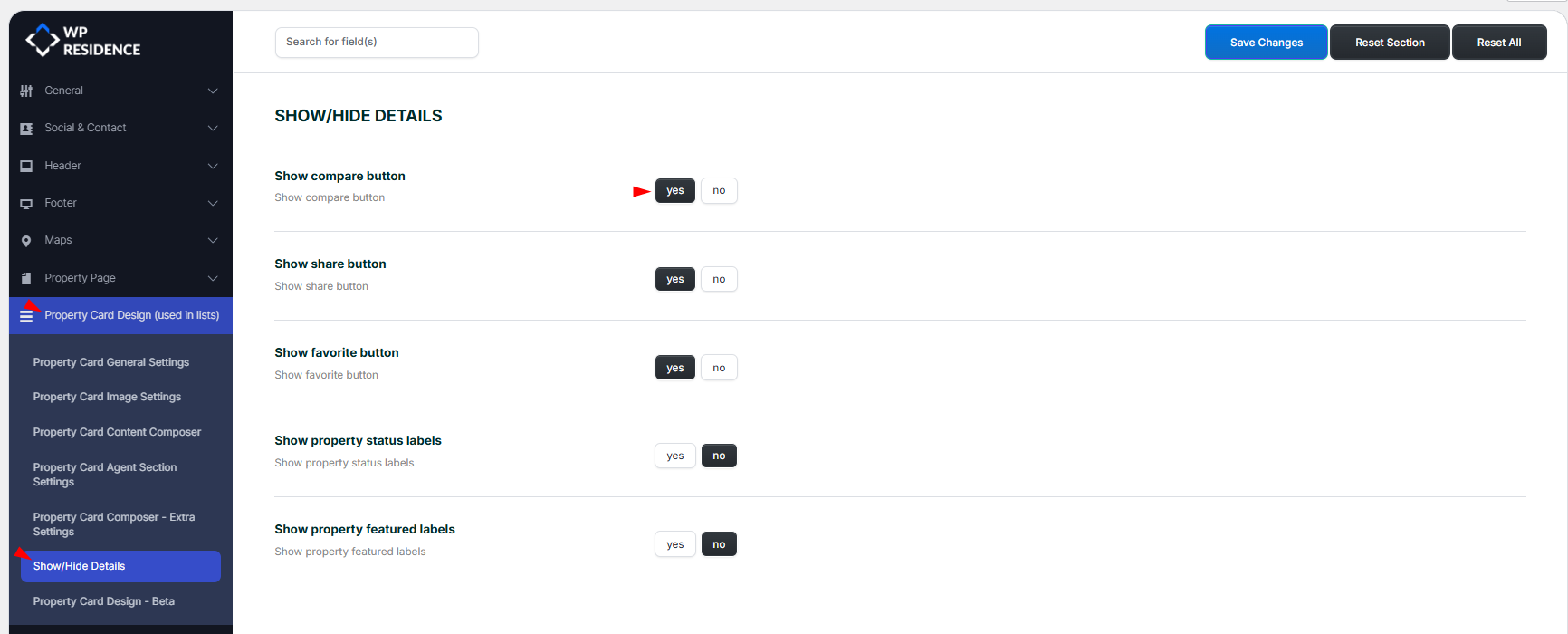
Step 2. Check the Compare button visibility in property cards
The Compare button visibility is controlled from the Property Card settings.
Go to the Property Card options and review the Show/Hide Details section. From there, you can show or hide buttons such as Compare, Share, and Favorite.
If visitors do not see the Compare option in property lists, this is the first area to check.
Where the Compare option appears
The Compare action is designed for property cards shown in list pages. These are the pages visitors use when browsing multiple listings and deciding which properties they want to review side by side.
This means the Compare feature is part of the listing experience, not a standalone property-page option.
Important notes
- You can compare a maximum of 4 properties at once.
- The Compare page must exist and use the correct Compare Listings template.
- The Compare button can be disabled from the Property Card settings.
- The feature is intended to work with property cards in property lists, category pages, taxonomy archives, and search results.
Troubleshooting
The Compare button does not show in property cards
Check the Property Card settings and make sure the Compare button is not hidden in the Show/Hide Details section. The Compare button is not available for Property Card Type 5
The Compare page opens but does not display as expected
Edit the page and confirm it uses the Compare Listings template.
The feature works in some list areas but not others
Check whether those pages use the standard WPResidence property card output or a custom setup that hides card actions.