
WPEstate Translate is the translation plugin made for WPResidence. It turns one site into a multi-language real estate website: properties, agents, agencies, developers, pages, posts, menus, categories and theme texts, all without a third-party translation plugin. This article is a map of the plugin. Each screen has its own article.
What the Plugin Does
| Feature | What you get |
|---|---|
| Languages | Add languages, pick the default one, set the order, flags and URL names. |
| Content translation | A linked copy of each property, agent, agency, developer, page or post in every language. |
| Theme and plugin texts | Translate labels, buttons, emails and Theme Options texts for the other languages. |
| Categories, cities and features | Translate the terms of each taxonomy you choose. |
| Custom Field Rules | Decide for each property field if the value is copied, copied once, translated or ignored. |
| Automatic translation | Fill translations with OpenAI, Google Translate, DeepL or Microsoft Azure. |
| Menus | A menu per language, kept in sync with Menu Synchronization. |
| Language URLs | Each extra language gets its own prefix, for example /fr/, with hreflang and canonical tags. The language of a page comes only from its URL. |
Because the plugin knows WPResidence, property fields, search forms, Elementor widgets and Theme Options work in every language without extra setup.
The WPEstate Translate Menu
After activation, WPEstate Translate appears in the wp-admin menu. Only administrators see it.
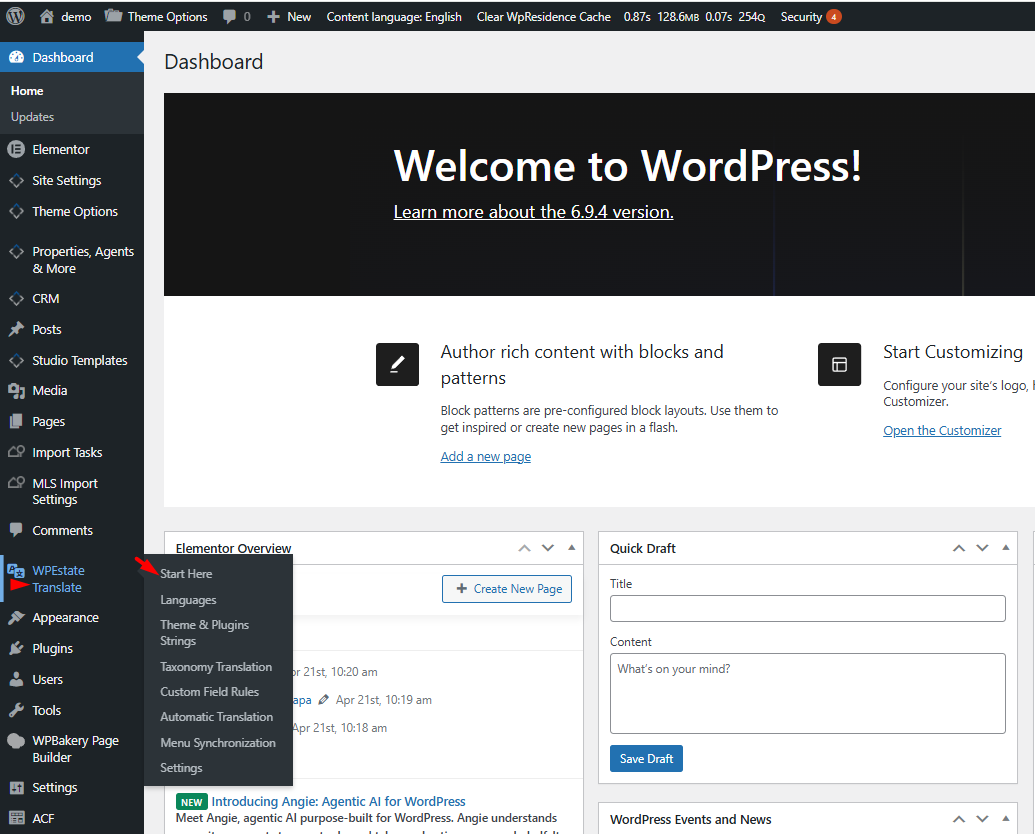
| Menu entry | What it is for |
|---|---|
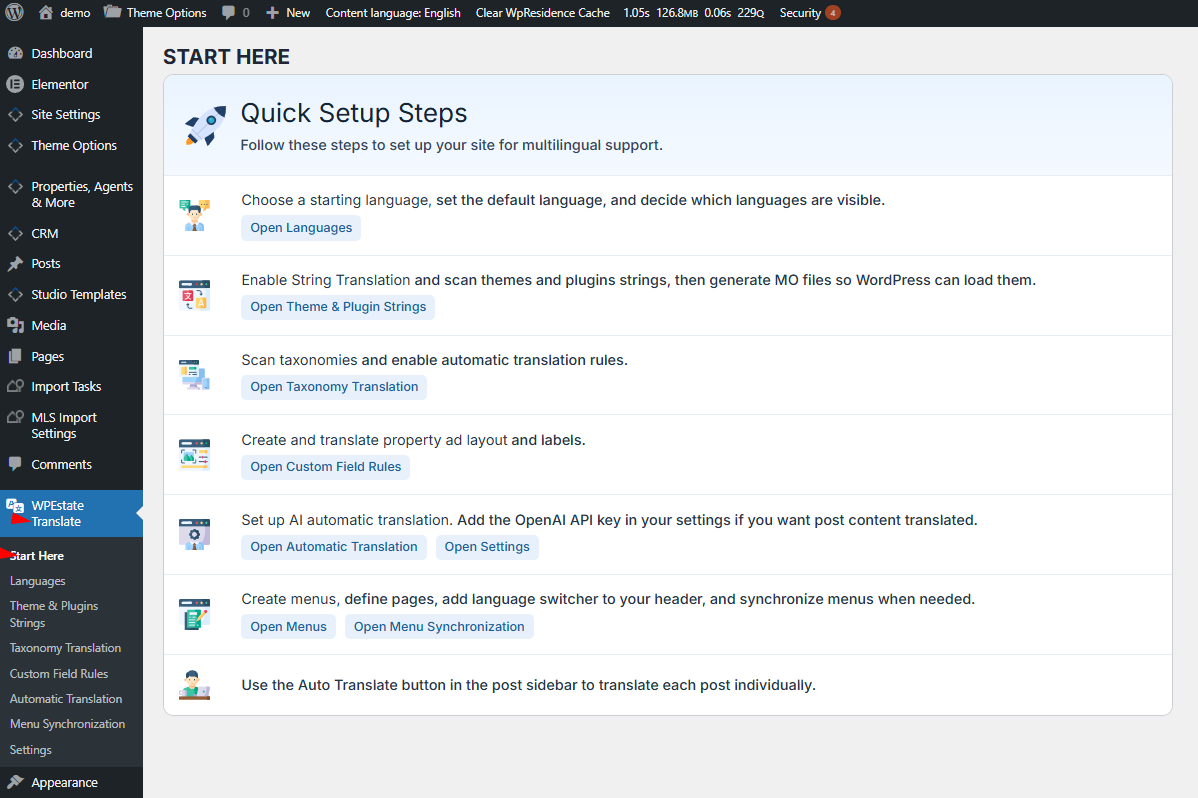
| Start Here | The setup checklist, with a button to each screen. |
| Languages | The Languages Manager: add, remove and order languages, choose the default language, flags, visibility and URL names. |
| Theme & Plugins Strings | Scan and translate the texts of the theme, its plugins and Theme Options. |
| Taxonomy Translation | Choose which taxonomies are translated: categories, cities, areas, features and others. |
| Custom Field Rules | The copy or translate rule of each custom field. |
| Automatic Translation | API keys for the translation services and bulk translation of posts. |
| Menu Synchronization | Copy the structure of one menu into its translated menu. |
| Settings | Media sync, Elementor compatibility, the language dropdown in menus, reset and delete tools. |
The Start Here Page
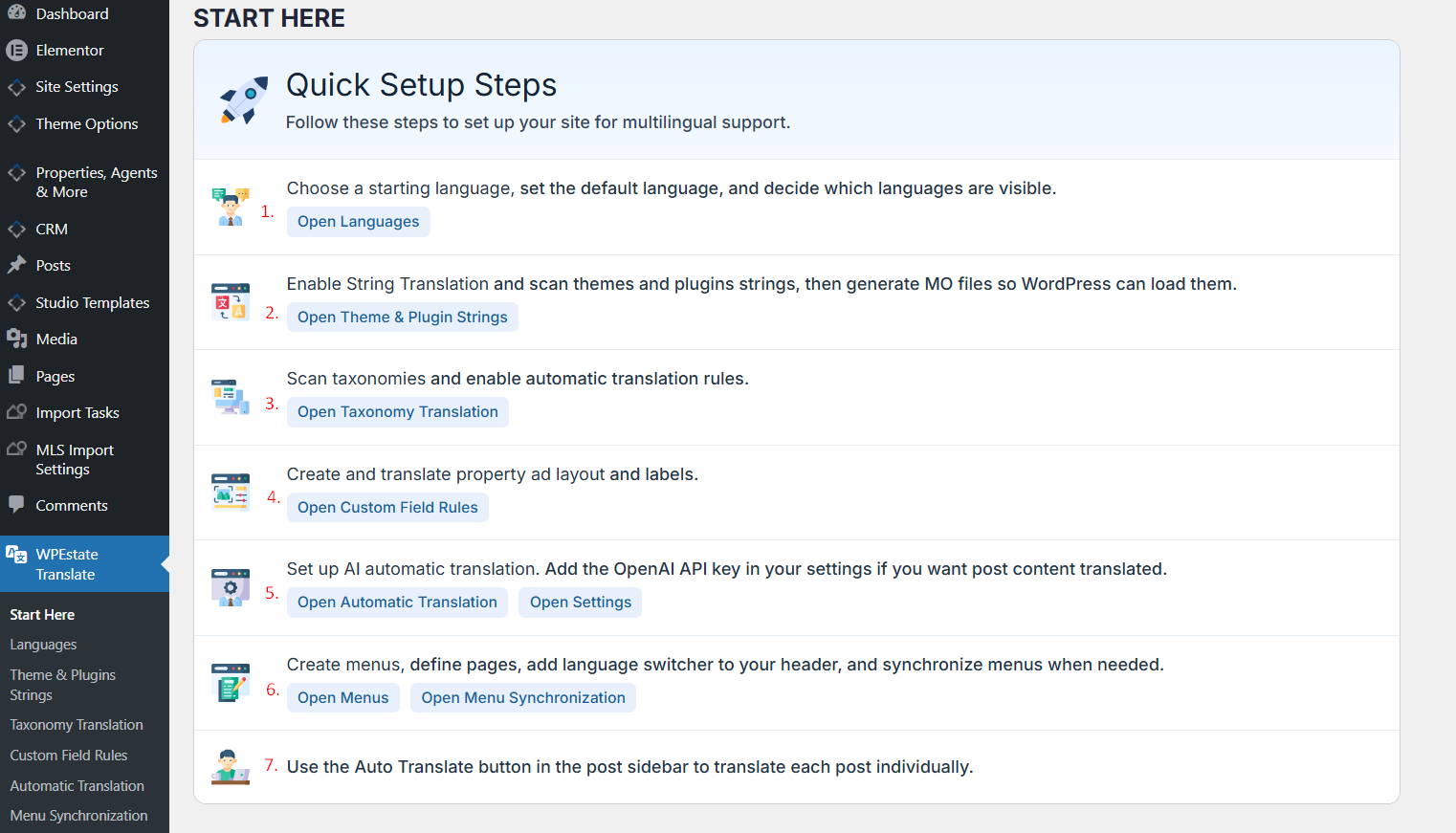
Start Here is the first entry of the menu. It lists the setup in the order we recommend:
- Choose the languages, set the default language and decide which languages are visible.
- Scan the theme and plugin strings and generate the translation files.
- Choose the taxonomies to translate.
- Check the Custom Field Rules for property fields and labels.
- Add an API key if you want automatic translation.
- Create the menus, add the language switcher to the header and synchronize the menus.
- Translate the posts with the Auto Translate button in the post sidebar, or by hand.
The full walkthrough is in Multi Languages with WPEstate Translate plugin.
Language Controls Outside the Menu
- Content language in the top admin bar filters the wp-admin lists by language.
- The language badge in the editor header shows the language and flag of the post you are editing.
Both are explained in Admin Bar and Editor Header Language Switchers.