
How to control properties per page and map pins
This article explains how to control how many properties show per page on property lists, taxonomy pages, Advanced Search Results pages, and map pages.
There are separate settings for:
- How many properties show in the list
- How many properties show on the Advanced Search Results page
- How many pins are allowed to show on the map
If these values do not match, you may see more properties in the list than pins on the map.
Properties per page for lists and taxonomy pages
Go to:
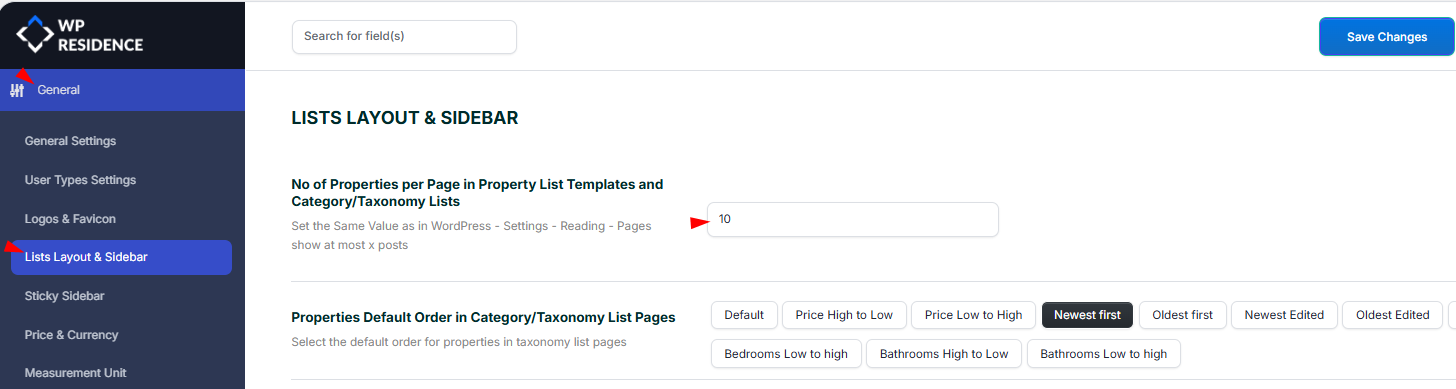
Theme Options > General > Lists Layout & Sidebar
Set the number of properties you want to show per page.
This setting applies to:
- Properties List pages
- Properties List Half Map pages
- Taxonomy pages, such as City, Area, Category, Type, Status, Features, and Amenities pages
Properties per page for Advanced Search Results
The number of properties shown on the Advanced Search Results page is controlled separately.
Go to:
Theme Options > Search > Advanced Search Results Page
Set the number of properties you want to show on the Advanced Search Results page.
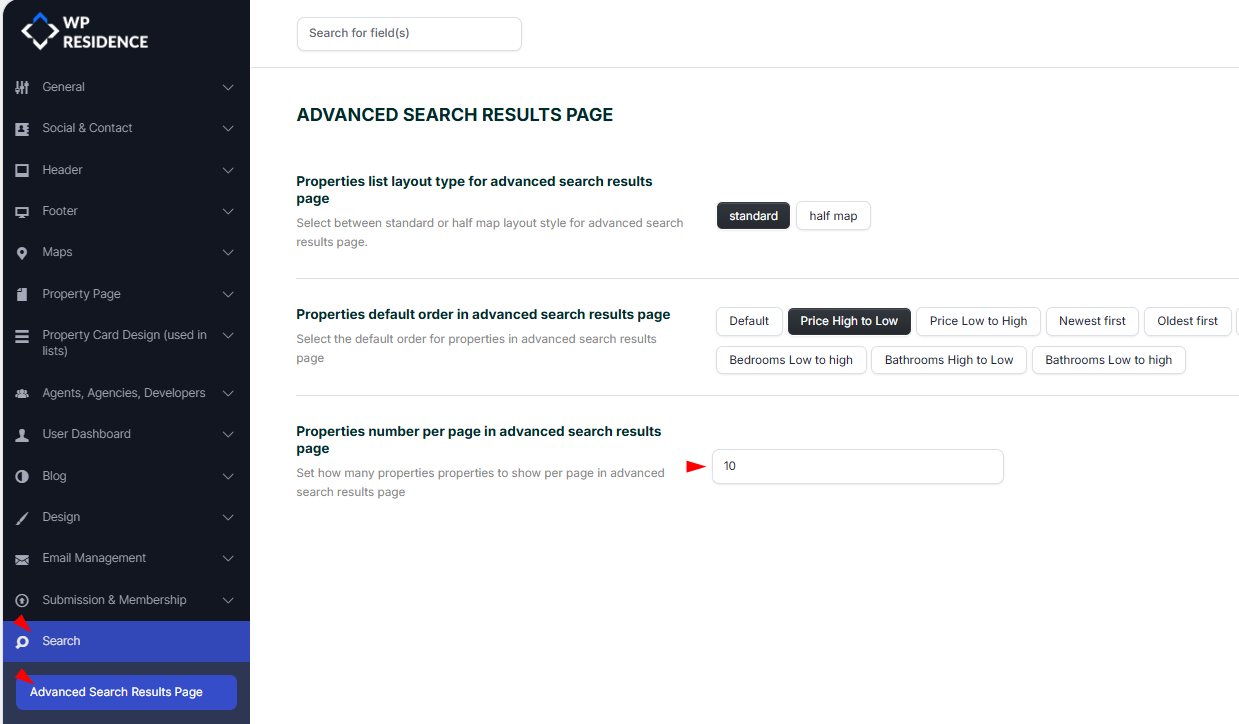
This setting is separate from the general list and taxonomy setting. If the Advanced Search Results page should show the same number of properties as taxonomy pages, use the same value in both places.
WordPress Reading setting
You should also check the default WordPress pagination value.
Go to:
Settings > Reading > Blog pages show at most
Set this value to match the number of properties you want to display per page.
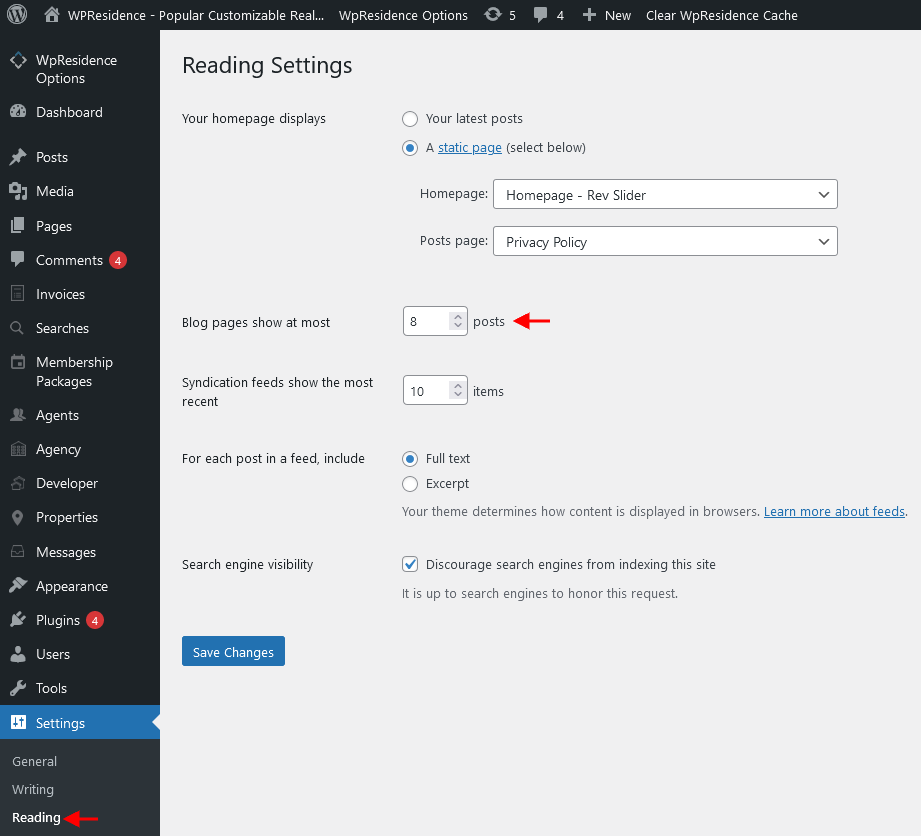
Use the same value in the WPResidence property list settings and in the WordPress Reading setting to avoid pagination inconsistencies.
Maximum number of pins on the map
If you see more properties in the list than pins on the map, the most common reason is that the map pin limit is lower than the number of properties shown in the list.
For example, if a taxonomy page shows 40 properties, but the map is limited to 25 pins, the list can show 40 properties while the map displays only 25 pins.
To check this setting, go to:
Theme Options > Maps > Number of Maps Pins Settings
Set the maximum number of map pins to at least the same number as the properties shown on the current page, or higher.
For example:
- If the page shows 25 properties, set the map pins limit to 25 or higher.
- If the taxonomy page shows 40 properties, set the map pins limit to at least 40.
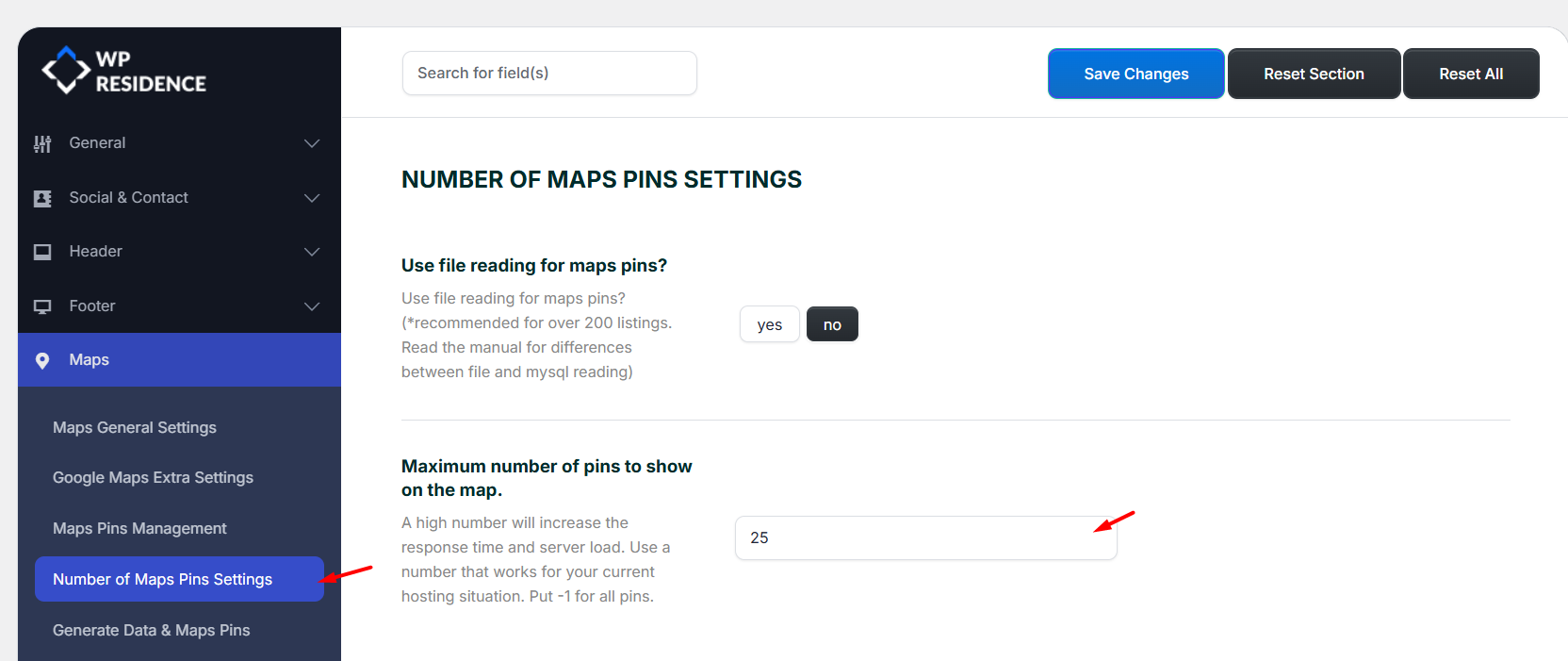
The map pin limit controls how many pins are allowed to load on the map. If this value is lower than the number of properties displayed in the list, the map will show fewer pins than the list shows properties.
Important notes
After changing these settings:
- Save Theme Options.
- Clear WPResidence theme cache, if enabled.
- Clear any cache plugin used on the site.
- Clear server or CDN cache, if used.
- Reload the page and test again.
If you use Half Map pages, taxonomy pages, or search results with maps, check both the list pagination settings and the map pin limit settings. Both values affect what visitors see.
Example
If an Area page has over 40 villas, but the map pin limit is set to 25, the list may show more properties than the map.
In this case:
- Increase the map pin limit to at least 40.
- Save the settings.
- Clear cache.
- Reload the page.
After this, the map and the property list should be able to show the same number of items for that page.