
Owner/Agent Private Notes for Properties
Each property has a special field named Owner/Agent notes.
This field can be used to save private information about a property. The notes are not published on the property page and are not visible to visitors on the front end.
What Are Owner/Agent Notes?
The Owner/Agent notes field is a private notes field available for each property.
You can use it for internal information such as:
- Owner instructions
- Private agent notes
- Internal property details
- Extra information that should not appear on the public property page
This field is not part of the public property description. It is not displayed on the property page, property card, search results page, or property lists.
Where the Field Shows in Front-End Submission
When users submit or edit a property from the front-end dashboard, the Owner/Agent notes field can be displayed in the property submission form.
The user can add private notes while submitting or editing the property.

Where the Field Shows in WP Admin
In the WordPress admin area, the same field is available when editing a property.
Go to:
Properties → All Properties
Edit the property.
In the property edit screen, check the left side meta boxes menu and open:
Property Details
The field is shown as:
Owner/Agent notes (*not visible on front end)
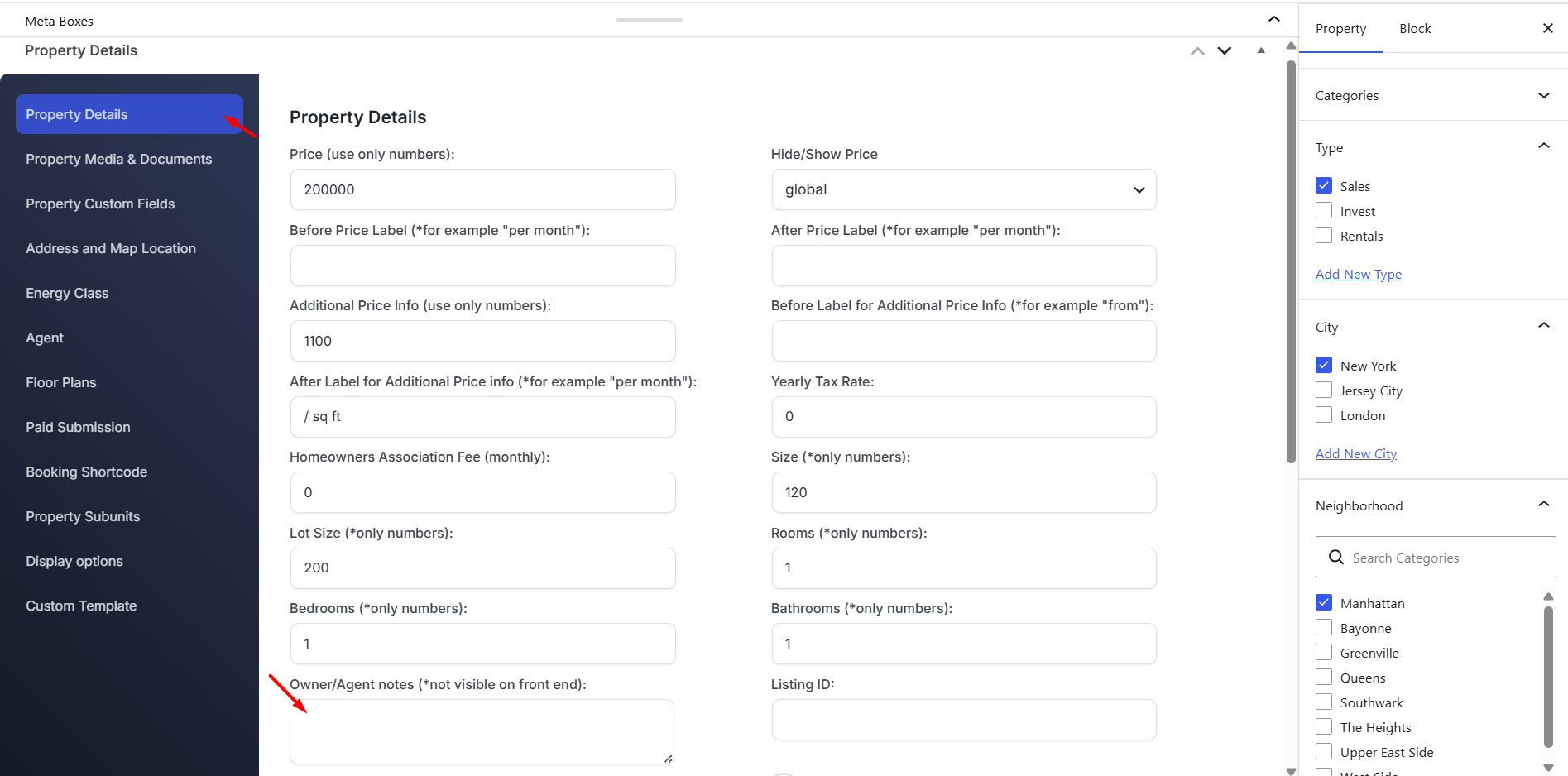
In newer admin layouts, the field is still located under the property meta boxes, inside the Property Details tab.
Who Can See the Notes?
The Owner/Agent notes field is private.
It can be viewed from the property edit area by users who have access to edit that property, such as the site admin and the property owner/user who manages the listing.
Website visitors cannot see this field on the public property page.
Important Notes
- The Owner/Agent notes field is not visible on the front end property page.
- The field is meant for private property information only.
- Do not use this field for public descriptions, amenities, location details, or property features.
- Public property information should be added in the normal property description, details, custom fields, features, or amenities areas.
- The notes are saved with the property and can be edited again from the front-end submission form or from wp-admin.