WP Residence Help WP Residence Help

  • WPRESIDENCE
  • Video Tutorials
  • Client Support
  • API
Home / Search & Filtering / Theme Options – Search – Radius Search | Geolocation Search for Half Map

Theme Options – Search – Radius Search | Geolocation Search for Half Map

7344 views 1
In this video, you will learn how to add Geo location and Radius search(powered by Open Street) in theme search forms. Watch Video on Youtube

Radius search with radius management (in miles or km) allows visitors to search by maps location, and to see all the properties in the radius of that location.

Important: Geolocation uses Open Street Places library.
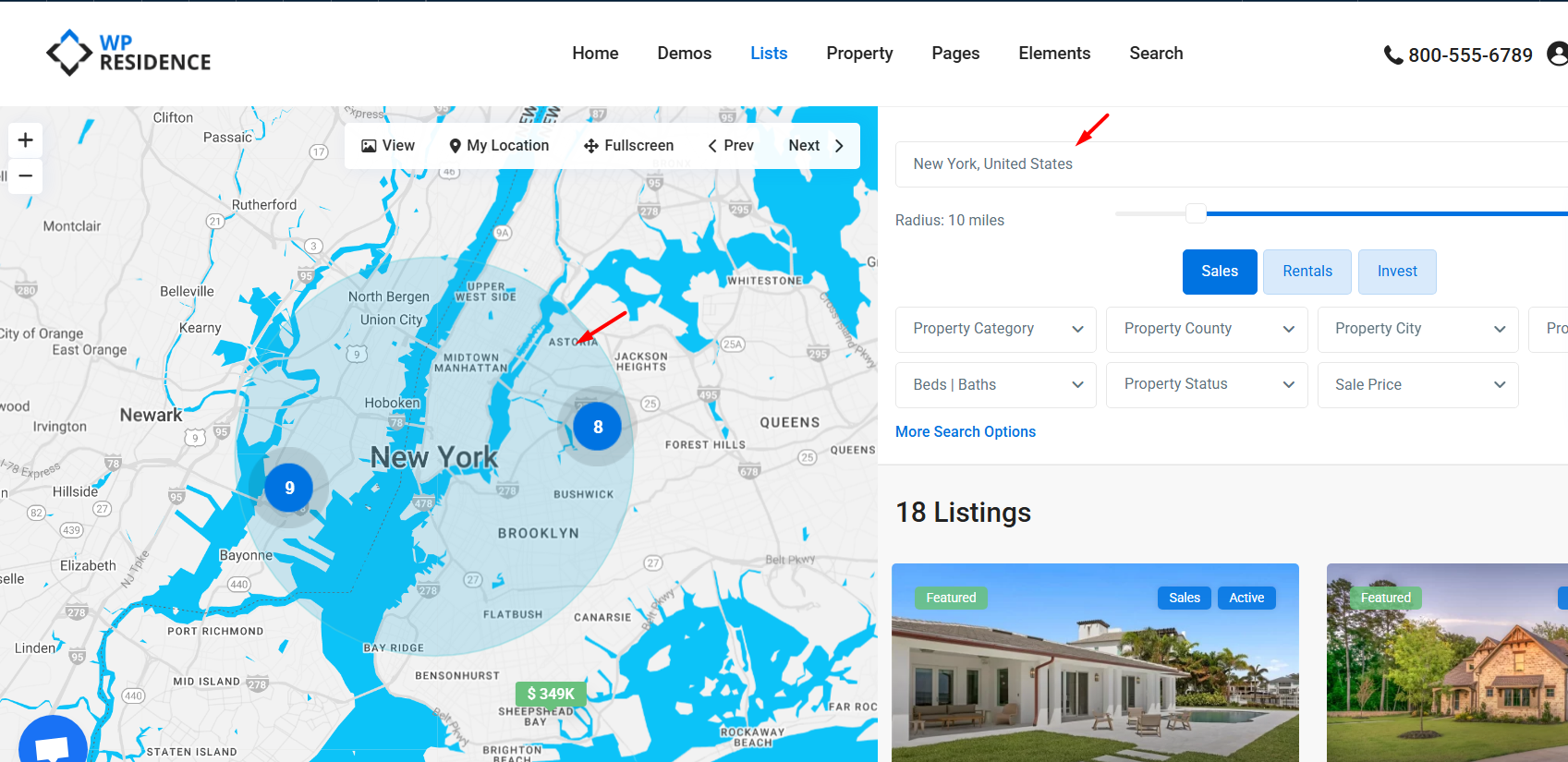
The radius search option can be managed from Theme Options > Search > Geolocation Settings section where you have the following options:
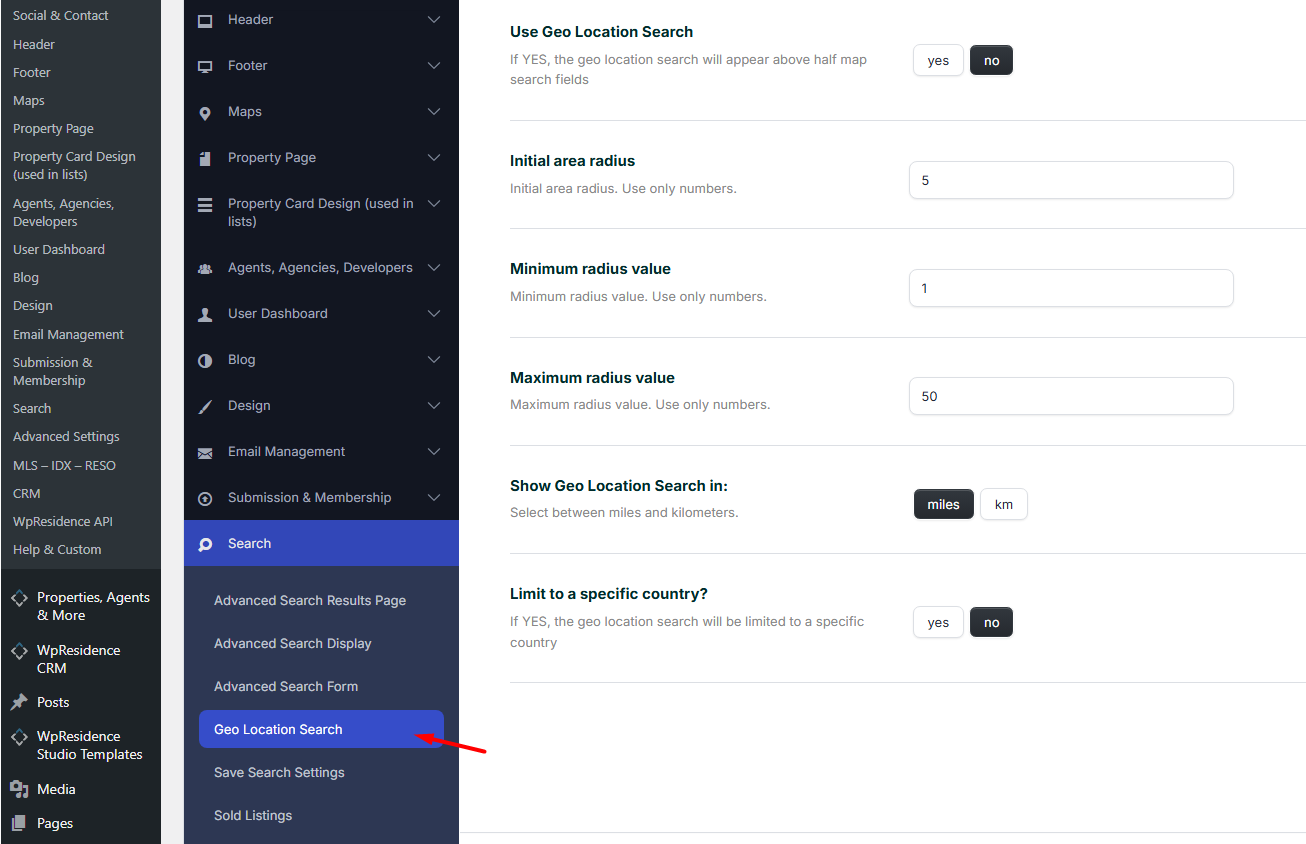
Use Geo Location Search – Yes/No

Geo Location Search applies only for the half map style page (advanced search results, properties list half-page and taxonomy half-if that is enabled)

If you choose yes, the Geo location search will appear above half map search fields. Read here about how to use the property list half map in WpResidence.

Initial area radius

Type the default radius you wish to get when open the half map page. You must type only numbers.

Setup the Minimum and Maximum radius values

Type minimum and maximum radius values.

Show Geo Location Search in: miles or km

You can set the search in km or miles.

Limit Geo Location to a single country

Select the country from the dropdown.

Technical FAQ

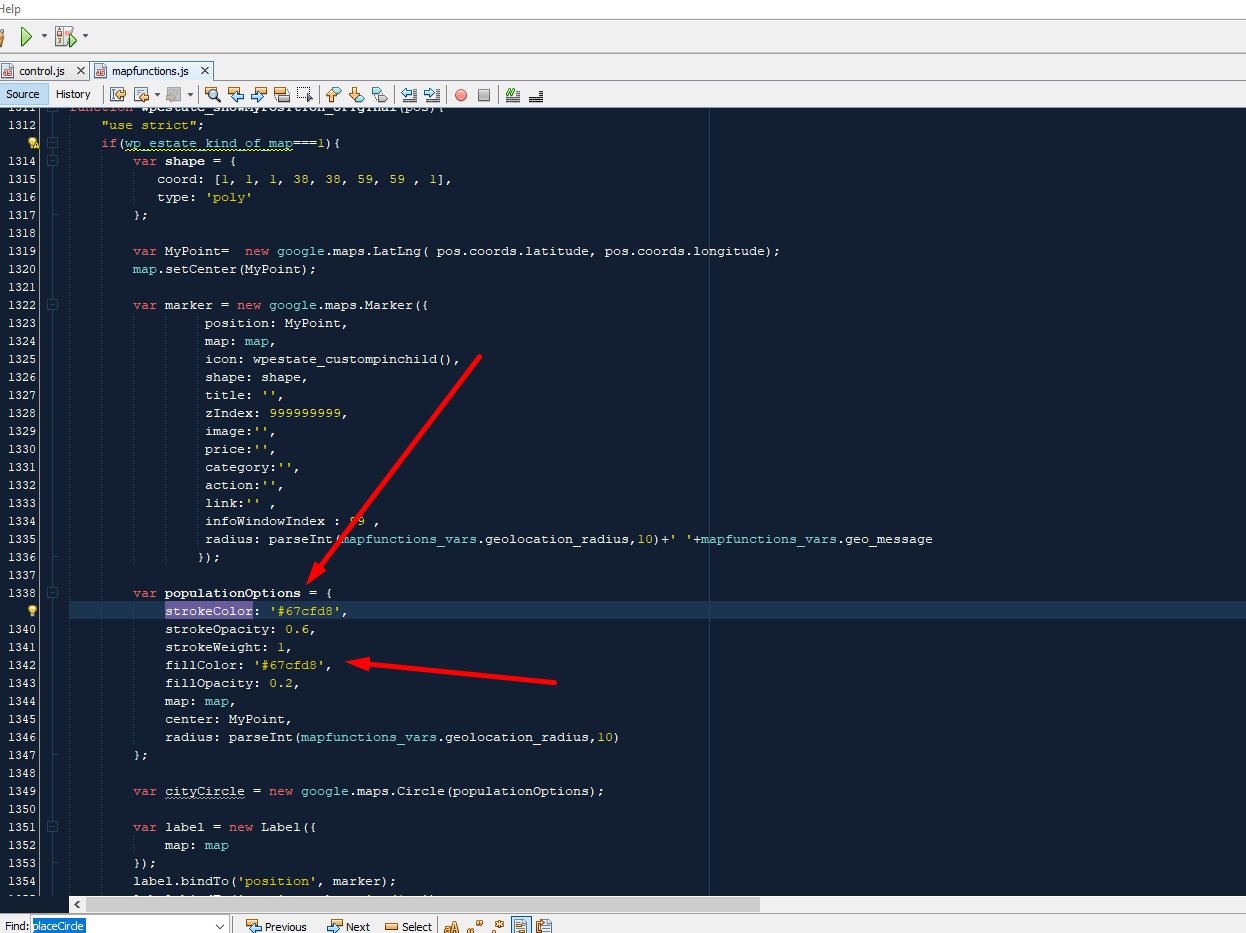
How to change the color of the geolocation radius

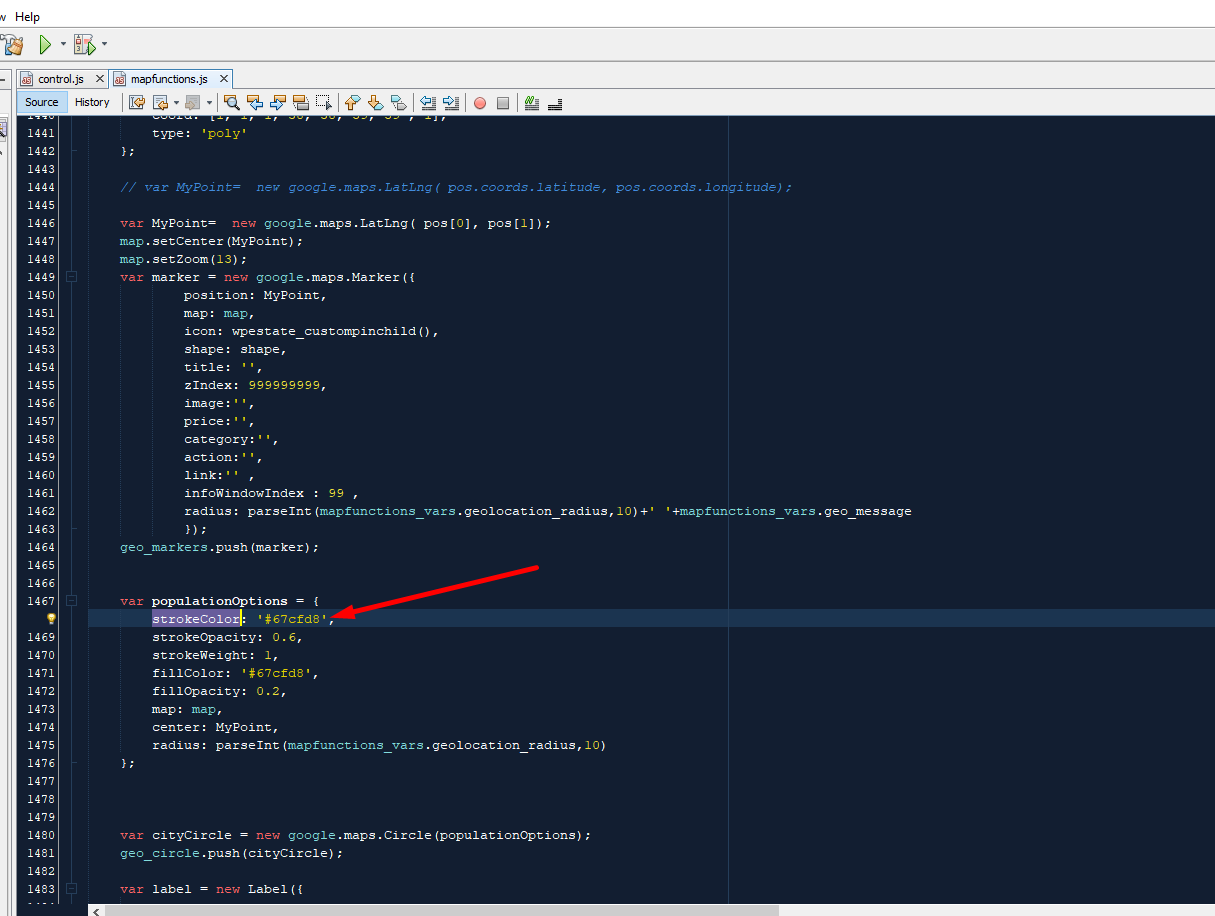
In order to change the color of the  geolocation radius must make code changes as shown in the below screenshots:
 

Related Help

  • How to use Geolocation in Advanced Search Forms – click here for the video
Search & Filtering

Related Articles

  • Mobile Search in WPResidence
  • How to control the Advanced Search float position
  • Theme Options – Search – Taxonomies Multi Selection
  • Theme Options -> Search -> Advanced Search Results page

Help Categories

  • 18Agent, Agency & Developers
  • 5Blog Posts & Blog Lists
  • 39Elementor Shortcodes Built-In
  • 46FAQ
  • 15Footer
  • 5Getting Started
  • 37Header
  • 2IDX & MLSImport
  • 6Installation & Setup
  • 24Installation FAQ
  • 23Maps & Location Settings
  • 21Multi-Language - Third Party Plugins
  • 6Other Third party Plugins
  • 21Pages
  • 4Payments & Monetization
  • 20Property Lists, Categories & Archive
  • 37Property Pages & Layouts
  • 31Search & Filtering
  • 162Technical how to | Custom Code Required
  • 8Technical: Actions and filters
  • 6Technical: Child Theme
  • 86Theme Options & Global Settings
  • 7Translations & Languages
  • 16WPBakery Shortcodes
  • 50WPEstate / WPResidence Translate Plugin
  • 51WPResidence / WPEstate CRM
  • 50WPResidence 5.0 Documentation
  • 9WPResidence Elementor Studio

Join Us On

Powered by WP Estate - All Rights Reserved
  • WPRESIDENCE
  • Video Tutorials
  • Client Support
  • API