
WP Residence Help WP Residence Help

  • WPRESIDENCE
  • Video Tutorials
  • Client Support
  • API
Home / Property Pages & Layouts / How to add Virtual Tour or Meta Reels in Property Page

How to add Virtual Tour or Meta Reels in Property Page

5819 views 0
How you can add Meta Reels and Tiktok videos WpResidence starting theme version 5.3.0 Watch Video on Youtube

Content

  • How to add virtual tour from the admin backend
  • How to add virtual tour from front end submit form
  • How to display Virtual Tour on a single property page

How to add a virtual tour or a Meta Reel from the admin backend

To add a virtual tour, you must copy/paste the embed code in Property Details > Property Media > Virtual Tour when editing/adding a property from Admin > Properties:
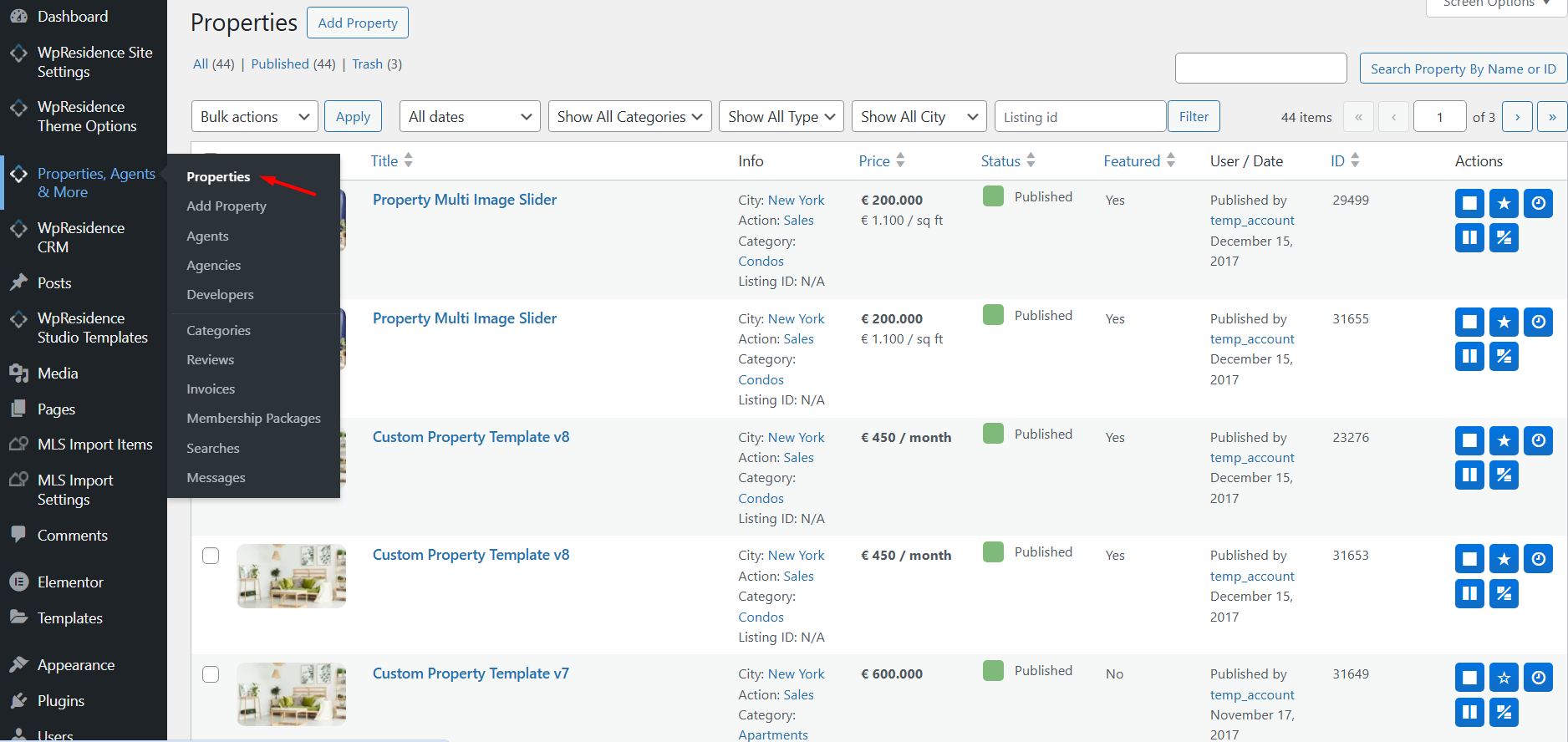
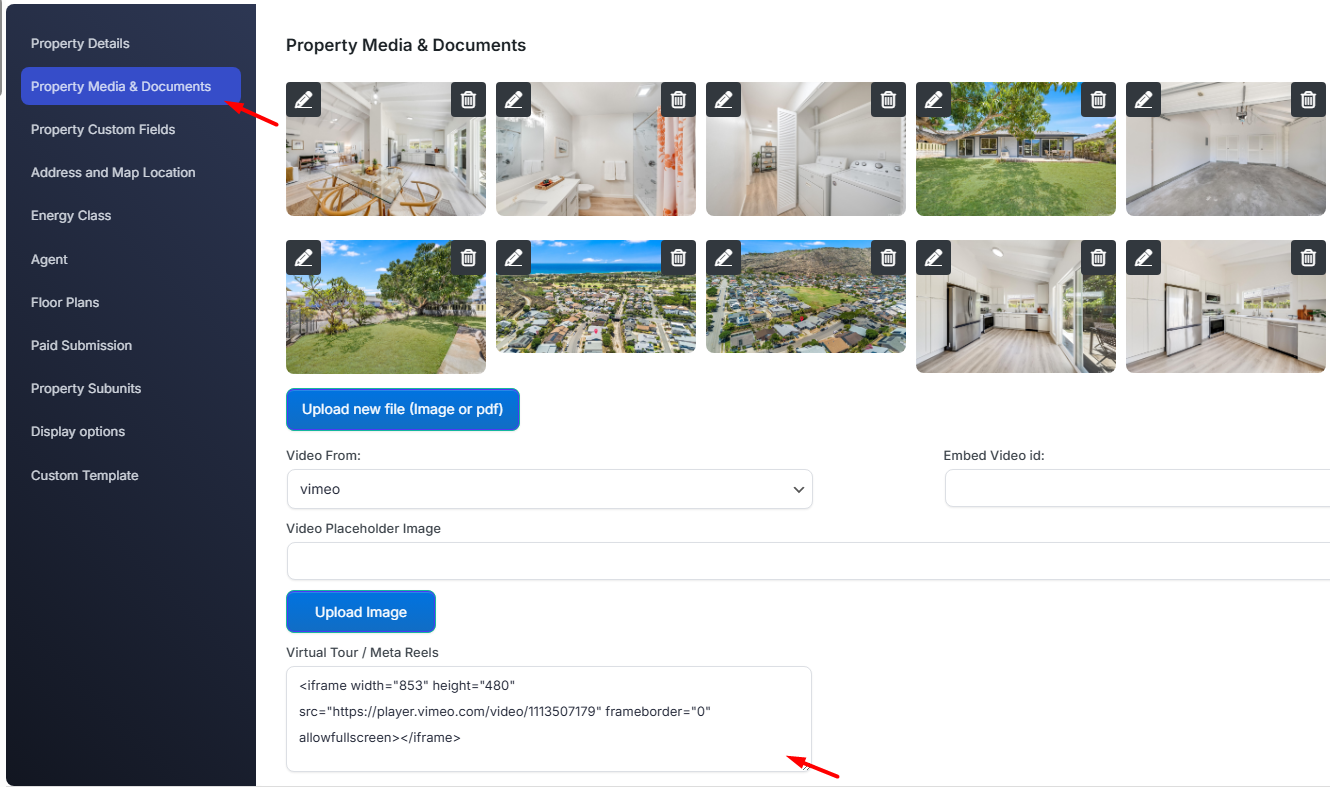
Virtual Tour admin backend

How to add virtual tour or a Meta Reel from front end submission form

If you wish to show the embed virtual field on the front end submission form for listings, you must first select the fields to show in the submission form.
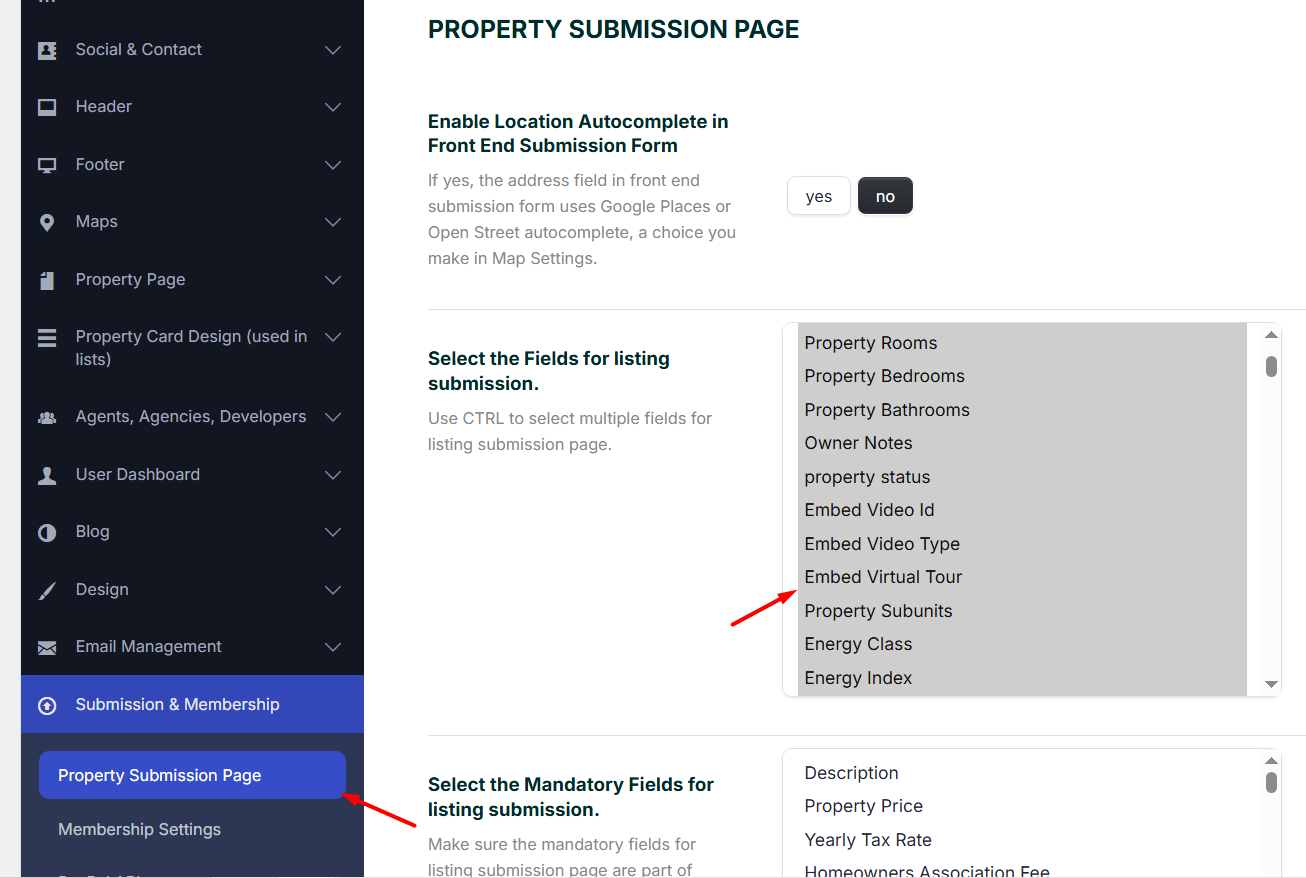
Submit form backend settings

On the front end submission form you must add the embed code in this field:
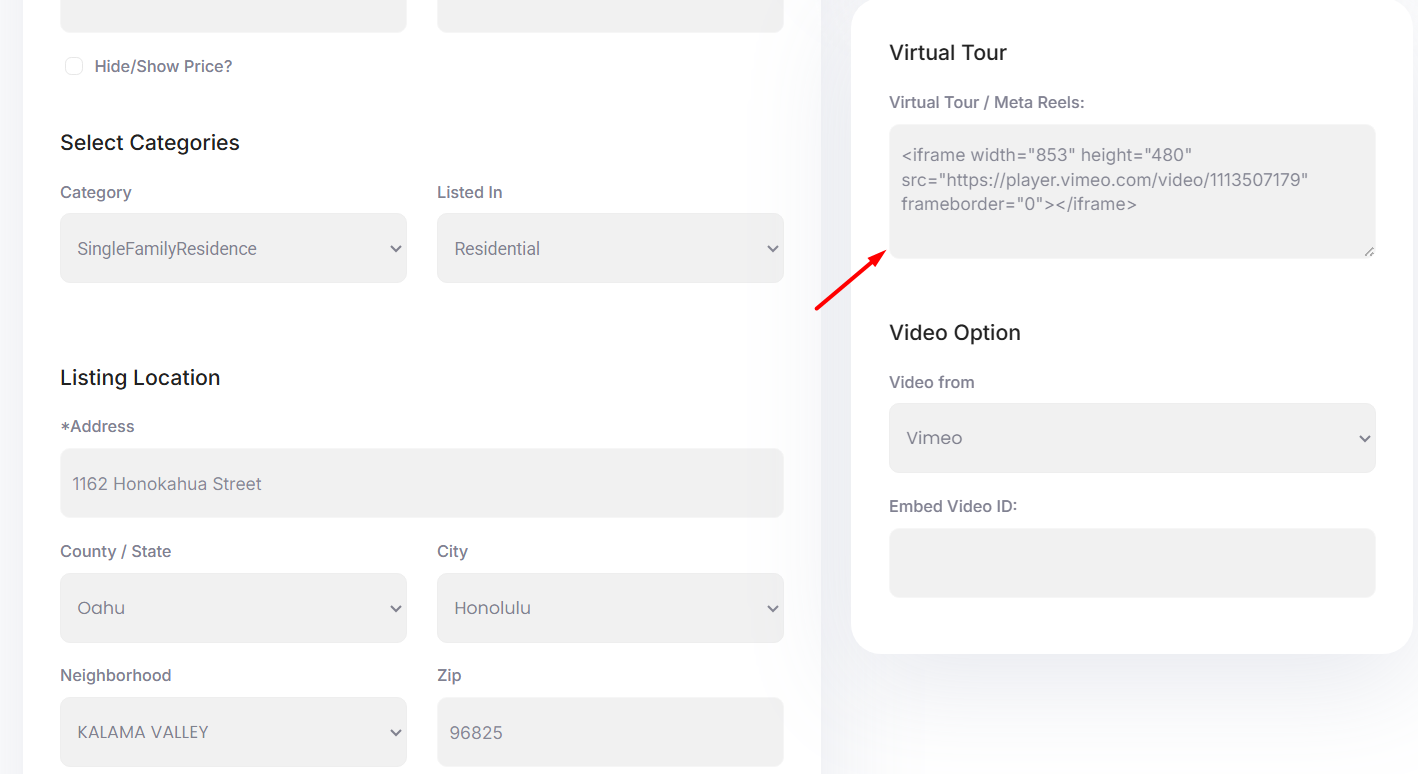
Frontend submit form field

How to display Virtual Tour on a single property page

Virtual Tour displays automatically in the single property page content if it is added in the Virtual Tour code area.
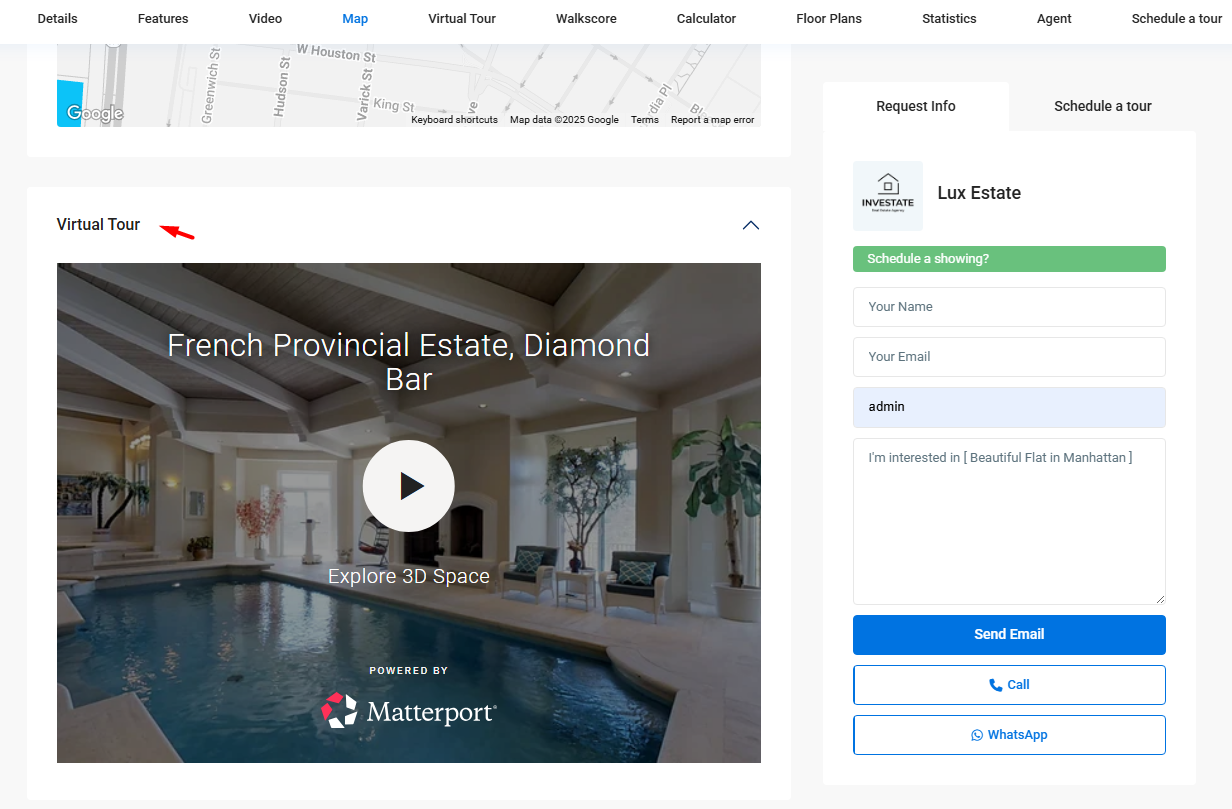
Virtual Tour on property page

  • Virtual Tour can also show in the header of a property if this option is enabled from the edit property screen in backend admin.
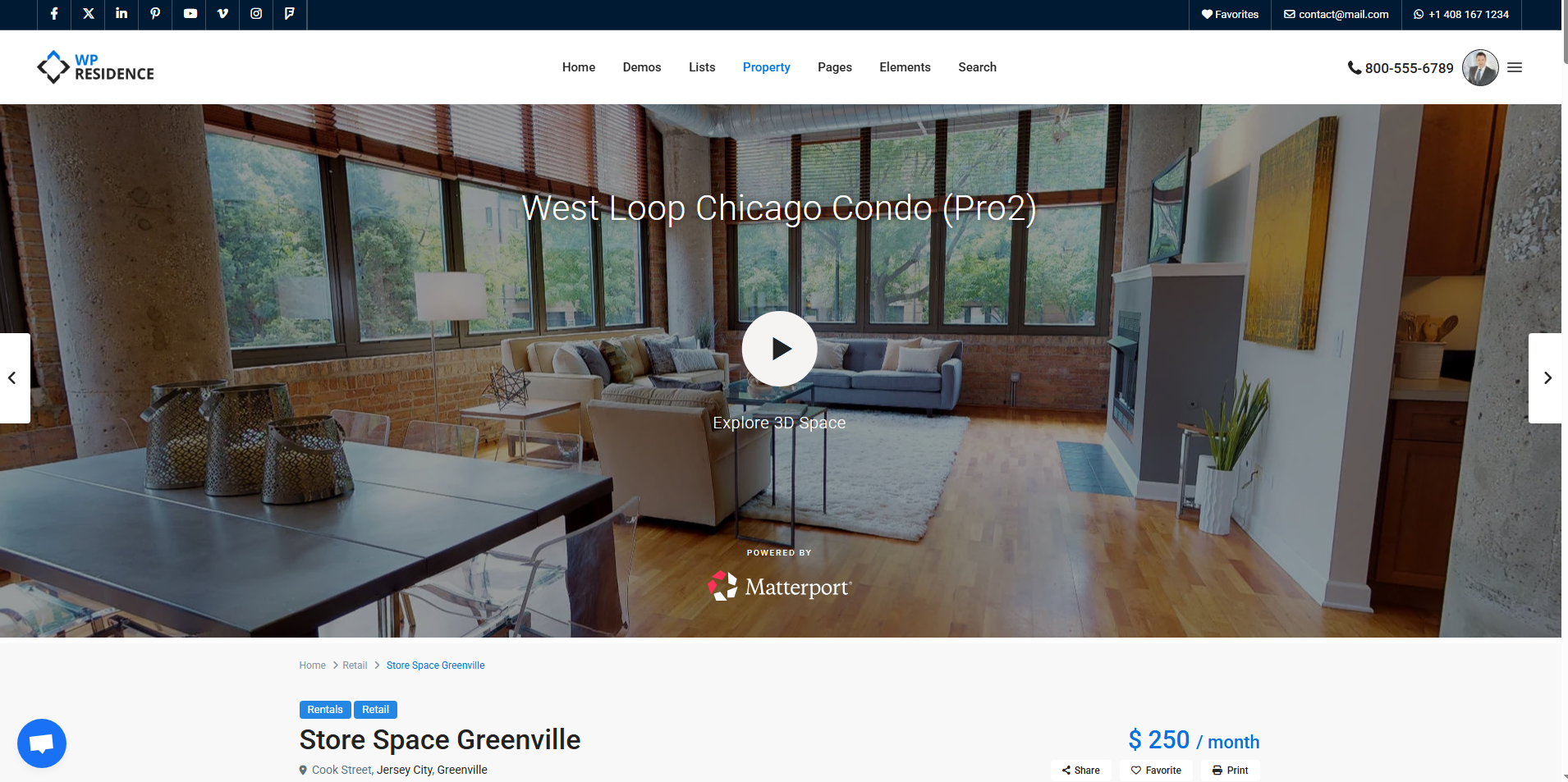
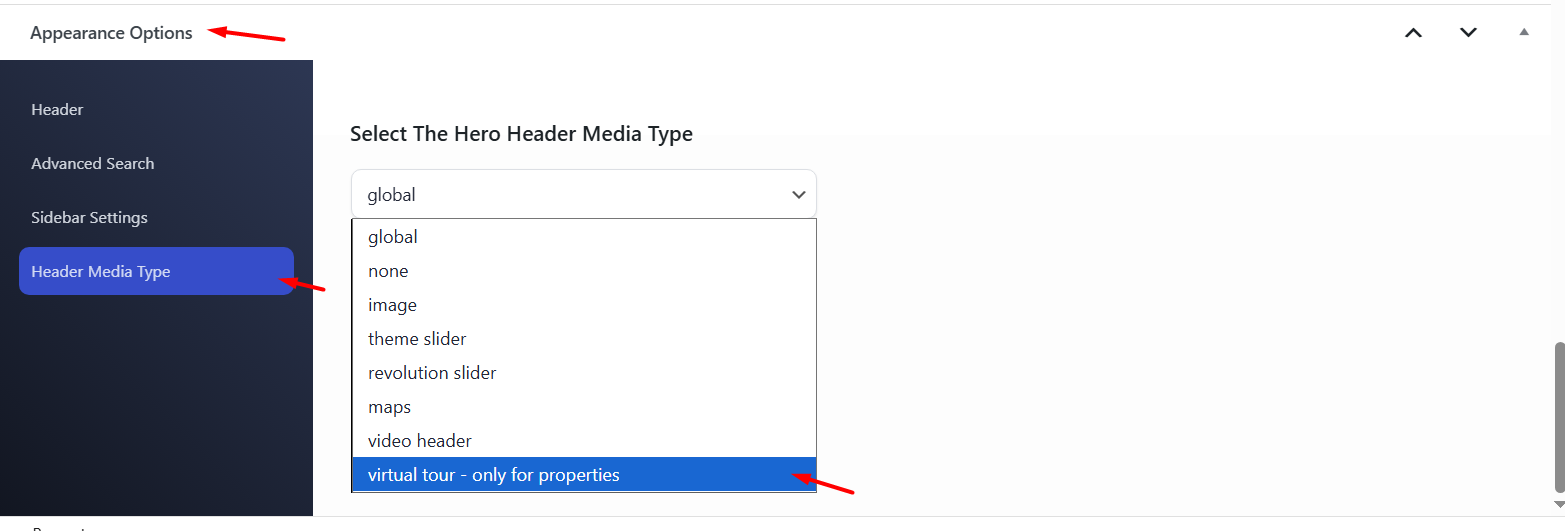
Virtual Tour in property header


Property header Virtual Tour example

Property Pages & Layouts

Related Articles

  • ACF – Advanced Custom Fields – Integration with WPResidence
  • Add Booking Forms and Plugin Shortcodes to Property Pages in WPResidence
  • Custom template for each Property Category / Taxonomy with WPResidence Studio and Elementor Free
  • Theme Options – Property Page Design

Help Categories

  • 18Agent, Agency & Developers
  • 5Blog Posts & Blog Lists
  • 38Elementor Shortcodes Built-In
  • 45FAQ
  • 15Footer
  • 5Getting Started
  • 37Header
  • 2IDX & MLSImport
  • 6Installation & Setup
  • 23Installation FAQ
  • 23Maps & Location Settings
  • 21Multi-Language Third Party Plugins
  • 6Other Third party Plugins
  • 19Pages
  • 4Payments & Monetization
  • 20Property Lists, Categories & Archive
  • 36Property Pages & Layouts
  • 31Search & Filtering
  • 162Technical how to | Custom Code Required
  • 8Technical: Actions and filters
  • 6Technical: Child Theme
  • 86Theme Options & Global Settings
  • 6Translations & Languages
  • 16WPBakery Shortcodes
  • 51WPResidence / WPEstate CRM
  • 50WPResidence 5.0 Documentation
  • 8WPResidence Elementor Studio
  • 50WPResidence Translate Plugin

Join Us On

Powered by WP Estate - All Rights Reserved
  • WPRESIDENCE
  • Video Tutorials
  • Client Support
  • API