
This article explains how to install WPResidence and its plugins, register the license and get the site ready for a demo import, whether you bought the theme on wpresidence.net or on ThemeForest.
Installation video
Before you install WPResidence
You need a hosting account, a domain and WordPress installed on that domain. If WordPress is not installed yet, ask your hosting provider to install it, or follow the WordPress installation guide.
Server requirements and PHP limits
Check that your hosting meets these values before you install the theme or import a demo:
| Setting | Recommended minimum |
|---|---|
| max_execution_time | 600 |
| memory_limit | 512M |
| post_max_size | 64M |
| upload_max_filesize | 64M |
| PHP modules | XMLReader, cURL |
Full WPResidence server requirements
Where you bought the theme
The installation is the same for both. Only the download and the license details differ.
| Bought on wpresidence.net | Bought on ThemeForest | |
|---|---|---|
| Download from | care.wpestate.org → My Licenses | themeforest.net → Downloads |
| Register with | License key | ThemeForest username and purchase code |
| Theme updates | Dashboard → Updates | Envato Market plugin |
Download from wpresidence.net
- Log in to care.wpestate.org with the account you used at checkout.
- Open My Licenses and find your WP Residence license.
- Click Download theme to get wpresidence.zip.

Download WP Residence package gives the full package with the child theme and documentation. If you use it, unzip it and install only wpresidence.zip from inside.
Download from ThemeForest
- Log in to ThemeForest and open your Downloads page.
- Find WPResidence, open the Download menu and choose Installable WordPress file only.
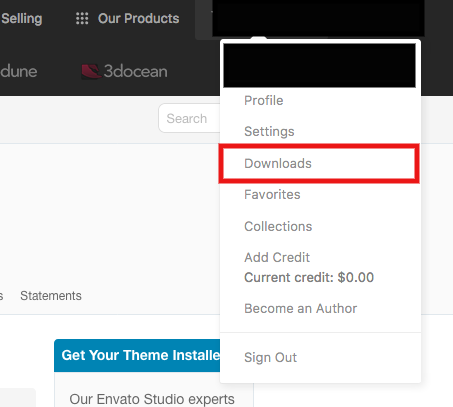

All files & documentation gives the full package with the child theme and documentation. If you use it, unzip it and install only wpresidence.zip from inside.
Install the theme
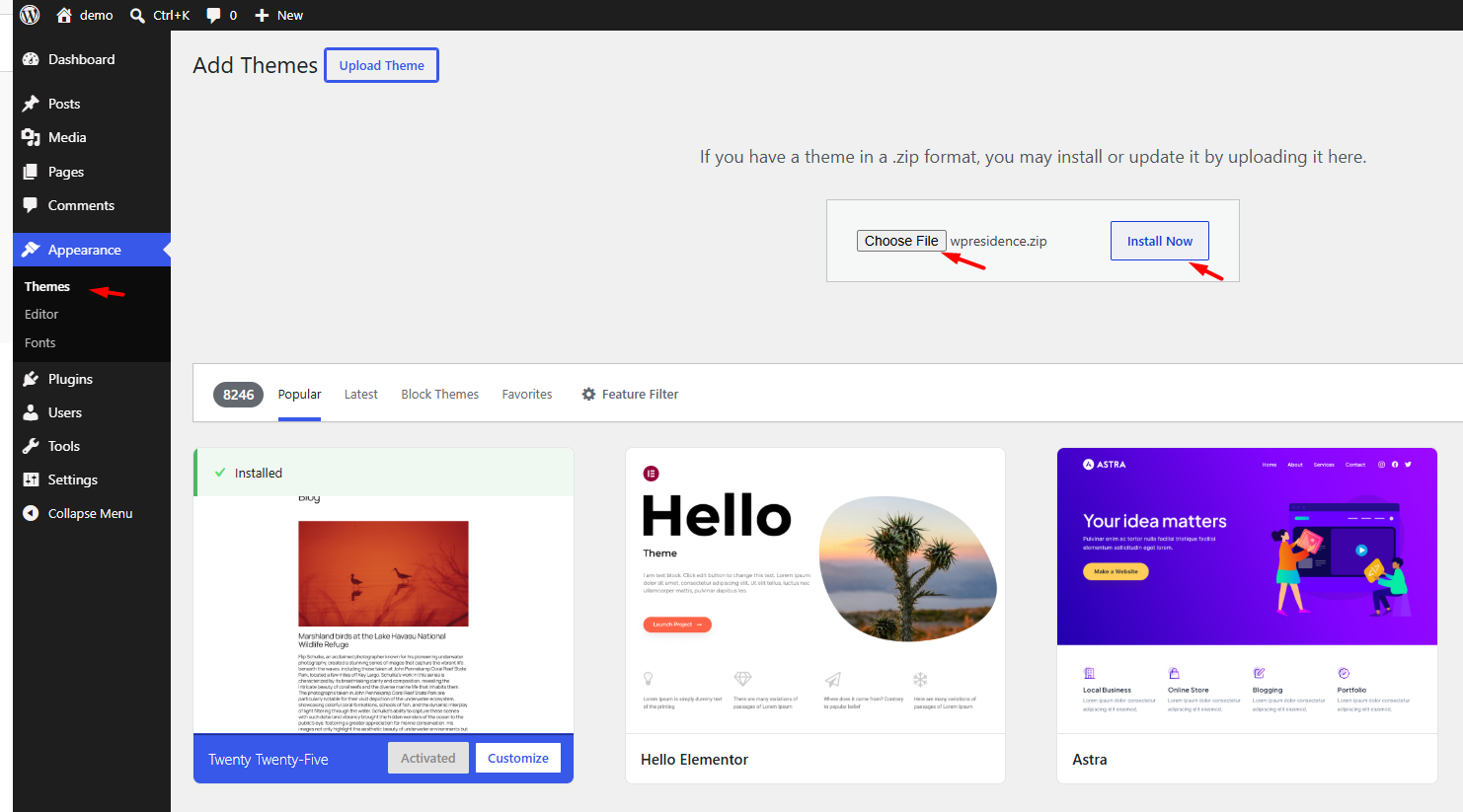
- Go to Appearance → Themes.
- Click Add New, then Upload Theme.
- Select wpresidence.zip and click Install Now.
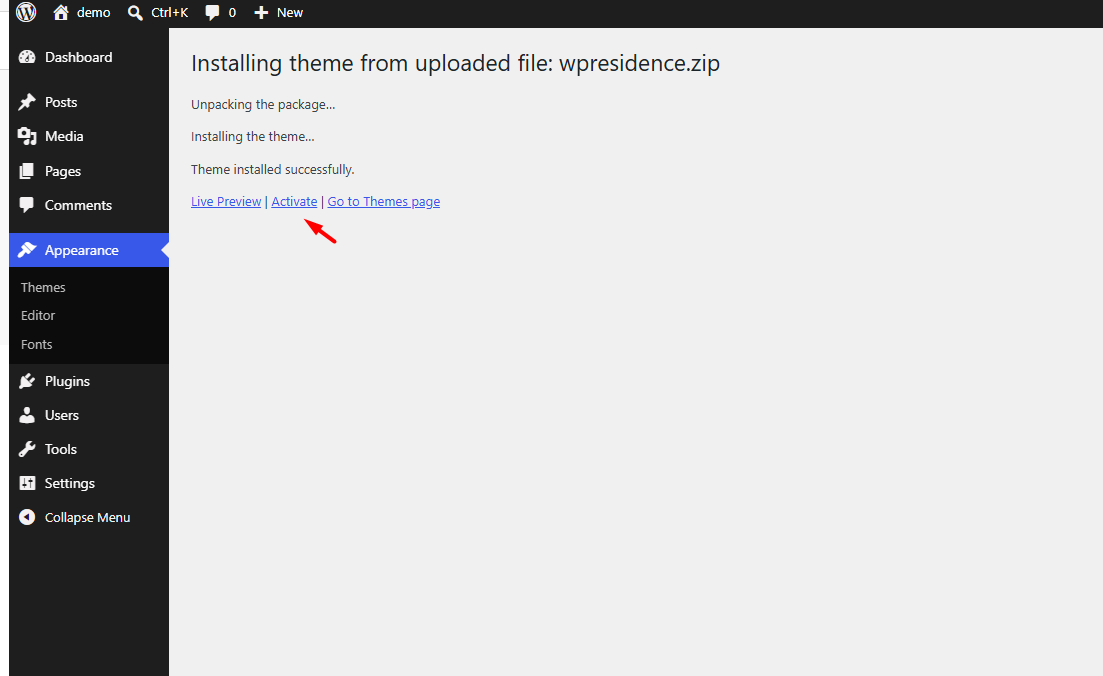
- Click Activate.
Install the plugins
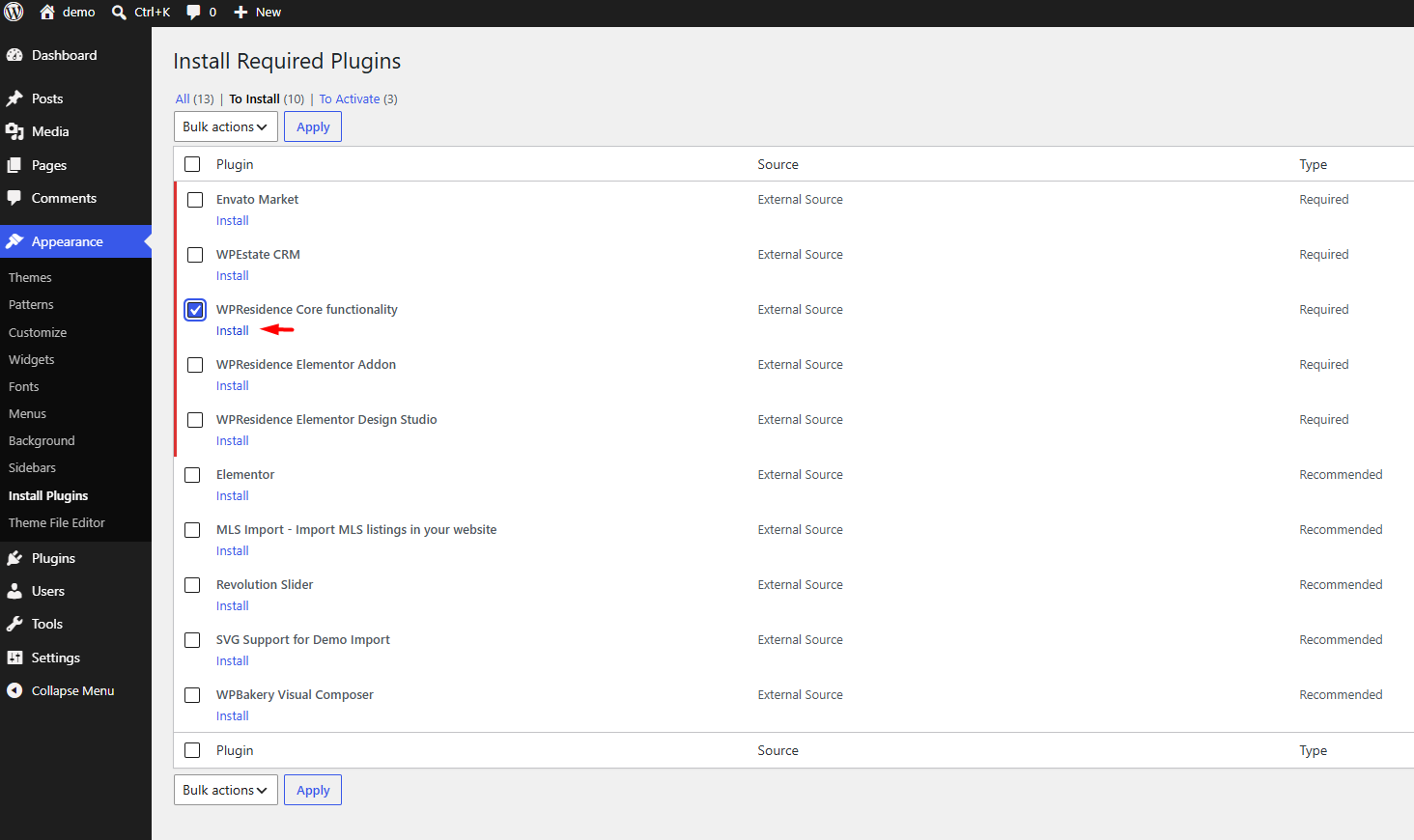
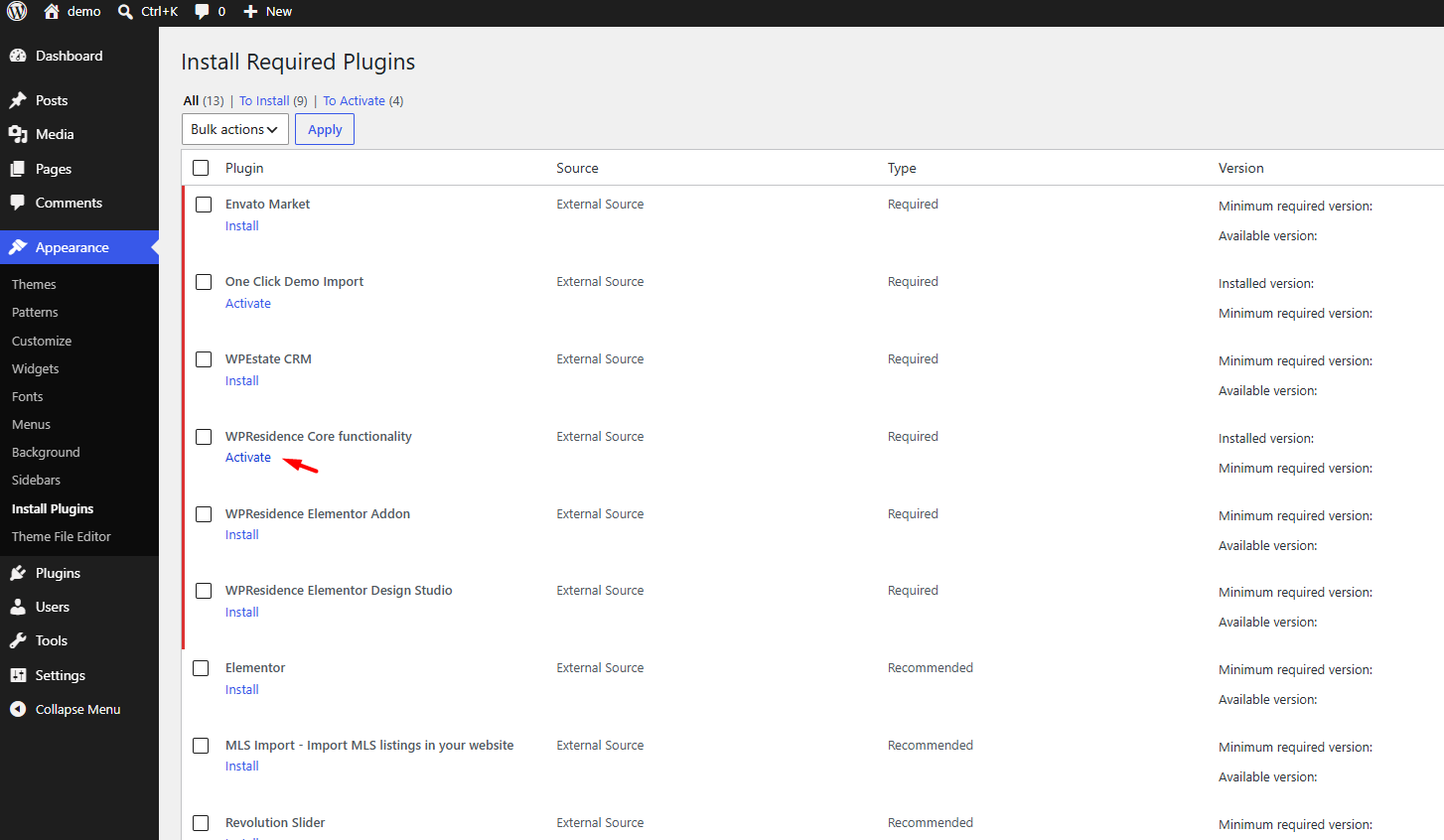
After you activate the theme, go to Appearance → Install Plugins.
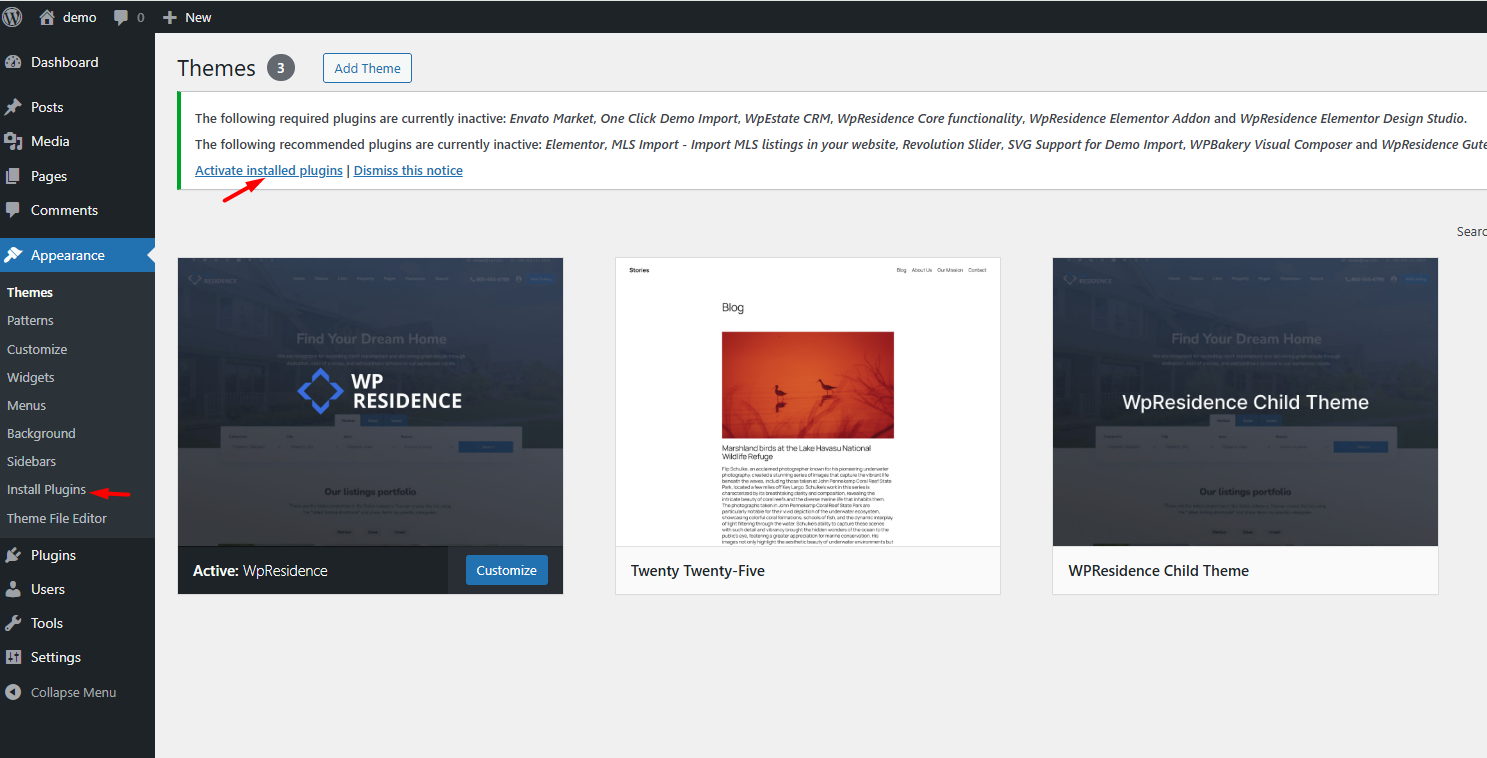
Install and activate WPResidence Core functionality first. Theme Options, the license panel, properties, agents, agencies and search all need it.
Which other plugins you need
The names below are the ones in the Install Plugins list.
| What you want to do | Plugins to install |
|---|---|
| Import a full demo | Elementor, WPResidence Elementor Addon, WPResidence Elementor Design Studio, One Click Demo Import, SVG Support for Demo Import |
| Use Elementor templates without a full demo | Elementor, WPResidence Elementor Addon, WPResidence Elementor Design Studio |
| Build content with Gutenberg blocks | WPResidence Gutenberg Blocks functionality |
| Build pages with WPBakery instead of Elementor | WPBakery Visual Composer |
| Use sliders | Revolution Slider |
| Manage leads and contacts | WPEstate CRM (CRM setup) |
| Build a multilingual website | WPEstate Multi Language (multi-language setup) |
| Import MLS listings | MLS Import, with an active MLSImport subscription and approved MLS feed access |
- WPResidence Elementor Addon adds the WPResidence widgets to Elementor: property lists, search forms, agents, agencies and blog widgets.
- WPResidence Elementor Design Studio imports pre-built pages, sections, headers, footers and property or blog templates, and lets you assign custom templates.
- One Click Demo Import runs the demo import. You can delete it afterwards.
Register the license
The license is needed for theme updates and the demo import. After Core functionality is active, refresh wp-admin: the license panel appears at the top.
- Choose where you bought the theme.
- Enter your License Key (wpresidence.net), or your ThemeForest Username and Purchase Code.
- Tick the consent checkbox and click Register License.
You will see You have successfully registered. A ThemeForest purchase code does not work as a wpresidence.net license key, and the other way around.
Where to find your license key or purchase code: Get your license code and register it.
Save permalinks
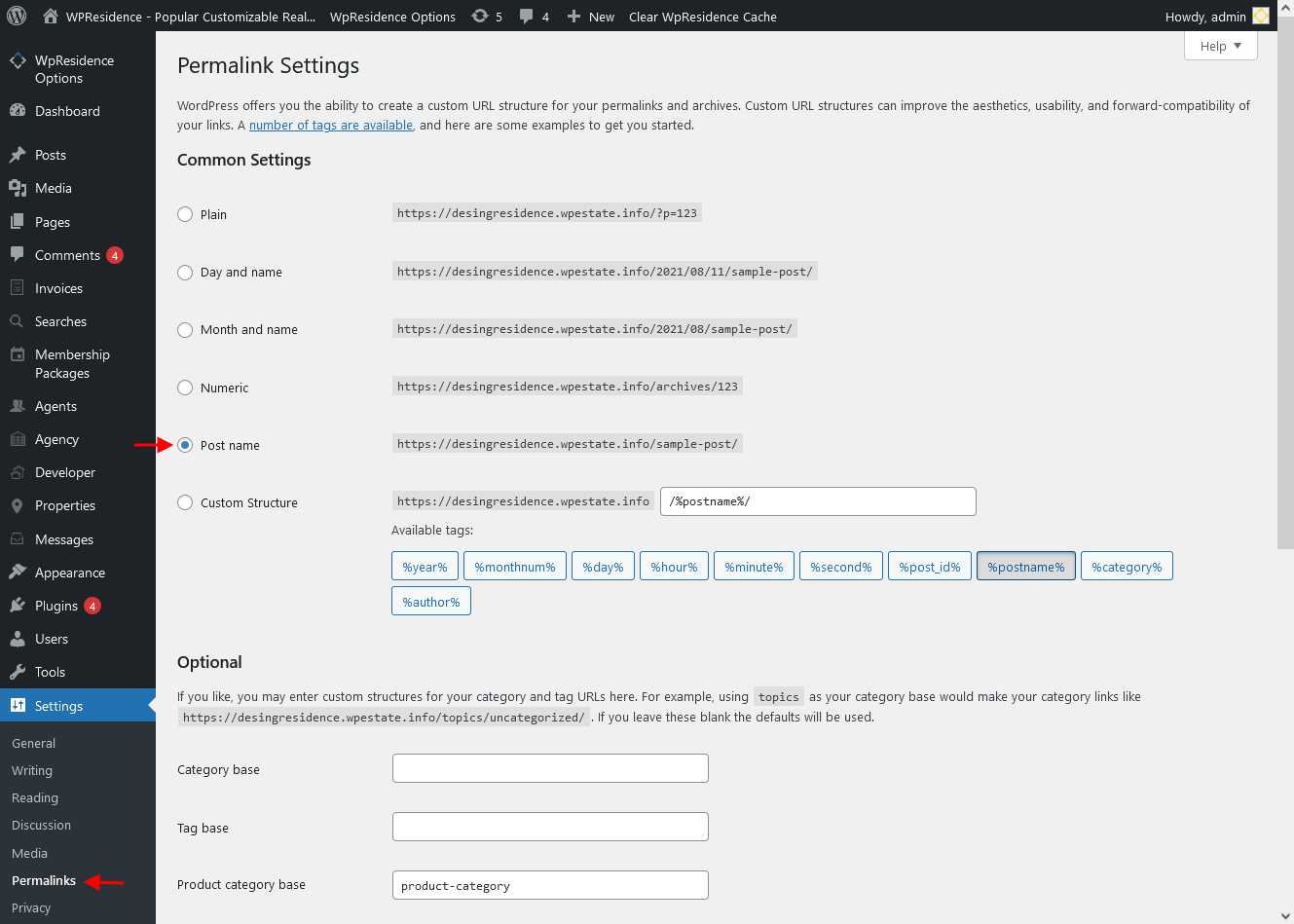
- Go to Settings → Permalinks.
- Select Post name and click Save Changes.
Import a demo
With the theme, plugins and license in place, you can import one demo on a clean site. Follow How to use One Click Demo Import.
Troubleshooting
Plugin install fails with “Download failed. Forbidden”
The server blocks WordPress from downloading the plugin. Check:
- WPResidence is active, then try again from Appearance → Install Plugins.
- cURL is enabled on the server.
- Security or firewall plugins are turned off while you install.
- Your host’s ModSecurity or firewall rules do not return 403 for the download.
- WordPress can write to wp-content/plugins/.
The license panel does not appear
Activate WPResidence Core functionality and refresh wp-admin.
Theme upload or demo import fails
Raise the PHP limits with your host. For demo errors, see If demo content import fails.