WP Residence Help WP Residence Help

  • WpEstate
  • WPRESIDENCE
  • Video Tutorials
  • Client Support
  • API
Home / 30. WPResidence Translate Plugin / Shortcode & Widget ID Remapping

Shortcode & Widget ID Remapping

3 views 0

When you build a page in one language and then translate it, shortcodes and Elementor widgets often carry hard-coded IDs — a specific property, a specific agent, a list of taxonomy terms. Those IDs are correct for the original language, but wrong for every other language. WPResidence Translate fixes this automatically through a process called ID remapping. It is the glue that makes a multilingual page actually look multilingual. Full context on building a multi-language real estate website is on our main docs page.

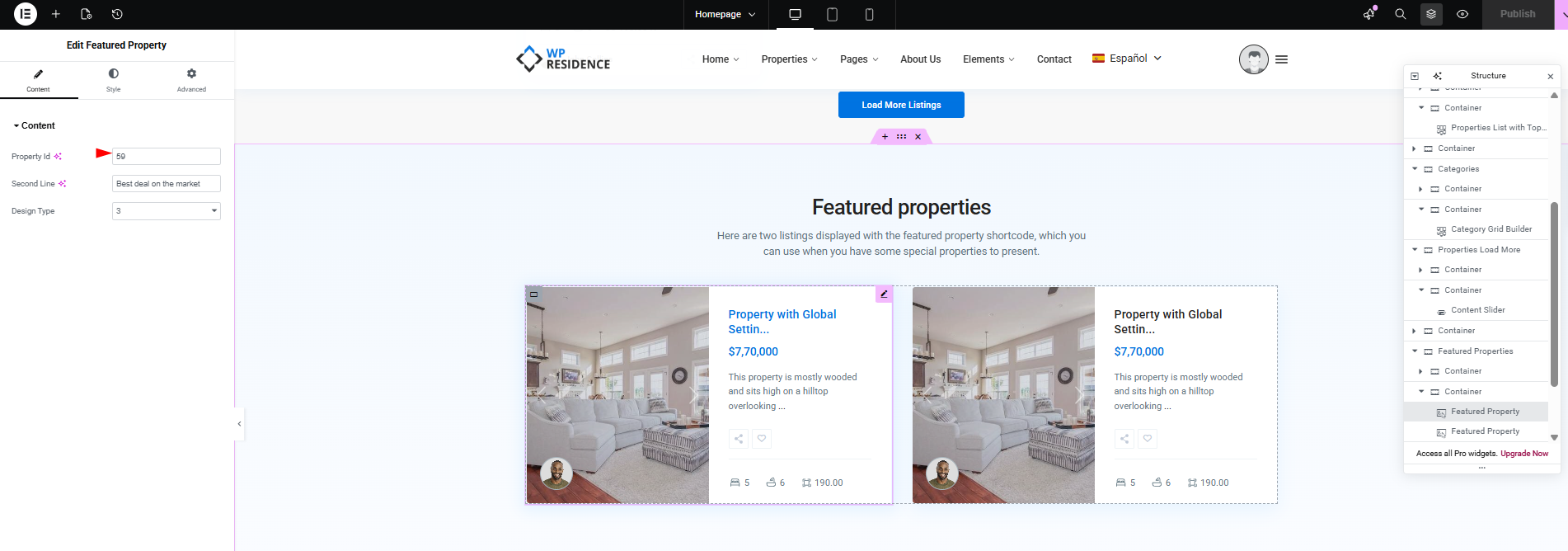
Screenshot: A translated page showing translated property cards where the source used English property IDs

Why Remapping Is Needed

Consider a WPResidence page that displays three featured properties via a shortcode:

[estate_property_list property_ids="128,144,157"]

IDs 128, 144, 157 are the English properties. When a French visitor lands on the translated page, you want them to see the French versions of those same three properties — not the English ones. Remapping does exactly that, transparently, at render time.

What Gets Remapped

WPResidence Translate remaps three types of references in shortcodes and Elementor widgets:

  • Single IDs in attributes named id, post_id, property_id, agent_id, developer_id, and similar.
  • ID lists in attributes named ids, post_ids, property_ids, agent_ids, developer_ids, and similar.
  • Taxonomy term references used by the Search Form Builder and Agent Grids widgets (action, category, city, area, county, status, features).

If a specific ID has no translation in the active language, the original ID is kept — so the widget still renders something instead of going blank.

Which Shortcodes Are Handled

Remapping runs on shortcodes whose tag starts with:

  • wpestate_
  • wpresidence_
  • estate_

Plus a small fixed list: property_page, property_page_advanced, estate_property, estate_properties. This covers the standard WPResidence shortcode catalog.

Search Form Builder Remapping

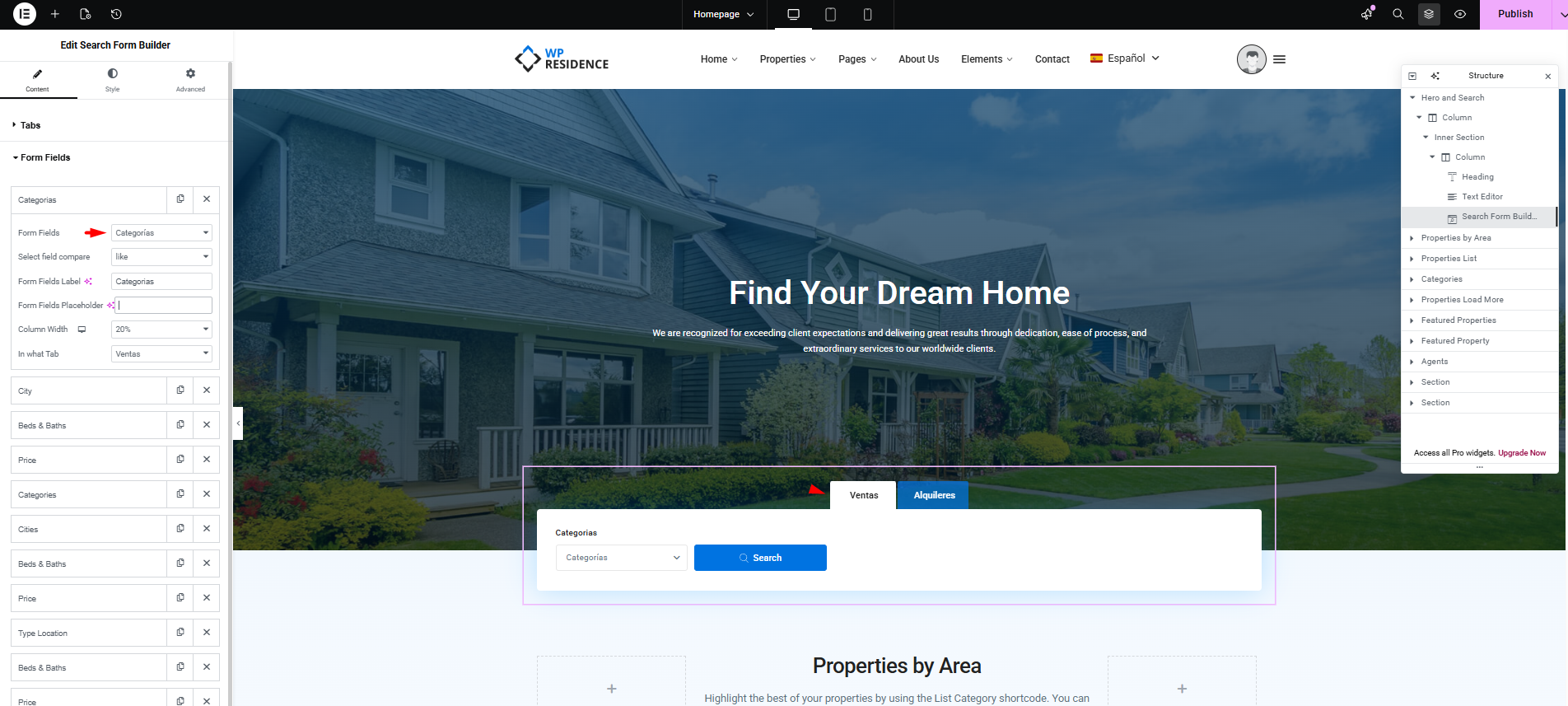
The WPResidence Search Form Builder lets you pre-select taxonomy terms as tab chips or filter defaults. Those terms are stored as numeric term IDs. On the frontend, WPResidence Translate reads the active language, looks up the translated term for each ID, and primes a cache so the search form displays the translated label and filters results under the translated taxonomy.

Screenshot: Search Form Builder widget showing translated city tabs on a French version of the page

Agent Grid Remapping

The WPResidence Agent Grids widget stores a list of agent post IDs. When the viewer is on a non-default language, WPResidence Translate swaps those source-language agent IDs for their translated counterparts, so the grid shows the translated agent cards and links to the translated agent single pages.

Fallback Behavior

Remapping is conservative. If the active language has no translation for a given ID, the plugin falls back in this order:

  1. Active language translation, if available.
  2. Source language translation (the original post).
  3. First translation in the group that is published and available.
  4. The original ID, unchanged.

This means a half-translated site still renders — users see source-language items for content that has not been translated yet instead of empty widgets.

How to Tell Remapping Is Working

  • Switch to the non-default language on the frontend.
  • Inspect property, agent, or developer cards rendered by shortcodes or the Elementor widgets above. They should show translated titles and link to the translated single pages.
  • If a card still shows the original language, the referenced post does not yet have a translation for that language. Create the translation and reload.

Turning Remapping Off

Remapping is controlled by the plugin’s Elementor compatibility toggle in WPEstate Translate > Settings. In almost every case you want it on. If you disable it, every shortcode and widget will render with the original IDs regardless of the active language.

Screenshot: WPEstate Translate Settings page with the Elementor compatibility toggle highlighted

Non-Latin IDs

IDs are numeric, so non-Latin alphabets do not apply here. The content those IDs point to — property titles, agent names, taxonomy terms — preserves Cyrillic, Arabic, Chinese, and other non-Latin characters exactly as you enter them.

Common Issues

  • An agent card shows the source language name. The agent is not translated yet for the active language. Create the translation.
  • Search form shows wrong filter terms. The taxonomy term is not translated. Go to Taxonomy Translation and translate it.
  • Widget output is empty. The widget may reference terms or posts that are hidden from the current language. Confirm all referenced items are published.

What To Read Next

  • Elementor Widget Translation — the widget-specific companion to this article.
  • Taxonomy Translation — translate the terms referenced by search forms and filters.
  • Translating Posts & Pages — create the property, agent, or page translations that remapping relies on.

See also our main guide on multi-language real estate website for an end-to-end walkthrough.

30. WPResidence Translate Plugin

Related Articles

  • String Scanner — Developer Guide
  • The String Scanner
  • Gettext Pipeline & MO Files — Developer Guide
  • Gettext & MO Files — Making Translations Appear on the Front End

WP Residence Documentation

  • 01. Getting Started
    • How to Get Support
    • Get your buyer license code.
    • Use SSL / https
    • Server / Theme Requirements
  • 02. Installation & Setup
  • 03. Installation FAQ
  • 06. Search & Filtering
    • Advanced Search Display Settings
    • Advanced Search Form
    • Geolocation Search for Half Map
    • Save Search Theme Options
    • Advanced Search Colors
  • 09. Agent, Agency & Developers
  • 08. Property Pages & Layouts
  • 07. Property Lists, Categories & Archive
  • 13. WPResidence Elementor Studio
  • 10. Blog Posts & Blog List
  • 11. Shortcodes
    • Contact Form
    • Featured Agency/Developer
    • Membership Packages
    • Testimonials
    • Google Map with Property Marker
    • Listings per Agent, Agency or Developer
    • Display Categories
    • Agent List
    • Recent Items Slider
    • Recent items
    • List Properties or Articles by ID
    • Featured Agent
    • Featured Article
    • Featured Property
    • Login & Register Form
    • Icon Content Box Shortcode
  • 12. Widgets
  • 04. Theme Options & Global Settings
    • General Settings
    • User Types Settings
    • Appearance
    • Logos & Favicon
    • Header
    • Footer Style and Colors
    • Price & Currency
    • Property Custom Fields
    • Features & Amenities
    • Listing Labels
    • Theme Slider
    • Permalinks
    • Splash Page
    • Social & Contact
    • Map Settings
    • Pin Management
    • How read from file works
    • General Design Settings
    • Custom Colors Settings
    • Header Design & Colors
    • Mobile Menu Colors
    • User Dashboard Colors
    • Print PDF Design
    • Property, Agent, Blog Lists Design Settings
    • Sidebar Widget Design
    • Font management
    • How to add custom CSS
    • Custom Property Card Unit – Beta version
    • Email Management
    • Import & Export theme options
    • reCaptcha settings
    • YELP API Integration
    • iHomefinder Optima Express IDX
    • MEMBERSHIP & PAYMENT Settings
    • Property Submission Page
    • PayPal Setup
    • Stripe Setup
    • Wire Transfer Payment Method
  • 20. Translations & Languages
  • 26. FAQ
  • 10. Pages
  • 11. Header
  • 12. Footer
  • 05. Maps & Location Settings
  • 18. Payments & Monetization
  • Plugins
    • 19. Included Plugins
    • 22. Third Party Plugins – IDX Compatibility
    • 21. Third-Party Plugins – Multi-Language
    • 23. Third party Plugins – Other
  • Technical
    • 24. Technical how to | Custom Code Required
    • 25. Technical: Child Theme

Join Us On

Powered by WP Estate - All Rights Reserved
  • WpEstate
  • WPRESIDENCE
  • Video Tutorials
  • Client Support
  • API