WP Residence Help WP Residence Help

  • WPRESIDENCE
  • Video Tutorials
  • Client Support
  • API
Home / Property Lists, Categories & Archive, Search & Filtering, Theme Options & Global Settings / How to manage Sold properties in WP Residence Theme

How to manage Sold properties in WP Residence Theme

2356 views 1
Watch this video first - How to Manage and Display Sold Properties in WpResidence | MLSImport Integration Watch Video on Youtube

Step 1: Create a “Sold” Property Status

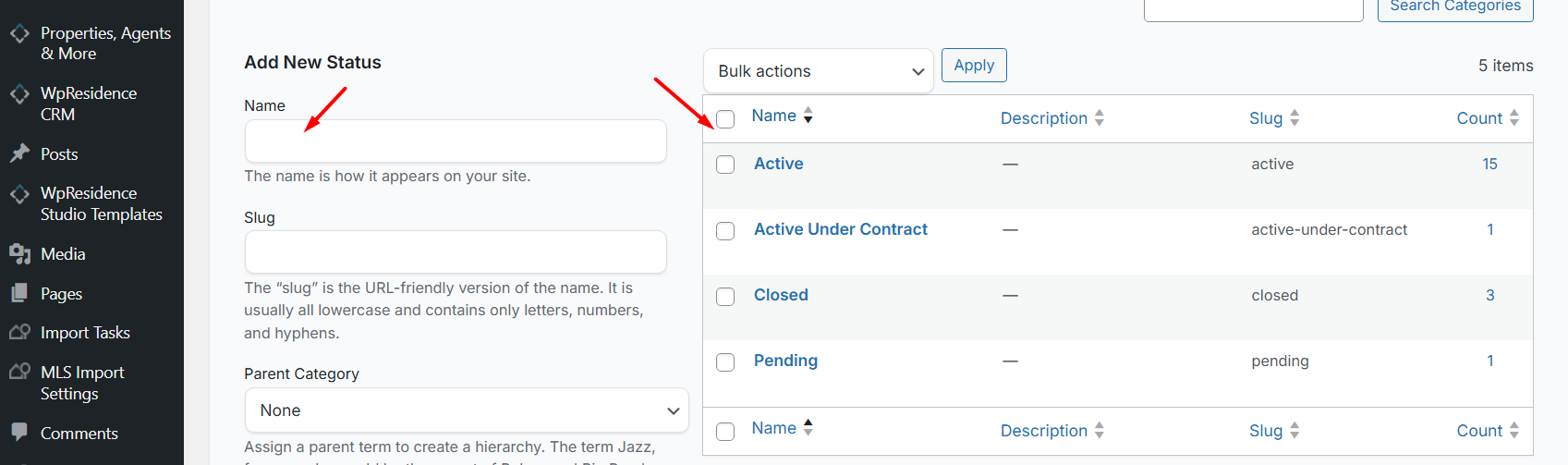
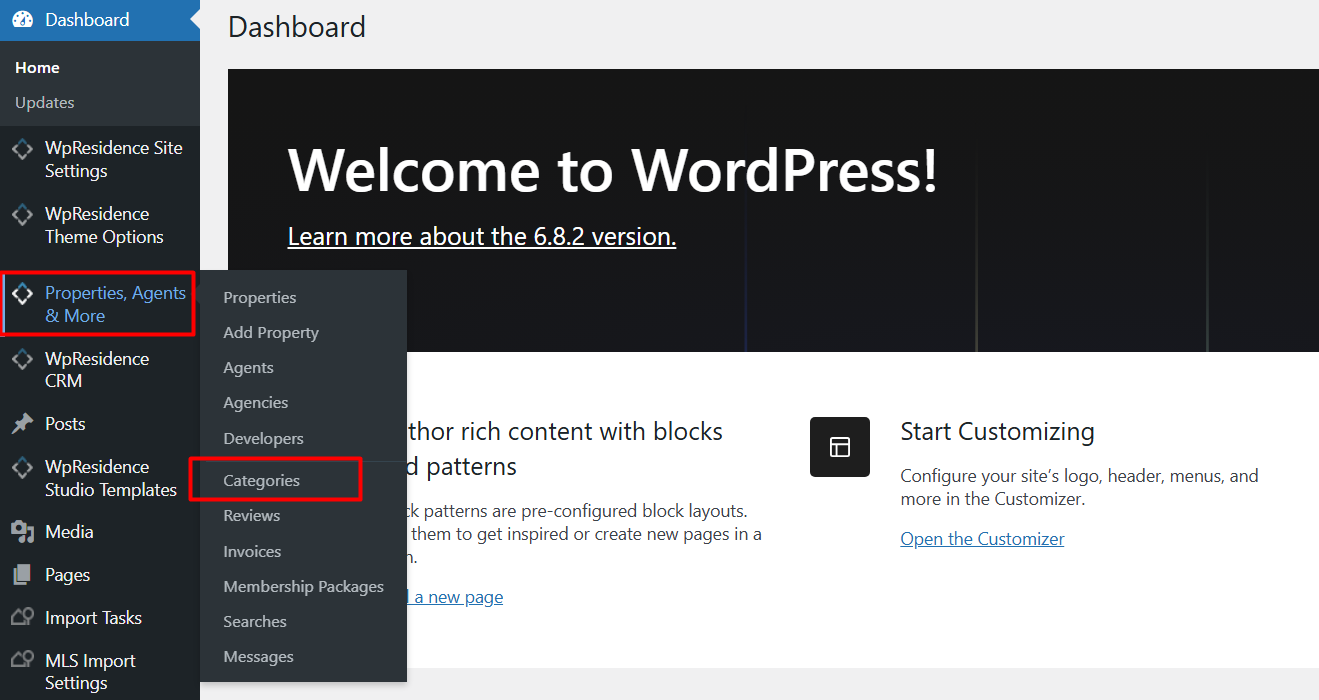
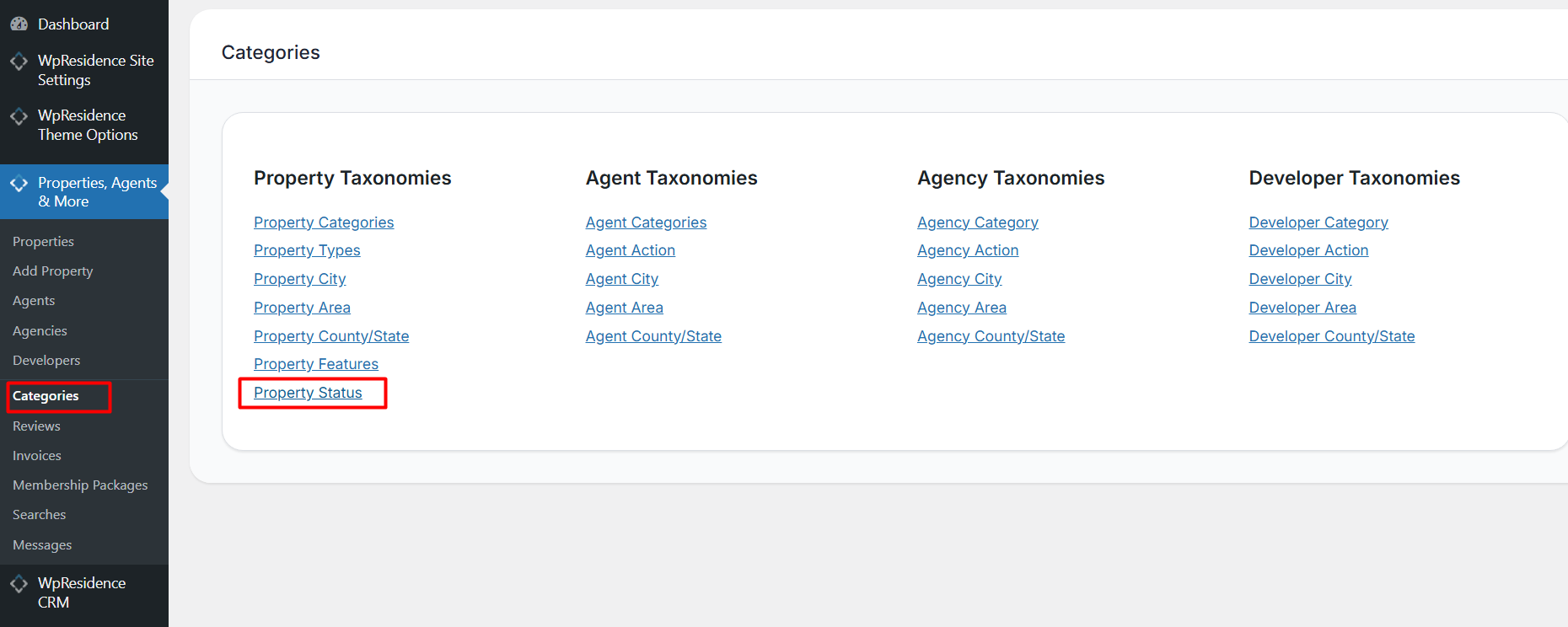
To begin, navigate to Theme Options > Properties, Agents & More > Categories > Property Statuses.

Here, you can add a new status labeled “Sold.” This status will be used to mark properties that have been sold.
Step 2: Configure Visibility Settings

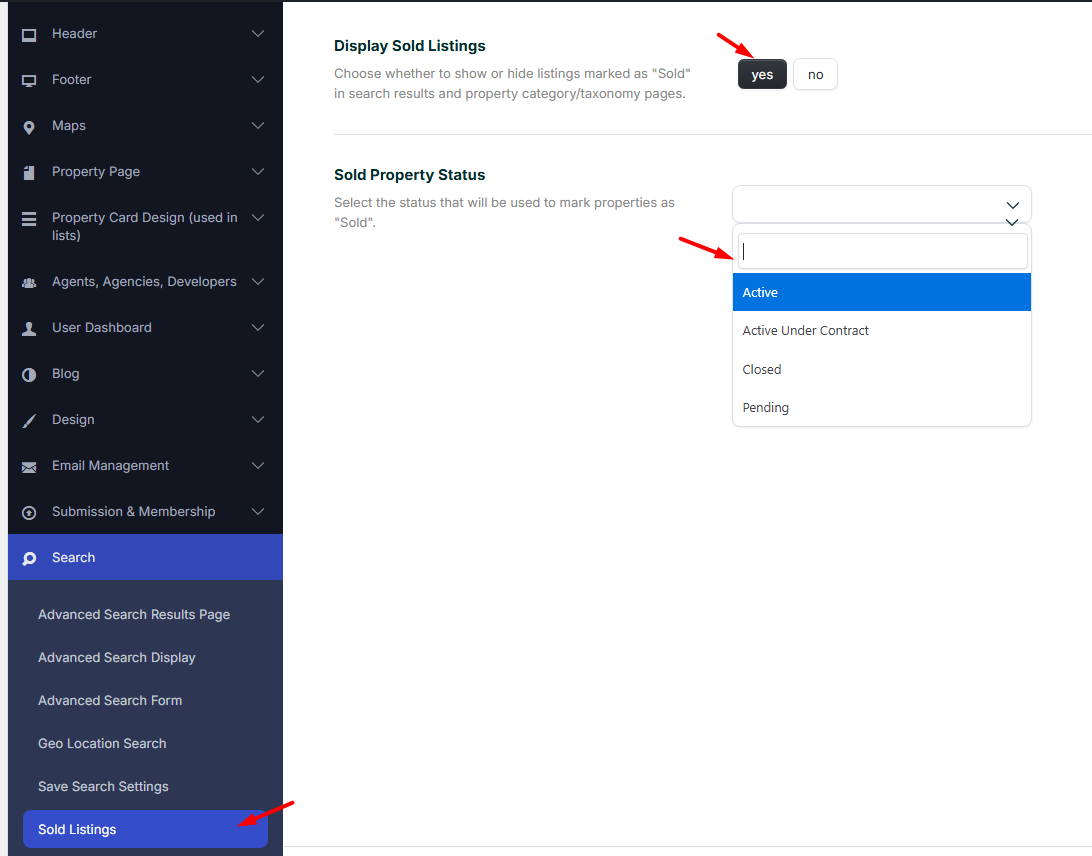
  • After creating the “Sold” status, go to Theme Options > Search > Sold Listings.
  • Select the “Sold” Property Status
  • Optional – enable the option to hide listings with the “Sold” status from the Advanced Search results page & Lists.
Step 3: Mark Properties as Sold

You can mark properties as sold in two ways:

  • One Click: From the property list, use the “Mark as sold” icon
  • Individual Update: Edit each property individually and select the “Sold” status from the property status dropdown.
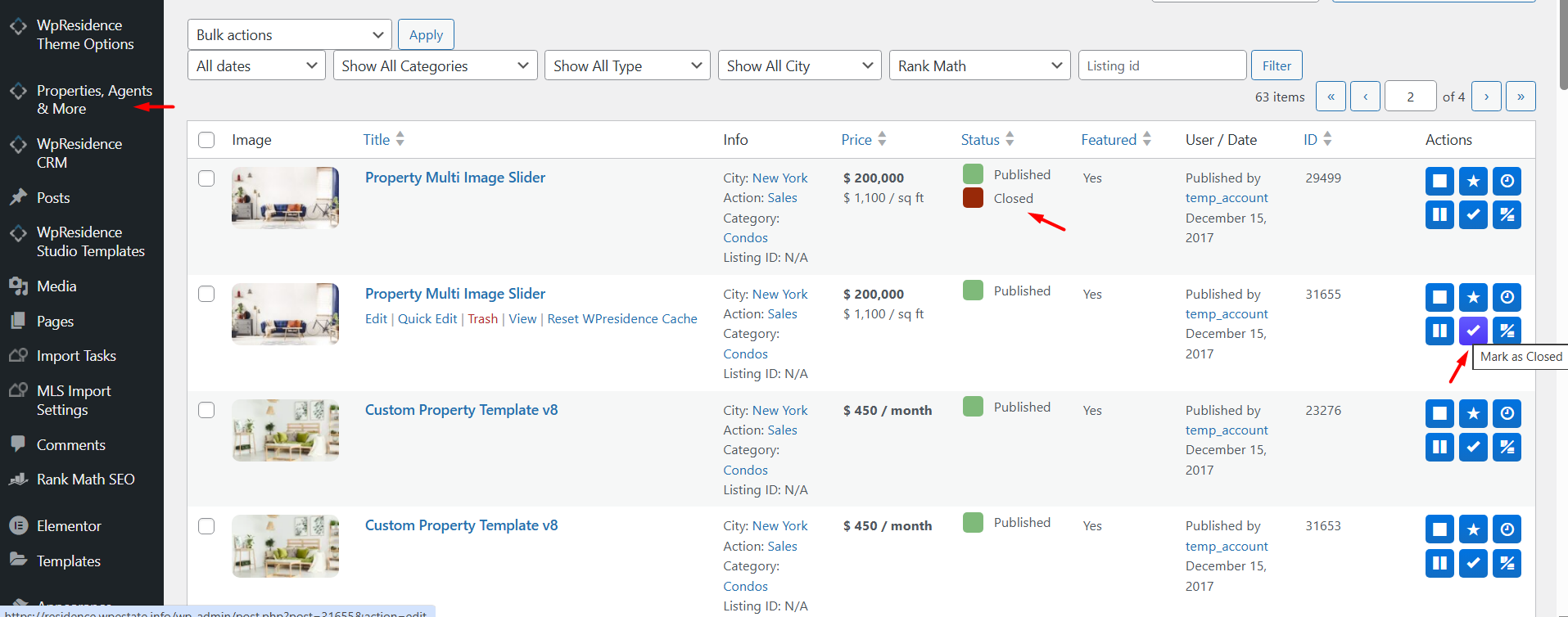
Step 4: Display Sold Properties Selectively

If you wish to showcase your sold properties, you can create a dedicated page or section on your site that lists only properties with the “Sold” status. This can be done by customizing the property list settings to filter by the “Sold” status, providing potential clients with a clear view of your successful transactions.

Additional Resources

  • How to Manage Property Order in Lists
  • How to Manage Property Card Units in Lists

By effectively managing your sold properties, you can enhance your site’s professionalism and provide valuable insights to potential clients.

Property Lists, Categories & ArchiveSearch & FilteringTheme Options & Global Settings

Related Articles

  • How to Control Similar Blog Posts
  • ACF – Advanced Custom Fields – Integration with WPResidence
  • Theme Options – Roles (Editor) Permissions Controls
  • Theme Options -> Agent Card Settings

Help Categories

  • 18Agent, Agency & Developers
  • 5Blog Posts & Blog Lists
  • 38Elementor Shortcodes Built-In
  • 56FAQ
  • 15Footer
  • 5Getting Started
  • 37Header
  • 2IDX & MLSImport
  • 6Installation & Setup
  • 22Installation FAQ
  • 23Maps & Location Settings
  • 21Multi-Language Third Party Plugins
  • 6Other Third party Plugins
  • 19Pages
  • 4Payments & Monetization
  • 20Property Lists, Categories & Archive
  • 36Property Pages & Layouts
  • 31Search & Filtering
  • 163Technical how to | Custom Code Required
  • 8Technical: Actions and filters
  • 6Technical: Child Theme
  • 86Theme Options & Global Settings
  • 6Translations & Languages
  • 16WPBakery Shortcodes
  • 51WPResidence / WPEstate CRM
  • 50WPResidence 5.0 Documentation
  • 8WPResidence Elementor Studio
  • 50WPResidence Translate Plugin

Join Us On

Powered by WP Estate - All Rights Reserved
  • WPRESIDENCE
  • Video Tutorials
  • Client Support
  • API