
Agent Card Settings
You can manage these options from:
Theme Options > Agents, Agencies, Developers > Agent Card Settings
This section controls the default card style used for agent listings and the number of agent cards shown per row on pages without a sidebar.
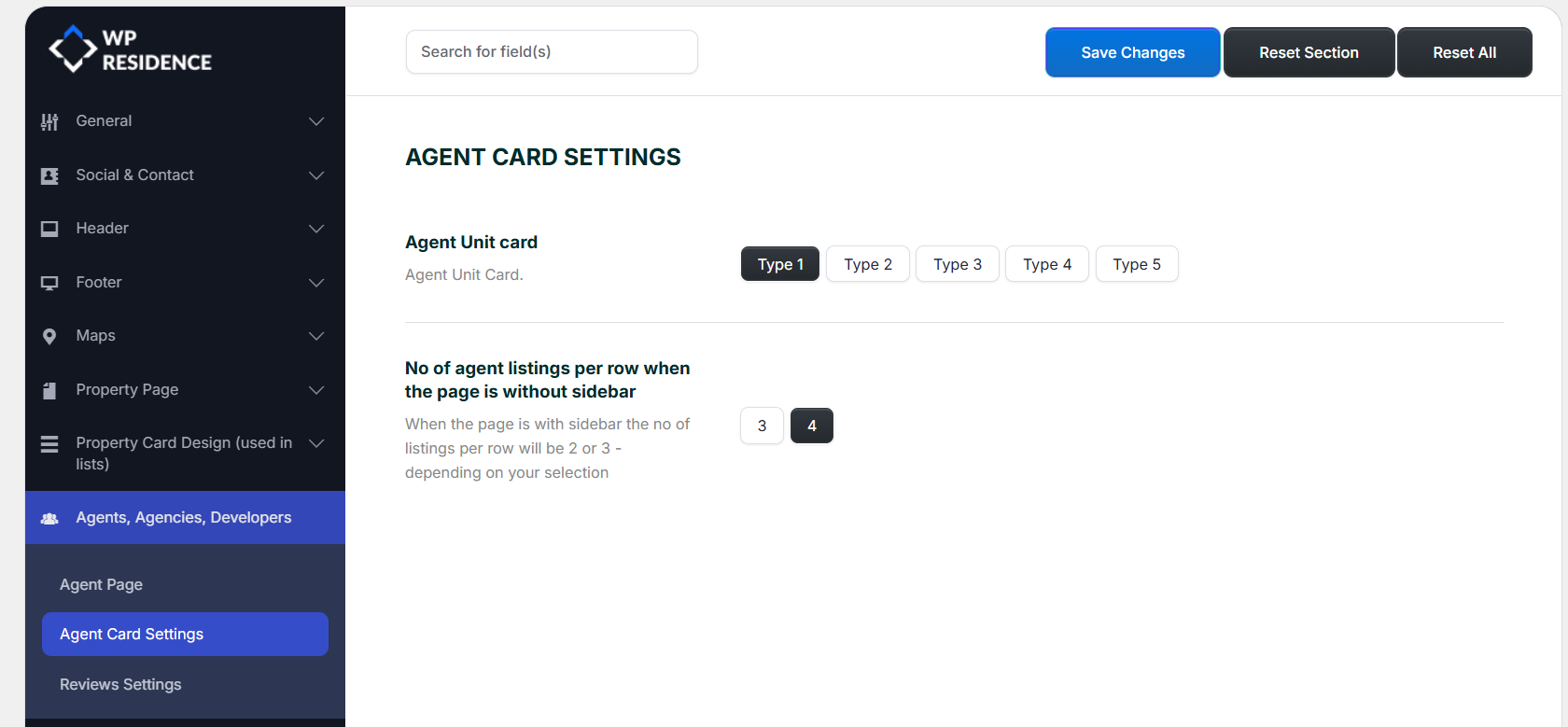
Where these Agent Card settings apply
The Agent Unit card selection applies to all theme areas that use the default agent card output.
This includes:
- Agent List Page, when the Agent List page template is used
- List Agent widget, when the widget is added to a specific page
- Recent Items, when used for agents
- Content Slider, when used for agents
Related help articles:
Agent Unit card
This option lets you choose the default design used for agent cards across the theme.
Available styles are:
- Type 1
- Type 2
- Type 3
- Type 4
- Type 5
Each type changes the visual layout of the agent card, such as the way the image, name, contact details, position, and other agent information are arranged.
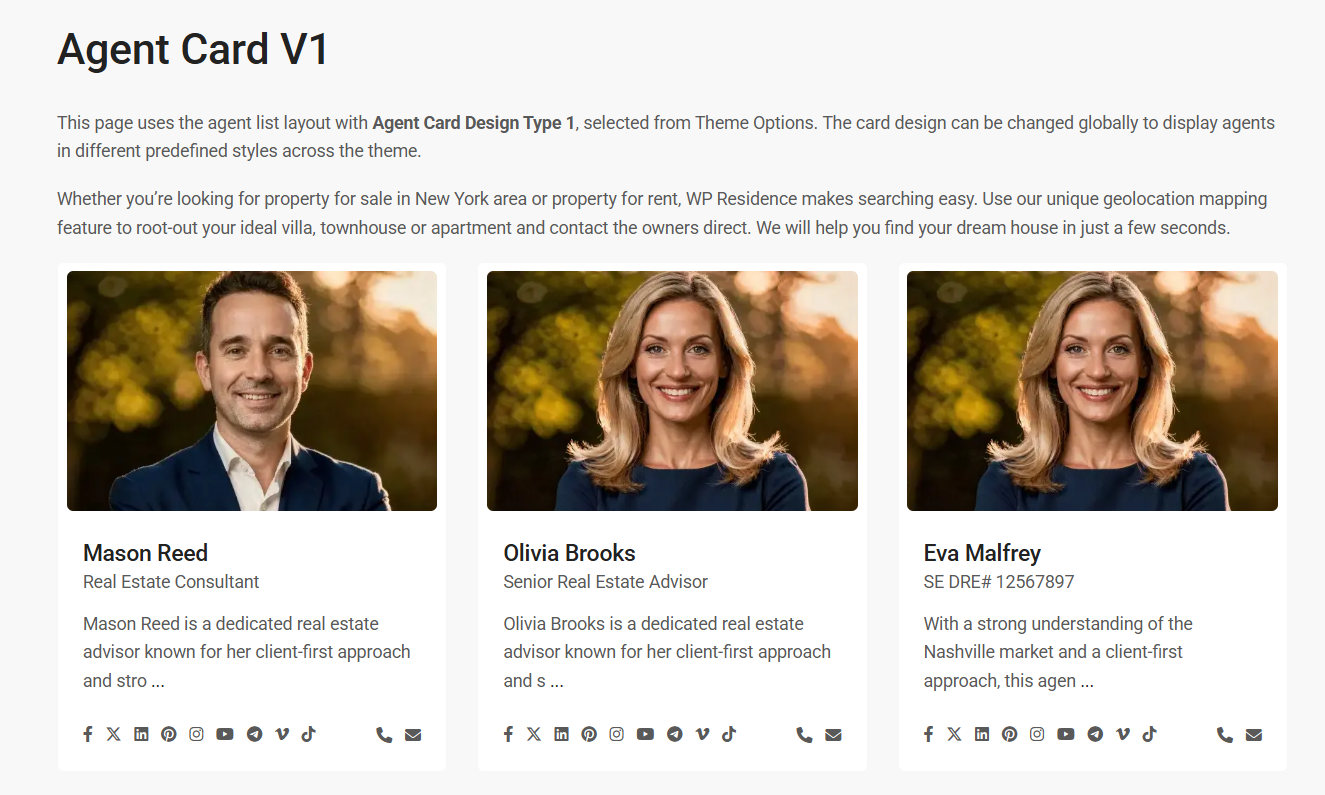
Card Type 1
Type 1 is a standard vertical card layout and works well for classic agent list pages.
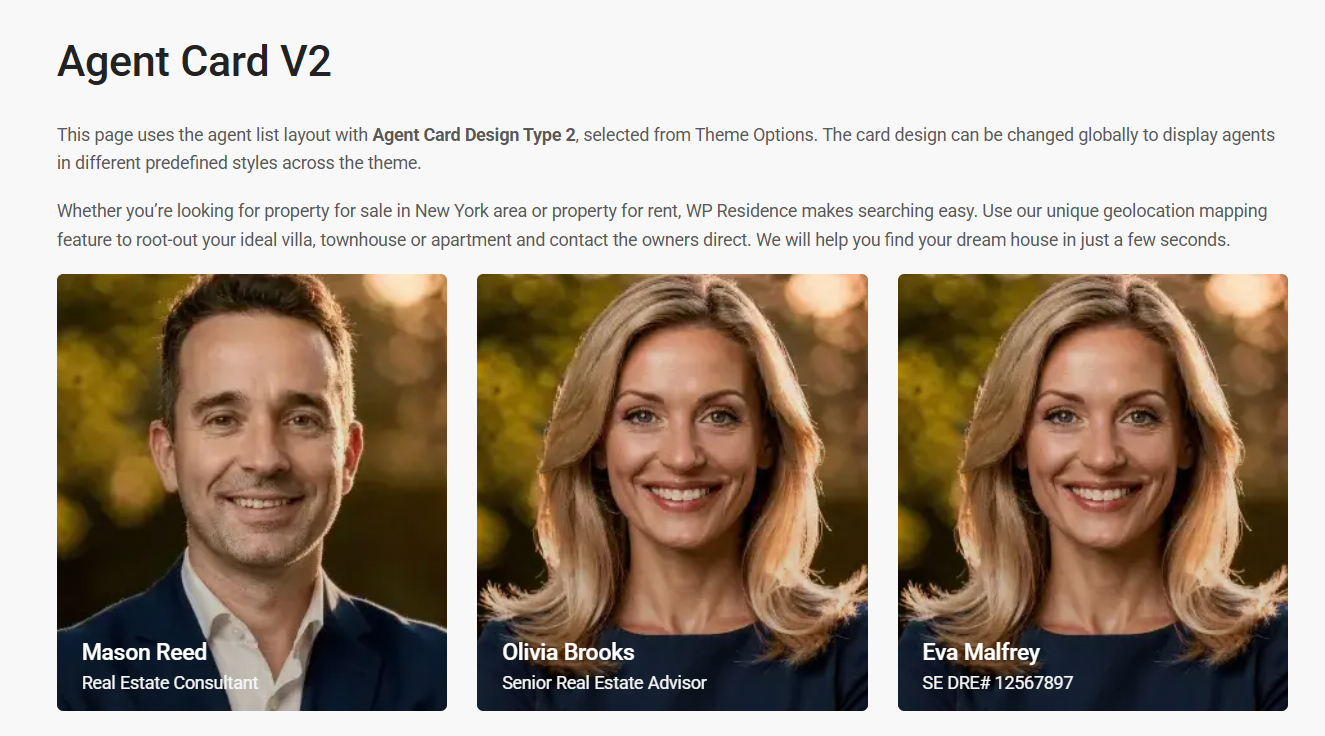
Card Type 2
Type 2 uses a different visual structure for the same agent information and offers an alternative card presentation style.
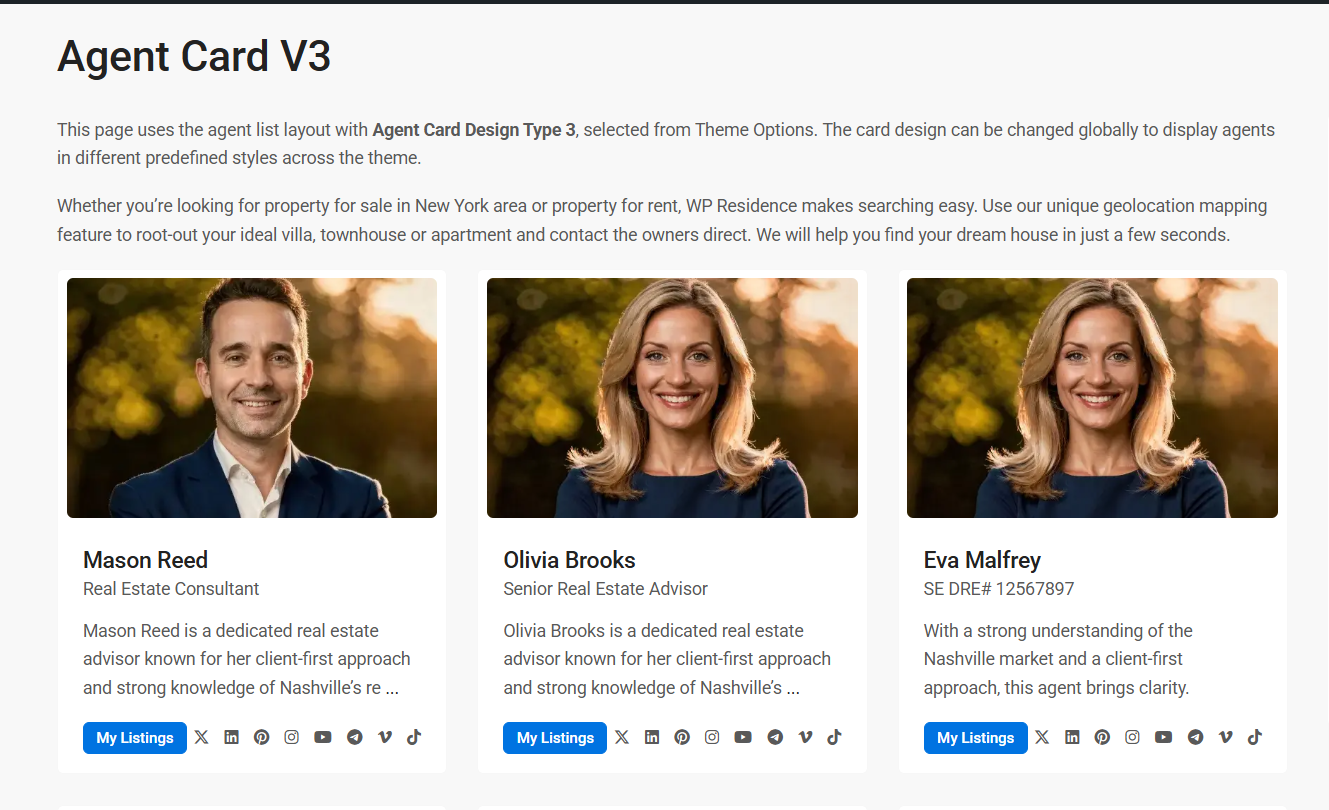
Card Type 3
Type 3 is another vertical variation, useful if you want a different balance between the image and the content details.
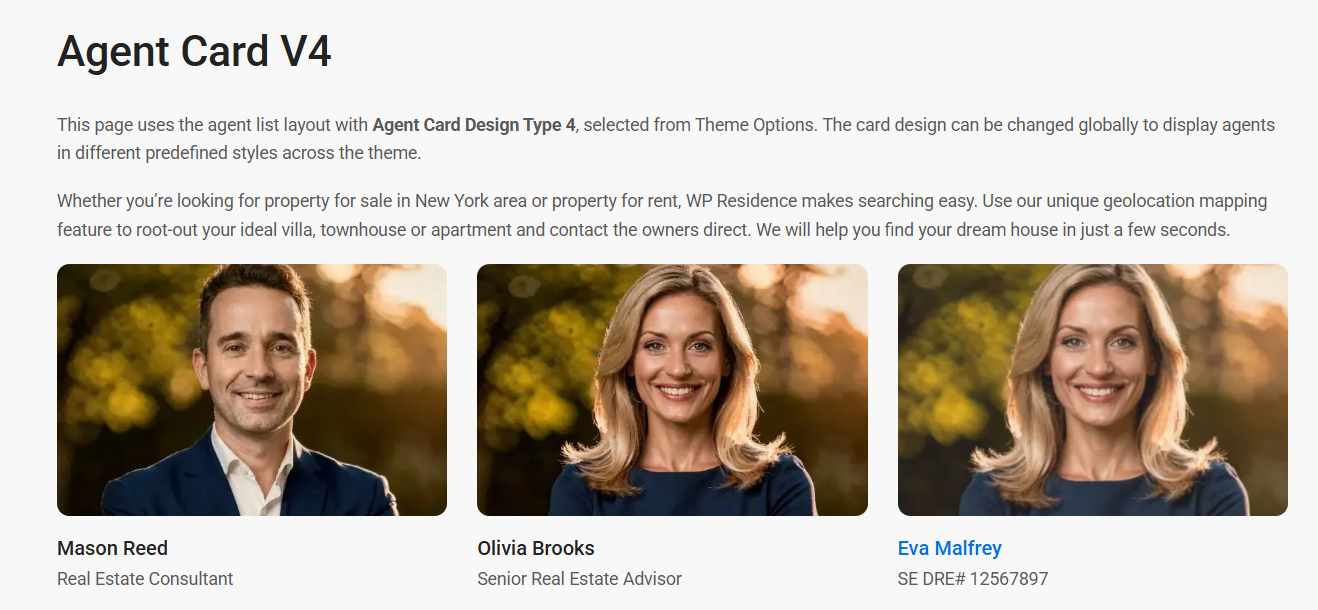
Card Type 4
Type 4 uses a more horizontal layout and works well when you want a wider card style.
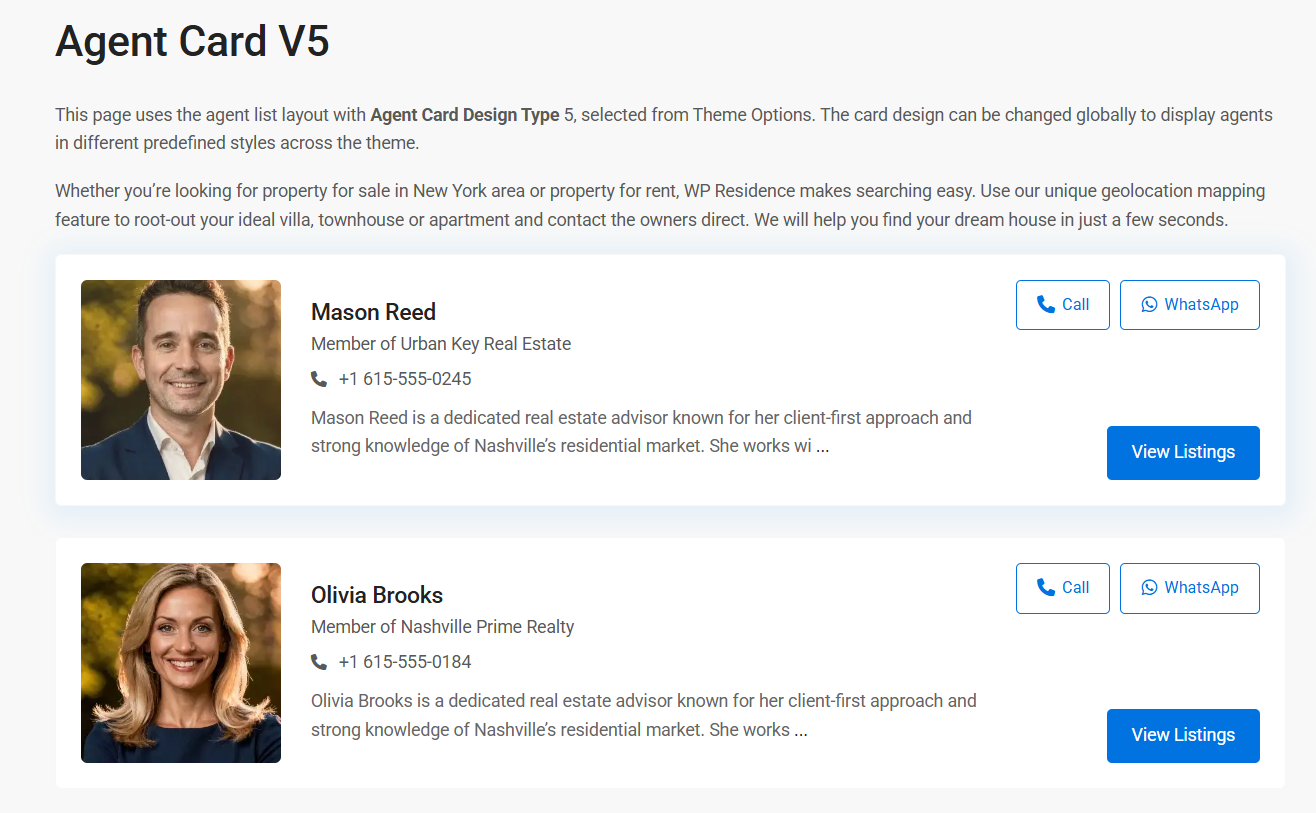
Card Type 5
Type 5 is another alternative agent card design and can be useful if you want a more modern or more distinctive presentation for the agent lists.
No of agent listings per row when the page is without sidebar
This option controls how many agent cards are displayed in one row on pages that do not use a sidebar.
Available options are:
- 3
- 4
In the screenshot example, 4 is selected.
When the page includes a sidebar, the number of items per row will be reduced automatically, depending on the available space.
How these settings work
These options apply to the default agent listing cards shown in the theme wherever the default agent card output is used.
They are especially relevant for:
- agent archive and agent list pages
- pages using the Agent List template
- pages using the List Agent widget
- Recent Items sections configured for agents
- Content Slider sections configured for agents
If you change the card type or the number of cards per row, save the settings and then refresh the relevant agent pages or widgets on the front end to see the result.