
The size units ft, m, ac, yd and ha are texts in the WPResidence Theme Core Functionality plugin. To show another label, for example sqft instead of ft, translate the unit with Loco Translate, then save the unit again in Theme Options.
| Text to translate | Unit |
|---|---|
| ft | square feet |
| m | square meters |
| ac | acres |
| yd | square yards |
| ha | hectares |
Change the unit label
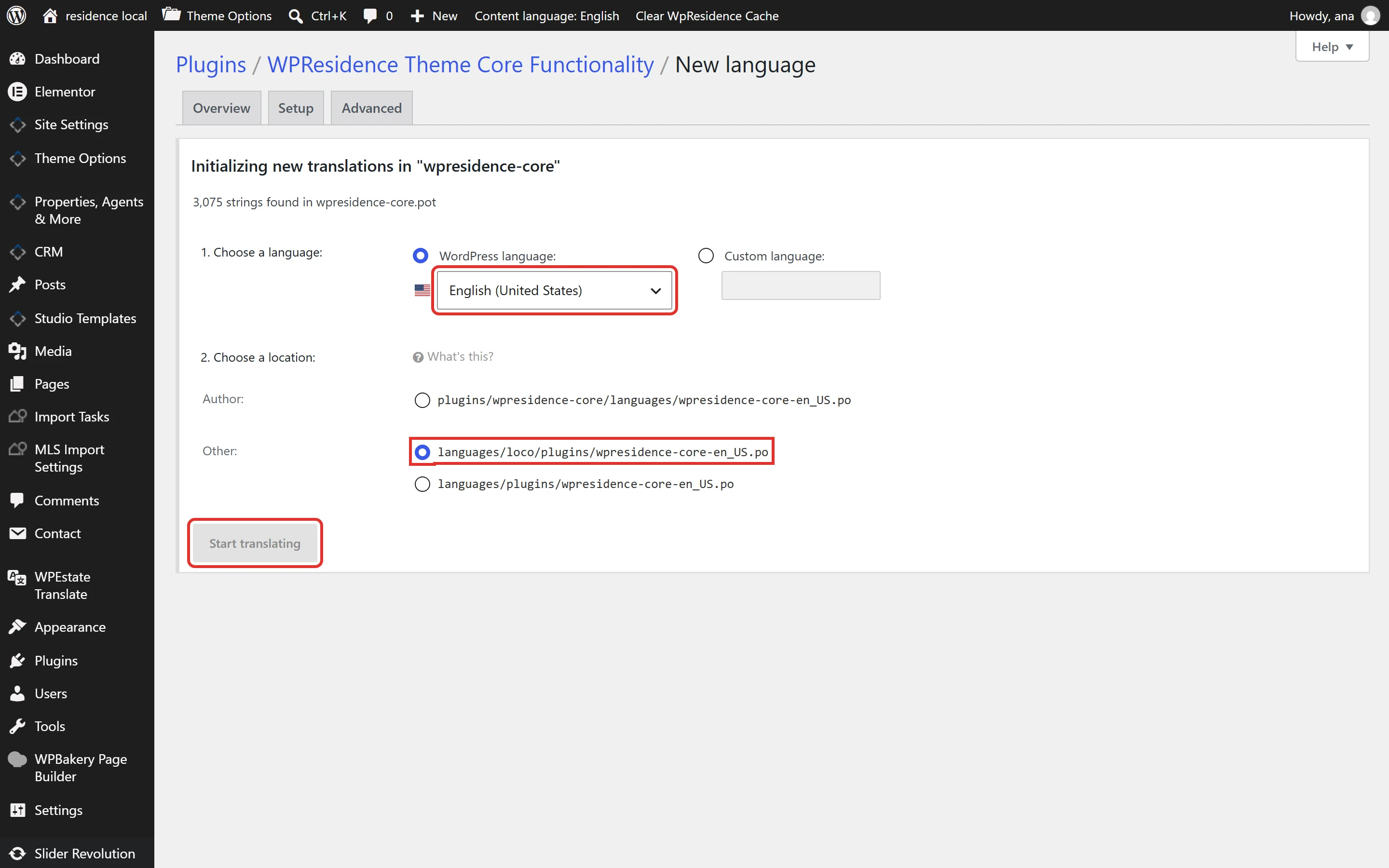
- Open Loco Translate > Plugins > WPResidence Theme Core Functionality and click your language. If it is not listed, click New language, choose the language, keep the location languages/loco/plugins/ and click Start translating.
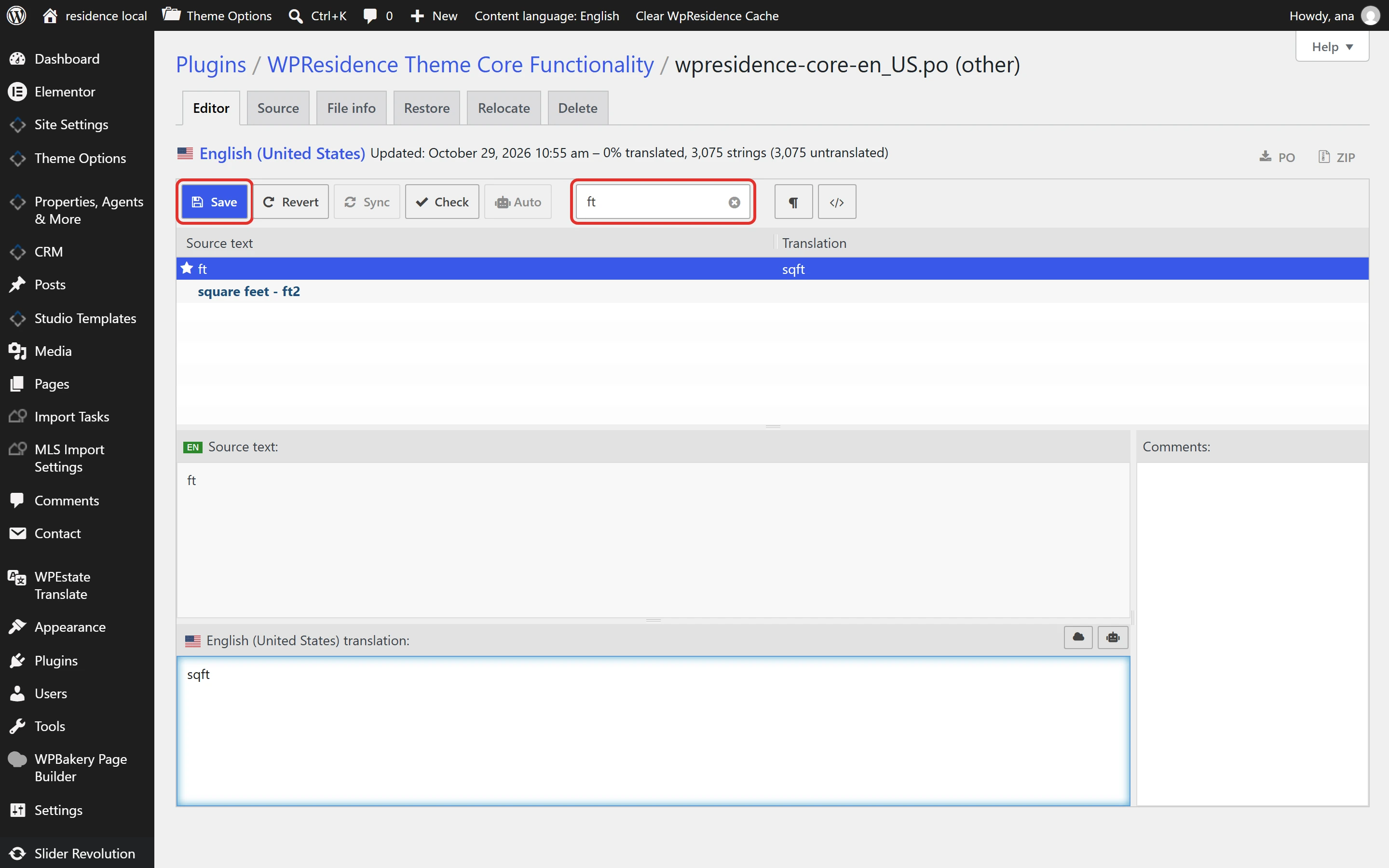
- Find the unit: type ft in Filter translations and click the row with the source text ft.
- Write the new label in the translation box at the bottom, for example sqft, and click Save.
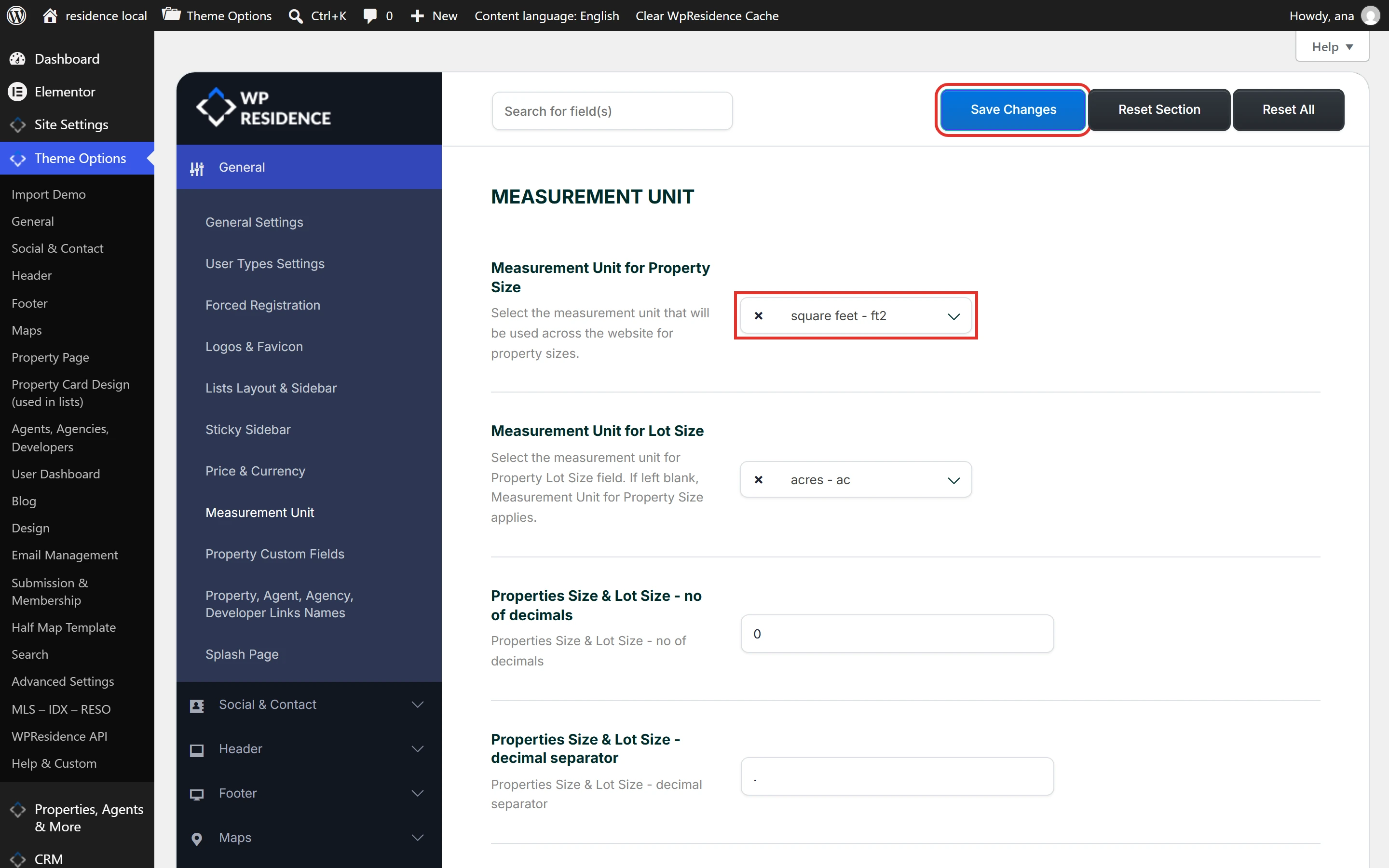
- Save the unit again in Theme Options > General > Measurement Unit. Choose the unit in Measurement Unit for Property Size, and in Measurement Unit for Lot Size if you use it, then click Save Changes. Theme Options keeps the unit label from the moment you save, so this step switches it to the new label.
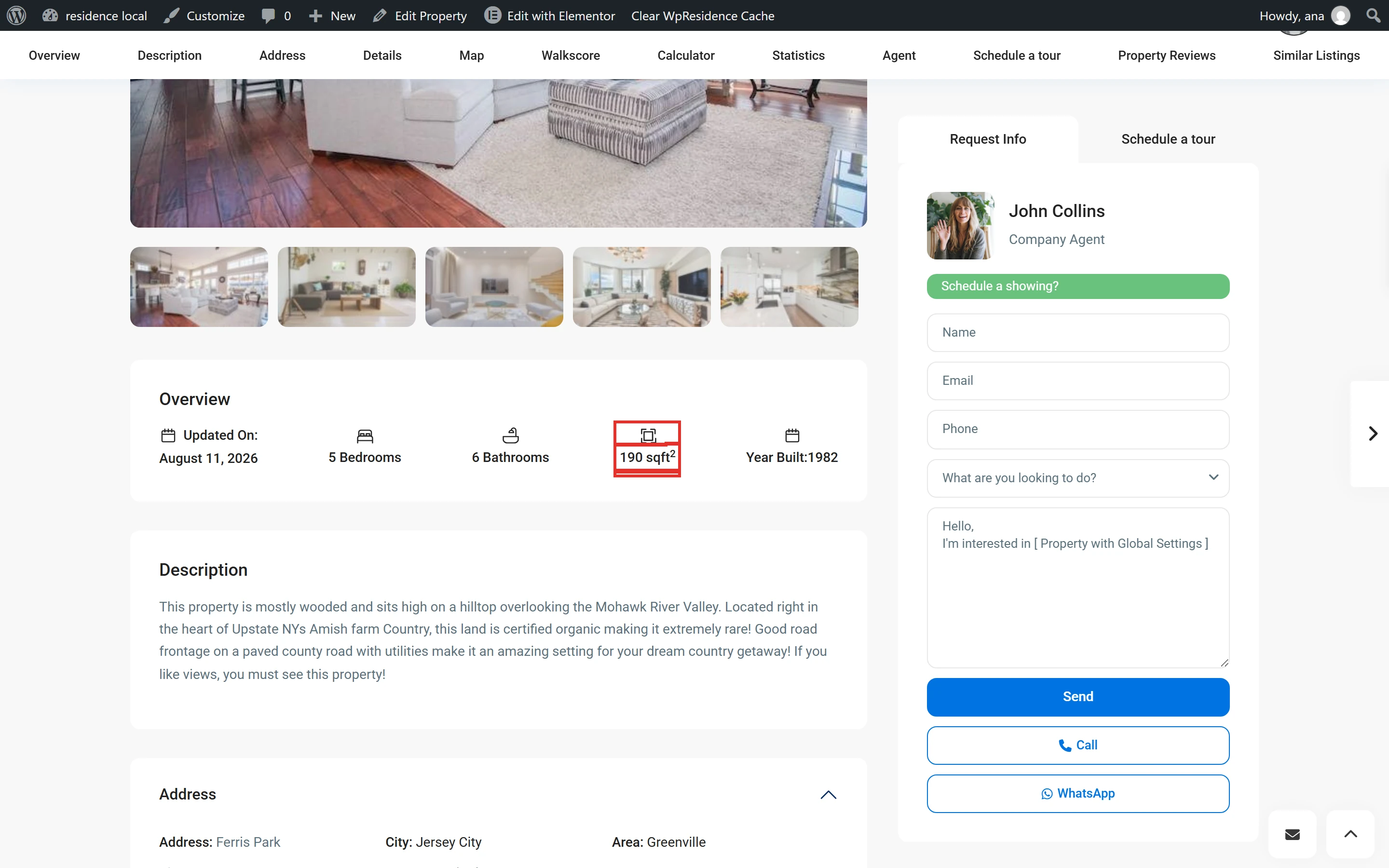
- Clear the cache and open a property. The theme adds ² after ft, m and yd, so the size shows as 190 sqft².
The units are only in the WPResidence Theme Core Functionality file, so translate them there. Repeat the steps for another unit or language. More about Loco Translate: How to translate WPResidence.