
How to enable breadcrumbs in WPResidence
Breadcrumbs help visitors understand where they are on the website and navigate back to parent pages or categories.
In WPResidence, breadcrumbs can be enabled globally from Theme Options.
How to enable breadcrumbs
Go to:
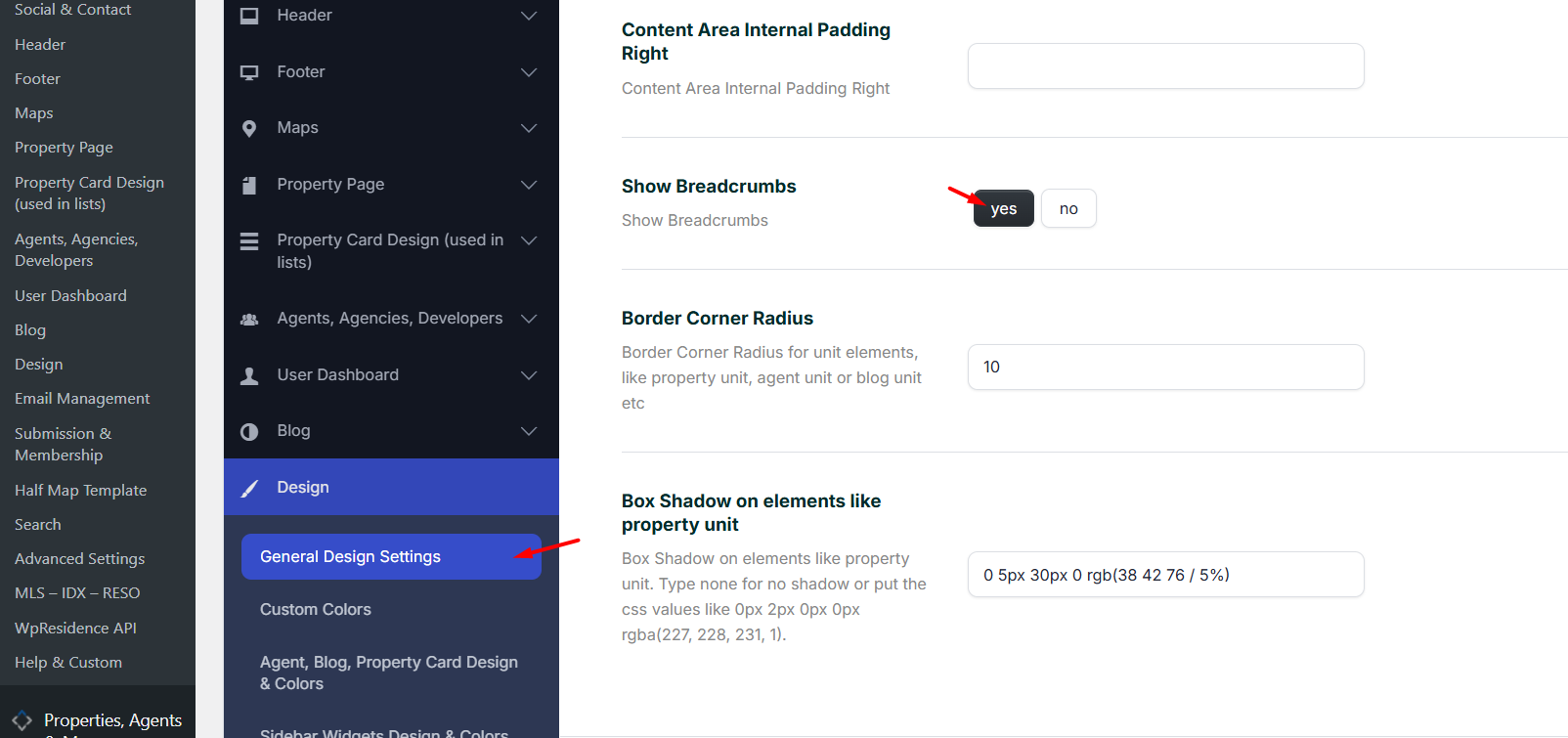
Theme Options > Design > General Design Settings
Find the option:
Show Breadcrumbs
Set it to:
Yes
Then save the Theme Options.
Homepage note
Note:
The homepage does not show breadcrumbs because it is the main index page of the website.
The homepage does not show breadcrumbs because it is the main index page of the website.
Property page breadcrumbs
The breadcrumbs shown on property pages can be customized separately from:
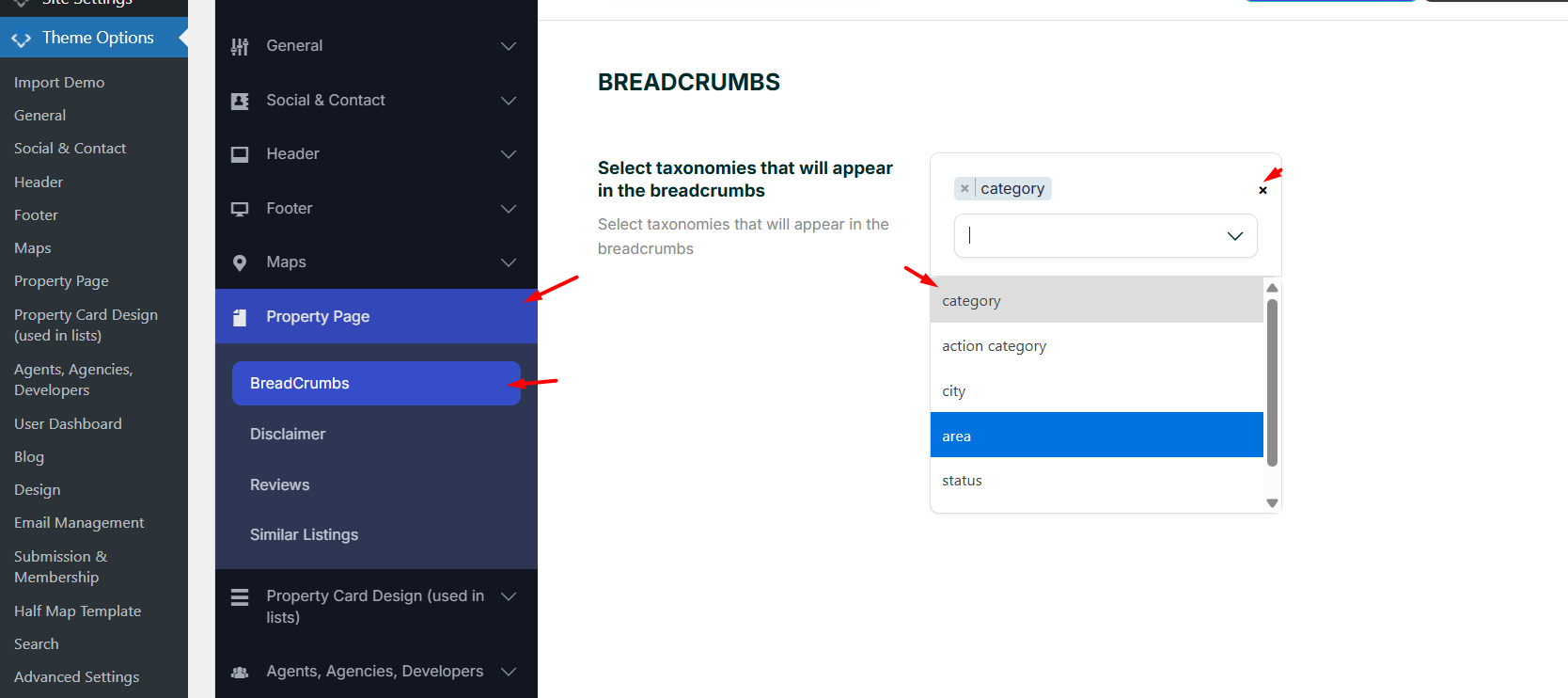
Theme Options > Property Page > Breadcrumbs
Use this section to control how the breadcrumb path is built for property pages.
Important:
After changing breadcrumb settings, clear any cache used on the website and refresh the page to check the updated breadcrumb display.
After changing breadcrumb settings, clear any cache used on the website and refresh the page to check the updated breadcrumb display.