
What this option does
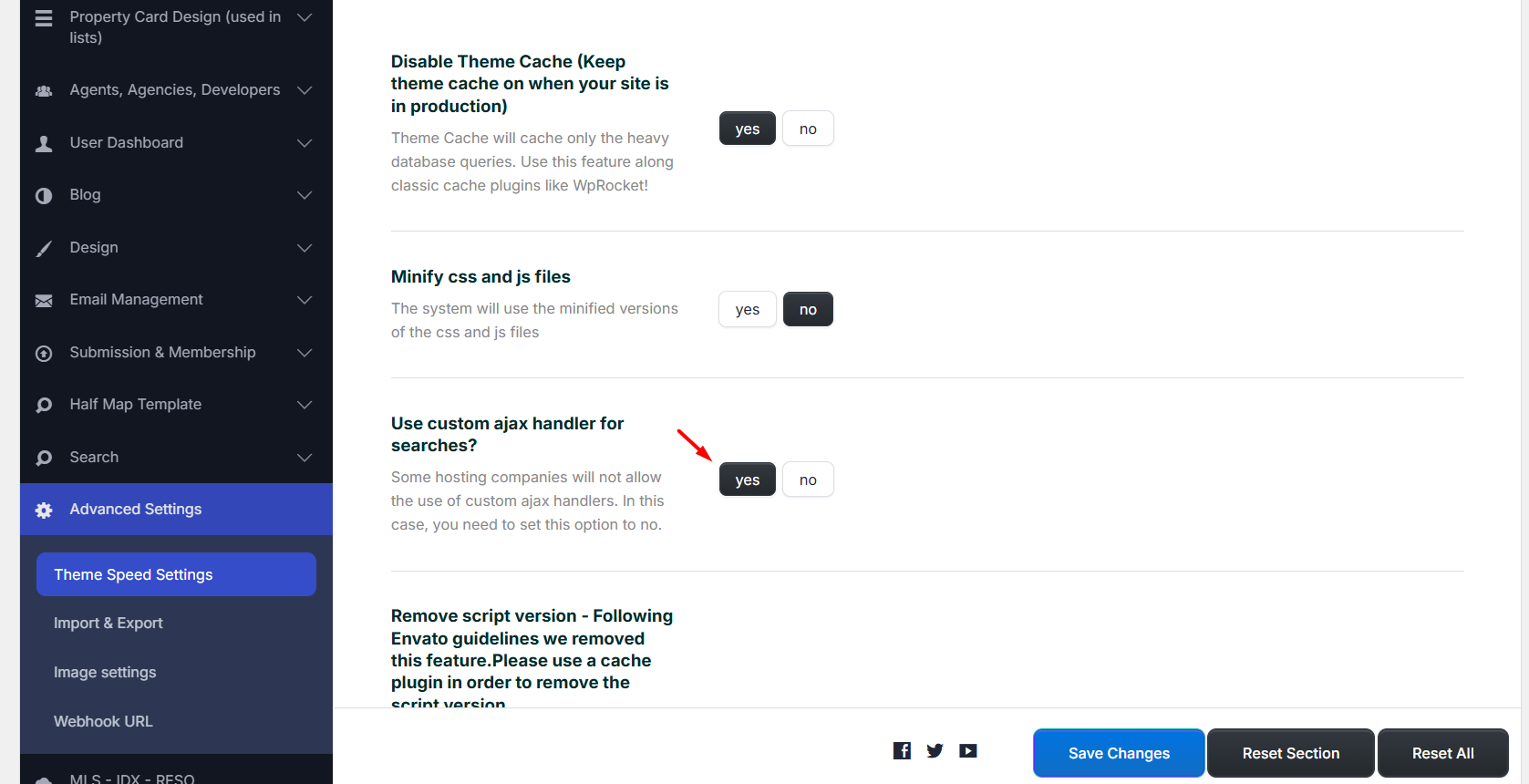
The option Use custom ajax handler for searches? controls how AJAX search requests are processed by the theme.
- Yes: the theme uses its custom AJAX handler for search requests.
- No: the theme uses the standard WordPress AJAX flow for search requests.
This setting is especially important on multilingual websites. When a search uses AJAX, the results are loaded without a full page refresh, so the request must still know which language is currently active.
If the AJAX request does not keep the correct language, the search may return results from the default language, show mixed-language results, or not load the expected translated results.
Recommended setting for WPML sites
If your website uses WPML, set Use custom ajax handler for searches? to No.
This allows the search request to use the standard WordPress AJAX flow, which is better suited for WPML language handling.
Set this option to No if search results do not show correctly in translated languages, or if results load from the wrong language.
Where to change the option
Go to:
Theme Options > Advanced Settings > Theme Speed Settings
Find:
Use custom ajax handler for searches?
For WPML websites, set this option to:
No
When to use Yes
You can use Yes if the website does not use WPML and search works correctly with the custom AJAX handler on your server.
You can also keep Yes if you tested the search carefully and all results load correctly in all needed languages.
If the server blocks custom AJAX handler files, or if searches do not return the correct results, set this option to No.
For WPML websites, use No. For non-WPML websites, use Yes only if search works correctly on your server.
WPML extra check
WPML also includes a setting for frontend AJAX language filtering.
You can check it from:
WPML > Languages > Language filtering for AJAX operations
Enable:
Store a language cookie to support language filtering for AJAX
This option helps WPML pass the current language to frontend AJAX requests. WPML explains that some themes and plugins need this option because AJAX calls happen in the background and must still return content for the correct language. When enabled, WPML sets a language cookie with JavaScript so AJAX operations can return the correct content for the selected language. :contentReference[oaicite:0]{index=0}
In practical terms, this can help when search filters, map results, property lists, or other dynamic elements return content from the wrong language.
If translated search results still do not load correctly after changing the WPResidence AJAX setting, also enable the WPML language cookie option and clear any cache used on the website.
WPML documentation:
Enabling a language cookie to support AJAX filtering