WP Residence Help WP Residence Help

  • WPRESIDENCE
  • Video Tutorials
  • Client Support
  • API
Home / Footer, Header / How to add icons to menu items

How to add icons to menu items

5360 views 0

Add font awesome icons independently

For this end result:
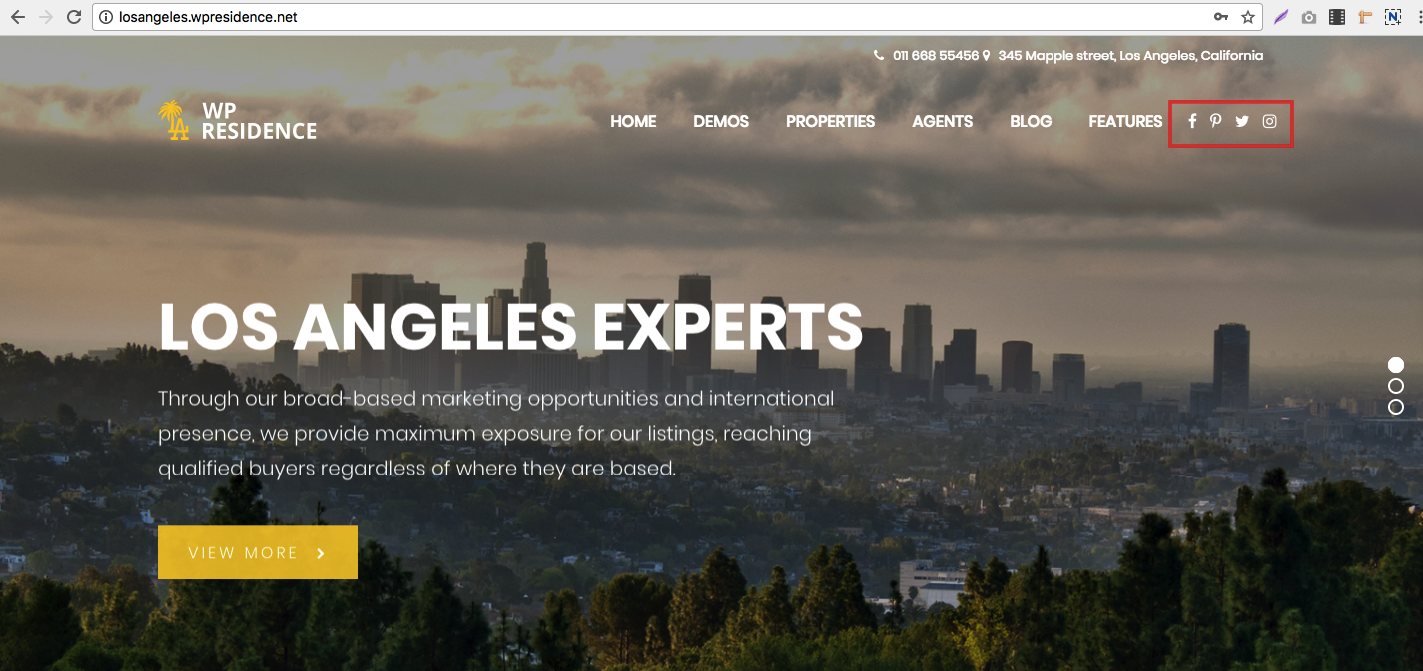
Follow the below steps.

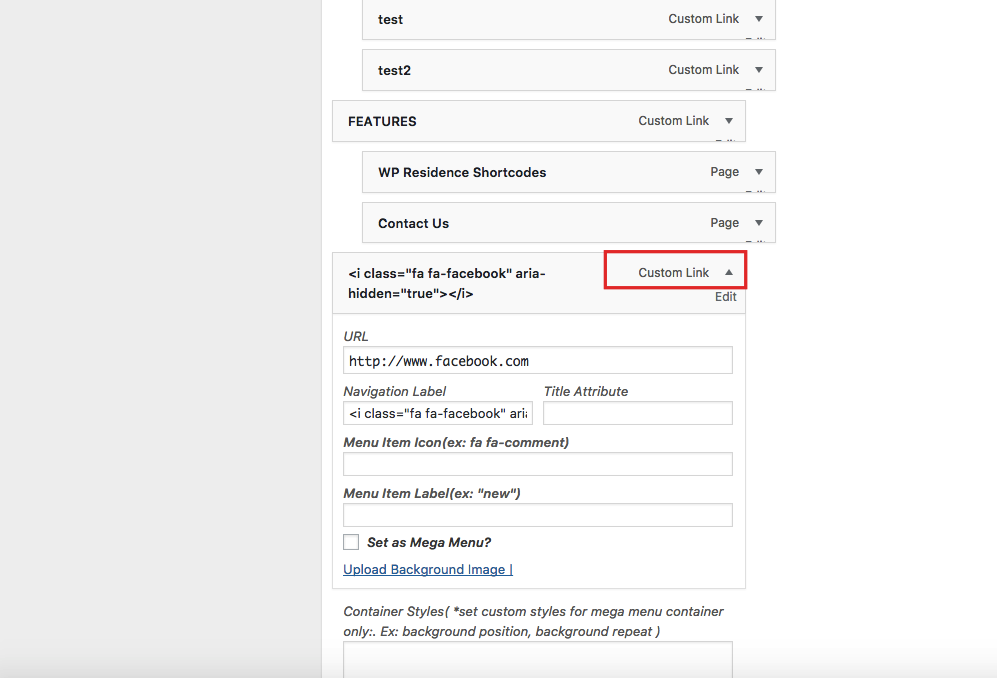
Go to admin – menus – edit menu


Example of Navigation Label

For the spacing between icon menus we added a custom css solution (which may need to be adjusted to your number of icons

.menu>li:nth-last-of-type(-n+4) a,
.menu>li:nth-last-of-type(-n+4) a:hover{
padding-left: 5px!important;
padding-right: 0px!important;
margin-left:0px!important;
margin-right:0px!important;
}

Help article about how to add custom CSS

Add Font Awesome Icons next to menu text

Edit a footer menu item from Admin – Menus
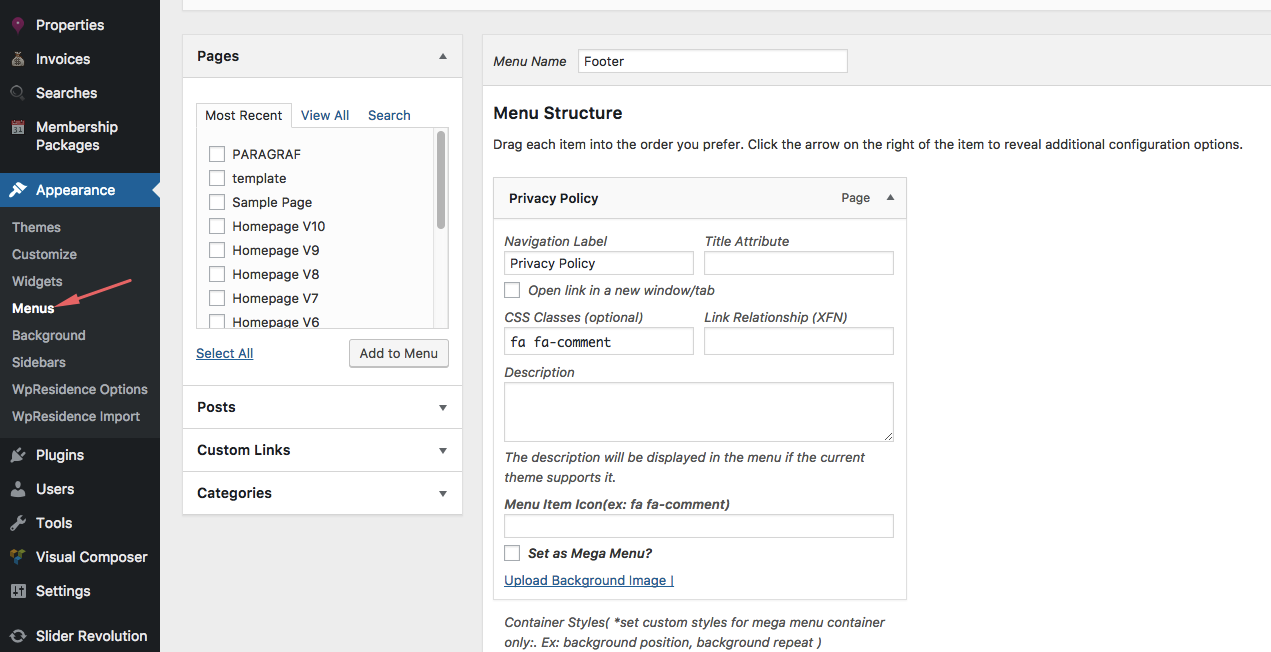
Add the icon font awesome in the CSS CLASSES element.

You can find the CSS class for your icon on the Font Awesome homepage or by using the the cheatsheet. Each is prefixed by “fa-” to differentiate from any other common classes that may already be in use.
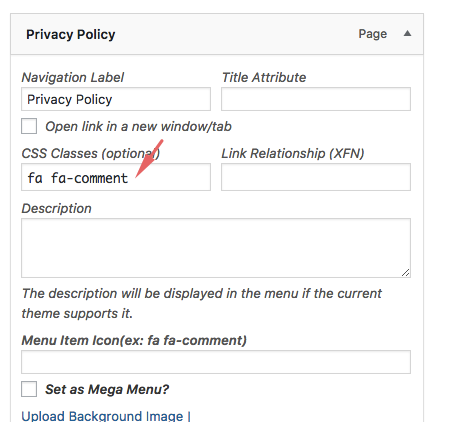
If you don’t see this element, Edit Screen Options from up right corner to enable it.

The CSS for the fontawesome icon may need a css to add spaces / font or something else. You can use this css to add custom elements.

.fa-comment:before {
padding-right: 5px;
}

And you replace “fa-comment” with your icon name.
Help article about how to add custom CSS
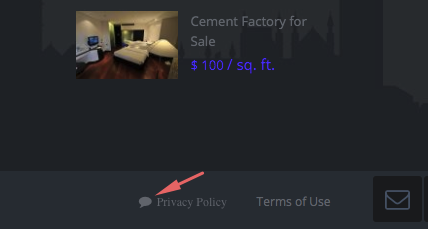
The result from this example:
FooterHeader

Related Articles

  • Mega Menu with WPResidence Studio
  • Header & Footer with WPResidence Studio + Elementor Free
  • How to set Theme header and Media header (video tutorials and articles)
  • How to set the Header Type 5 in WPResidence theme

Help Categories

  • 18Agent, Agency & Developers
  • 5Blog Posts & Blog Lists
  • 38Elementor Shortcodes Built-In
  • 45FAQ
  • 15Footer
  • 5Getting Started
  • 37Header
  • 2IDX & MLSImport
  • 6Installation & Setup
  • 23Installation FAQ
  • 23Maps & Location Settings
  • 21Multi-Language Third Party Plugins
  • 6Other Third party Plugins
  • 19Pages
  • 4Payments & Monetization
  • 20Property Lists, Categories & Archive
  • 36Property Pages & Layouts
  • 31Search & Filtering
  • 162Technical how to | Custom Code Required
  • 8Technical: Actions and filters
  • 6Technical: Child Theme
  • 86Theme Options & Global Settings
  • 6Translations & Languages
  • 16WPBakery Shortcodes
  • 51WPResidence / WPEstate CRM
  • 50WPResidence 5.0 Documentation
  • 8WPResidence Elementor Studio
  • 50WPResidence Translate Plugin

Join Us On

Powered by WP Estate - All Rights Reserved
  • WPRESIDENCE
  • Video Tutorials
  • Client Support
  • API