
WP Residence Help WP Residence Help

  • WPRESIDENCE
  • Video Tutorials
  • Client Support
  • API
Home / Installation & Setup / Use SSL / https

Use SSL / https

6488 views 0

HTTPS or Secure HTTP is an encryption method that secures the connection between users’ browsers and your server. This makes it harder for hackers to eavesdrop on the connection.

WordPress Settings

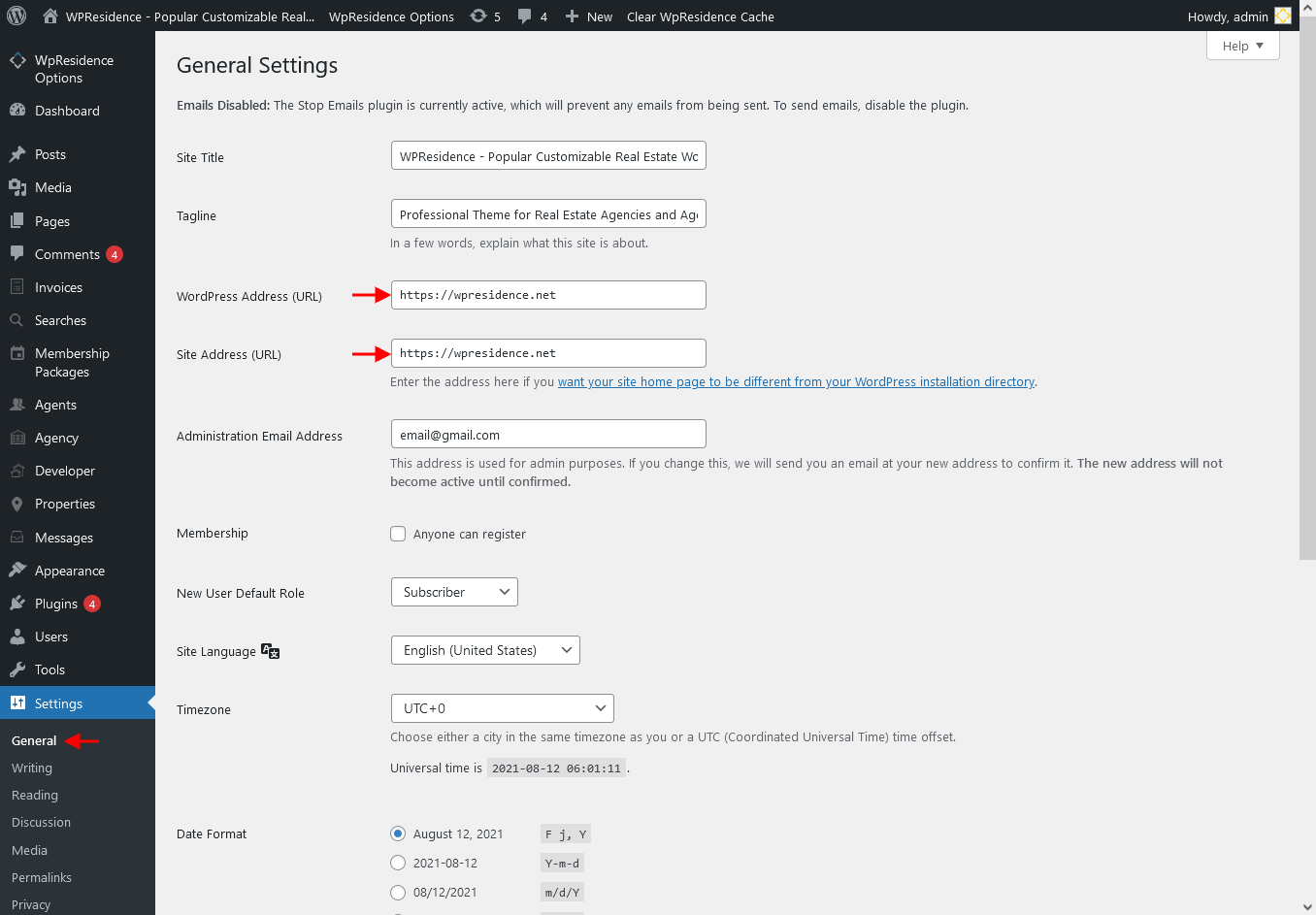
If you are starting a new site and/or want to use HTTPS everywhere on your site, you need to update your site URL in  Settings > General by updating your WordPress and site URL address fields.
Installation & Setup

Related Articles

  • If demo content import fails
  • Install the Theme & Included Plugins
  • How to use One Click Demo Import
  • Demo Import – Instructions, Tips & Video Tutorials

Help Categories

  • 18Agent, Agency & Developers
  • 5Blog Posts & Blog Lists
  • 38Elementor Shortcodes Built-In
  • 45FAQ
  • 15Footer
  • 5Getting Started
  • 37Header
  • 2IDX & MLSImport
  • 6Installation & Setup
  • 23Installation FAQ
  • 23Maps & Location Settings
  • 21Multi-Language Third Party Plugins
  • 6Other Third party Plugins
  • 19Pages
  • 4Payments & Monetization
  • 20Property Lists, Categories & Archive
  • 36Property Pages & Layouts
  • 31Search & Filtering
  • 162Technical how to | Custom Code Required
  • 8Technical: Actions and filters
  • 6Technical: Child Theme
  • 86Theme Options & Global Settings
  • 6Translations & Languages
  • 16WPBakery Shortcodes
  • 51WPResidence / WPEstate CRM
  • 50WPResidence 5.0 Documentation
  • 8WPResidence Elementor Studio
  • 50WPResidence Translate Plugin

Join Us On

Powered by WP Estate - All Rights Reserved
  • WPRESIDENCE
  • Video Tutorials
  • Client Support
  • API