
WP Residence Help WP Residence Help

  • WPRESIDENCE
  • Video Tutorials
  • Client Support
  • API
Home / Property Pages & Layouts / How to add States, Cities and Areas in front end submit form

How to add States, Cities and Areas in front end submit form

6795 views 0

In front end submit the theme supports auto-complete for City/Area/State/Address OR dropdowns for City/State/Areas.

This is managed from Theme options > Membership > Property Submission Page.
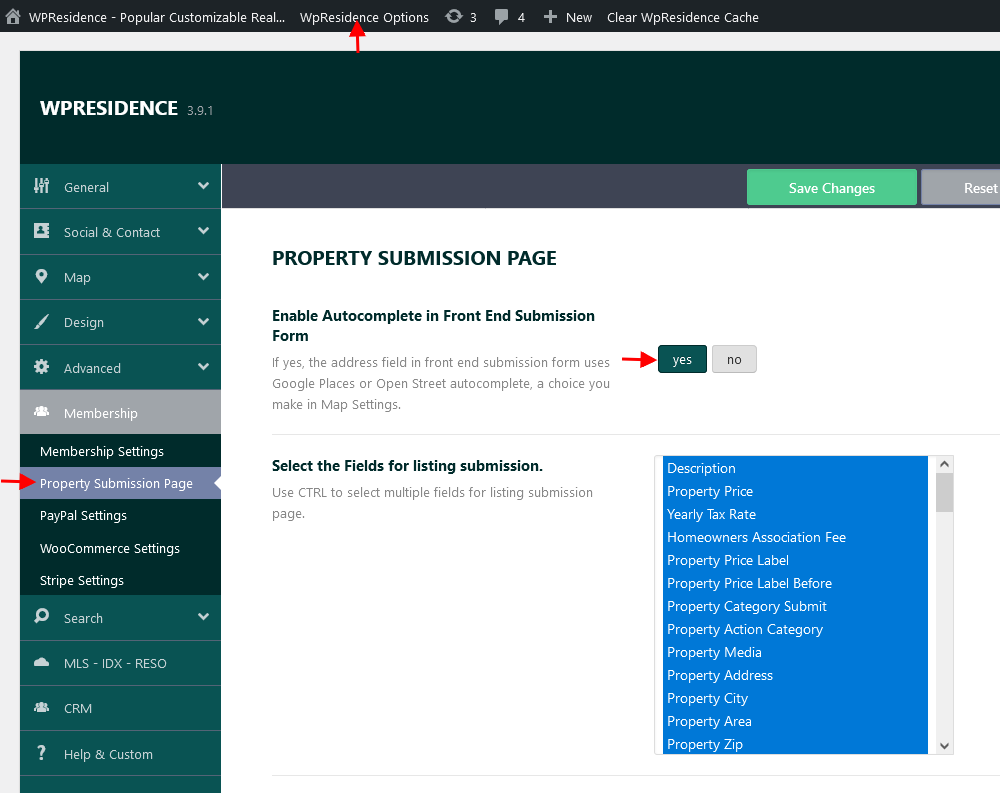
Enable Autocomplete

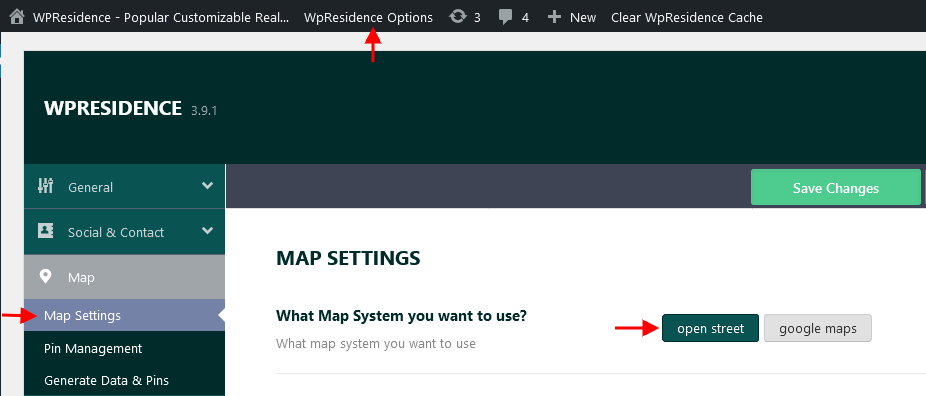
If you set YES to Enable Autocomplete in Front End Submission Form option next from Theme options > Map > Map settings  you must choose what system do you want to use for geolocation: google maps or open street. Help article for map type setup
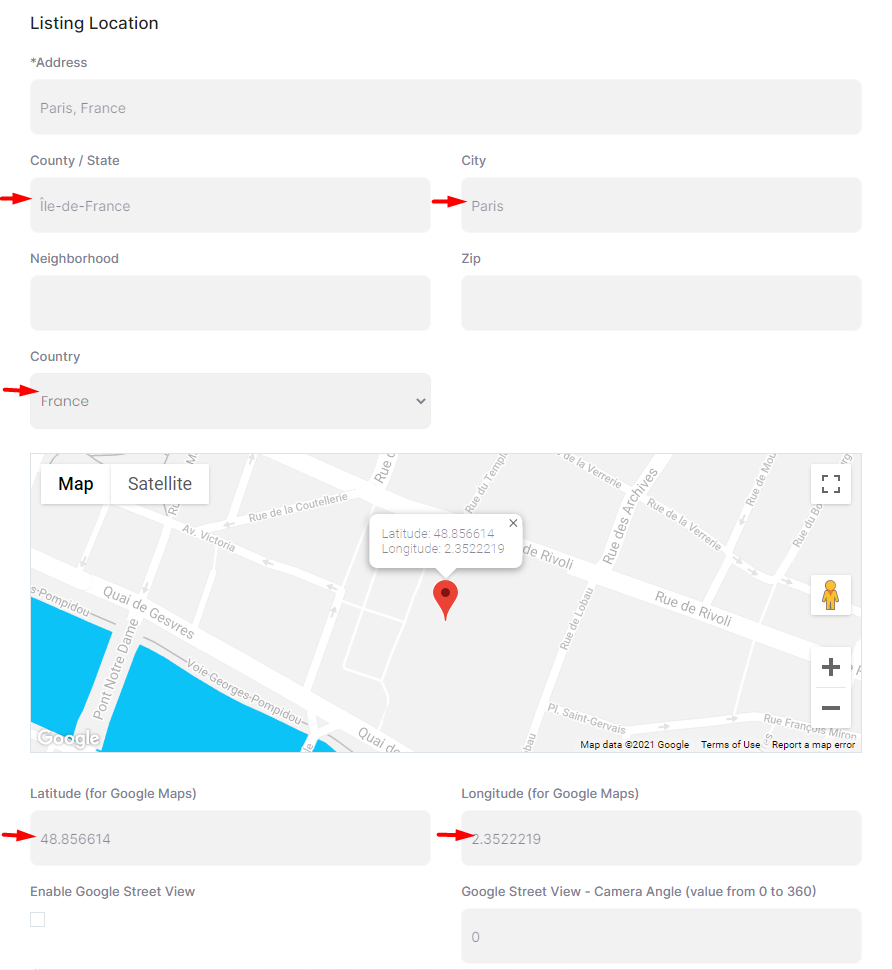
With auto-complete on, the city, area and state are saved when the property is submitted. The fields can be auto-populated with info from Google Maps or Open Street (based on the Address or City selected)

Screenshot of location field with google maps auto complete enabled

Screenshot of location field with open street auto complete enabled
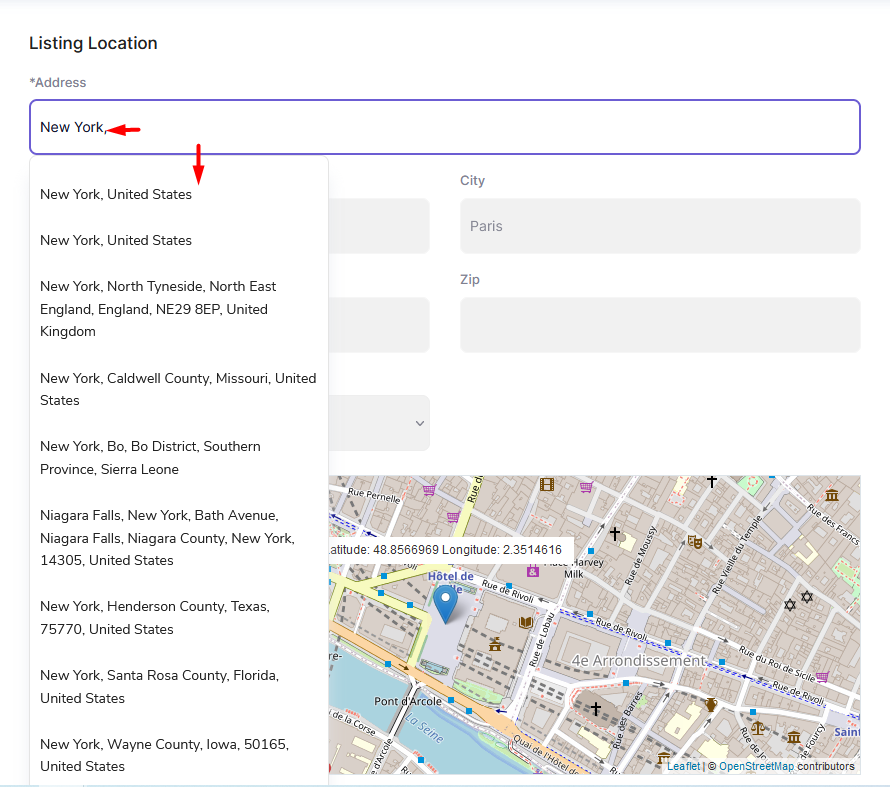
After you select the correct address, City, Area and Country auto-fill in.

Also lat and long are automatically saved
Disable Autocomplete

If you set No to Enable Autocomplete in Front End Submission Form option the submit form will show dropdowns for city, area and state.
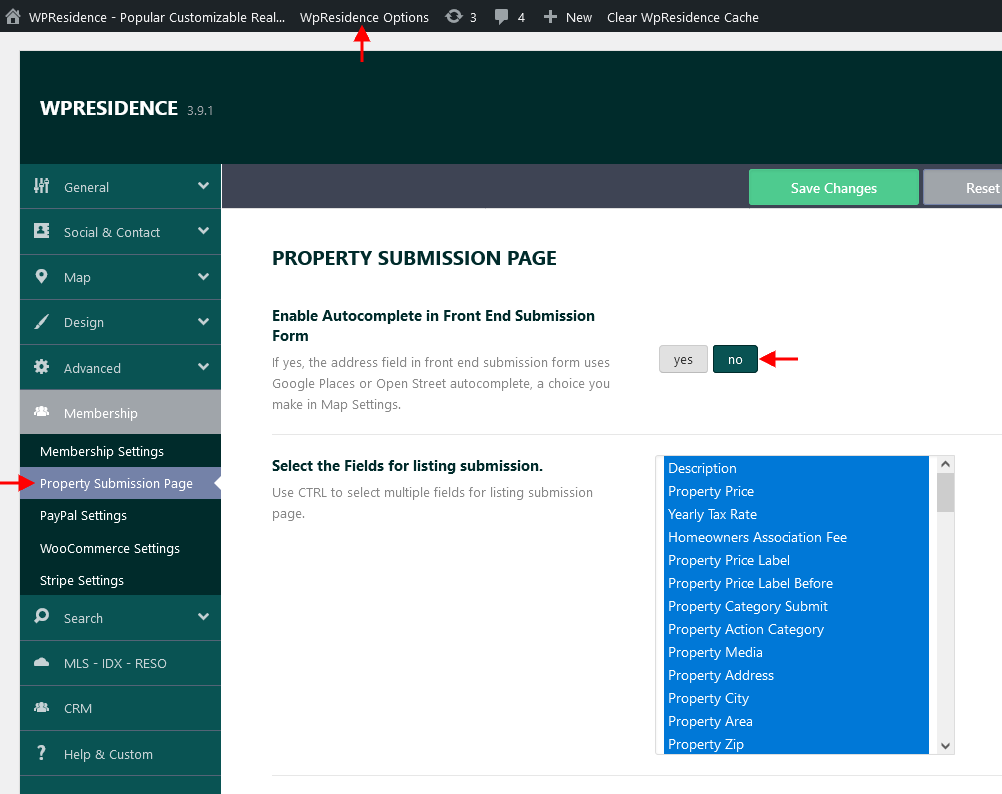
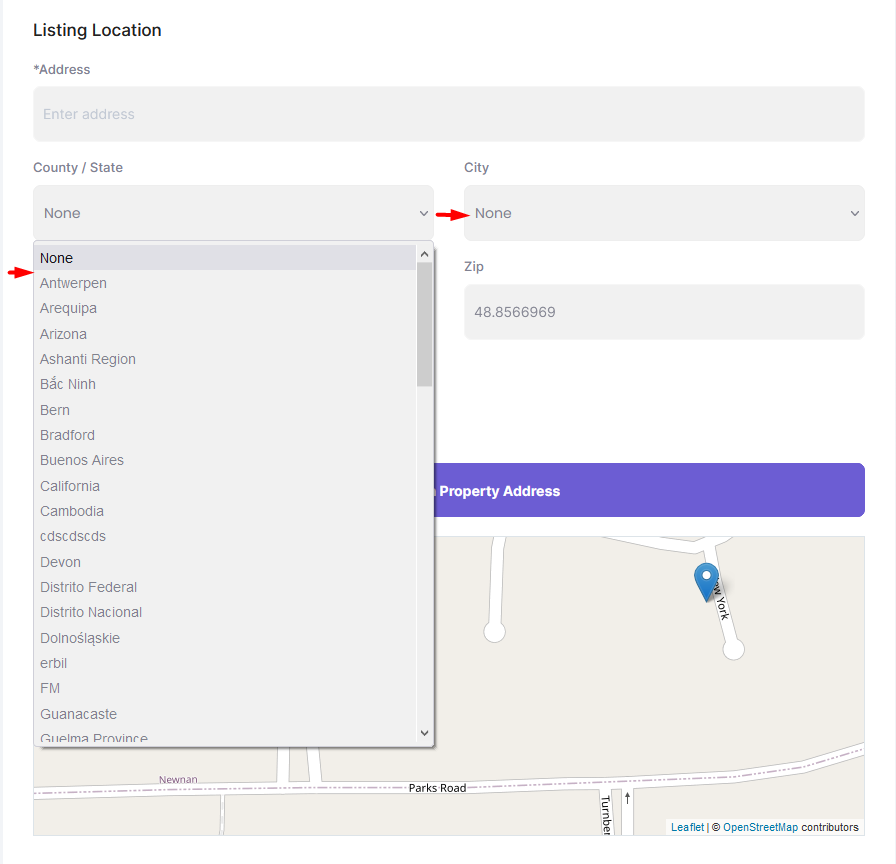
 

In the city, area and state dropdowns are displayed cities, areas, and states you have added from admin Properties Taxonomies

Help article about property custom taxonomies

How to add a new property from the front end

The theme has 2 submission forms, one for users that are logged in and one for users that did not create an account yet or did not log in. Both forms have the same section, but a different design.

Watch this video tutorial where is explained how to add a new property from the front end as user, agent, agency or developer from the user dashboard. Watch Video on Youtube
Watch this video tutorial where is explained how to add a new property from the front end as a non-logged in user. Watch Video on Youtube

How to add a property from the admin backend

Admin can add properties from Admin > Properties > Add new property. The properties can be added on his behalf or on behalf of agents.

Watch this video tutorial where is explained how to add a new property from the admin backend and. Watch Video on Youtube
Property Pages & Layouts

Related Articles

  • How to Manage the Property Overview Section in WPResidence
  • ACF – Advanced Custom Fields – Integration with WPResidence
  • Add Booking Forms and Plugin Shortcodes to Property Pages in WPResidence
  • WPResidence Studio – Property Category / Taxonomy Template

Help Categories

  • 18Agent, Agency & Developers
  • 5Blog Posts & Blog Lists
  • 39Elementor Shortcodes Built-In
  • 54FAQ
  • 15Footer
  • 5Getting Started
  • 37Header
  • 2IDX & MLSImport
  • 6Installation & Setup
  • 24Installation FAQ
  • 23Maps & Location Settings
  • 21Multi-Language - Third Party Plugins
  • 6Other Third party Plugins
  • 21Pages
  • 4Payments & Monetization
  • 20Property Lists, Categories & Archive
  • 37Property Pages & Layouts
  • 32Search & Filtering
  • 162Technical how to | Custom Code Required
  • 8Technical: Actions and filters
  • 7Technical: Child Theme
  • 86Theme Options & Global Settings
  • 7Translations & Languages
  • 16WPBakery Shortcodes
  • 50WPEstate / WPResidence Translate Plugin
  • 51WPResidence / WPEstate CRM
  • 50WPResidence 5.0 Documentation
  • 9WPResidence Elementor Studio

Join Us On

Powered by WP Estate - All Rights Reserved
  • WPRESIDENCE
  • Video Tutorials
  • Client Support
  • API