WP Residence Help WP Residence Help

  • WPRESIDENCE
  • Video Tutorials
  • Client Support
  • API
Home / Translations & Languages / Rename theme words with Loco Translate Plugin

Rename theme words with Loco Translate Plugin

9616 views 2
Before reading this help file you may want to check this video. It explains theme functionality and may be easier to understand. Watch Video on Youtube
You will learn how to rename/translate User Role labels: User, Agent, Agency and Developer using the Loco Translate plugin. Watch Video on Youtube

Content

  • Rename with Loco Translate Plugin
  • How to backup and upload custom translations with Loco Translate

In order to rename theme words, you can use the Loco Translate plugin.  With the Loco Translate plugin, you can rename the words/labels that come by default in the theme.

The changes need to apply in 2 places:

  • themes/wpresidence-child/languages/wpresidence.po
  • plugins/wpresidence-core/languages/wpresidence-core.po

Rename the labels in Theme langugae file

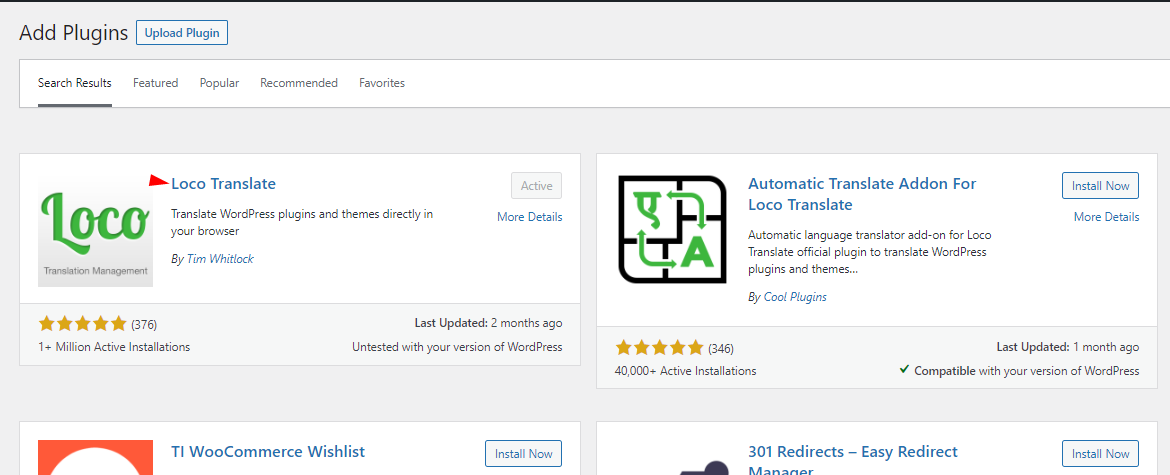
Step 1 Install Loco Translate plugin from admin>Plugins>Add new
Step 2 Install Child theme, this step is not necessary but we recommend doing it so you would not lose the changes on the theme update

Help article on how to install the Child theme 

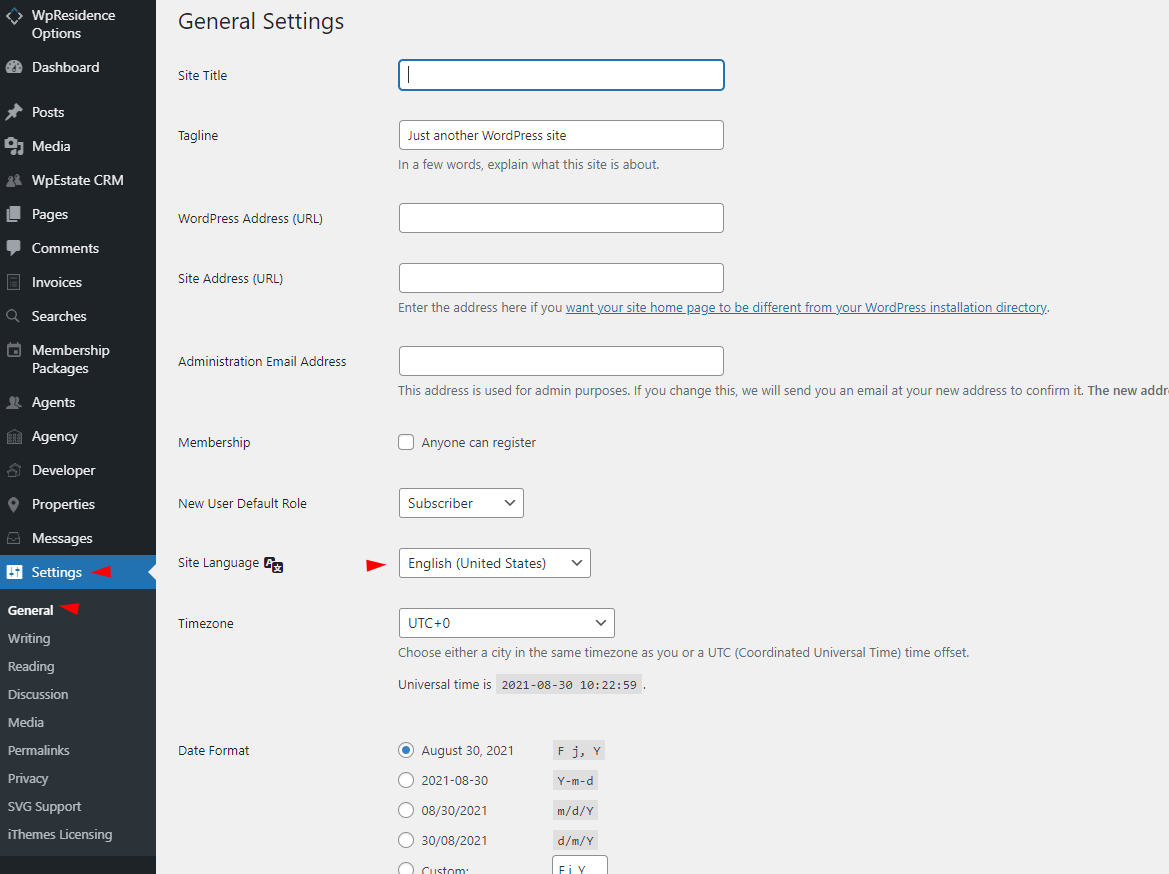
Step 3 Select the site language in Settings-General
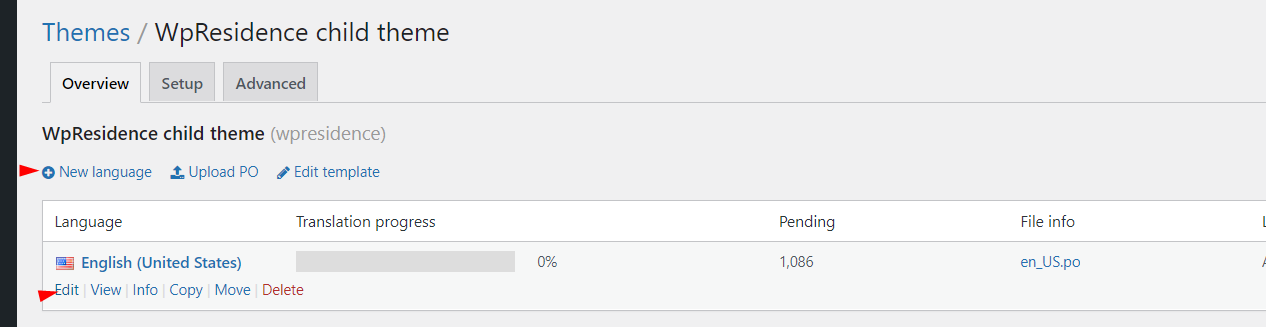
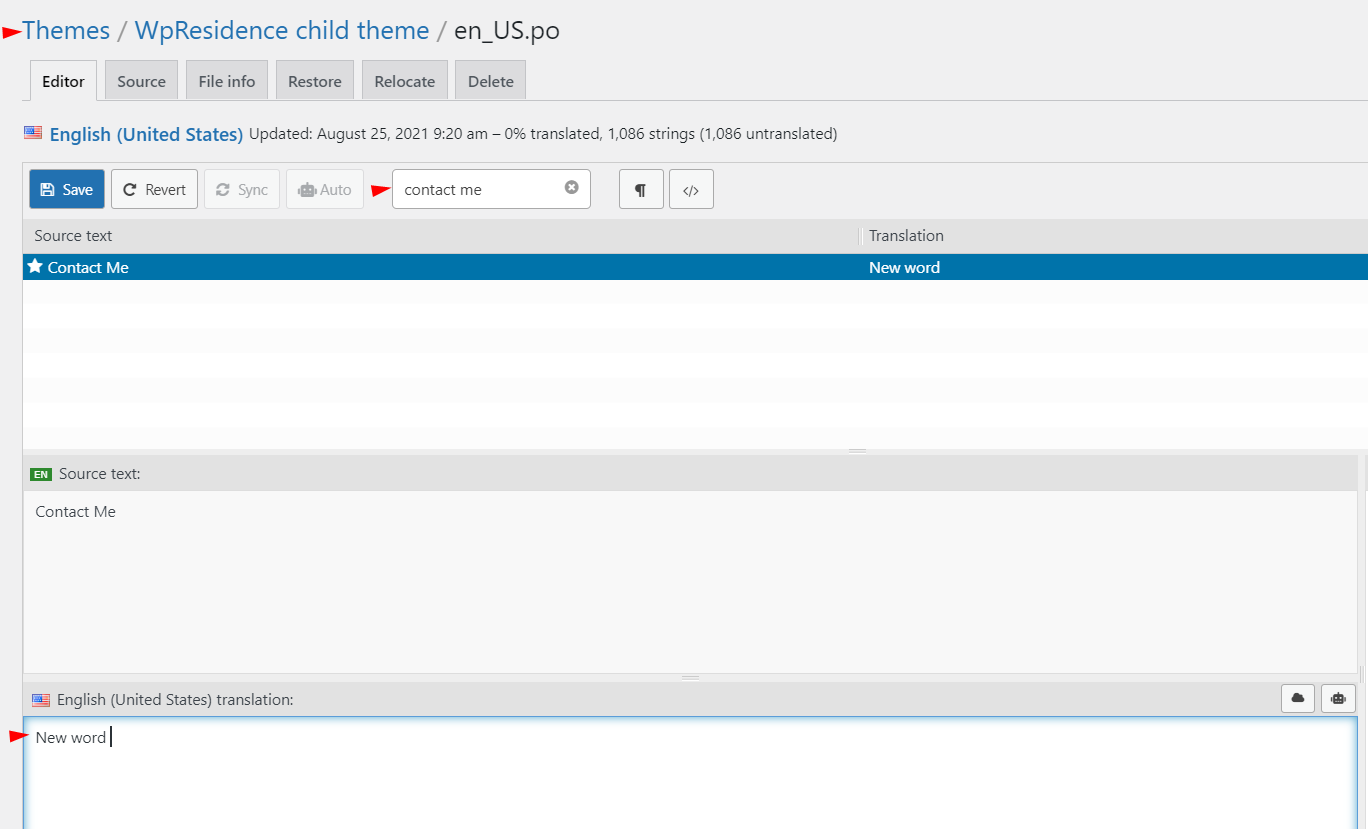
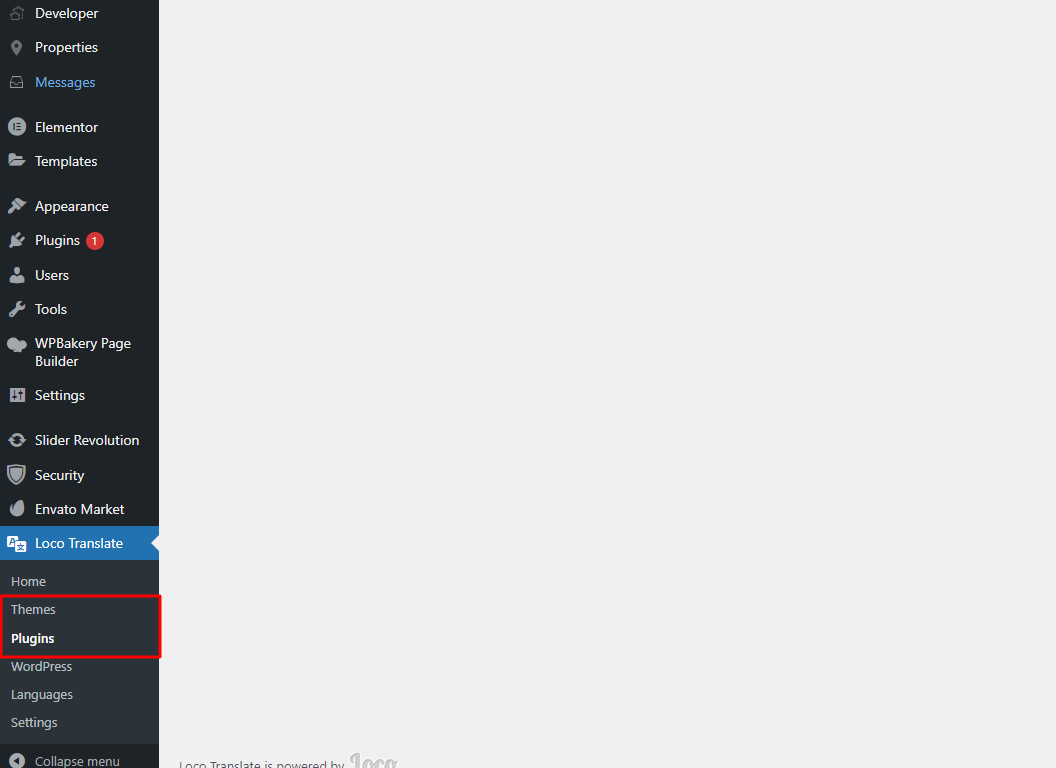
Step 4  Go to Loco Translate – Themes, select  Child theme and select add New language or use an existing language from child theme

Usually, this process applies for changing English words so the language file that will need to be amended is English (United States)
Step 5 Look for the label that you need to change, add new word and Save
Rename the words in WpResidence Core plugin languages files

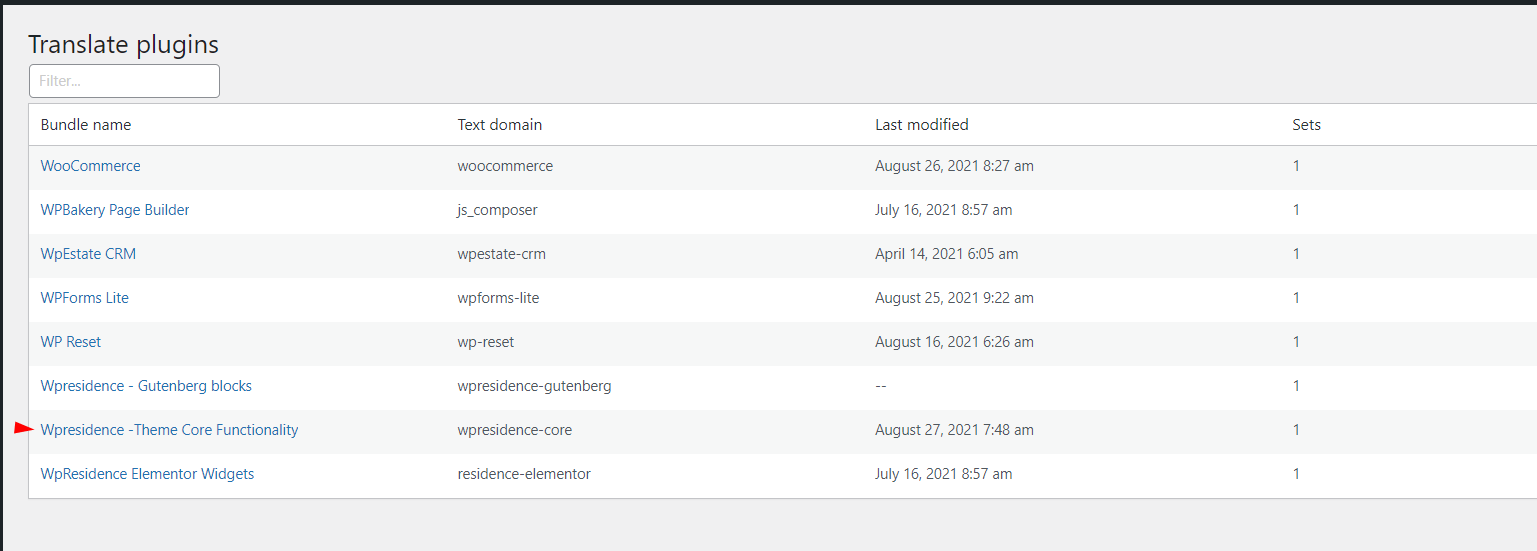
Step 1 Go to Loco Translate – Plugins- Wpresidence -Theme Core Functionality

Step 2 Add a new language or edit English language file,
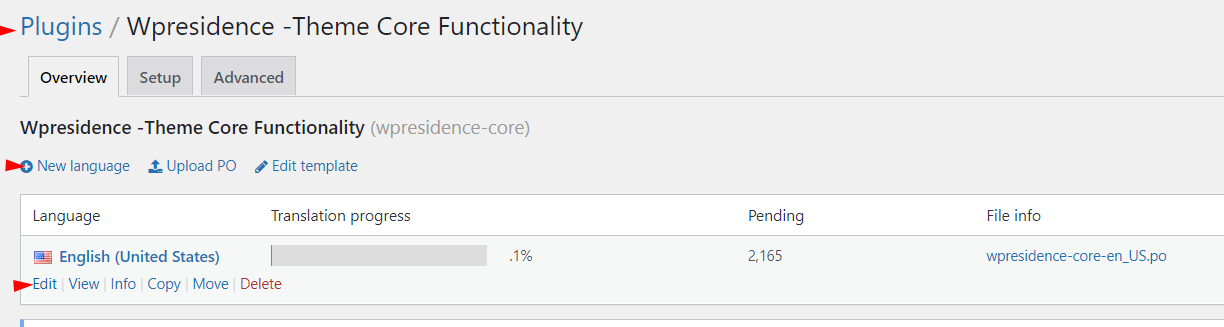
Step 3 Look for the label that you need to change, add a new word, and Save

How to backup and upload custom translations with Loco Translate

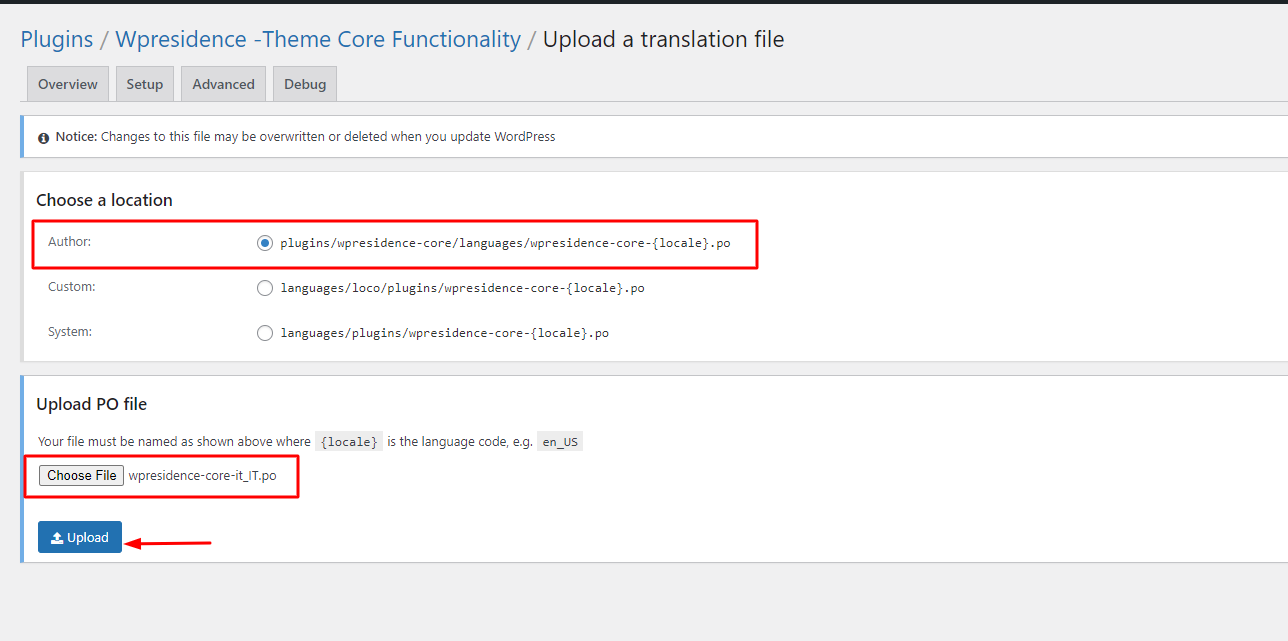
Before starting a theme update, you can backup your custom translations, especially those you make in Plugins/WpResidence-Core/Languages folder

These are the steps

1. Find and Download the .po from Loco Translate
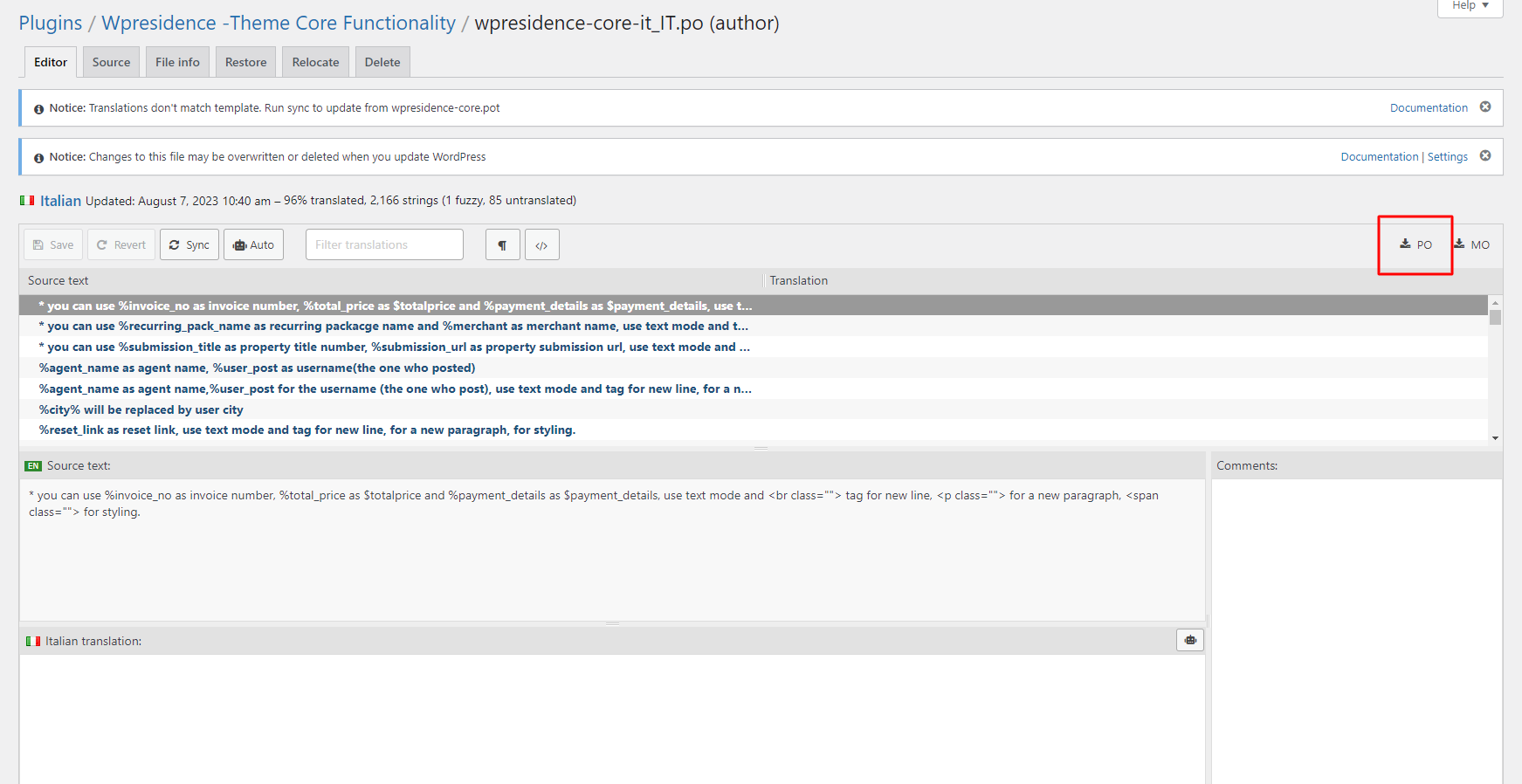
2. Upload your backup po
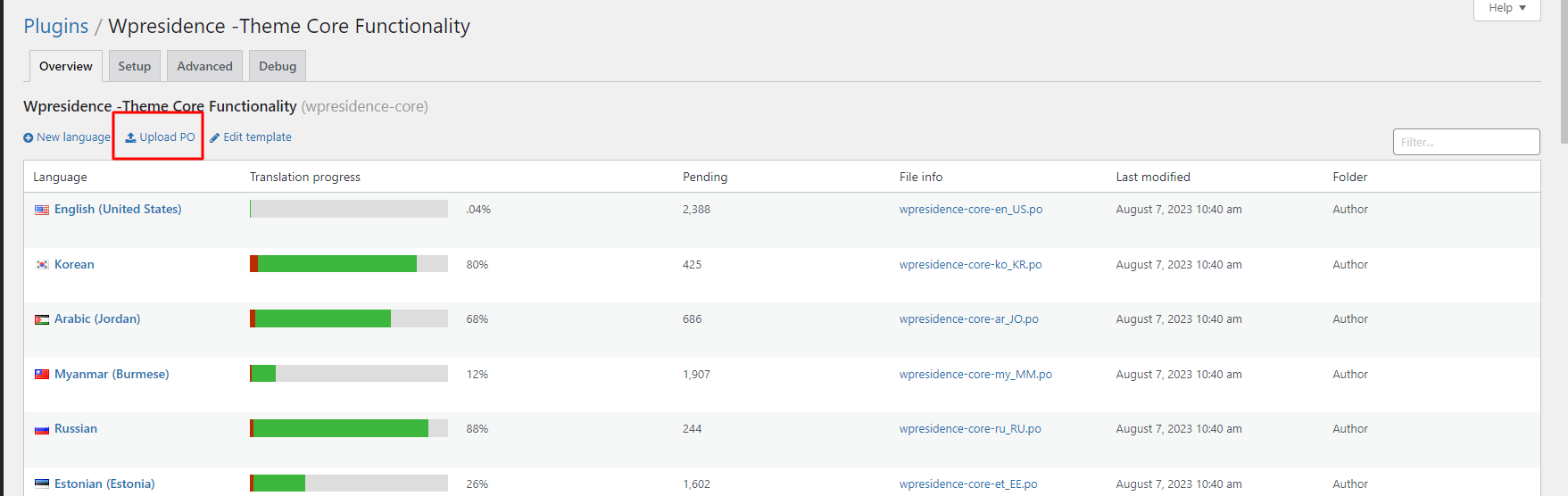
You can repeat this for any translation from theme, theme child theme, or plugins
Translations & Languages

Related Articles

  • How to Translate Measurement Correctly
  • How to Translate WPResidence Into Another Language
  • What Details are translated from Theme Options
  • Update .po translation after a theme update

Help Categories

  • 18Agent, Agency & Developers
  • 5Blog Posts & Blog Lists
  • 38Elementor Shortcodes Built-In
  • 45FAQ
  • 15Footer
  • 5Getting Started
  • 37Header
  • 2IDX & MLSImport
  • 6Installation & Setup
  • 23Installation FAQ
  • 23Maps & Location Settings
  • 21Multi-Language Third Party Plugins
  • 6Other Third party Plugins
  • 19Pages
  • 4Payments & Monetization
  • 20Property Lists, Categories & Archive
  • 36Property Pages & Layouts
  • 31Search & Filtering
  • 162Technical how to | Custom Code Required
  • 8Technical: Actions and filters
  • 6Technical: Child Theme
  • 86Theme Options & Global Settings
  • 6Translations & Languages
  • 16WPBakery Shortcodes
  • 51WPResidence / WPEstate CRM
  • 50WPResidence 5.0 Documentation
  • 8WPResidence Elementor Studio
  • 50WPResidence Translate Plugin

Join Us On

Powered by WP Estate - All Rights Reserved
  • WPRESIDENCE
  • Video Tutorials
  • Client Support
  • API