
WP Residence Help WP Residence Help

  • WPRESIDENCE
  • Video Tutorials
  • Client Support
  • API
Home / Theme Options & Global Settings / How to Enable / Disable Minify CSS and JS option

How to Enable / Disable Minify CSS and JS option

6081 views 0

Minify CSS and JS file options can be found in Theme Options > Advanced > Site Speed.
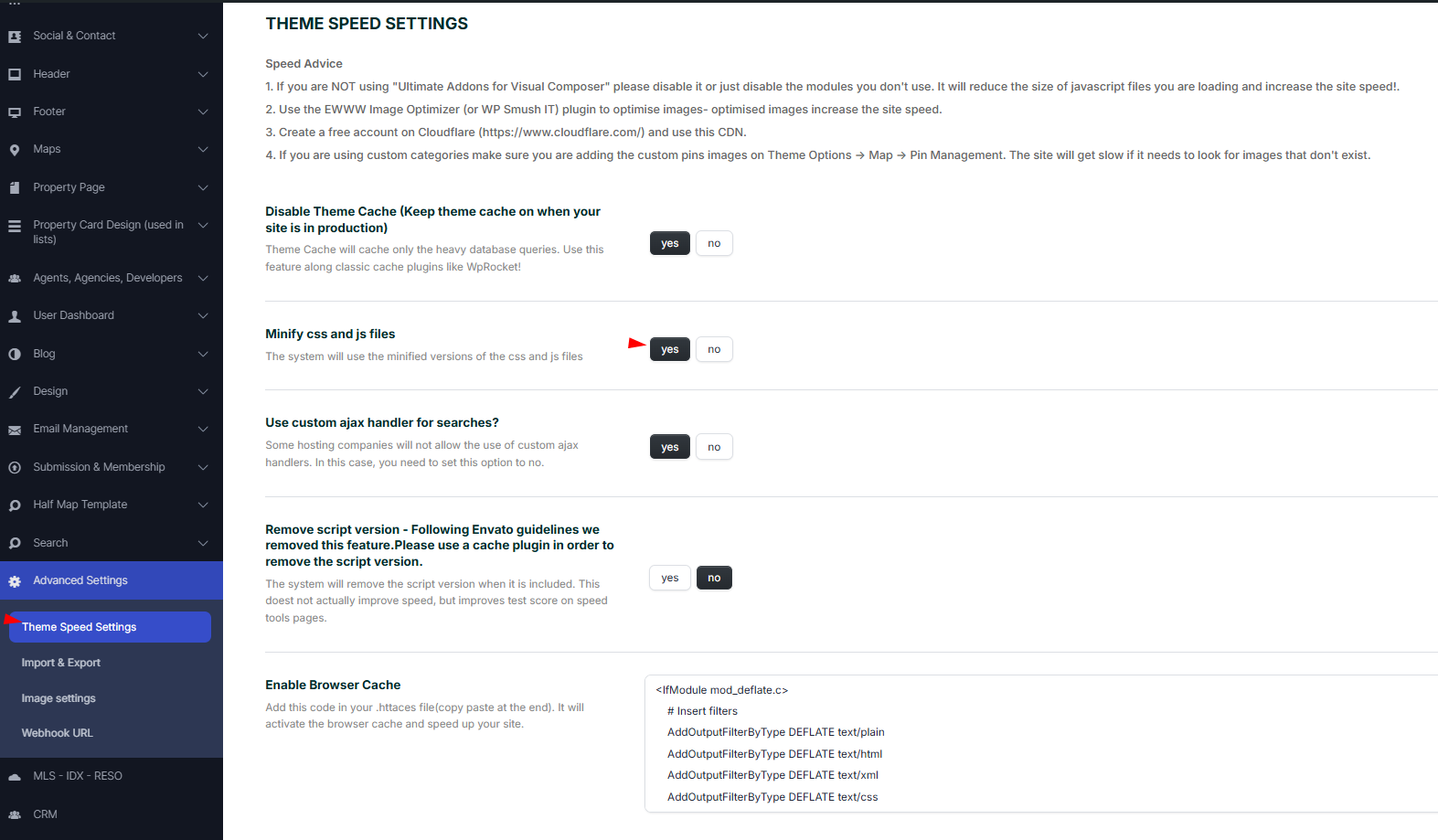
Important

  • Each time you make changes with custom CSS, you will need to disable Minify CSS and JS file option, make the change that you wish and after enable the option again. If you do not follow the above steps, the change that you did with CSS will not be considered.
  • Child theme style.css will not be loaded if you use this setting on YES as child theme modifications unless you modify the child theme. Read more here about how to make child theme changes to work with theme Minify CSS and JS option enabled
Theme Options & Global Settings

Related Articles

  • Confirm Account via Email
  • How to Control Similar Blog Posts
  • ACF – Advanced Custom Fields – Integration with WPResidence
  • Theme Options – Roles (Editor) Permissions Controls
MLSImportWordPress IDX Plugin for MLS ListingsImport MLS listings into your WordPress website, customize your property pages, and keep your inventory updated.Start free 30-day trial →

Help Categories

  • 111 Installation & Changelog
  • 19Agent, Agency & Developers
  • 5Blog Posts & Blog Lists
  • 14Footer
  • 38Header
  • 2IDX & MLSImport
  • 23Maps & Location Settings
  • 50Multilingual Websites – WPEstate Translate (Included)
  • 21Pages & Page Templates
  • 4Payments & Monetization
  • 20Property Lists, Categories & Archive
  • 38Property Single Page
  • 32Search & Filtering
  • 170Technical how to | Custom Code
  • 9Technical: Actions and filters
  • 6Technical: Child Theme
  • 86Theme Options & Global Settings
  • 6Theme Translation & Localization
  • 28Third Party Plugins Compatible
  • 16WPBakery Shortcodes
  • 51WPResidence / WPEstate CRM
  • 9WPResidence Elementor Studio
  • 39WPResidence Elementor Widgets
  • 79WPResidence FAQ

Join Us On

Powered by WP Estate - All Rights Reserved
  • WPRESIDENCE
  • Video Tutorials
  • Client Support
  • API