
WP Residence Help WP Residence Help

Home / Technical how to | Custom Code Required / How to enable sound for video in header

How to enable sound for video in header

3030 views 0

In order to enable sound for videos that are added in header you need to go to libs/help_functions.php at line 245 and just remove the word muted.
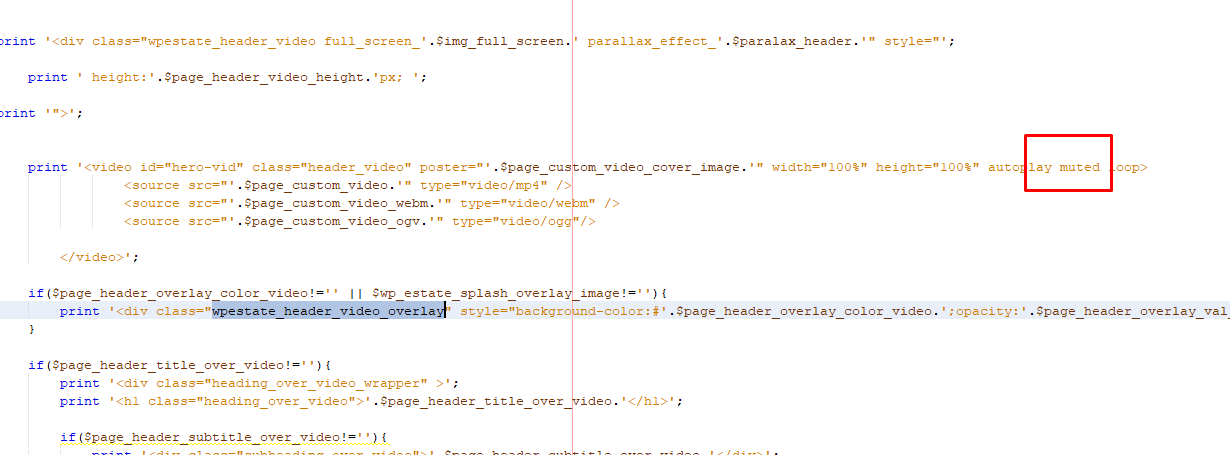
Help article about how to add video in the header

Technical how to | Custom Code Required

Related Articles

  • Technical – How to Change the Minimum Image Dimensions for Property Uploads in WPResidence
  • Introduction to WPResidence Header Customization
  • Understanding WPResidence Header Types: An Overview
  • Customizing the WPResidence Logo Display

WP Residence Documentation

Join Us On

Powered by WP Estate - All Rights Reserved