
WP Residence Help WP Residence Help

  • WPRESIDENCE
  • Video Tutorials
  • Client Support
  • API
Home / IDX & MLSImport, Search & Filtering / Search Index: Faster Property Search on Large Sites

Search Index: Faster Property Search on Large Sites

5 views 0

The Search Index keeps property searches fast on sites with thousands of listings, such as sites that import listings from an MLS with MLSImport. It is a compact table of every published property. Searches, list pages and map pins read their filters and sorting from it. It comes with WPResidence 5.8.0 and WPResidence Pro 7.0.1.

CONTENT

  • Where to find it
  • Status and indexed listings
  • When to rebuild the index
  • Turn the index on or off

Where to find it

Open Site Settings > Search Index in the WordPress admin.
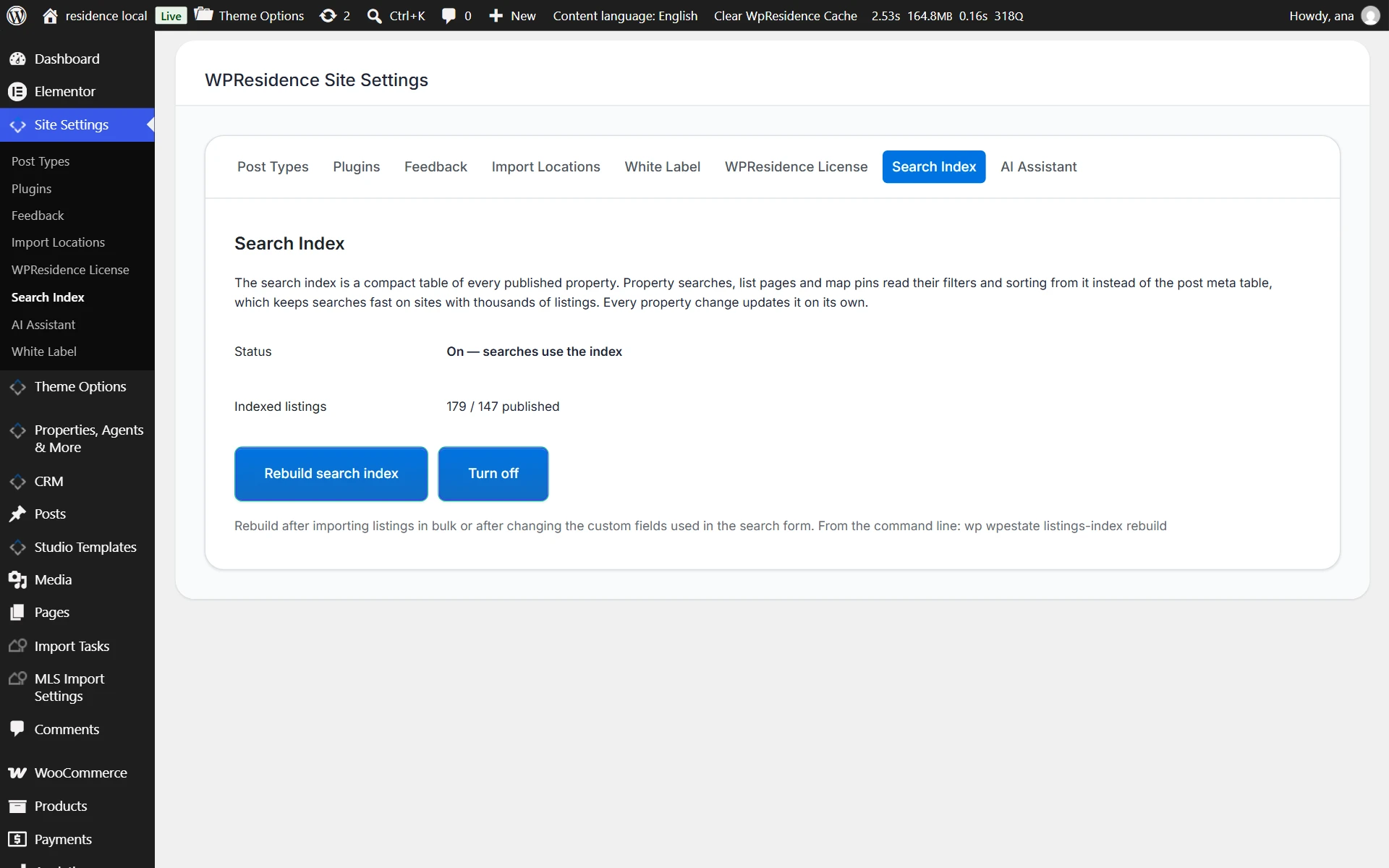
WPResidence Site Settings, Search Index tab

You do not need to set anything up. After you update the theme, the index is built in the background and turns on by itself when it is ready. Every time a property is added, edited or deleted, the index is updated on its own.

Status and indexed listings

Status What it means
On Searches use the index.
Building The index is being built. Searches use the regular query until it finishes. The page shows the progress.
Off Searches use the regular query.

Indexed listings shows how many listings are in the index next to the number of published properties.

When to rebuild the index

Click Rebuild search index after you import listings in bulk, or after you change the custom fields used in the search form. The rebuild runs in the background in batches, and searches keep working while it runs. The index turns on by itself when the rebuild finishes.

If you have server access, you can also run the rebuild from the command line with WP-CLI: wp wpestate listings-index rebuild

Turn the index on or off

Click Turn off to make searches use the regular query again. The index keeps being updated while it is off, so you can click Turn on later without a rebuild.

To import listings from an MLS, see MLSImport and WPResidence integration.

IDX & MLSImportSearch & Filtering

Related Articles

  • FAQ: Price Slider Limits Do Not Update Automatically in Advanced Search
  • MLSImport and WPResidence integration
  • Mobile Search in WPResidence
  • How to control the Advanced Search float position
MLSImportWordPress IDX Plugin for MLS ListingsImport MLS listings into your WordPress website, customize your property pages, and keep your inventory updated.Start free 30-day trial →

Help Categories

  • 111 Installation & Changelog
  • 19Agent, Agency & Developers
  • 5Blog Posts & Blog Lists
  • 14Footer
  • 38Header
  • 3IDX & MLSImport
  • 23Maps & Location Settings
  • 50Multilingual Websites – WPEstate Translate (Included)
  • 21Pages & Page Templates
  • 4Payments & Monetization
  • 20Property Lists, Categories & Archive
  • 38Property Single Page
  • 33Search & Filtering
  • 170Technical how to | Custom Code
  • 9Technical: Actions and filters
  • 6Technical: Child Theme
  • 86Theme Options & Global Settings
  • 6Theme Translation & Localization
  • 28Third Party Plugins Compatible
  • 16WPBakery Shortcodes
  • 51WPResidence / WPEstate CRM
  • 9WPResidence Elementor Studio
  • 39WPResidence Elementor Widgets
  • 79WPResidence FAQ
  • 1WPResidence PRO

Join Us On

Powered by WP Estate - All Rights Reserved
  • WPRESIDENCE
  • Video Tutorials
  • Client Support
  • API