WP Residence Help WP Residence Help

  • WPRESIDENCE
  • Video Tutorials
  • Client Support
  • API
Home / Technical how to | Custom Code / Technical: How to remove theme logo from admin login page

Technical: How to remove theme logo from admin login page

2264 views 0
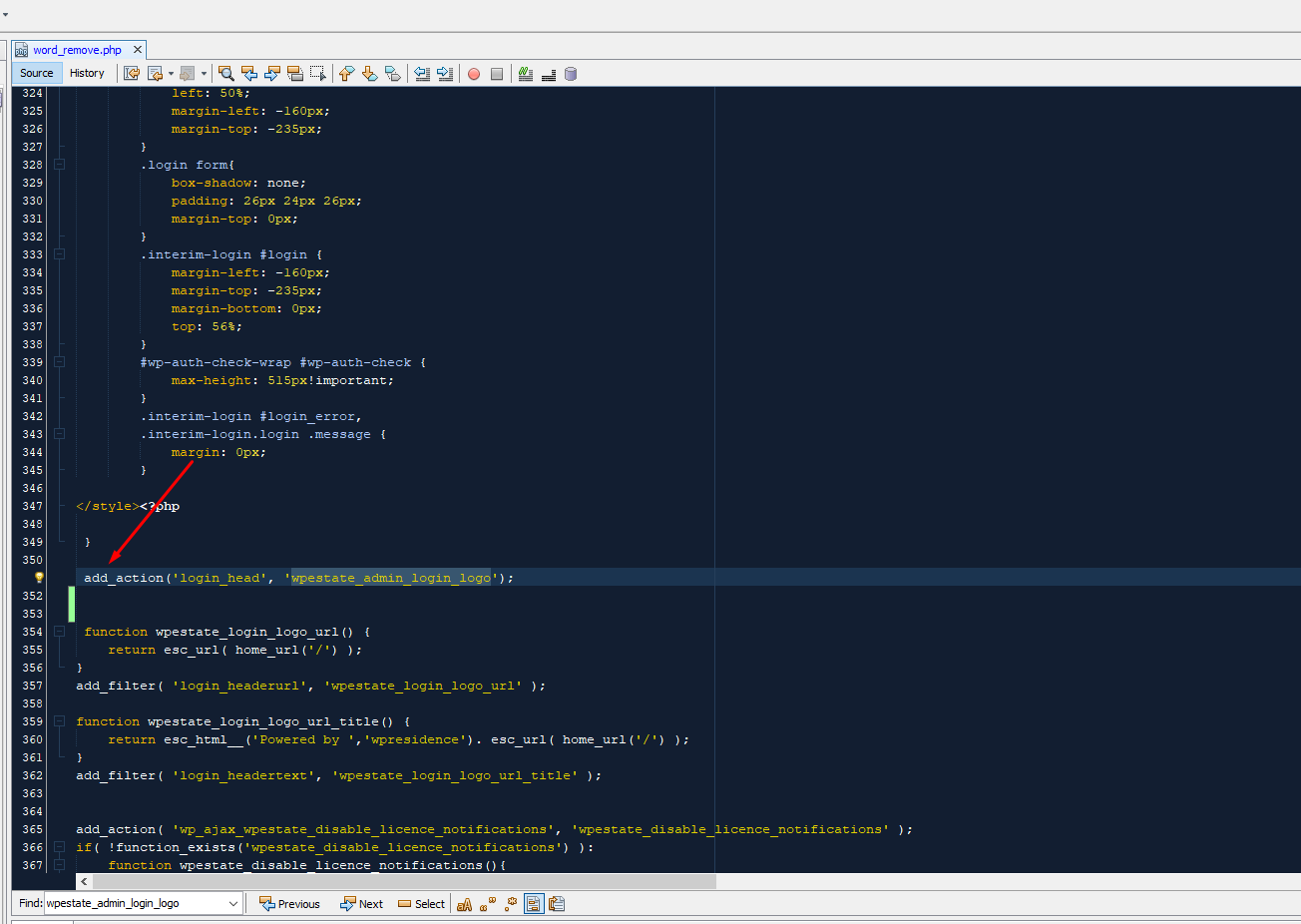
To remove the custom logo on wordpress admin page just go into file
word_remove.php and comment or delete this  add_action(‘login_head’, ‘wpestate_admin_login_logo’);  – at line 350

Technical how to | Custom Code

Related Articles

  • How to Add Custom Fields to the Login, Register and Forgot Password Forms
  • Technical: Change the Schedule Tour Email Text and the Form Default Message
  • Property list filter customization
  • Technical – How to Change the Minimum Image Dimensions for Property Uploads in WPResidence
MLSImportWordPress IDX Plugin for MLS ListingsImport MLS listings into your WordPress website, customize your property pages, and keep your inventory updated.Start free 30-day trial →

Help Categories

  • 111 Installation & Changelog
  • 19Agent, Agency & Developers
  • 5Blog Posts & Blog Lists
  • 14Footer
  • 38Header
  • 3IDX & MLSImport
  • 23Maps & Location Settings
  • 50Multilingual Websites – WPEstate Translate (Included)
  • 21Pages & Page Templates
  • 4Payments & Monetization
  • 20Property Lists, Categories & Archive
  • 38Property Single Page
  • 33Search & Filtering
  • 170Technical how to | Custom Code
  • 9Technical: Actions and filters
  • 6Technical: Child Theme
  • 86Theme Options & Global Settings
  • 6Theme Translation & Localization
  • 28Third Party Plugins Compatible
  • 16WPBakery Shortcodes
  • 51WPResidence / WPEstate CRM
  • 9WPResidence Elementor Studio
  • 39WPResidence Elementor Widgets
  • 79WPResidence FAQ
  • 1WPResidence PRO

Join Us On

Powered by WP Estate - All Rights Reserved
  • WPRESIDENCE
  • Video Tutorials
  • Client Support
  • API