
WP Residence Help WP Residence Help

  • WPRESIDENCE
  • Video Tutorials
  • Client Support
  • API
Home / Multi-Language - Third Party Plugins / WPML – How to translate Recent Items Shortcode Categories Filters

WPML – How to translate Recent Items Shortcode Categories Filters

2794 views 0

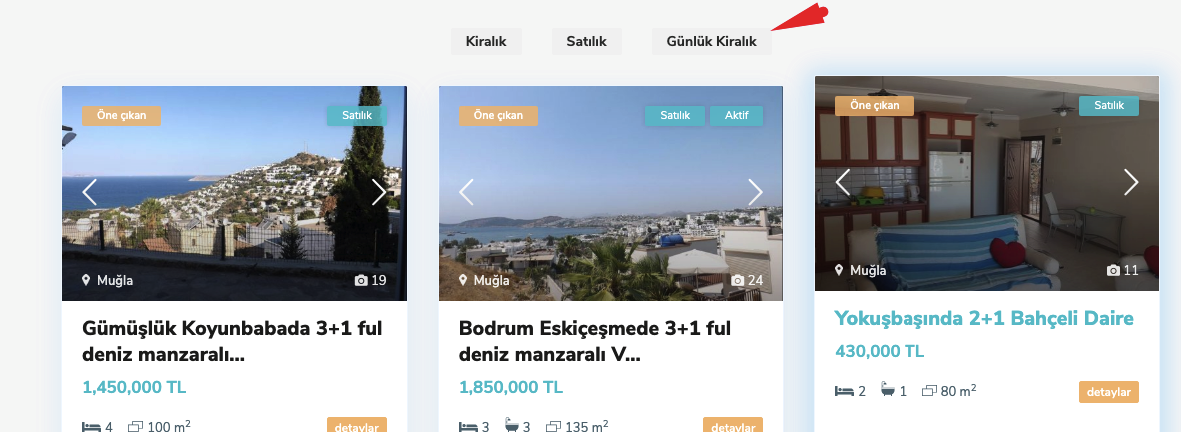
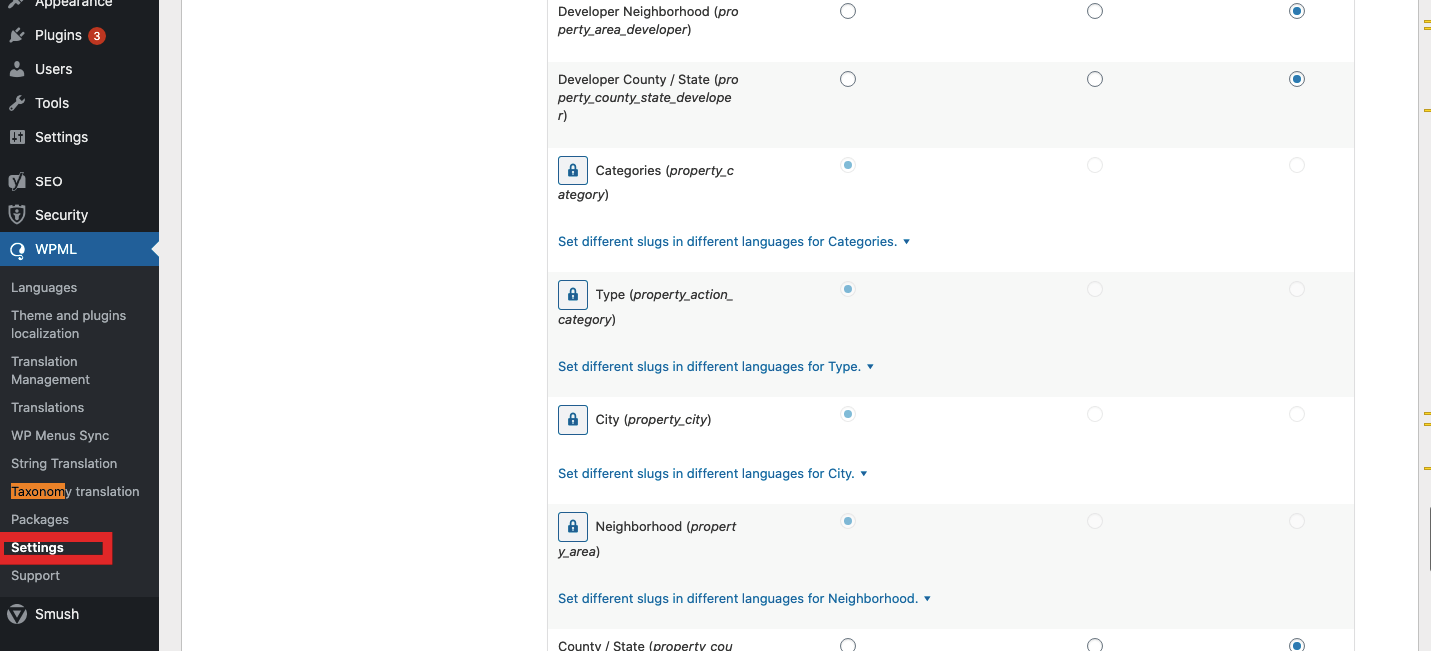
Translate the categories

You can manage the traslate status from WPML -> Settings -> Taxonomies Translations
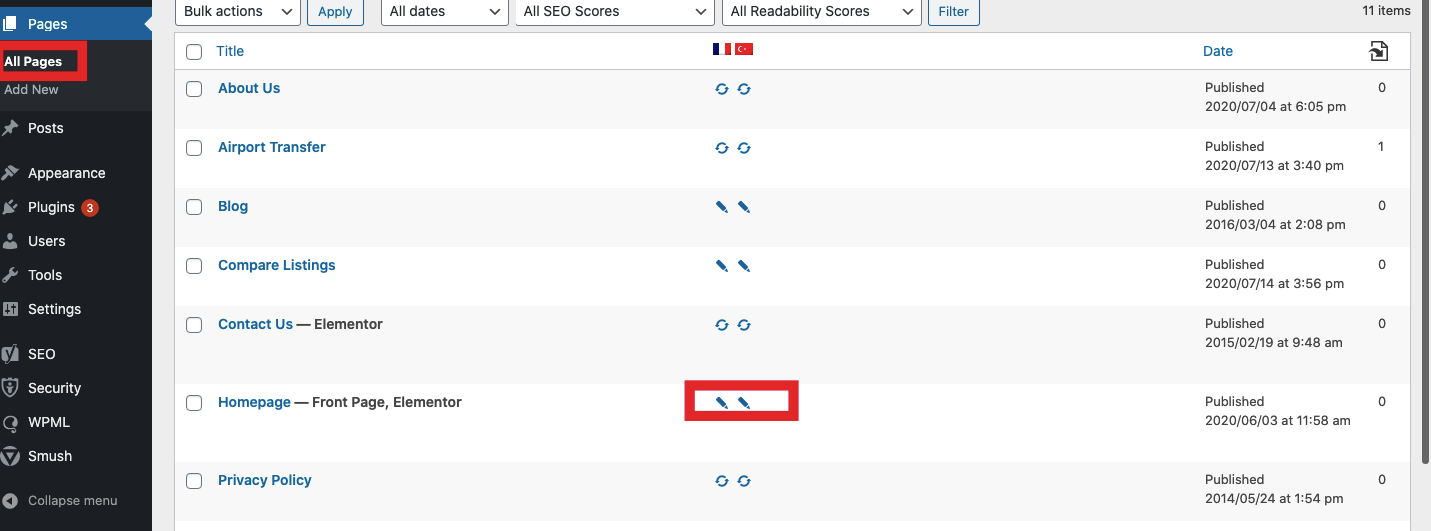
Translate the page from wp-admin -> Pages
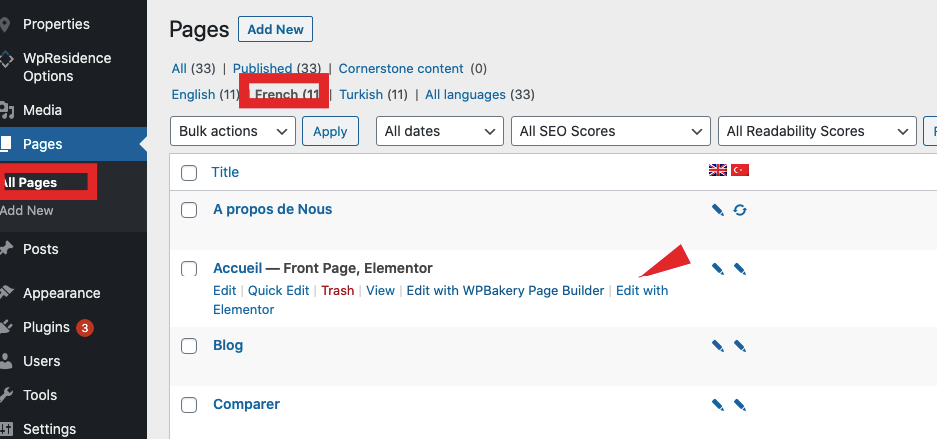
Edit each page in each language
Clear theme cache if you use it so categories list updates from the translations made above

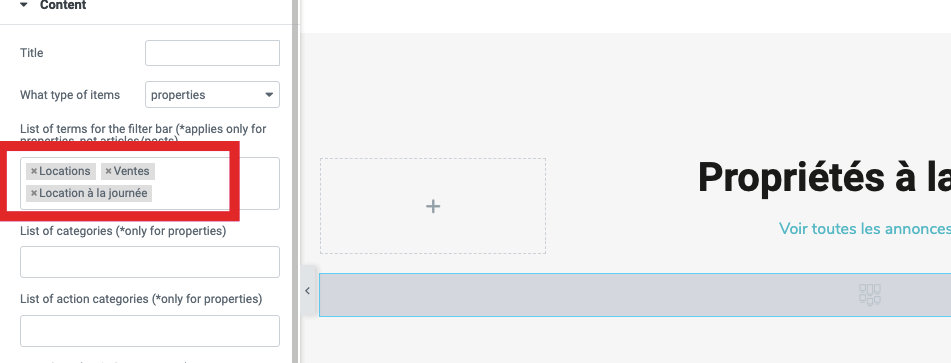
Refresh the edit page in 2nd language and find the categories for filter with auto-complete.

Ex for Elementor


Multi-Language - Third Party Plugins

Related Articles

  • How to translate WP Residence Studio templates with WPML
  • WpResidence and WPML (optional plugin)
  • WPML Language Switched display in top bar
  • WPML – Shows duplicate translated categories in 2nd languages
MLSImportWordPress IDX Plugin for MLS ListingsImport MLS listings into your WordPress website, customize your property pages, and keep your inventory updated.Start free 30-day trial →

Help Categories

  • 51 Getting Started
  • 72 Installation & Setup
  • 243 Installation FAQ
  • 18Agent, Agency & Developers
  • 5Blog Posts & Blog Lists
  • 39Elementor Shortcodes Built-In
  • 56FAQ
  • 15Footer
  • 37Header
  • 2IDX & MLSImport
  • 23Maps & Location Settings
  • 21Multi-Language - Third Party Plugins
  • 7Other Third party Plugins
  • 21Pages
  • 4Payments & Monetization
  • 20Property Lists, Categories & Archive
  • 37Property Pages & Layouts
  • 32Search & Filtering
  • 162Technical how to | Custom Code Required
  • 8Technical: Actions and filters
  • 7Technical: Child Theme
  • 86Theme Options & Global Settings
  • 7Translations & Languages
  • 16WPBakery Shortcodes
  • 50WPEstate Translate Plugin
  • 51WPResidence / WPEstate CRM
  • 50WPResidence 5.0 Documentation
  • 9WPResidence Elementor Studio

Join Us On

Powered by WP Estate - All Rights Reserved
  • WPRESIDENCE
  • Video Tutorials
  • Client Support
  • API