In theme we have 5 taxonomies: action, category, city, area and state. In search dropdown it has as the first option:
-“Categories” for action taxonomy,
-“Types” for category taxonomy,
-“Cities” for city taxonomy,
-“Areas” for area taxonomy,
-“States” for state taxonomy.
They are available to help users find all categories after selecting one item – and we don’t recommend deleting them.
This is the custom css solution for the above request:
#search_wrapper .dropdown.form-control .filter_menu [data-value="all"],
#search_wrapper .dropdown.form-control #categlist.filter_menu [data-value="all"],
#search_wrapper .dropdown.form-control #adv-search-city.filter_menu [data-value="all"],
#search_wrapper .dropdown.form-control #adv-search-area.filter_menu [data-value="all"],
#search_wrapper .dropdown.form-control #actionslist.filter_menu [data-value="all"],
#search_wrapper .dropdown.form-control #adv-search-countystate.filter_menu [data-value="all"],
.listing_filter_select .dropdown-menu.filter_menu [data-value="all"],
.open>#adv-search-city.dropdown-menu [data-value="all"],
.open>#acateglist.dropdown-menu [data-value="all"],
.open>#adv-search-area.dropdown-menu [data-value="all"],
.open>#actionslist.dropdown-menu [data-value="all"],
.open>#adv-search-countystate.dropdown-menu [data-value="all"],
#adv-search-mobile .filter_menu [data-value="all"]{
display: none;
}
/* Elementor / Builder Search Form widget */
#search_wrapper .dropdown.form-control .filter_menu [data-value="all"],
#search_wrapper .dropdown.form-control #categlist.filter_menu [data-value="all"],
#search_wrapper .dropdown.form-control #adv-search-city.filter_menu [data-value="all"],
#search_wrapper .dropdown.form-control #adv-search-area.filter_menu [data-value="all"],
#search_wrapper .dropdown.form-control #actionslist.filter_menu [data-value="all"],
#search_wrapper .dropdown.form-control #adv-search-countystate.filter_menu [data-value="all"],
.listing_filter_select .dropdown-menu.filter_menu [data-value="all"],
.open>#adv-search-city.dropdown-menu [data-value="all"],
.open>#acateglist.dropdown-menu [data-value="all"],
.open>#adv-search-area.dropdown-menu [data-value="all"],
.open>#actionslist.dropdown-menu [data-value="all"],
.open>#adv-search-countystate.dropdown-menu [data-value="all"],
#adv-search-mobile .filter_menu [data-value="all"],
.wpresidence_elementor_form .filter_menu [data-value="all"],
.elementor-widget-WpResidence_Search_Form_Builder .filter_menu [data-value="all"] {
display: none;
}
Help article about how to add custom CSS
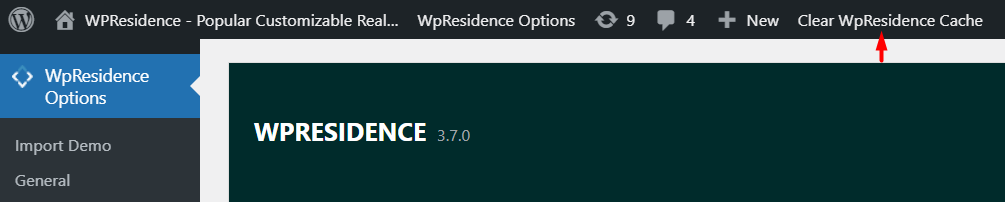
Tip: If you have theme cache enabled, make sure you clear cache to see instant results.