
Tasks are the fuel of a productive real estate practice. Every phone call you need to make, every viewing, every piece of paperwork — the Tasks section of the WPResidence real estate CRM keeps them visible, due-date-sorted, and accountable.
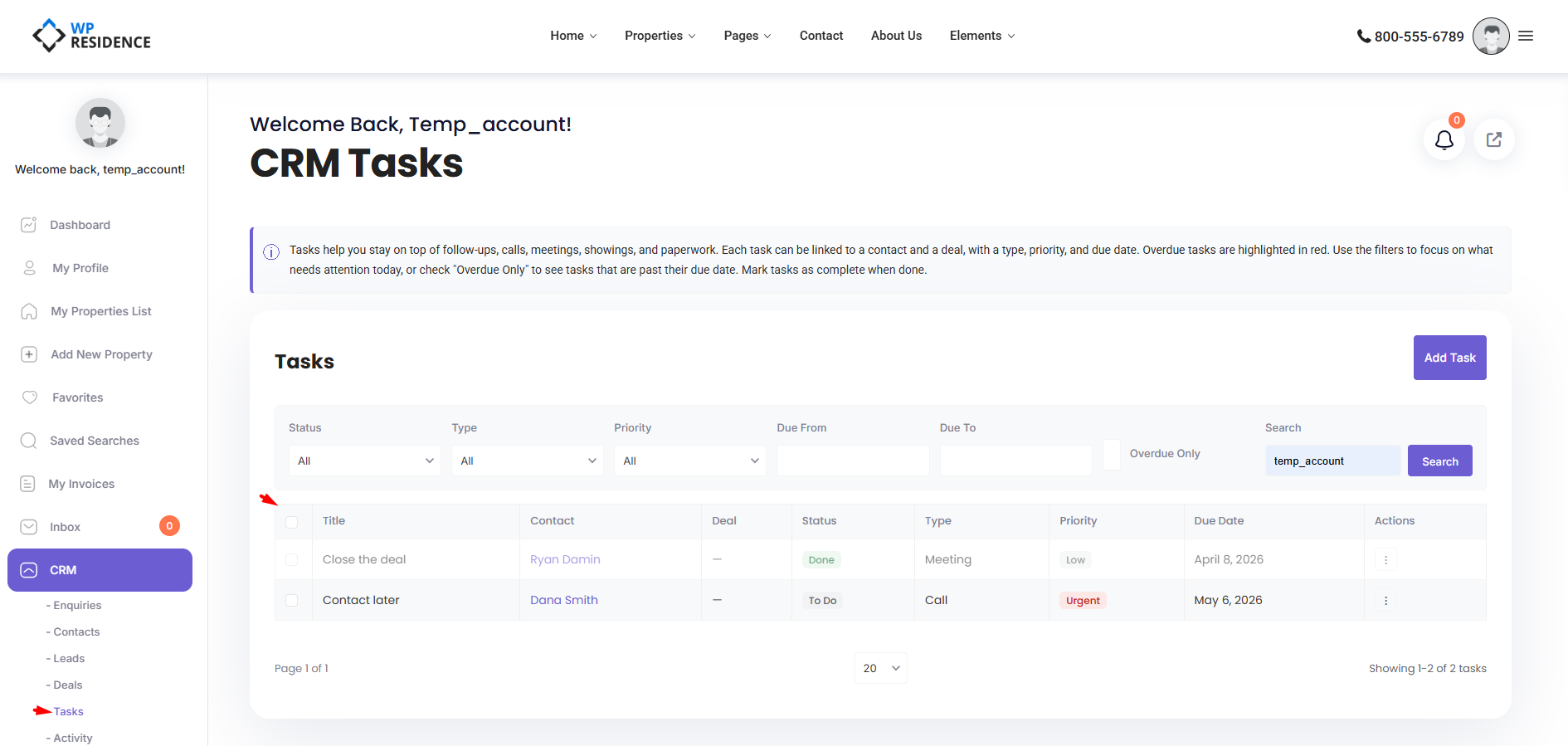
Opening the Tasks Section
Click CRM → Tasks in the sidebar. Admins see every task; agents see tasks they own or are assigned to.
Creating a Task
- Click Add Task.
- Enter a title.
- Pick a task type.
- Set priority and due date.
- Link the task to a contact or a deal (optional but recommended).
- Assign it to yourself or a teammate.
- Save.
Task Types
Default options: Call, Email, Meeting, Showing, Follow Up, Paperwork, Other.
Priorities
Low, Medium, High, Urgent.
Statuses
To Do, In Progress, Done.
All three lists are customizable by your administrator in CRM Settings.
The Task List
The list view shows: title, type, priority, due date, linked contact/deal, assignee, and status. Click a row to open and edit.
Filters
Seven filters help you narrow the list:
- Status
- Type
- Priority
- Date range
- Free-text search
- Overdue-only toggle
- Linked contact or deal
Overdue Tasks
A task is overdue when its due date is before today AND the status is not Done. Overdue rows are visually highlighted, and the count shows on the Stats dashboard in red when greater than zero. Your administrator can configure a daily overdue email alert to push reminders automatically — see the Email Notifications article.
Completing a Task
Open the task and change the status to Done, or use the inline complete action in the list. Completing a task stamps the exact time, logs a task_completed activity in the timeline, and can trigger webhooks or automations.
Bulk Actions
Select multiple tasks and choose Mark Complete or Delete. Ideal for end-of-week cleanup.
Best Practices
- One task, one action. “Call Smith re. 42 Oak offer” is a task. “Close Smith deal” is not — break it down.
- Always link to a contact or deal. Unlinked tasks fall off the radar.
- Use priority sparingly. If everything is Urgent, nothing is.
- Review the overdue list every morning. Close or reschedule, don’t let it rot.
Tasks and Automations
Tasks are often created automatically by automations. A new lead can auto-create a “First contact call” task. A deal moving to Offer Made can auto-create a “Follow up on offer” task. Read the Automations article to set up rules like these.
International Use
Task titles and descriptions accept non-Latin characters. Due dates respect your site’s date format.