
Issue
If you see the following error on a single property page:
Uncaught Error: Call to undefined function wpestate_return_property_address()
in wp-content/themes/wpresidence/templates/listing_templates/property-page-templates/address_under_title.php on line 37
The error usually appears when loading the property page layout.
Cause
This error means that the property page template is trying to call the function wpestate_return_property_address(), but WordPress cannot find this function at that moment.
This can happen when the theme files are not fully updated, when some files are from a different WPResidence version, or when a child theme/custom template is overriding an older file.
Common causes include:
- WPResidence was updated, but not all theme files were uploaded correctly.
- The required WPResidence plugins were not updated together with the theme.
- A child theme contains an older override of the property page template.
- Server cache, object cache, or PHP OPcache is still loading old files after an update.
- Custom changes were made directly inside theme template files.
How to Fix
Please check the following steps:
1. Update WPResidence and the Required Plugins
- Make sure WPResidence is updated to the latest version.
- Go to Appearance > Install Plugins.
- Update all required WPResidence plugins listed there.
- After updating, clear all website, server, CDN, and browser cache.
2. Check if a Child Theme Overrides the Template
If you are using a child theme, please check if this file exists inside the child theme:
templates/listing_templates/property-page-templates/address_under_title.phpIf the file exists, it may be an older copy of the template and may no longer match the current WPResidence version.
To test this, temporarily rename the file in the child theme and check the property page again. If the error disappears, the child theme template override must be updated to match the latest WPResidence version.
3. Re-upload the Theme Files
If the error continues, re-upload a clean copy of the latest WPResidence theme files.
Before doing this, make a full website backup.
You can then upload the latest theme package again from your ThemeForest buyer account, or update the theme using your preferred WordPress update method.
4. Clear Server Cache and OPcache
After updating or re-uploading the files, clear all cache layers:
- WordPress cache plugin cache
- Server cache
- CDN cache, if used
- Browser cache
- PHP OPcache, if your hosting uses it
If you are not sure how to clear PHP OPcache, please ask your hosting provider to do this for you.
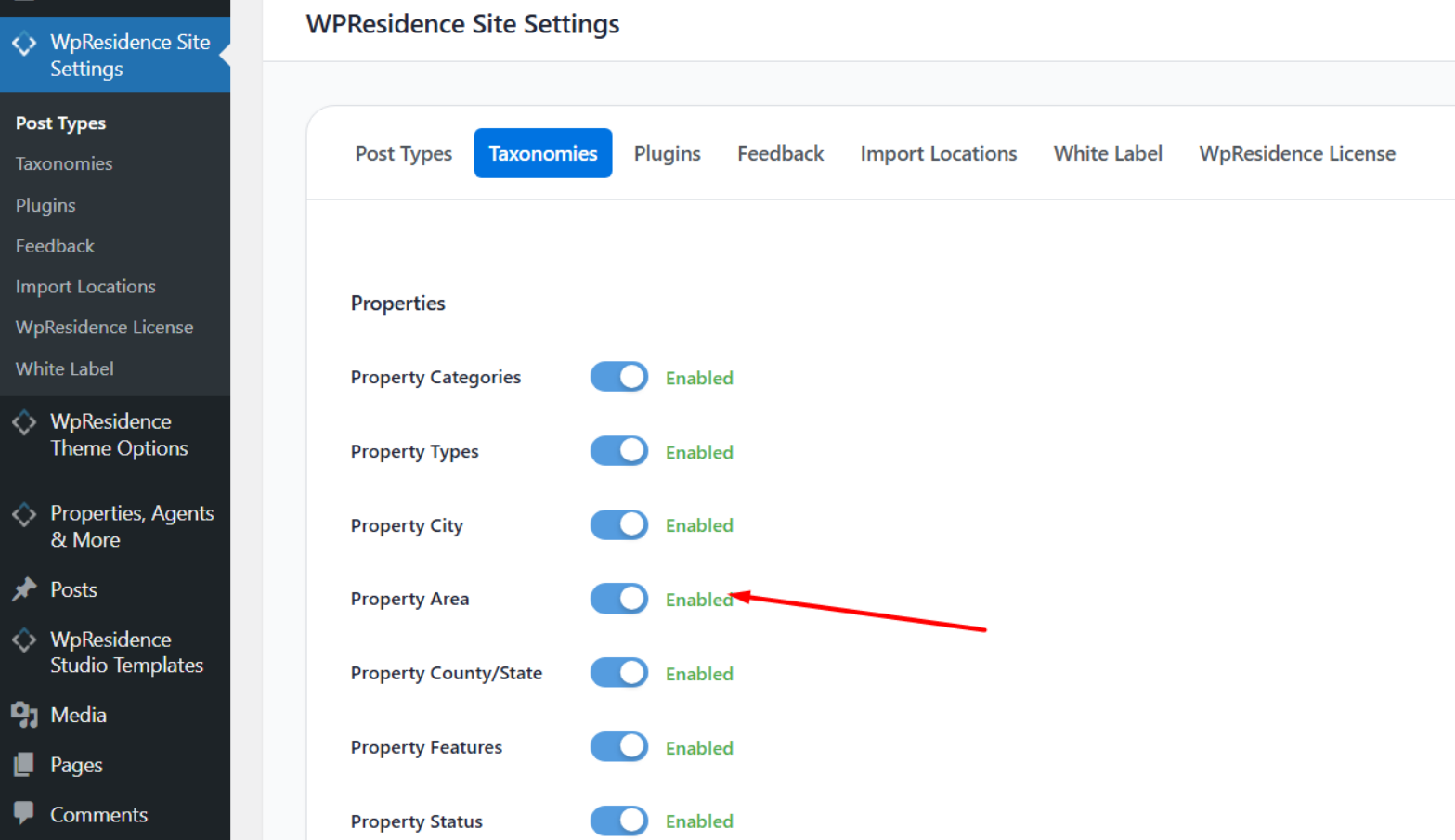
Important Note About Property Taxonomies
The property address area can depend on property taxonomy and location settings, such as city, area, county/state, category, or action.
If you intentionally disable property taxonomies from Theme Options > General > Property Settings, make sure your selected property page layout does not rely on those taxonomy-based address sections.
If you want to hide all property taxonomies, you may need to use a custom property page layout or remove the address section from the property page template.
Additional Note
This issue is usually caused by a version mismatch, incomplete update, cache issue, or outdated child theme template override.
If you need help checking this on your website, please open a ticket in our private support system and include the site URL and temporary wp-admin access.