
How to create a HubSpot account
The first step is to create a HubSpot account and log in. You can start with HubSpot’s signup page: Create a HubSpot account HubSpot also offers a free CRM plan that includes the basic CRM tools needed to manage contacts and messages. Learn more about HubSpot CRM
How to create a service key and get the access token
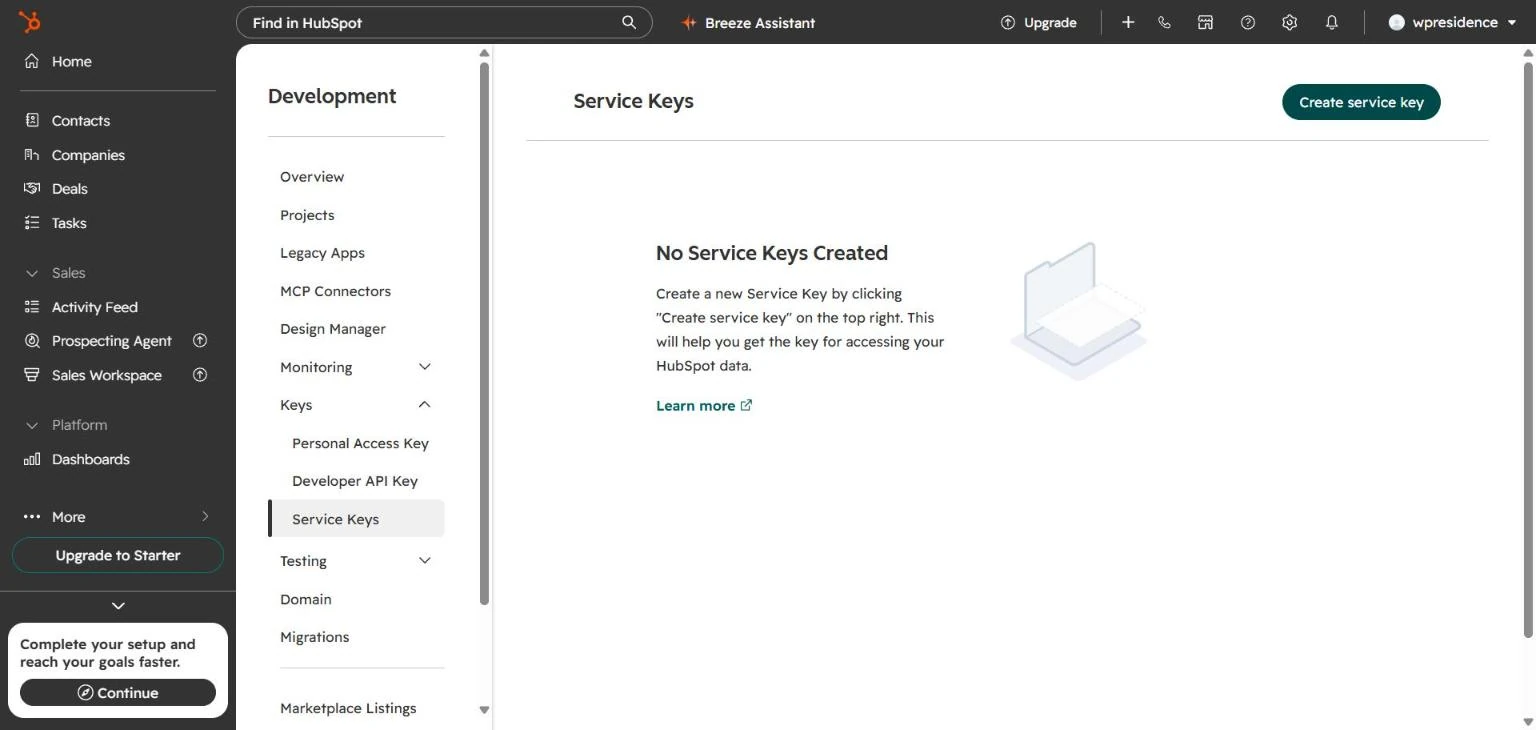
- In HubSpot, open Development > Keys > Service Keys and click Create service key. Accounts that still have Private Apps can create a private app instead.
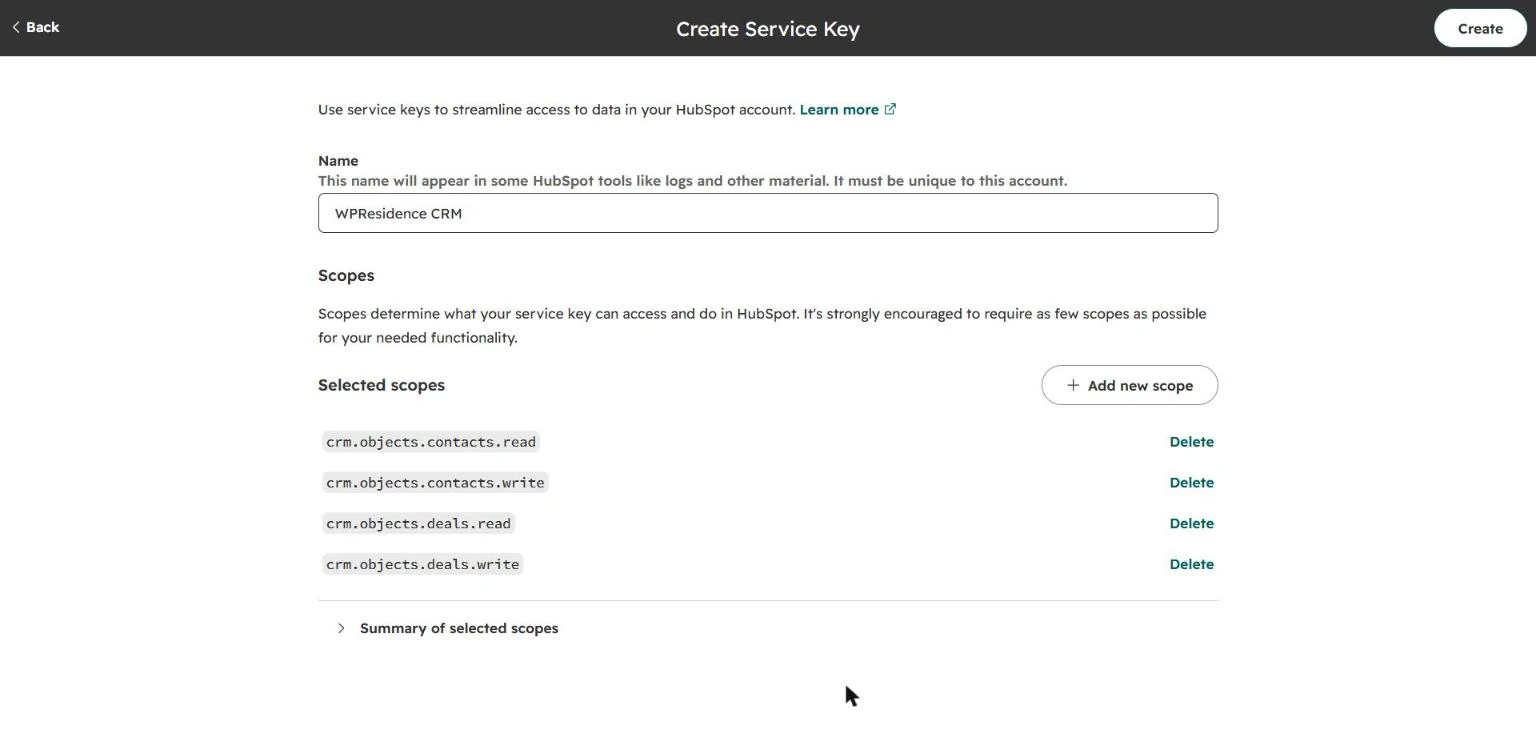
- Add the scopes crm.objects.contacts.read, crm.objects.contacts.write, crm.objects.deals.read and crm.objects.deals.write.
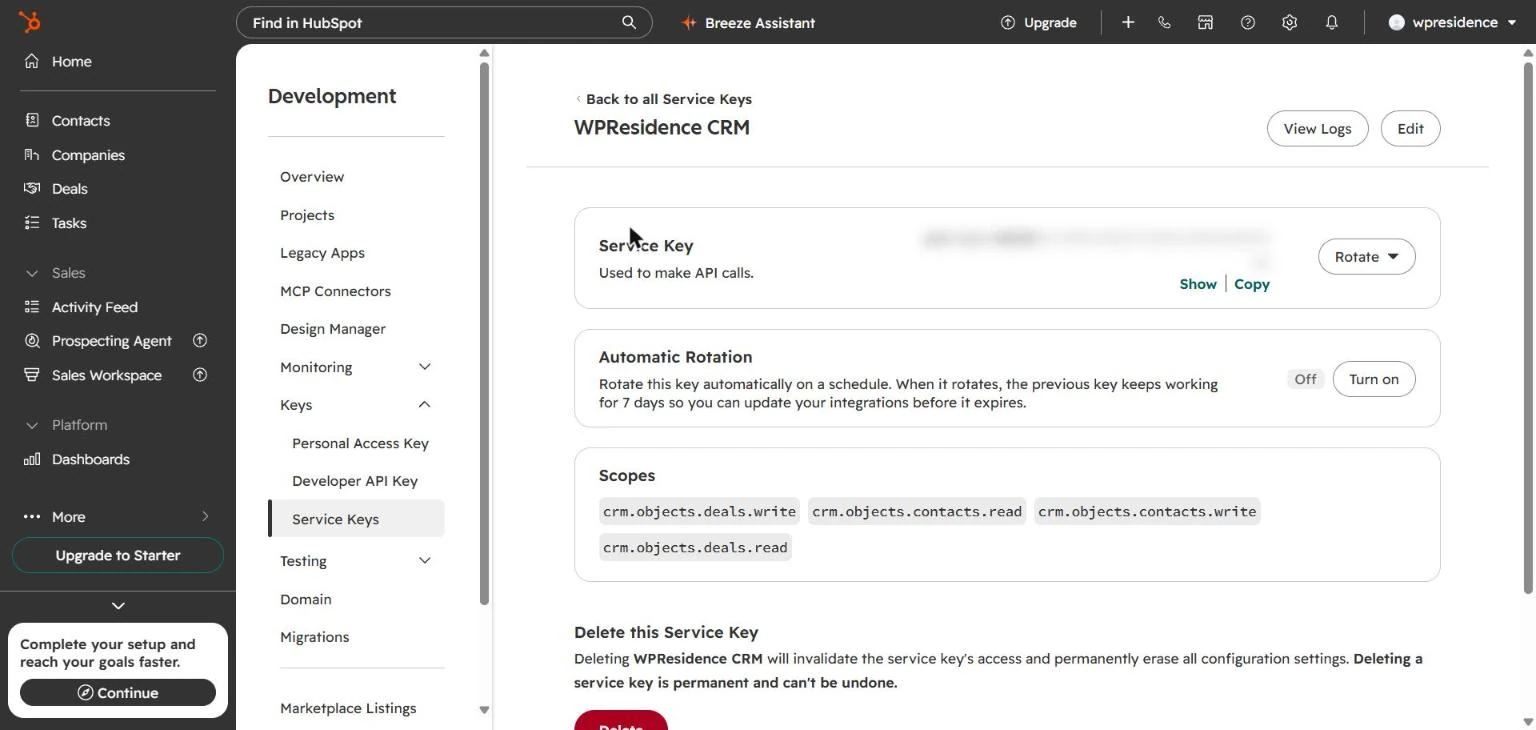
- Click Create and copy the key. It starts with pat-.
How to connect HubSpot to WPResidence
After you copy the HubSpot access token, go to: CRM > Settings > HubSpot Then follow these steps:
- Find the API Token field.
- Paste the access token copied from HubSpot.
- Enable the CRM integration.
- Save the changes.
 If you add the access token in CRM Settings, the HubSpot integration will work for the forms controlled by the site administrator.
Which WPResidence forms are covered by the admin integration
When the administrator adds the HubSpot token in CRM Settings, HubSpot can receive messages from:
- Contact page form
- Footer contact form
- Agent, agency, or developer forms, unless that profile uses its own token
- Property contact forms, unless the assigned agent, agency, or developer uses its own token
- Contact Form shortcode
Useful related help:
How to test the integration with a property created from admin
One of the easiest ways to test the integration is with a property contact form.
- Create an agent from wp-admin > Agents.
- Edit a property and assign that agent as the responsible contact.
- Open the property page on the front end.
- Send a test message through the property contact form.
- Go back to HubSpot and open the Contacts section.
The user who sent the message should appear as a new contact in HubSpot.  Inside the HubSpot contact, you should see the synced visitor details such as name, email, and phone number.
 The message itself is also stored in HubSpot and linked to that contact record.
 If the same email sends multiple messages, HubSpot will keep them connected to the same contact. Useful HubSpot learning resource: HubSpot Academy – Contact Management
How to let agents, agencies, or developers use their own HubSpot token
To send leads to each agent’s, agency’s or developer’s own HubSpot account, follow Agents, Agencies and Developers With Their Own HubSpot Account.