
WP Residence Help WP Residence Help

  • WPRESIDENCE
  • Video Tutorials
  • Client Support
  • API
Home / WPResidence FAQ / Hide elements from the filters in PROPERTIES LIST template with CSS

Hide elements from the filters in PROPERTIES LIST template with CSS

6069 views 1

Hide Filter Elements From the Properties List Template With CSS

You can hide specific filter elements from the Properties List template by using custom CSS.

Add the CSS you need in Theme Options > Design > Custom CSS, in Appearance > Customize > Additional CSS, or in the style.css file from your child theme.

Remove the Type Filter

.dropdown.listing_filter_select #a_filter_action {
  display: none;
}

Remove the Category Filter

.dropdown.listing_filter_select #a_filter_categ {
  display: none;
}

Remove the County / State Filter

.dropdown.listing_filter_select #a_filter_county {
  display: none;
}

Remove the City Filter

.dropdown.listing_filter_select #a_filter_cities {
  display: none;
}

Remove the Area Filter

.dropdown.listing_filter_select #a_filter_areas {
  display: none;
}

Remove the Sort Order Filter

.dropdown.listing_filter_select #a_filter_order {
  display: none;
}

Adjust Filter Spacing

If you hide several filter elements, you may also want to remove the extra spacing between the remaining elements for better design consistency.

.listing_filters_head {
  gap: 0;
}

Important Notes

Add only the CSS rules for the filters you want to hide. You do not need to add all examples unless you want to hide all those filter elements.

This CSS only hides the filter elements visually. It does not remove the taxonomies or search functionality from the theme.

Related Help Article


How to add custom CSS

Clear Cache

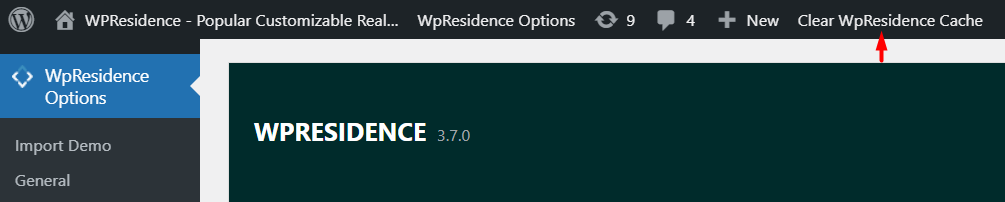
Tip: If you have theme cache enabled, make sure you clear the WPResidence theme cache to see the changes immediately.


Help article about WPResidence theme cache


WPResidence FAQ

Related Articles

  • Jetpack breaks WPResidence: missing theme JavaScript and image upload HTTP errors
  • Why does the mobile search not show on some tablets or phones in WPResidence?
  • FAQ – HTTP / Mixed Content Errors in Console for Font Loading
  • FAQ: Can I create private off-market listings?
MLSImportWordPress IDX Plugin for MLS ListingsImport MLS listings into your WordPress website, customize your property pages, and keep your inventory updated.Start free 30-day trial →

Help Categories

  • 111 Installation & Changelog
  • 19Agent, Agency & Developers
  • 5Blog Posts & Blog Lists
  • 14Footer
  • 38Header
  • 2IDX & MLSImport
  • 23Maps & Location Settings
  • 50Multilingual Websites – WPEstate Translate (Included)
  • 21Pages & Page Templates
  • 4Payments & Monetization
  • 20Property Lists, Categories & Archive
  • 38Property Single Page
  • 32Search & Filtering
  • 170Technical how to | Custom Code
  • 9Technical: Actions and filters
  • 6Technical: Child Theme
  • 86Theme Options & Global Settings
  • 6Theme Translation & Localization
  • 28Third Party Plugins Compatible
  • 16WPBakery Shortcodes
  • 51WPResidence / WPEstate CRM
  • 9WPResidence Elementor Studio
  • 39WPResidence Elementor Widgets
  • 79WPResidence FAQ

Join Us On

Powered by WP Estate - All Rights Reserved
  • WPRESIDENCE
  • Video Tutorials
  • Client Support
  • API