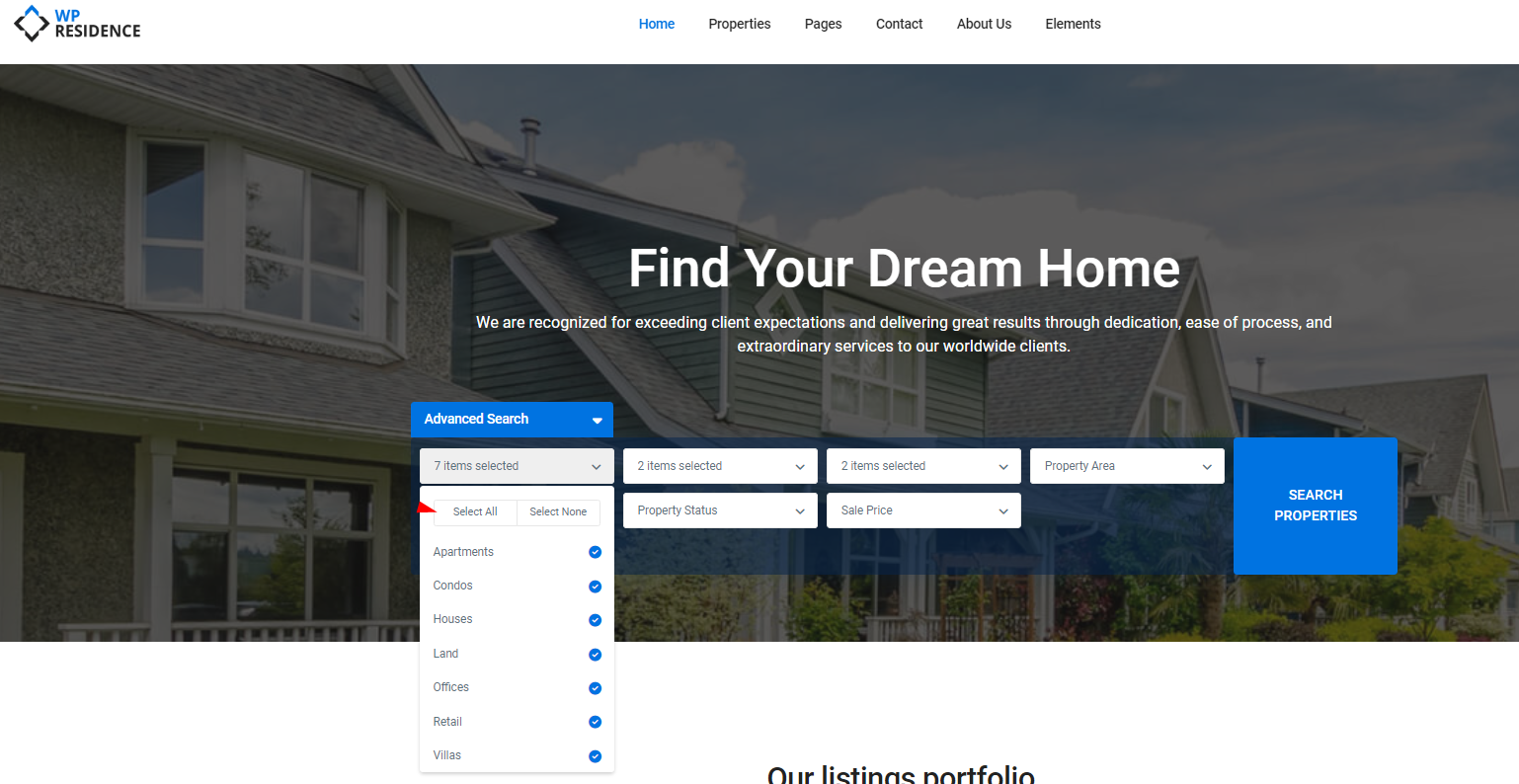
These options allow you to enable or disable multiple selections for each taxonomy in the Advanced Search form. When enabled, users can select more than one option from each dropdown.
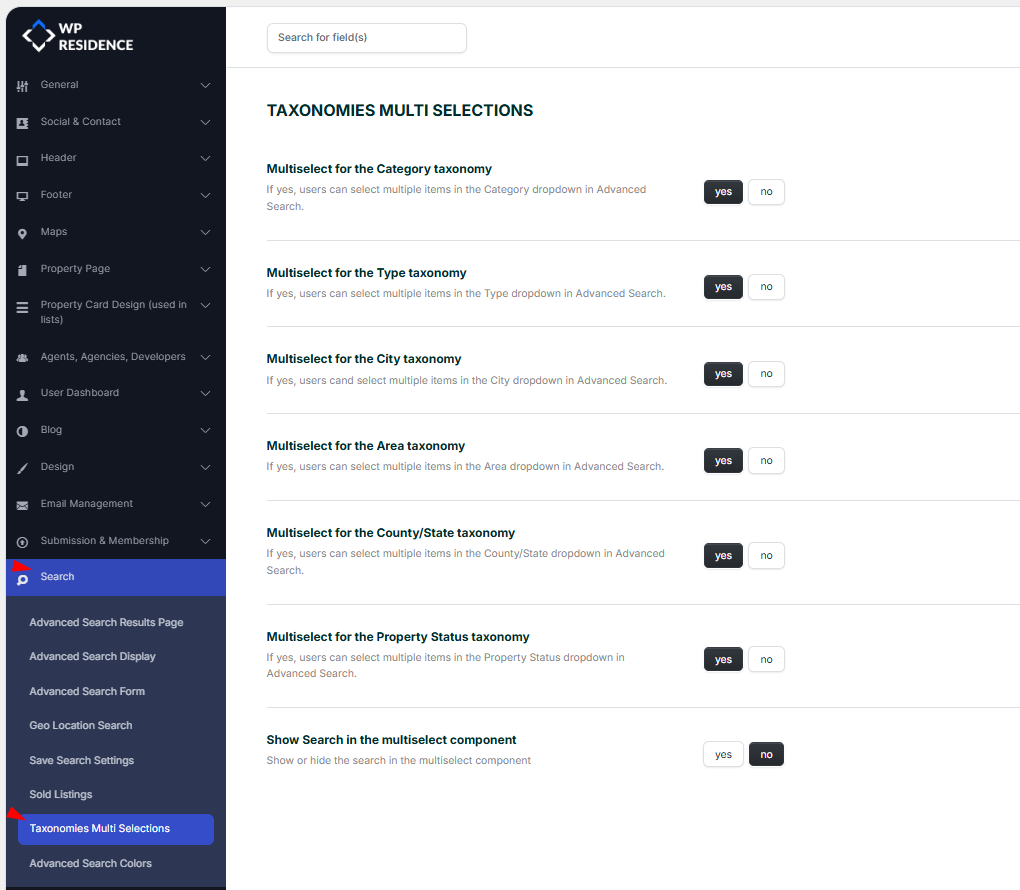
The multi-select is enabled from Wp-Admin – Theme Options -> Search -> Taxonomies Multi Selections
-
Multiselect for the Category taxonomy
Allow users to choose multiple categories (e.g., Apartment, House) in the search filter.
Options: yes / no -
Multiselect for the Type taxonomy
Allow users to select multiple property types (e.g., Rent, Sale) when filtering properties.
Options: yes / no -
Multiselect for the City taxonomy
Enable users to select multiple cities in the location filter.
Options: yes / no -
Multiselect for the Area taxonomy
Allow users to filter by multiple areas within cities.
Options: yes / no -
Multiselect for the County/State taxonomy
Enable selection of multiple counties or states in the location filter.
Options: yes / no -
Multiselect for the Property Status taxonomy
Allow users to choose multiple property statuses (e.g., New, Under Construction).
Options: yes / no -
Show Search in the multiselect component
Show a search box inside each multiselect dropdown to help users quickly find options.
Options: yes / no
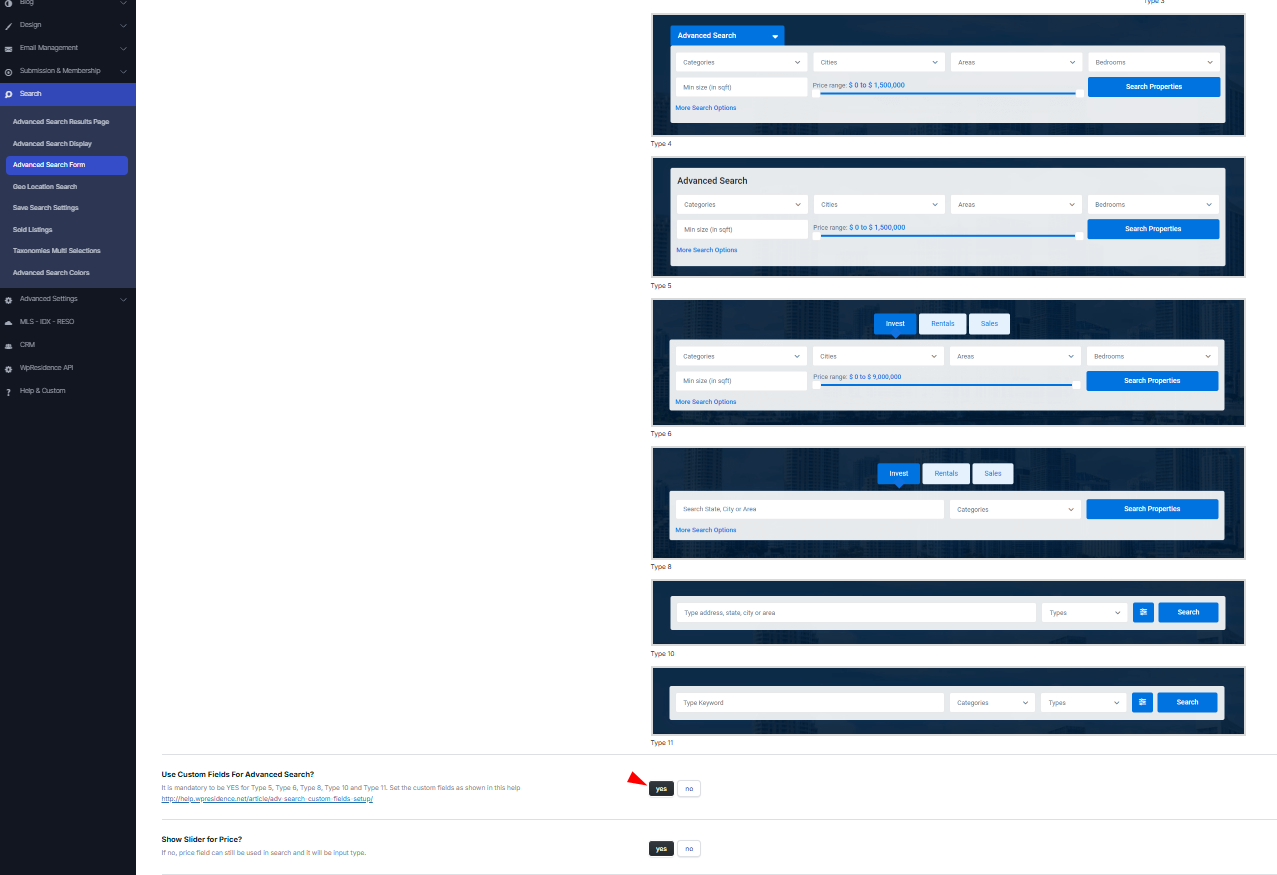
Note: The multi-selection option will work only if the setting “Custom Fields For Advanced Search?” is set to Yes from Search -> Advanced Search Form -> Use Custom Fields For Advanced Search? -> YES.